
— On-model imagery · 150+ styles · 4K
Direct art-deco campaign imagery by clicks — with the AI 1920s Fashion Photography Generator.
Create 1920s-inspired fashion photography that feels editorial, controlled, and ready for campaign, lookbook, or PDP use. Select lens, framing, pose, light, background, and visual style in a real interface built around the garment. No studio. No samples. No prompts.
- ~$0.55 per image
- ~30–40s per generation
- 150+ styles
- 2K or 4K
- Every aspect ratio
- Full commercial rights
7-day free trial • 50 tokens (10 images) • Cancel anytime

Direct the shoot. Zero prompts.
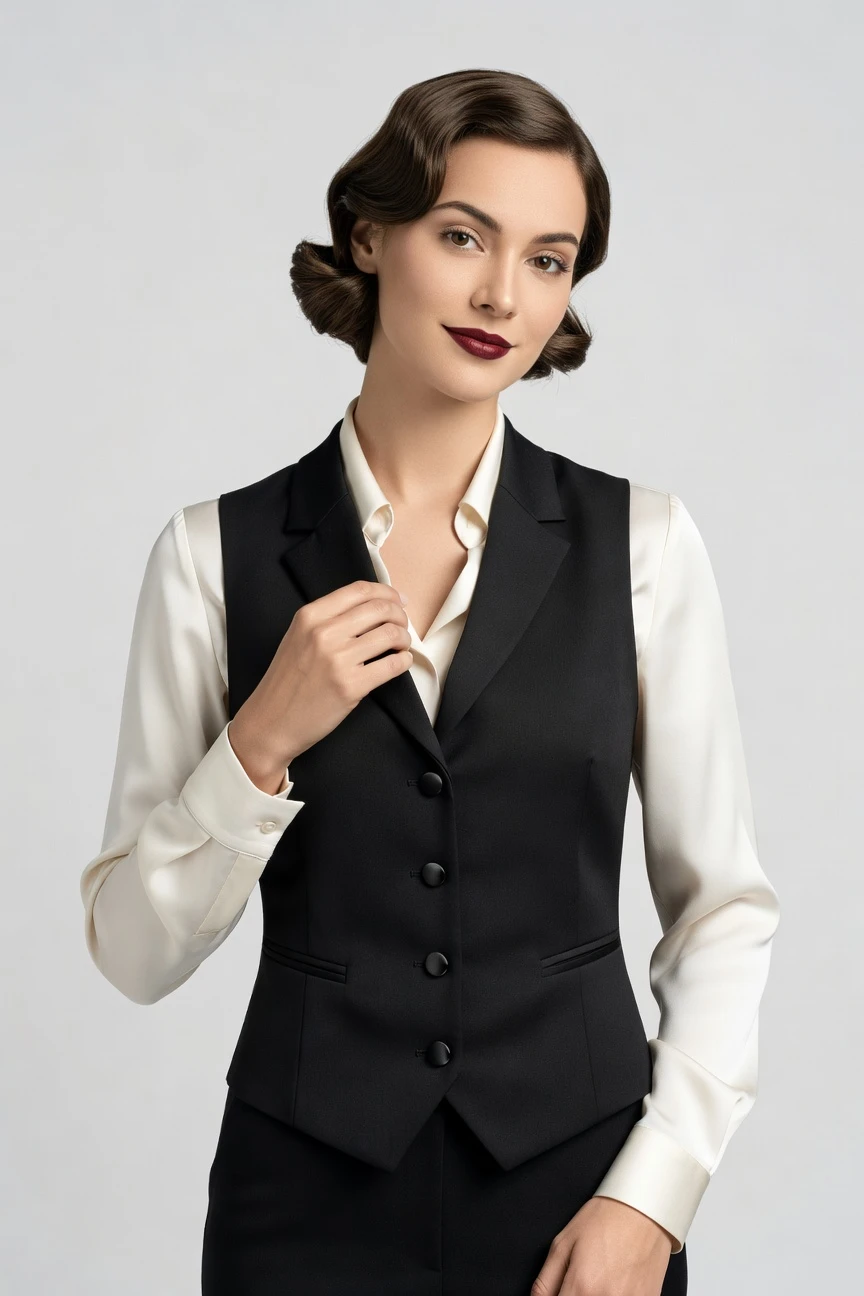
For a 1920s-inspired fashion setup, the controls are set for an 85mm portrait feel, half-body framing, a 4:5 campaign crop, and 4K output. You click into the era through lens, crop, and styling choices while the garment stays the brief. ~$0.55 per image · ~30-40s
- 4 clicks · 0 keystrokes
- app.rawshot.ai / new_shoot
How it works
Build 1920s-Inspired Shoots From Clicks
Move from garment upload to era-shaped imagery with interface controls that keep the product faithful at every step.
- Step 01
Upload the Garment
Start with the real product images. RAWSHOT reads the cut, trim, colour, pattern, logo, and proportion so the garment leads the image instead of getting bent around text instructions.
- Step 02
Set the Era Through Controls
Click your way into a 1920s-inspired scene with lens, framing, pose, lighting, background, and visual style presets. You direct the mood through controls, not syntax.
- Step 03
Generate and Scale
Create a single editorial frame in the browser or run a larger catalog pipeline through the API. The same engine, pricing logic, rights model, and provenance signals carry across both.
Spec sheet
Proof for Styled Period Imagery
These twelve signals show how RAWSHOT handles garment truth, creative direction, provenance, rights, and scale in one product.
- 01
Synthetic Models by Design
Every model is built from 28 body attributes with 10+ options each. Accidental real-person likeness is statistically negligible by design, not left to chance.
- 02
Every Setting Is a Click
You select camera, angle, framing, light, background, expression, and style from controls. The interface works like software for fashion teams, not a chat box.
- 03
The Garment Stays Central
RAWSHOT is engineered around the real product. Cut, colour, pattern, trim, drape, and logo placement are represented with the garment as the brief.
- 04
Diverse Synthetic Cast
Build imagery across a wide range of body options without casting logistics. That gives smaller brands access to styled on-model work they could not book before.
- 05
Consistent Across Variants
Keep the same face, styling logic, and visual direction across many SKUs. That consistency matters when one drop needs a coherent lookbook and a usable product grid.
- 06
Period Mood, Modern Control
Choose from 150+ visual style presets to move toward deco glamour, noir contrast, studio polish, or campaign gloss. The era comes from selection and direction, not guesswork.
- 07
2K, 4K, and Every Crop
Generate stills in 2K or 4K and frame them for 1:1, 4:5, 3:4, 2:3, 16:9, or 9:16. One garment shoot can serve PDPs, paid social, and lookbook layouts.
- 08
Labelled and Compliant
Outputs are AI-labelled, watermarked, and aligned with EU-hosted compliance standards including C2PA signalling. Honest handling is part of the product, not an afterthought.
- 09
Audit Trail Per Image
Each image carries a signed record for provenance and operational traceability. That gives teams a cleaner review path when assets move from creative into commerce systems.
- 10
GUI to REST API
Use the browser for one-off art direction or connect the REST API for catalog-scale production. Indie operators and enterprise teams work from the same core product.
- 11
Fast, Clear Economics
Images run about $0.55 each and usually generate in 30–40 seconds. Tokens never expire, and failed generations refund their tokens.
- 12
Commercial Rights Included
Every output comes with full commercial rights, permanent and worldwide. You can publish to storefronts, ads, marketplaces, and campaigns without separate licensing layers.
Outputs
1920s Mood, Garment First
Explore period-inspired fashion imagery that keeps the product readable while shifting the set, framing, and tone. The styling can move toward editorial romance, catalog polish, or campaign drama without losing the garment.


Browse 150+ visual styles →
Comparison
RAWSHOT vs category tools vs DIY prompting
Three lenses on every dimension — what you optimize for in RAWSHOT versus typical category tools and blank-box AI workflows.
01
Interface
RAWSHOT
Click-driven controls for camera, framing, pose, light, and styleCategory tools + DIY
Some presets plus limited controls, often wrapped around text-heavy setup. DIY prompting: Typed instructions in generic image tools, with repeatability depending on wording02
Garment fidelity
RAWSHOT
Built around the real garment's cut, colour, trim, and drapeCategory tools + DIY
Often style-led first, with weaker handling of exact product details. DIY prompting: Garments drift, fabrics mutate, and logos or trims get invented03
Model consistency
RAWSHOT
Same model logic can stay consistent across a wider SKU setCategory tools + DIY
Consistency may vary across sessions or product batches. DIY prompting: Faces change between outputs, forcing retakes and close-enough compromises04
1920s art direction
RAWSHOT
Era mood comes from visual presets, lensing, crop, and lighting controlsCategory tools + DIY
Offer broad style looks, but less directorial precision per setting. DIY prompting: Mood depends on wording experiments, often mixing eras or adding unwanted details05
Provenance + labelling
RAWSHOT
C2PA-signed, AI-labelled, visible and cryptographic watermarking built inCategory tools + DIY
Provenance support varies and is not always present per asset. DIY prompting: Usually no signed provenance metadata and unclear downstream labelling practices06
Commercial rights
RAWSHOT
Full commercial rights to every output, permanent and worldwideCategory tools + DIY
Rights can be tiered, narrower, or explained less clearly. DIY prompting: Usage terms differ by model and platform, creating avoidable uncertainty07
Pricing transparency
RAWSHOT
Per-image pricing, tokens never expire, one-click cancel, refunds on failuresCategory tools + DIY
Credits and access can be gated by seats or sales-led tiers. DIY prompting: Usage economics vary by platform, plan, and retries from failed wording08
Catalog scale
RAWSHOT
Browser GUI for one shoot and REST API for 10,000-SKU workflowsCategory tools + DIY
May separate small-team features from enterprise workflow access. DIY prompting: No garment-native pipeline, no audit trail, and weak batch reproducibility
Prompting does not scale
Stop writing essays. Direct the shoot.
Most AI photo tools start with a blank text box. Rawshot turns the shoot into repeatable controls, so creative teams can produce consistent fashion imagery without prompt syntax or one-off hacks.
Category norm
ManualCreate a premium editorial fashion photograph of a model wearing the exact navy oversized wool coat from SKU-1842, full-body crop, realistic hands, consistent facial identity, clean e-commerce lighting, subtle Paris street background, 85mm lens, no logo distortion, no fabric hallucination, same pose as last campaign, repeatable for all colorways...
A prompt can describe one image. It cannot become a shared production system for hundreds of products, models, angles and markets.
Rawshot
ClicksSaved shoot recipe
Apply to 1 SKU or 10,000 via GUI, CSV or REST API.
Rawshot makes creative direction visible: buttons, presets and sliders instead of hidden prompt craft. The result is easier to teach, faster to approve and built for repeat production.
Use cases
Who Uses Period-Styled Fashion Imagery
Operator archetypes and how click-directed, garment-first output fits the way they actually work.
- 01
Occasionwear DTC Labels
Launch fringe, satin, beaded, or evening pieces with deco-inspired imagery that adds mood while keeping the garment readable for buyers.
Confidence · high
- 02
Vintage and Resale Sellers
Present archive pieces in a 1920s editorial context without booking a studio day for one-off inventory.
Confidence · high
- 03
Theatre and Costume Brands
Build styled campaign images for period wardrobes and performance collections before a cast fitting ever happens.
Confidence · high
- 04
Jewelry and Accessory Merchants
Frame long necklaces, headpieces, gloves, and evening bags in era-led compositions that still center the product.
Confidence · high
- 05
Small Bridal and Reception Lines
Shape old-glamour lookbooks for second looks, veils, wraps, and embellished sets without the friction of physical shoots.
Confidence · high
- 06
Crowdfunding Fashion Projects
Show backers a fully directed 1920s fashion story before full production, using the garment visuals you already have.
Confidence · high
- 07
Editorial Capsule Drops
Turn a limited release into campaign-ready imagery with controlled lighting, portrait crops, and period styling cues.
Confidence · high
- 08
Department Store Creative Teams
Test themed landing pages and special-event edits across many brands without reshooting every participating SKU.
Confidence · high
- 09
Marketplace Sellers
Upgrade listing images with a styled fashion angle while keeping product truth intact across categories and aspect ratios.
Confidence · high
- 10
Archive-Inspired New Brands
Build a signature visual world around art-deco references, tailored silhouettes, and evening textures from the first drop.
Confidence · high
- 11
Agency Concept Teams
Prototype era-based campaign directions quickly, then refine selects for brand approval with a consistent model and styling system.
Confidence · high
- 12
Students and Emerging Designers
Create polished 1920s-inspired portfolio imagery when studio budgets, casting access, and sample logistics are out of reach.
Confidence · high
— Principle
Honest is better than perfect.
Styled period imagery should still be clear about what it is. RAWSHOT labels outputs, applies visible and cryptographic watermarking, and carries C2PA-signed provenance metadata so your 1920s-inspired visuals can be published with traceable context. That matters for brand trust, marketplace acceptance, and internal review just as much as it matters for compliance.
Rights & provenance
Full commercial rights. Forever.
- C2PA-signed on every image — EU AI Act Article 50 compliant
- 28-attribute synthetic models — real-person likeness statistically impossible
- Full commercial rights to every generation — no recurring licensing fees
- Tokens never expire · One-click cancel · Transparent pricing
EU AI Act
C2PA
Commercial use
Pricing
~$0.55 per image.
~30–40 seconds per generation. Tokens never expire. Cancel in one click.
- 01The cancel button is on the pricing page.
- 02No per-seat gates. No 'contact sales' walls for core features.
- 03Failed generations refund their tokens.
- 04Full commercial rights to every output, permanent, worldwide.
FAQ
Practical answers on control, rights, pricing, scale, and compliant publishing.
Do I need to write prompts to use RAWSHOT?
Never—you direct every output with sliders, presets, and clicks on the garment, not typed prompts. That matters because fashion teams need repeatable controls they can hand from creative to ecommerce without translating taste into brittle text instructions. In RAWSHOT, you set lens, framing, pose, lighting, background, visual style, aspect ratio, and product focus in a real interface, so the workflow feels closer to directing a shoot than negotiating with a text box.
For catalog and campaign teams, reliability matters more than novelty. RAWSHOT keeps token pricing, generation timing, refund rules, rights, provenance signals, and publishing readiness explicit, while the garment remains the reference point for what gets generated. The practical takeaway is simple: train your team on controls once, build your visual system around those controls, and produce consistent outputs in the browser or through the API without anyone becoming a syntax specialist.
What does AI-assisted fashion photography change for SKU-scale catalogs?
It changes who gets access to on-model imagery and how consistently that imagery can be produced. Instead of treating each new product drop as a new studio operation with casting, shipping, scheduling, and retouch coordination, teams can generate product-led imagery from existing garment inputs while keeping camera choices, crops, and styling direction controlled. That is especially valuable for catalogs where consistency across many SKUs matters as much as individual image quality.
With RAWSHOT, the same system can handle one hero image or a much larger product pipeline, using the browser GUI for hands-on direction and the REST API for scale. You keep per-image pricing clear at about $0.55, maintain permanent worldwide commercial rights, and preserve provenance through C2PA-signed records plus watermarking. For operations teams, that means fewer gaps between merchandising intent and publishable assets, and a cleaner path from product data to storefront-ready imagery.
Why skip reshooting every SKU for seasonal style updates?
Because most seasonal changes are about context, mood, crop, and channel fit rather than a total reinvention of the garment. If your team wants a 1920s-inspired capsule page, an art-deco email header, or a noir-styled social edit, rebuilding the whole studio process around that theme slows the business and excludes smaller operators entirely. A click-directed workflow lets you update presentation without reopening the full production chain.
RAWSHOT makes that practical by separating creative direction into controls such as framing, lens, visual style, lighting, and aspect ratio while keeping the garment central. You can generate square marketplace crops, 4:5 campaign edits, or 4K portrait selects from the same product basis, then move straight into publishing with full commercial rights and traceable output labelling. Teams should treat seasonal visual refreshes as a controlled asset operation, not as a reason to rebook every piece physically.
How do we turn flat garments into catalogue-ready imagery without prompting?
You start with the garment assets you already have, then direct the output through interface controls rather than written instructions. In practice that means selecting the lens, framing, pose, lighting system, background, visual style, crop, and product focus that suit the product category and sales channel. For apparel teams, that structure is important because it keeps the process understandable for buyers, merchandisers, and creative leads who think in visual choices, not text syntax.
RAWSHOT is built around the product, so the garment's colour, cut, trim, pattern, logo, and proportion are treated as the brief. Once the setup is right, you can generate stills in roughly 30–40 seconds, review them with provenance and watermarking already in place, and rerun variations without changing tools or licensing assumptions. The useful habit is to build repeatable presets for each category, then let the team iterate through clicks until the image fits both brand and commerce needs.
Why does garment-led control beat ChatGPT, Midjourney, or generic image tools for fashion PDPs?
Because product detail is not a side issue on a PDP; it is the whole job. Generic image systems tend to respond to broad aesthetic intent first, which is why teams see drifting hemlines, invented trims, shifted logos, inconsistent faces, and era references that bleed into the garment itself. Even when a beautiful image appears, reproducing it reliably across a full assortment becomes difficult, and the lack of clear provenance or rights framing creates more work downstream.
RAWSHOT approaches the task from the opposite direction. The garment stays central, the creative setup is controlled through clicks, outputs carry C2PA-signed provenance and watermarking, and rights are stated clearly for commercial use worldwide. That gives fashion teams a usable production surface instead of an image lottery. If the output needs to serve sales, not just inspiration, choose a workflow where the product leads and the interface makes every decision repeatable.
Can I use an ai 1920s fashion photography generator for real commercial campaigns?
Yes, if the system is explicit about rights, labelling, and operational control. Commercial teams need more than attractive images; they need to know whether they can publish to paid media, storefronts, marketplaces, and campaign pages without hidden usage limits or vague provenance. They also need a workflow that can be reviewed internally, repeated later, and aligned with brand standards across more than one asset.
RAWSHOT includes full commercial rights to every output, permanent and worldwide, and it pairs that access with visible and cryptographic watermarking plus C2PA-signed provenance metadata. The click-driven interface also makes campaign direction easier to standardize than ad hoc text workflows, which is useful when multiple stakeholders need to approve period-inspired imagery before launch. The smart operating move is to treat labelled, rights-clear output as a requirement for publication, not as a nice extra.
What should our team check before publishing labelled synthetic fashion imagery?
Check the same fundamentals you would review in any apparel image, then add provenance and labelling to the checklist. Start with garment fidelity: silhouette, colour, pattern, trim placement, logo treatment, drape, and whether the crop supports the selling task. Then review visual consistency across the set, especially if the assets will appear side by side on collection pages, ads, or email modules where mismatched direction becomes obvious immediately.
With RAWSHOT, teams should also confirm that the output carries its provenance signals, watermarking, and AI labelling as expected, because trust and traceability are part of publishable quality. Since the platform provides a signed audit trail per image and keeps rights framing explicit, legal and ecommerce stakeholders have clearer material to review. The best practice is to build a short publish checklist that covers product truth, brand fit, aspect ratio, and provenance on every asset before it goes live.
How much does still-image generation cost, and what happens to tokens if a render fails?
For still imagery, RAWSHOT runs at about $0.55 per image, and most generations complete in roughly 30–40 seconds. That pricing model is straightforward on purpose, because operators need to know what a test set, a landing page refresh, or a larger catalog batch will actually cost before they commit. Tokens do not expire, which means teams can buy for real production cycles rather than racing an arbitrary deadline.
If a generation fails, the tokens are refunded, and cancellation is available in one click directly on the pricing page. There are also no per-seat gates and no sales-wall requirement for core product access, so smaller teams can work with the same engine the larger teams use. The practical takeaway is to budget by image volume and approval rounds, not by fear of losing credits to time limits or failed outputs.
Can RAWSHOT plug into Shopify-scale catalog flows or internal asset pipelines?
Yes. RAWSHOT is designed for both browser-based single-shoot work and REST API pipelines, which makes it suitable for teams that need hands-on creative direction in some cases and repeatable catalog production in others. That split matters because many commerce organizations are not purely one or the other; they may art direct hero looks manually while automating the long tail of collection imagery behind the scenes.
The platform keeps the same core engine, pricing logic, rights framing, and provenance posture across GUI and API usage, so teams do not have to switch products when they move from concept work to scale. For Shopify-scale operations or internal DAM and PIM workflows, the important step is to define category-level presets, review rules, and output destinations before batching. Once that structure is in place, asset generation becomes easier to operationalize without breaking creative consistency.
Is the ai 1920s fashion photography generator only for one-off editorial images, or can teams scale it across roles?
It can scale across roles because the system is built as production software, not as a one-person novelty tool. A founder can use the browser to direct a small campaign set, a merchandiser can generate commerce crops for a launch, and an operations team can extend the same logic into larger SKU runs through the API. That matters when brands need one visual language across creative, retail, and catalog functions instead of disconnected tools for each stage.
RAWSHOT supports that by keeping controls consistent, output rights clear, pricing transparent, and provenance attached to each image. Since there are no per-seat gates for core features, teams can collaborate without being pushed into a different edition as they grow. The practical move is to define who sets direction, who approves garment fidelity, and who publishes, then let each role work inside the same labelled, click-driven production system.
Keep exploring