
— On-model imagery · 150+ styles · 4K
Build retro editorial imagery by clicks — with the AI 1970s Fashion Photography Generator.
Create 1970s-inspired fashion visuals that keep the garment clear, styled, and campaign-ready. Select lens, framing, pose, light, background, and visual treatment through controls built for fashion teams, not chat threads. No studio. No samples shipped. No prompts.
- ~$0.55 per image
- ~30–40s per generation
- 150+ styles
- 2K or 4K
- Every aspect ratio
- Full commercial rights
7-day free trial • 50 tokens (10 images) • Cancel anytime

Direct the shoot. Zero prompts.
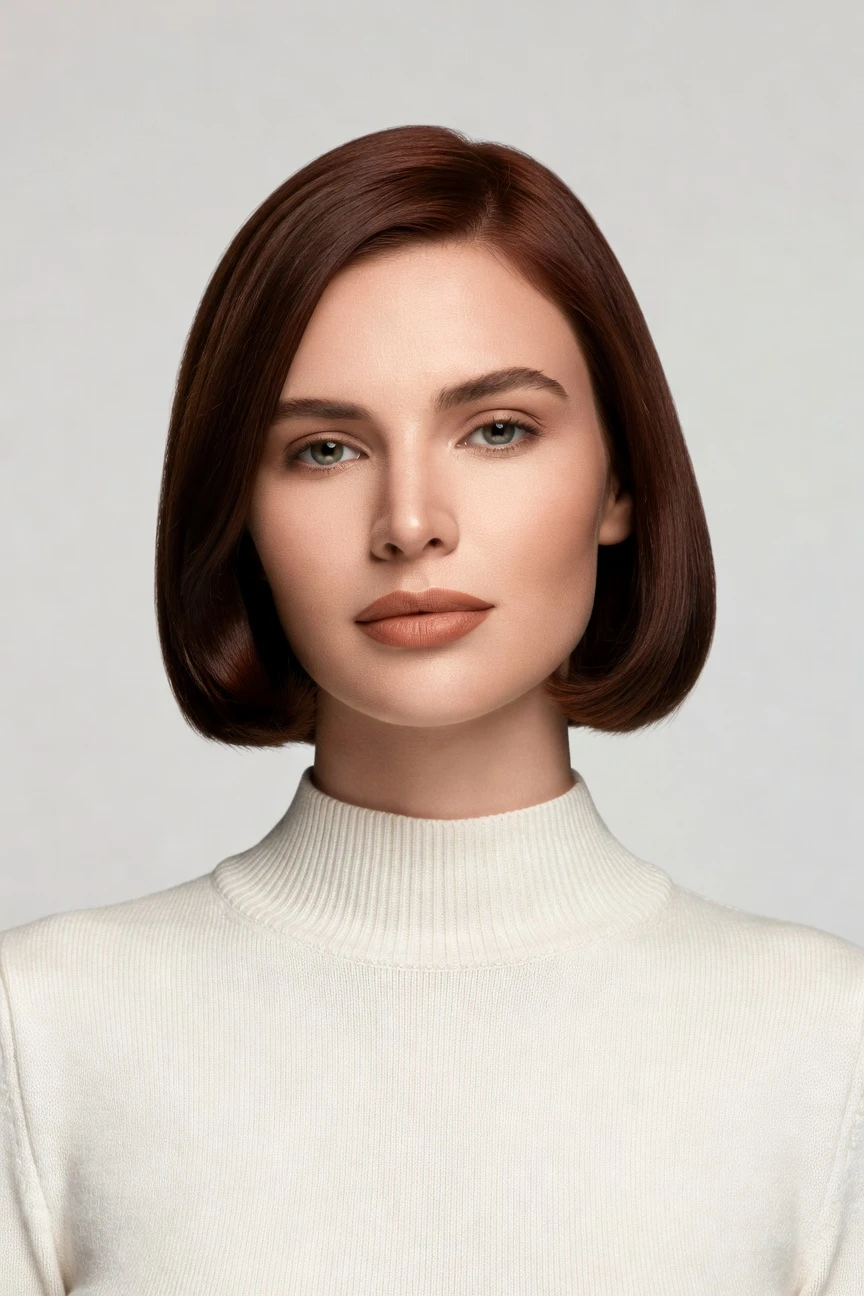
These preset values shape a 1970s-inspired fashion frame with a tighter portrait crop, 85mm lens, vertical campaign ratio, and high-resolution finish. You click into the mood through controls while the garment stays the brief. ~$0.55 per image · ~30-40s
- 4 clicks · 0 keystrokes
- app.rawshot.ai / new_shoot
How it works
Direct a 1970s Shoot in Three Clicked Steps
Shape era, framing, and finish through visible controls, then reuse the setup across your collection without rebuilding the shoot logic.
- Step 01
Set the Era
Choose the framing, lens, and scene direction that pull the image toward a 1970s fashion mood. You shape the visual language through clicks, while the garment remains the center of the shot.
- Step 02
Tune the Styling
Adjust pose, aspect ratio, resolution, and visual treatment until the balance feels right for editorial, lookbook, or PDP use. Each control is visible, repeatable, and easy for non-technical teams to direct.
- Step 03
Generate and Reuse
Create the final image in roughly 30–40 seconds, then repeat the same setup across more SKUs or product variants. The same workflow works for one hero look or a full catalog run.
Spec sheet
Proof That Retro Style Can Stay Product-True
These twelve points show how RAWSHOT handles era styling, garment accuracy, trust signals, rights, and scale in one workflow.
- 01
Synthetic Models by Design
Every model is built from 28 body attributes with 10+ options each, making accidental real-person likeness statistically negligible by design.
- 02
Every Setting Is a Click
Camera, framing, pose, light, background, and style live in controls you can see and reuse. You direct the image in an application, not a blank text box.
- 03
Garment Fidelity Comes First
Cut, colour, pattern, logo, drape, and proportion stay tied to the product. The era styling supports the garment instead of bending it into visual noise.
- 04
Diverse Synthetic Casts
Build on-model imagery across a wide range of body presentations for brands that need representation without organizing a physical casting.
- 05
Repeatable Across SKUs
Keep the same face, visual setup, and framing logic across a full range. That consistency matters when one drop becomes fifty product pages.
- 06
1970s Mood, Many Directions
Choose from 150+ visual presets and push the styling toward retro gloss, soft campaign warmth, editorial texture, or cleaner commerce imagery.
- 07
2K, 4K, and Every Ratio
Generate square, vertical, horizontal, and campaign crops in 2K or 4K. One setup can serve PDPs, marketplaces, social, and lookbooks.
- 08
Labelled and Compliance-Ready
Outputs are AI-labelled, watermarked, and built for EU AI Act Article 50, California SB 942, GDPR, and transparent fashion publishing.
- 09
Signed Audit Trail per Image
Each output carries provenance metadata and a trackable record. That gives teams a clearer internal trail for approval, publishing, and governance.
- 10
GUI for One Shoot, API for Scale
Use the browser app for hands-on art direction or connect the REST API for catalog pipelines. The same engine powers both.
- 11
Fast, Clear, and Refund-Safe
Still images run at about $0.55 and usually land in 30–40 seconds. Tokens never expire, and failed generations refund automatically.
- 12
Commercial Rights Stay Included
Every output comes with full commercial rights, permanent and worldwide. You can publish, resize, syndicate, and reuse without extra licensing layers.
Outputs
See the Era Keep the Garment.
From softer retro campaign frames to cleaner product-first editorials, the styling can move decades in mood without losing product clarity. That is the point of a garment-led application.


Browse 150+ visual styles →
Comparison
RAWSHOT vs category tools vs DIY prompting
Three lenses on every dimension — what you optimize for in RAWSHOT versus typical category tools and blank-box AI workflows.
01
Interface
RAWSHOT
Click-driven controls for lens, pose, light, crop, and styleCategory tools + DIY
Fashion-focused UI, but often thinner controls and less operational transparency. DIY prompting: Typed instructions in a chat flow with trial-and-error wording overhead02
Garment fidelity
RAWSHOT
Built around the garment's cut, colour, logo, and drapeCategory tools + DIY
Often stylised first, with product detail losing priority in mood-heavy outputs. DIY prompting: Garments drift, trims mutate, and logos get invented or softened03
Model consistency across SKUs
RAWSHOT
Same synthetic model and setup can repeat across the catalogCategory tools + DIY
Some consistency tools exist, but reuse often needs extra setup. DIY prompting: Faces and body presentation shift between outputs, even with similar instructions04
Provenance and labelling
RAWSHOT
C2PA-signed, AI-labelled, and watermarked at visible and cryptographic layersCategory tools + DIY
Labelling varies by tool and provenance is not always explicit. DIY prompting: Usually no built-in provenance metadata or consistent disclosure layer05
Commercial rights
RAWSHOT
Full commercial rights included for every output, worldwide and permanentCategory tools + DIY
Rights may be usable, but terms and limits are often less plain. DIY prompting: Rights clarity depends on platform terms and can stay operationally unclear06
Pricing transparency
RAWSHOT
Same per-image pricing, no per-seat gates, tokens never expireCategory tools + DIY
Seats, plan gates, or volume structures can complicate budgeting. DIY prompting: Low entry cost, but time loss and failed attempts hide the real spend07
Iteration speed per variant
RAWSHOT
Adjust a visible control and rerun a clean variant fastCategory tools + DIY
Fast variants, but less garment-led precision in repeat passes. DIY prompting: Each new variation means rewriting instructions and hoping details hold08
Catalog scale
RAWSHOT
Browser GUI and REST API use the same engine and output logicCategory tools + DIY
Scale options may sit behind separate enterprise packaging. DIY prompting: No reliable catalog pipeline, audit trail, or stable SKU workflow
Prompting does not scale
Stop writing essays. Direct the shoot.
Most AI photo tools start with a blank text box. Rawshot turns the shoot into repeatable controls, so creative teams can produce consistent fashion imagery without prompt syntax or one-off hacks.
Category norm
ManualCreate a premium editorial fashion photograph of a model wearing the exact navy oversized wool coat from SKU-1842, full-body crop, realistic hands, consistent facial identity, clean e-commerce lighting, subtle Paris street background, 85mm lens, no logo distortion, no fabric hallucination, same pose as last campaign, repeatable for all colorways...
A prompt can describe one image. It cannot become a shared production system for hundreds of products, models, angles and markets.
Rawshot
ClicksSaved shoot recipe
Apply to 1 SKU or 10,000 via GUI, CSV or REST API.
Rawshot makes creative direction visible: buttons, presets and sliders instead of hidden prompt craft. The result is easier to teach, faster to approve and built for repeat production.
Use cases
Who Uses Retro Fashion Imagery Without a Studio
Operator archetypes and how click-directed, garment-first output fits the way they actually work.
- 01
Indie Designers Testing a Vintage Drop
Launch 1970s-inspired campaign imagery before funding a physical shoot, so the collection can be seen while budgets stay tight.
Confidence · high
- 02
DTC Brands Building a Retro Capsule
Give a limited capsule its own decade-specific visual language without reshooting the rest of the catalog.
Confidence · high
- 03
Lookbook Teams Framing Seasonal Nostalgia
Create era-led editorial pages that feel warm and directional while still showing the garment clearly enough to sell.
Confidence · high
- 04
Marketplace Sellers Refreshing Vintage Stock
Standardise mixed inventory into cleaner on-model imagery that keeps the retro spirit without visual chaos.
Confidence · high
- 05
Resale Curators Styling Archive Pieces
Show one-off garments in a 1970s mood that matches the item story while keeping the product shape readable.
Confidence · high
- 06
Crowdfunding Founders Previsualising the Brand
Present a 1970s fashion concept in campaign visuals before samples travel, factories ship, or studios get booked.
Confidence · high
- 07
Boutique Labels Planning Social Crops
Generate vertical, square, and campaign ratios from one setup for launch posts, ads, and product pages.
Confidence · high
- 08
Catalog Teams Needing Era-Specific Art Direction
Run retro-styled imagery across many SKUs without losing the consistency buyers expect on PDPs and collection grids.
Confidence · high
- 09
Accessories Brands Selling Atmosphere and Detail
Use period styling for bags, eyewear, jewelry, or watches while keeping finish, proportion, and material visible.
Confidence · high
- 10
Students Building Fashion Portfolios
Produce 1970s-inspired editorials with professional control surfaces instead of learning chat syntax before showing the work.
Confidence · high
- 11
Factory-Direct Manufacturers Showing New Lines
Test whether a retro visual direction resonates with buyers before committing to physical campaign production.
Confidence · high
- 12
Creative Teams Exploring Decade Variants
Compare cleaner commerce frames against richer period styling to decide where nostalgia helps conversion and where clarity should lead.
Confidence · high
— Principle
Honest is better than perfect.
1970s-inspired imagery can be visually rich, but the trust layer still matters. Every RAWSHOT output is AI-labelled, watermarked, and supported by provenance metadata so commerce teams can publish with clearer disclosure. We are EU-hosted, GDPR-compliant, and built for Article 50 style transparency rather than hiding the method.
Rights & provenance
Full commercial rights. Forever.
- C2PA-signed on every image — EU AI Act Article 50 compliant
- 28-attribute synthetic models — real-person likeness statistically impossible
- Full commercial rights to every generation — no recurring licensing fees
- Tokens never expire · One-click cancel · Transparent pricing
EU AI Act
C2PA
Commercial use
Pricing
~$0.55 per image.
~30–40 seconds per generation. Tokens never expire. Cancel in one click.
- 01The cancel button is on the pricing page.
- 02No per-seat gates. No 'contact sales' walls for core features.
- 03Failed generations refund their tokens.
- 04Full commercial rights to every output, permanent, worldwide.
FAQ
Practical answers on control, rights, pricing, scale, and compliant publishing.
Do I need to write prompts to use RAWSHOT?
Never—you direct every output with sliders, presets, and clicks on the garment, not typed prompts. That UI control is consistent across GUI and REST API payloads, which is why ecommerce teams onboard buyers without rewriting creative briefs as chat threads. Instead of guessing the right wording for a 1970s mood, you choose lens, framing, pose, light, crop, and visual style in a fashion-specific interface built for repeatable production.
For catalog teams, reliability matters more than model cleverness; RAWSHOT keeps tokens, timings, refund rules, commercial rights framing, provenance signalling, watermarking cues, REST surface, and SKU-scale batch patterns explicit so operations can rehearse PDP launches without hallucinated garment inventions. The practical takeaway is simple: train the team on the controls once, save the setup, and reuse it across the collection without anyone becoming a chat specialist.
What does AI-assisted fashion photography change for SKU-scale catalogs?
It changes who gets access to consistent on-model imagery and how quickly teams can produce it. Traditional shoots are expensive, calendar-bound, and hard to repeat whenever a colourway changes, a new size run lands, or a category page needs a fresh crop. With RAWSHOT, the garment leads the workflow, so catalog teams can generate product-first imagery in roughly 30–40 seconds per still while keeping visual direction repeatable.
That matters at SKU scale because commerce teams need more than attractive images; they need stable framing, reusable model setups, clear rights, and a dependable audit trail. RAWSHOT gives you a browser GUI for one-off direction and a REST API for larger runs, using the same engine and the same per-image pricing. The result is a workflow where more products get seen, more consistently, without adding a studio bottleneck back into your release calendar.
Why skip reshooting every SKU when the season's art direction changes?
Because a seasonal shift often changes the mood around the garment, not the garment itself. If the product is already defined, paying for another physical shoot just to move from a cleaner catalog frame into a warmer retro story adds delay, shipping, coordination, and budget strain. RAWSHOT lets teams redirect the visual treatment through controls, so you can update the presentation without rebuilding the entire production chain around studio availability.
For operators, that means the art direction becomes more flexible while the product record stays stable. You can keep the same synthetic model, preserve framing logic across a range, and generate new outputs with full commercial rights and provenance metadata attached. The disciplined workflow is to treat seasonal styling as a reusable setup, then roll it across the SKUs that actually need a new visual read instead of reshooting everything by default.
How do we turn flat garments into catalogue-ready imagery without prompting?
You start by loading the garment and then directing the scene with visible controls rather than typed instructions. Choose the lens, framing, pose, lighting, background, aspect ratio, resolution, and product focus, then generate the first pass and refine from there. Because the interface is garment-led, the team is not translating product intent into chat wording; it is making direct production choices in a tool built for apparel imagery.
That matters operationally because non-technical teams can follow the same sequence every time. A buyer can approve a half-body 4:5 setup for knitwear, an ecommerce lead can standardise the crop for PDPs, and the same settings can later be reused in the browser or through the REST API. The best practice is to save a few category-specific setups and treat them like digital studio recipes that are easy to repeat, audit, and scale.
Why does garment-led control beat DIY prompting in ChatGPT, Midjourney, or generic image models for fashion PDPs?
Because fashion PDPs fail when the product stops being reliable. Generic image systems are built around broad text interpretation, so they often drift on cut, pattern, logos, trims, and fabric behaviour, especially when you push for a stronger mood or era reference. RAWSHOT flips that logic: the garment is the brief, and the styling controls sit around it, which gives commerce teams a more usable path to images that still look like the item being sold.
The difference is not only creative; it is operational. RAWSHOT includes explicit controls, provenance metadata, watermarking, commercial rights clarity, refund rules for failed generations, and a REST API for scaled reuse. DIY workflows can produce attractive experiments, but they are weak as repeatable catalog systems because faces drift, products mutate, and rights or disclosure details stay vague. For fashion teams, reliable controls beat prompt roulette every time.
Can I use the ai 1970s fashion photography generator for paid ads and store imagery?
Yes. Every RAWSHOT output includes full commercial rights that are permanent and worldwide, so you can use the imagery across PDPs, paid social, email, lookbooks, and marketplace listings. That matters because commerce teams need rights certainty at the moment of production, not a long review after assets are already scheduled into launch calendars. The commercial framing is part of the product, not an afterthought hidden behind a separate sales process.
RAWSHOT also pairs usage rights with a trust layer that is practical for modern publishing. Outputs are AI-labelled, watermarked, and backed by provenance metadata, which helps teams keep internal governance clean while using synthetic fashion imagery in public channels. The safest operating pattern is to treat the asset as fully usable for campaign and commerce work from day one, while preserving the attached metadata and disclosure signals in your internal approval flow.
What should our team check before publishing AI-assisted retro fashion images?
Check the garment first, the styling second, and the disclosure layer third. Confirm that cut, colour, pattern, logos, drape, and product focus match the actual item, then verify that the 1970s mood supports the sell rather than hiding important product information. After that, make sure your publishing process preserves the AI labelling, watermarking cues, and provenance record that come with the file.
For commerce teams, this turns quality control into a repeatable checklist rather than a subjective argument. RAWSHOT makes that easier because the same visible controls can be reused across categories, and each output carries a signed audit trail that supports internal review. A disciplined team will approve one strong setup, compare variants against the product source, and then scale only when the image is both visually on-brand and operationally honest.
How much does a still image cost, and what happens if a generation fails?
Stills are about $0.55 per image, and a typical generation lands in roughly 30–40 seconds. Tokens never expire, which matters for brands that work in bursts rather than on a fixed monthly studio rhythm. If a generation fails, the tokens are refunded, so teams are not penalised for technical misses while building out a campaign or catalog run.
The pricing model is designed to stay readable as your output volume changes. There are no per-seat gates for core features, no forced jump into a sales-call workflow just because the team is growing, and cancellation is one click from the pricing page. In practice, that makes planning easier for both indie brands testing a retro concept and larger catalog operators running repeated batches over time.
Can RAWSHOT plug into Shopify-scale workflows or larger catalog systems through API?
Yes. RAWSHOT provides a REST API for teams that want to move from browser-based art direction into larger automated or semi-automated production flows. That is useful when the same visual logic needs to be applied across many products, storefront updates, or batch publishing cycles without recreating the setup by hand for every SKU. The same engine powers both the GUI and the API, so teams do not have to relearn the product when they scale up.
For operators, the advantage is consistency rather than novelty. A creative lead can approve the look in the interface, an operations team can carry it into the pipeline, and each output keeps its rights and provenance framing intact. The clean practice is to establish a few approved setups by category or campaign and then connect those patterns to your downstream commerce systems for predictable rollout.
Can one team run one-off shoots in the browser and big image batches later without changing tools?
Yes, and that continuity is one of the strongest operational advantages. The same product supports a designer building a single hero image in the browser and a catalog team running thousands of outputs later through the API, with the same core logic, the same model behaviour, and the same per-image pricing. That means the workflow does not split into a small-team version and an enterprise version once the brand starts growing.
In practice, teams can use the browser to lock in the 1970s direction, test crops, and confirm product fidelity, then hand the approved configuration to operations for broader rollout. Because there are no core-feature seat gates and no expiring token pressure, the system works for both irregular campaign bursts and steady catalog production. The efficient move is to standardise once, then scale without switching platforms or rewriting the creative method.
Keep exploring