
— On-model product shots · 150+ styles · 4K
Direct clean catalog imagery with the AI Mannequin Product Photography Generator.
Generate mannequin-led product photography that keeps the garment at the center, from PDP basics to campaign-ready variants. Select lens, framing, aspect ratio, resolution, and visual style with buttons, sliders, and presets built for fashion teams. No studio. No samples. No prompts.
- ~$0.55 per image
- ~30–40s per generation
- 150+ styles
- 2K or 4K
- Every aspect ratio
- Up to 4 products
7-day free trial • 50 tokens (10 images) • Cancel anytime

Direct the shoot. Zero prompts.
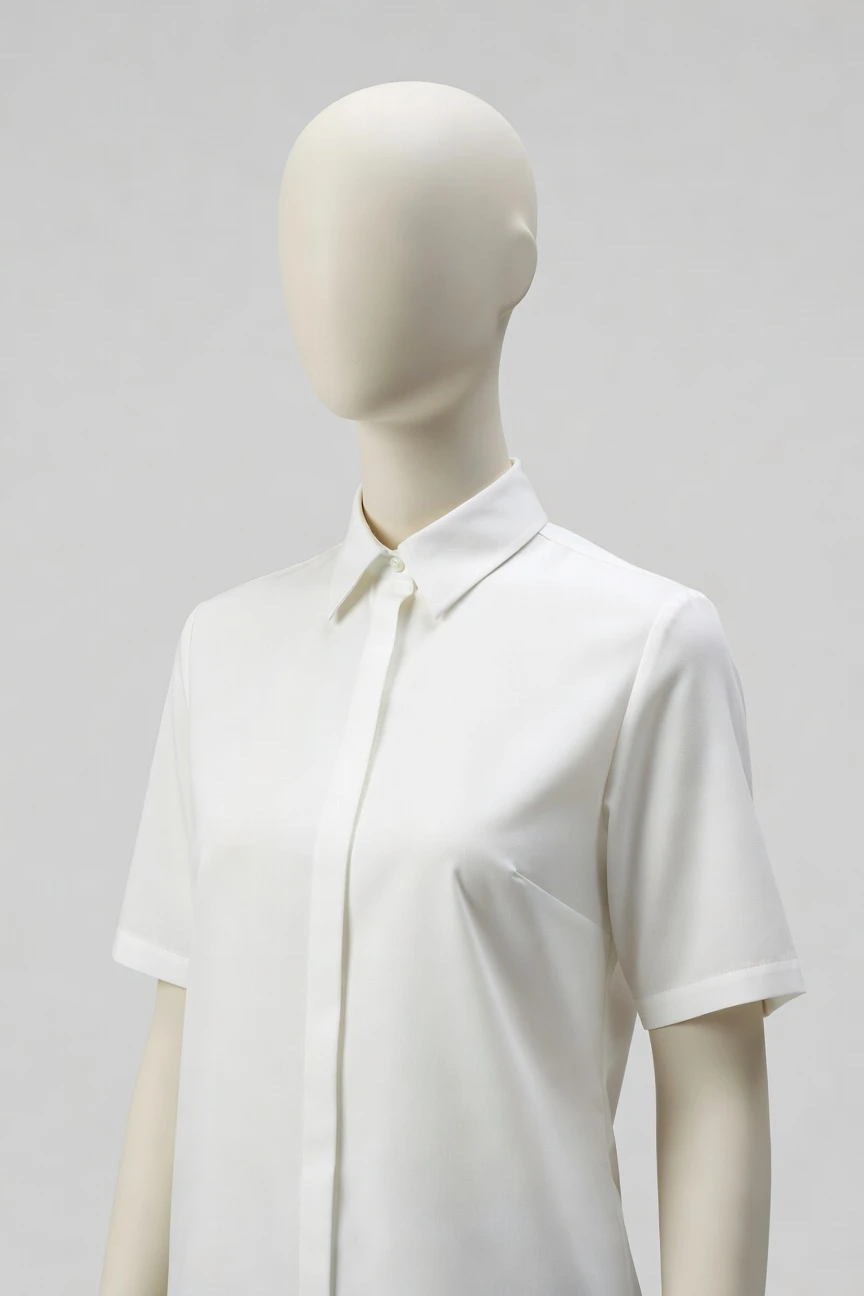
This setup is tuned for mannequin-style product photography: an 85mm lens, half-body framing, a 4:5 crop, and 4K output for clean PDP and marketplace imagery. You click the composition and product focus you need, then generate without typing anything. ~$0.55 per image · ~30-40s
- 4 clicks · 0 keystrokes
- app.rawshot.ai / new_shoot
How it works
From Garment File to Product Shoot
A mannequin-style workflow for apparel teams that need clean on-model imagery without studio logistics or typed instructions.
- Step 01
Upload the Garment
Start with the product image or design asset. RAWSHOT builds the shoot around the garment, so cut, colour, pattern, logo, and proportion stay central from the first generation.
- Step 02
Set the Shot by Click
Choose lens, framing, angle, lighting, background, aspect ratio, and style from the interface. Every creative decision is a visible control, so teams can direct output without learning syntax.
- Step 03
Generate and Scale
Create one PDP image in the browser or push thousands of SKUs through the API with the same engine. The output stays labelled, rights-cleared, and ready for commerce workflows.
Spec sheet
Proof for Product-First Image Production
These twelve points show how RAWSHOT keeps control with the operator while staying faithful to the garment and honest about the output.
- 01
Built for Synthetic Identity
Every model is a synthetic composite built from 28 body attributes with 10+ options each. Accidental real-person likeness is statistically negligible by design.
- 02
Every Setting Is a Click
You direct the shoot with buttons, sliders, and presets for camera, framing, pose, light, background, and style. The interface behaves like software, not a chat box.
- 03
Garment Fidelity Comes First
RAWSHOT is engineered around the real product, so cut, colour, pattern, logo, fabric feel, and drape are represented with commerce use in mind.
- 04
Diverse Synthetic Models
Select from broad body and appearance options to match your brand direction and customer reality. Diversity is a controllable system, not an accidental output.
- 05
Consistency Across SKUs
Keep the same model, framing logic, and visual treatment across a whole catalog. That means fewer retakes, less drift, and cleaner PDP grids.
- 06
150+ Fashion Visual Styles
Move from catalog clean to editorial, street, vintage, noir, or campaign gloss without rebuilding the workflow. Style changes stay operational, not experimental.
- 07
2K, 4K, and Every Ratio
Generate square, portrait, landscape, marketplace, social, and site-ready crops from the same system. Resolution and aspect ratio are selectable before generation.
- 08
Labelled and Compliance-Ready
Outputs are AI-labelled, watermarked, and aligned with EU AI Act Article 50, California SB 942, and GDPR requirements. Honesty is built into the product.
- 09
Signed Audit Trail per Image
Each image carries C2PA-signed provenance metadata plus visible and cryptographic watermarking. Teams get a record of what the asset is, not a guess.
- 10
GUI for One Shoot, API for Scale
Use the browser for hands-on creative work or the REST API for nightly catalog pipelines. The indie brand and the enterprise team use the same core product.
- 11
Transparent Speed and Pricing
Stills run at about $0.55 per image and usually generate in 30–40 seconds. Tokens never expire, and failed generations refund their tokens.
- 12
Full Commercial Rights Included
Every output comes with permanent, worldwide commercial rights. There is no separate licensing maze for the imagery you publish.
Outputs
Output gallery
From clean mannequin-led PDP frames to sharper editorial product crops, the system stays centered on the garment while you direct the finish. Use one workflow for single launches or full catalog refreshes.


Browse 150+ visual styles →
Comparison
RAWSHOT vs category tools vs DIY prompting
Three lenses on every dimension — what you optimize for in RAWSHOT versus typical category tools and blank-box AI workflows.
01
Interface
RAWSHOT
Click-driven controls for lens, framing, light, style, and output formatCategory tools + DIY
Often mix preset controls with shallow text-dependent direction. DIY prompting: Typed instructions in generic image tools, with trial-and-error wording overhead02
Garment fidelity
RAWSHOT
Engineered around the garment so cut, colour, logos, and drape stay centralCategory tools + DIY
May prioritize overall scene styling over product-specific accuracy. DIY prompting: Garment drift, invented logos, altered seams, and unreliable fabric interpretation03
Model consistency across SKUs
RAWSHOT
Reuse consistent synthetic models across single looks or entire catalogsCategory tools + DIY
Consistency may weaken across batches or require higher-tier workflows. DIY prompting: Faces and body proportions shift between outputs with no dependable continuity04
Provenance and labelling
RAWSHOT
C2PA-signed, AI-labelled, and watermarked with visible and cryptographic layersCategory tools + DIY
Labelling and provenance are often partial, optional, or unclear. DIY prompting: No native provenance metadata, limited attribution clarity, and weak auditability05
Commercial rights
RAWSHOT
Full commercial rights included for every output, permanent and worldwideCategory tools + DIY
Rights language can vary by plan, seat, or enterprise tier. DIY prompting: Usage rights depend on model source, platform terms, and asset traceability06
Pricing transparency
RAWSHOT
About $0.55 per image, tokens never expire, one-click cancelCategory tools + DIY
Credits, seat limits, or sales-gated plans can complicate budgeting. DIY prompting: Costs vary by tool, retries, upscalers, and repeated failed generations07
Catalog scale
RAWSHOT
Same engine in browser GUI and REST API for one shoot or 10,000 SKUsCategory tools + DIY
Scale features may sit behind enterprise packaging or custom access. DIY prompting: Manual file handling and inconsistent outputs make batch catalog work brittle08
Operational repeatability
RAWSHOT
Preset controls and signed outputs create reproducible image workflows for teamsCategory tools + DIY
Repeatability depends on tool-specific habits and narrower control surfaces. DIY prompting: Results depend on who typed what, when, and how precisely they iterated
Prompting does not scale
Stop writing essays. Direct the shoot.
Most AI photo tools start with a blank text box. Rawshot turns the shoot into repeatable controls, so creative teams can produce consistent fashion imagery without prompt syntax or one-off hacks.
Category norm
ManualCreate a premium editorial fashion photograph of a model wearing the exact navy oversized wool coat from SKU-1842, full-body crop, realistic hands, consistent facial identity, clean e-commerce lighting, subtle Paris street background, 85mm lens, no logo distortion, no fabric hallucination, same pose as last campaign, repeatable for all colorways...
A prompt can describe one image. It cannot become a shared production system for hundreds of products, models, angles and markets.
Rawshot
ClicksSaved shoot recipe
Apply to 1 SKU or 10,000 via GUI, CSV or REST API.
Rawshot makes creative direction visible: buttons, presets and sliders instead of hidden prompt craft. The result is easier to teach, faster to approve and built for repeat production.
Use cases
Where Mannequin-Led Product Imagery Wins
Operator archetypes and how click-directed, garment-first output fits the way they actually work.
- 01
Indie Apparel Labels
Launch a first collection with clean mannequin-style product imagery before a traditional shoot is even possible.
Confidence · high
- 02
DTC Basics Brands
Keep tees, knits, denim, and essentials visually consistent across PDPs with one reusable model direction.
Confidence · high
- 03
Marketplace Sellers
Generate white-background and clean seamless product shots sized for major marketplaces without rebuilding every listing.
Confidence · high
- 04
Factory-Direct Manufacturers
Turn line-sheet assets into presentable on-model imagery for wholesale outreach, private-label decks, and direct sales pages.
Confidence · high
- 05
Crowdfunded Fashion Projects
Show backers the garment on body before large-scale production, without shipping samples across borders.
Confidence · high
- 06
Resale and Vintage Operators
Standardize mixed inventory into a cleaner product grid when one-off physical shoots are too slow to sustain.
Confidence · high
- 07
Kidswear Labels
Create catalogue-ready product imagery for rapid seasonal drops while keeping the workflow controlled and repeatable.
Confidence · high
- 08
Adaptive Fashion Teams
Represent garments clearly on diverse synthetic bodies when inclusive imagery matters but studio access is limited.
Confidence · high
- 09
Lingerie and Intimates DTC
Direct close, clean product-focused frames that keep attention on fit lines, fabric, and silhouette.
Confidence · high
- 10
Accessories Brands
Pair handbags, eyewear, watches, or jewelry with apparel in one composition to sell the complete look.
Confidence · high
- 11
Students and Emerging Designers
Build portfolio-grade mannequin product photography for graduate shows, applications, and early ecommerce launches.
Confidence · high
- 12
Catalog Operations Teams
Run repeatable on-model image generation through the API for large SKU sets without changing tools as volume grows.
Confidence · high
— Principle
Honest is better than perfect.
Mannequin-style product imagery still needs clear provenance, especially when it lands on PDPs, marketplaces, and paid media. RAWSHOT signs outputs with C2PA metadata, applies visible and cryptographic watermarking, and labels assets so teams can publish with traceability instead of ambiguity. The platform is EU-hosted, GDPR-compliant, and aligned with current disclosure expectations because trust belongs in the workflow, not buried in a footnote.
Rights & provenance
Full commercial rights. Forever.
- C2PA-signed on every image — EU AI Act Article 50 compliant
- 28-attribute synthetic models — real-person likeness statistically impossible
- Full commercial rights to every generation — no recurring licensing fees
- Tokens never expire · One-click cancel · Transparent pricing
EU AI Act
C2PA
Commercial use
Pricing
~$0.55 per image.
~30–40 seconds per generation. Tokens never expire. Cancel in one click.
- 01The cancel button is on the pricing page.
- 02No per-seat gates. No 'contact sales' walls for core features.
- 03Failed generations refund their tokens.
- 04Full commercial rights to every output, permanent, worldwide.
FAQ
Practical answers on control, rights, pricing, scale, and compliant publishing.
Do I need to write prompts to use RAWSHOT?
Never—you direct every output with sliders, presets, and clicks on the garment, not typed prompts. That UI control is consistent across GUI and REST API payloads, which is why ecommerce teams onboard buyers without rewriting creative briefs as chat threads. Instead of translating apparel decisions into syntax, you select lens, framing, lighting, background, aspect ratio, resolution, and visual style directly in the application.
For catalog teams, reliability matters more than model cleverness; RAWSHOT keeps tokens, timings, refund rules, commercial rights framing, provenance signalling, watermarking cues, REST surface, and SKU-scale batch patterns explicit so operations can rehearse PDP launches without hallucinated garment inventions. The practical takeaway is simple: your team learns a repeatable image workflow, not a new writing discipline, and that makes production easier to delegate, review, and scale.
What does an AI mannequin product photography generator actually change for ecommerce teams?
It changes who gets access to on-model imagery and how repeatably that imagery can be produced. Instead of booking a studio day, coordinating samples, sourcing talent, and rebuilding the same setup for every product update, teams can generate product-focused mannequin imagery around the garment itself. That matters most for operators who were priced out of traditional photography, not for teams chasing novelty.
In RAWSHOT, the workflow is built around fashion controls and commerce outputs. You choose framing, lens, aspect ratio, style, and resolution in a structured interface, then generate labelled stills in 2K or 4K with full commercial rights. Because the same system runs in the browser and through the REST API, the capability works for a one-product launch and for large catalog refreshes without forcing a tool change halfway through your growth curve.
Why skip reshooting every SKU when a season, background, or campaign direction changes?
Because reshooting every product for every merchandising change is expensive, slow, and often unnecessary when the garment itself has not changed. Fashion teams routinely need new crops, cleaner backgrounds, marketplace variants, or a fresh visual treatment for a new season. If each change requires studio logistics, the image pipeline becomes the bottleneck instead of the product calendar.
RAWSHOT lets you keep the garment brief intact while changing presentation variables through controls. You can move from a clean seamless setup to a more editorial finish, switch aspect ratios for different channels, or maintain the same mannequin direction across a whole assortment. For operations, that means product pages and launches can evolve on schedule without waiting for another shoot day, another shipment, or another round of manual coordination.
How do we turn flat garments into catalogue-ready imagery without prompting?
You begin with the garment asset, then direct the output with interface controls rather than written instructions. In practice, that means selecting the lens, framing, camera angle, lighting system, background, product focus, aspect ratio, and resolution that fit the selling context. The garment remains the center of the workflow, so the goal is not to improvise a scene but to produce usable commerce imagery with predictable composition.
RAWSHOT supports upper-body, lower-body, full-outfit, footwear, jewelry, handbags, watches, sunglasses, and accessory use cases, with up to four products in one composition. Teams can generate clean PDP-ready stills at about $0.55 per image in roughly 30–40 seconds, then iterate only the variables that matter. That makes catalogue production more like operating software and less like negotiating a fresh shoot every time the assortment changes.
Why does garment-led control beat DIY prompting in ChatGPT, Midjourney, or generic image models for fashion PDPs?
Because fashion product photography lives or dies on repeatability, not on one impressive image. Generic image tools ask the operator to translate visual intent into typed instructions, then hope the model preserves seams, logos, colours, silhouette, and proportion across retries. That creates a failure pattern commerce teams know well: garment drift, invented brand details, inconsistent faces, and lots of time spent coaxing a usable variant out of a general-purpose tool.
RAWSHOT removes that roulette by turning the key creative choices into application controls built for apparel. You click through camera, framing, style, and output settings, work from the garment outward, and receive labelled assets with provenance metadata, watermarking, and clear commercial rights. For PDP production, the advantage is operational: fewer ambiguous retries, clearer review steps, and a workflow a merchandiser or catalog manager can actually standardize.
Are RAWSHOT outputs safe to publish in ads, PDPs, and marketplaces?
Yes, provided your team applies the same review discipline you already use for any commerce asset. RAWSHOT gives you permanent, worldwide commercial rights to every output, and the platform labels assets rather than hiding what they are. That combination matters because publishing risk is not only about image quality; it is also about attribution, traceability, and whether your organization can explain what an asset is if a retailer, partner, or regulator asks.
Each output is AI-labelled, carries visible and cryptographic watermarking, and includes C2PA-signed provenance metadata. The platform is EU-hosted, GDPR-compliant, and aligned with disclosure requirements such as EU AI Act Article 50 and California SB 942. In practice, that means teams can publish with a documented chain of information instead of relying on a vague screenshot history or a memory of how an image was made.
What should merchandisers check before publishing mannequin-style product images?
Start with garment fidelity. Review colour, logo placement, seam lines, closures, proportions, and any product-specific details that influence purchase confidence, then confirm that framing and crop support the selling task for the channel. For fashion commerce, the question is not whether an image looks polished in isolation; it is whether the image represents the actual item clearly enough to support conversion and reduce confusion.
RAWSHOT helps by keeping the controls explicit and the outputs traceable, but teams should still run a final visual QA pass before publishing. Check that the selected model direction is consistent across adjacent SKUs, confirm the intended aspect ratio and resolution, and retain the provenance-backed file in your asset workflow. That turns labelled synthetic imagery into a manageable part of standard ecommerce operations rather than an exception process.
How much does still-image generation cost, and what happens if a generation fails?
RAWSHOT stills cost about $0.55 per image, and most generations complete in roughly 30–40 seconds. Tokens never expire, which matters for fashion teams working around seasonality, launch pauses, and uneven production calendars. You are not forced into a use-it-now credit cycle just because the merch calendar moved.
If a generation fails, the tokens are refunded automatically. There are no per-seat gates for core features, and cancellation is straightforward because the cancel button is on the pricing page rather than hidden behind a sales or support process. For operators budgeting image production month to month, that makes the system easier to forecast and easier to trust than tooling that mixes credits, seat restrictions, and unclear failure handling.
Can we connect this to a Shopify-scale catalog workflow or internal pipeline?
Yes. RAWSHOT is designed for both browser-based single-shoot work and REST API-driven production flows, so teams can start manually and automate later without changing engines. That matters when a brand moves from a handful of launch images to recurring catalog refreshes, because the operational burden should not spike just because volume grows.
The same product that generates one image in the GUI can support high-volume batch scenarios through the API, including pipelines that tie into catalog operations, PIM or PLM-adjacent systems, and downstream publishing flows. Because outputs carry signed provenance data and rights clarity from the start, integration work is not only about throughput; it is also about keeping records attached to assets as they move through merchandising, review, and publication.
Can one team use the browser while another scales through the API without changing quality or pricing?
Yes. RAWSHOT is built on the idea that one shoot or ten thousand should run through the same engine, with the same output standard and the same per-image pricing logic. The indie designer directing a launch in the browser and the catalog team running large batches through the API are not pushed into separate product classes or punished with a hidden enterprise-only version.
That consistency is operationally important because it lets creative, merchandising, and technical teams share one image language. A stylist or marketer can establish the visual direction in the GUI, while an operations or engineering team repeats it at larger scale through the REST API. When quality, rights, provenance, and pricing rules stay stable across both paths, teams can scale image production without rebuilding trust in the tooling every time volume increases.
Keep exploring