
— Male attributes · Save once · Reuse across catalog
AI Swedish Male Generator — with click-driven control over every attribute.
When a Nordic male look is the starting point, consistency matters more than guesswork. Set body traits, age, hair, and expression with 28 body attributes and 10+ options each, then save the model once and reuse it across every SKU. Each output is a synthetic composite with provenance metadata and transparent labelling built in.
- ~$0.99 per model
- ~50–60s per generation
- 150+ styles
- 28 attributes × 10+ options
- Save once, reuse across catalog
- C2PA-signed
7-day free trial • 50 tokens (10 images) • Cancel anytime

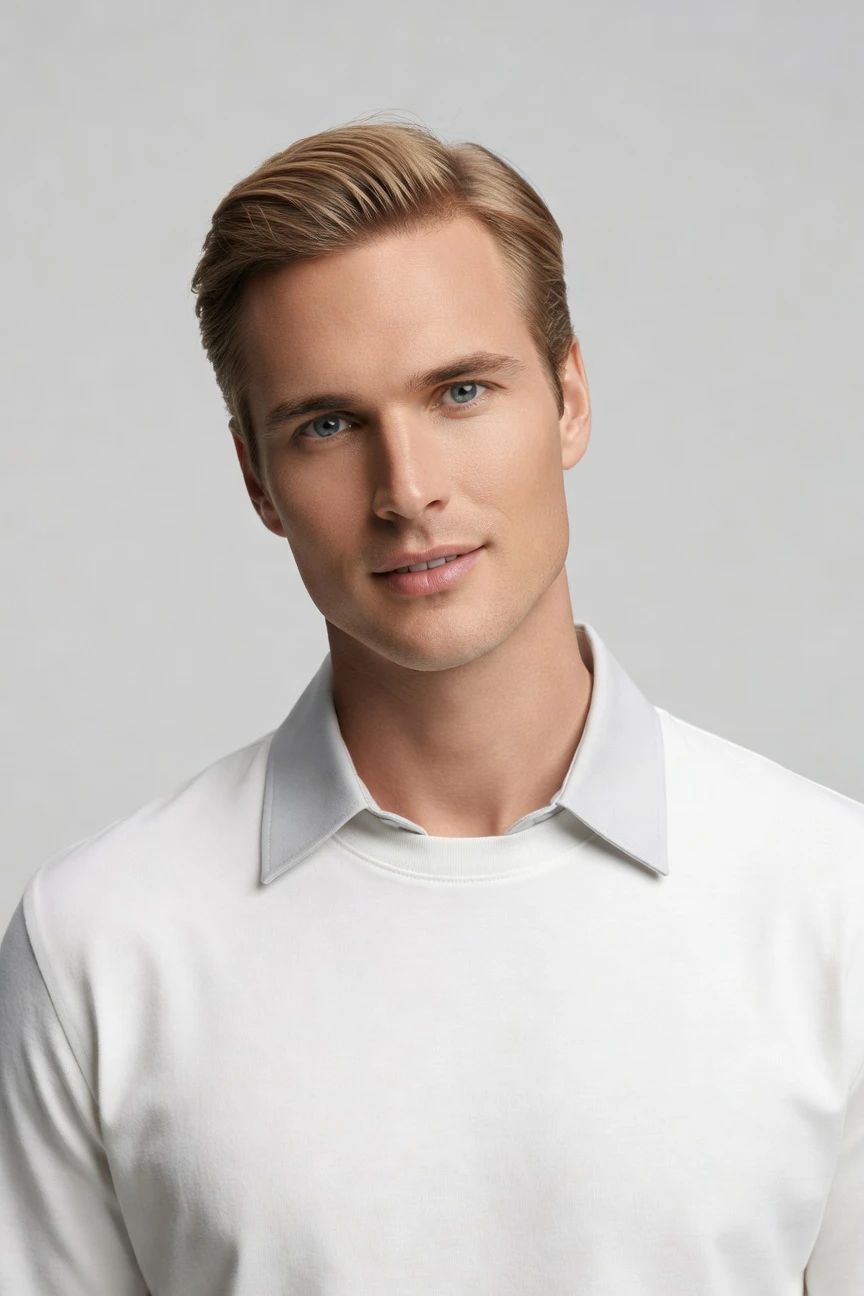
Saved model setup
Female · 26–35 · Dark brown · 175cm
Build a model. Zero prompts.
This setup starts from a male Scandinavian presentation with an adult age range and a clean, catalog-friendly baseline. You click the attributes once, save the model to your library, and keep the same face and body across every product launch. 28 attributes · 10+ options each
- 5 clicks · 0 keystrokes
- app.rawshot.ai / build_model
How it works
Build Once, Reuse Across Every SKU
A Swedish male model can be your consistent catalog base when every identity decision lives in buttons, sliders, and saved presets.
- Step 01
Set the Base Attributes
Choose the male model traits you need from structured controls, not an empty text box. Start with the look, age range, body shape, and facial direction that fits your brand.
- Step 02
Save the Model to Your Library
Once the identity is right, save it as a reusable model. That locks in a stable foundation for future shoots across tops, bottoms, outerwear, and accessories.
- Step 03
Reuse Across Every SKU
Apply the same saved model in the browser or through the API for catalog-scale output. You keep visual continuity while changing garments, styling, framing, and scene direction.
Spec sheet
Proof for Consistent Male Model Workflows
These twelve points show how RAWSHOT keeps identity stable, garments accurate, and operations clear from one look to a full catalog.
- 01
Composite by Design
Every model is built from 28 body attributes with 10+ options each. That synthetic composite approach keeps accidental real-person likeness statistically negligible by design.
- 02
Every Setting Is a Click
You direct the model with buttons, sliders, and presets. No text box stands between your team and a usable fashion workflow.
- 03
Garment-Led Output
The clothing stays the brief. Cut, colour, pattern, logo, fabric, and proportion are represented around the real garment instead of being bent around vague instructions.
- 04
Male Model Variety
Build Swedish male looks within a broader synthetic model system designed for fashion teams. You can adapt age, build, hair, and expression while staying inside a consistent identity family.
- 05
Consistency Across SKUs
Save the model once and reuse it across shirts, trousers, jackets, knitwear, and layered looks. The face and body stay stable from one product page to the next.
- 06
150+ Visual Styles
Move from clean catalog lighting to editorial mood, street framing, vintage references, or campaign polish. The same model can carry multiple brand directions without identity drift.
- 07
Ready for Any Format
Generate at 2K or 4K in every aspect ratio your channels need. That gives commerce teams one reusable model base for PDPs, lookbooks, paid social, and marketplace imagery.
- 08
Labelled and Compliant
Outputs are AI-labelled, C2PA-signed, and protected with visible plus cryptographic watermarking. RAWSHOT is built for EU-hosted compliance workflows, including EU AI Act Article 50 and California SB 942 alignment.
- 09
Signed Audit Trail
Each image carries a signed provenance record tied to its creation. That gives legal, brand, and marketplace teams a clearer chain of custody than ad hoc image generation.
- 10
GUI and REST API
Use the browser app for one-off model building, then scale through the REST API when your catalog grows. The indie designer and the enterprise team use the same product surface.
- 11
Fast, Transparent Economics
Model generations are about $0.99 and usually take around 50–60 seconds. Tokens never expire, failed generations refund tokens, and pricing does not punish scale.
- 12
Clear Commercial Rights
Every output includes full commercial rights, permanent and worldwide. You can publish, syndicate, and reuse assets across ecommerce, ads, wholesale decks, and brand channels.
Outputs
Saved Model, many directions
Start with one reusable Swedish male base model, then apply different garments, framings, and visual styles without rebuilding the identity each time.


Browse all 600+ models →
Comparison
RAWSHOT vs category tools vs DIY prompting
Three lenses on every dimension — what you optimize for in RAWSHOT versus typical category tools and blank-box AI workflows.
01
Interface
RAWSHOT
Buttons, sliders, presets, and saved models guide every identity decisionCategory tools + DIY
Often mix lightweight controls with ambiguous text-driven creative inputs. DIY prompting: You write long instructions, revise wording, and hope the model interprets them consistently02
Model consistency
RAWSHOT
Same saved face and body reused across the whole catalogCategory tools + DIY
Consistency varies between sessions and often needs manual workarounds. DIY prompting: Faces drift between outputs, so the same model rarely holds across SKUs03
Garment fidelity
RAWSHOT
Engineered around real garments, with faithful cut, colour, pattern, and logosCategory tools + DIY
Can prioritise mood and styling over strict product representation. DIY prompting: Garment drift, invented logos, and altered proportions are common failure modes04
Provenance + labelling
RAWSHOT
C2PA-signed, AI-labelled, and watermarked at visible and cryptographic layersCategory tools + DIY
Labelling and provenance support are uneven or absent. DIY prompting: No built-in provenance metadata and no standard audit signal for publishing teams05
Commercial rights
RAWSHOT
Permanent worldwide commercial rights are explicit on every outputCategory tools + DIY
Rights language may be narrower or tied to plan level. DIY prompting: Rights clarity is often unclear once multiple foundation tools enter the workflow06
Pricing transparency
RAWSHOT
Per-model pricing is public, tokens never expire, refunds on failed generationsCategory tools + DIY
Credits, seat limits, or sales-gated upgrades complicate planning. DIY prompting: Usage costs can sprawl across tools without a fashion-specific pricing frame07
Catalog scale
RAWSHOT
Browser GUI for one shoot, REST API for 10,000-SKU pipelinesCategory tools + DIY
Scale features may sit behind enterprise packaging or separate products. DIY prompting: Batch production needs brittle scripts, manual QA, and repeated rework08
Auditability
RAWSHOT
Each output carries a signed audit trail for compliance-minded teamsCategory tools + DIY
Asset history is often partial or not export-friendly. DIY prompting: Version history lives in scattered chats, folders, and copied settings
Prompting does not scale
Stop writing essays. Direct the shoot.
Most AI photo tools start with a blank text box. Rawshot turns the shoot into repeatable controls, so creative teams can produce consistent fashion imagery without prompt syntax or one-off hacks.
Category norm
ManualCreate a premium editorial fashion photograph of a model wearing the exact navy oversized wool coat from SKU-1842, full-body crop, realistic hands, consistent facial identity, clean e-commerce lighting, subtle Paris street background, 85mm lens, no logo distortion, no fabric hallucination, same pose as last campaign, repeatable for all colorways...
A prompt can describe one image. It cannot become a shared production system for hundreds of products, models, angles and markets.
Rawshot
ClicksSaved shoot recipe
Apply to 1 SKU or 10,000 via GUI, CSV or REST API.
Rawshot makes creative direction visible: buttons, presets and sliders instead of hidden prompt craft. The result is easier to teach, faster to approve and built for repeat production.
Use cases
Where a Reusable Male Model Pays Off
Operator archetypes and how click-directed, garment-first output fits the way they actually work.
- 01
Indie Menswear Labels
Launch a first collection with a saved Swedish male model that keeps your storefront coherent before you can afford repeated studio days.
Confidence · high
- 02
DTC Basics Brands
Reuse one stable male identity across tees, denim, knitwear, and outerwear so product pages feel unified instead of pieced together.
Confidence · high
- 03
Marketplace Sellers
Generate consistent on-model imagery for listings that need clean framing, repeatable identity, and platform-specific aspect ratios.
Confidence · high
- 04
Factory-Direct Manufacturers
Show private-label menswear on the same reusable male base while buyers review multiple garment iterations and colourways.
Confidence · high
- 05
Preorder Campaign Teams
Photograph garments before bulk production by pairing a saved male model with digital samples and campaign-ready styling.
Confidence · high
- 06
Lookbook Creators
Carry one Swedish male model through seasonal storytelling, changing only garment mix, camera framing, and visual treatment.
Confidence · high
- 07
Wholesale Sales Teams
Build consistent menswear presentation assets for line sheets, buyer decks, and B2B previews without scheduling repeated talent.
Confidence · high
- 08
Resale and Vintage Shops
Standardise mixed inventory on a stable male presentation so the catalog looks intentional even when the products come from many sources.
Confidence · high
- 09
Kids-to-Adult Brand Extensions
Test how a new menswear line fits your broader brand language by creating a reusable adult male model for pilot launches.
Confidence · high
- 10
Adaptive Fashion Brands
Keep the model identity stable while you focus attention on closures, fit choices, and garment function across the range.
Confidence · high
- 11
Editorial Commerce Teams
Move the same male model from straightforward PDPs into styled brand stories without losing recognition from one asset set to the next.
Confidence · high
- 12
API-Driven Catalog Ops
Save the model once in the GUI, then apply it at scale through the API when hundreds or thousands of SKUs need overnight output.
Confidence · high
— Principle
Honest is better than perfect.
When you build a Swedish male synthetic model, the trust layer matters as much as the visual one. Every output is transparently labelled, C2PA-signed, and protected with visible plus cryptographic watermarking. The result is a reusable model workflow built for commerce teams that need clear provenance, low likeness risk by design, and EU-hosted compliance discipline.
Rights & provenance
Full commercial rights. Forever.
- C2PA-signed on every image — EU AI Act Article 50 compliant
- 28-attribute synthetic models — real-person likeness statistically impossible
- Full commercial rights to every generation — no recurring licensing fees
- Tokens never expire · One-click cancel · Transparent pricing
EU AI Act
C2PA
Commercial use
Pricing
~$0.99 per model generation.
~50–60 seconds per generation. Save the model once, reuse it across your entire catalog.
- 01Tokens never expire. Cancel in one click.
- 02Same face, same body, every SKU — no drift between shoots.
- 03No per-seat gates. No 'contact sales' walls for core features.
- 04Failed generations refund their tokens.
FAQ
Practical answers on control, rights, pricing, scale, and compliant publishing.
Do I need to write prompts to use RAWSHOT?
Never—you direct every output with sliders, presets, and clicks on the garment, not typed prompts. That UI control is consistent across GUI and REST API payloads, which is why ecommerce teams onboard buyers without rewriting creative briefs as chat threads. Instead of translating a fashion decision into syntax, you select model attributes, framing, lighting, style, and product focus in a real application built for apparel work.
For catalog teams, reliability matters more than model cleverness; RAWSHOT keeps tokens, timings, refund rules, commercial rights framing, provenance signalling, watermarking cues, REST surface, and SKU-scale batch patterns explicit so operations can rehearse PDP launches without hallucinated garment inventions. The practical takeaway is simple: if your team can click through a merchandising tool, it can direct a full fashion workflow here without learning a new language first.
What does an AI Swedish male generator actually deliver for ecommerce teams?
It gives you a reusable synthetic male model that can stay consistent across a catalog instead of changing identity from product to product. For ecommerce teams, that means a stronger visual system for PDPs, collection pages, marketplaces, and paid creative, especially when you need a Nordic male look as part of the brand direction. The point is not novelty; it is control, repeatability, and a stable model foundation you can save and use again.
In RAWSHOT, you set that identity through structured attributes, then pair it with real garments, visual styles, and output formats suited to commerce. You can move from a single browser-based shoot to API-scale production without changing tools, pricing logic, or rights assumptions. The operational gain is a cleaner handoff between merchandising, creative, and catalog ops because everyone works from the same saved model instead of chasing visual approximations in scattered tools.
Why skip reshooting every SKU when season updates only change styling and assortment?
Because many season updates do not require rebuilding the human identity from zero; they require keeping it stable while the products and styling move forward. Traditional production is valuable, but it is also expensive and slow when all you need is continuity across fresh drops, replenishment items, or revised assortment plans. A saved synthetic model lets you preserve recognition while changing garments, crops, lighting direction, and channel format.
RAWSHOT is built for that exact use case. You save the male model once, reuse it across shirts, knitwear, tailoring, accessories, and campaign variants, then export assets with clear commercial rights and provenance metadata attached. For teams managing launches week after week, the practical move is to treat the model as a reusable brand asset and the garments as the variable layer, which reduces visual drift without forcing another full shoot cycle.
How do we turn flat garments into catalogue-ready imagery without prompting?
You start with the real garment and direct the rest through controls inside the application. Choose or build the model, set framing, angle, lighting, style, and scene direction, then generate outputs in the aspect ratios and resolutions your channels need. That matters for catalogue teams because product imagery has to be repeatable, not merely attractive; buyers need to trust that the shirt, trouser, or jacket remains the center of the image.
RAWSHOT is engineered around garment representation, so cut, colour, logo placement, pattern, drape, and proportion stay central to the workflow. You can output clean catalog images, more styled lifestyle frames, or detailed crops while keeping the same saved model identity in place. In practice, teams get better results by standardising a few approved presets for merchandising and then reusing them across categories rather than improvising every asset from scratch.
Why does garment-led control beat DIY prompting in ChatGPT, Midjourney, or generic image models for fashion PDPs?
Because fashion PDP work fails when the product moves away from the actual garment. Generic image tools often produce attractive scenes, but they regularly introduce drift in colour, fabric behaviour, logos, fit, or facial continuity, and they ask your team to keep rewriting instructions whenever the output misses the brief. That makes them unstable for apparel operations where a missed seam line or invented brand mark becomes a real publishing problem.
RAWSHOT removes that roulette by replacing text-heavy direction with explicit controls built for fashion. The garment remains the brief, the model can be saved and reused across the full assortment, and every output carries a clearer trust layer through labelling, C2PA provenance, and watermarking signals. The operational takeaway is to use generic tools for rough ideation if you want, but use a garment-led system when the asset is headed toward a product page, ad account, or marketplace feed.
Are RAWSHOT model outputs labelled, watermarked, and safe for commercial use?
Yes. RAWSHOT outputs are transparently AI-labelled, carry C2PA-signed provenance metadata, and include multi-layer watermarking with visible and cryptographic components. Commercial rights are permanent and worldwide, which matters when assets move beyond your storefront into paid social, reseller feeds, line sheets, marketplaces, and archived campaign libraries. The emphasis is on honesty and operational clarity, not pretending the asset came from another process.
The model system is also designed as a synthetic composite built across many body attributes, which keeps accidental resemblance to a real person statistically negligible by design. For fashion teams, that means the trust conversation is part of the product rather than a legal footnote added later. The practical move is to keep those provenance signals intact in your publishing workflow and document internal approval rules the same way you would for any other brand asset entering commerce channels.
What should a buyer or brand team check before publishing a synthetic male model image?
Start with the garment itself. Confirm the cut, colour, pattern, logo, trims, and drape match the source product, then verify the model identity remains consistent with the approved saved version and that the framing suits the destination channel. After that, check the trust layer: AI labelling, watermark visibility where applicable, and the presence of provenance metadata in the asset chain. Those checks matter because fashion mistakes are usually operational, not artistic.
In RAWSHOT, the workflow supports that discipline by keeping outputs tied to a clearer audit trail and by making repeatable settings easier to standardise across teams. Many brands publish more reliably when merchandising owns product accuracy, creative owns styling and framing, and ecommerce ops owns export, metadata, and placement checks. That division of labour keeps synthetic fashion imagery usable at scale without lowering the bar for review.
How much does the ai swedish male generator cost, and what happens to unused tokens?
Model generation in RAWSHOT is about $0.99 per model and usually takes around 50–60 seconds. Tokens never expire, failed generations refund their tokens, and you can cancel in one click directly from the pricing page. For teams comparing options, that transparency matters because it lets you plan tests, pilot collections, and larger rollouts without guessing how many seats, hidden tiers, or sales-gated add-ons will appear later.
The broader economics are straightforward: once you save the model, you can reuse it across the catalog rather than paying to rebuild the same identity again and again. Still images and video have their own separate pricing because motion uses more generation resources, but the control model stays consistent across the platform. The practical approach is to budget model creation as foundational setup, then reuse that asset wherever continuity matters across product launches.
Can we plug a saved male model into our catalog pipeline through the API?
Yes. RAWSHOT supports a browser GUI for single-shoot and setup work, plus a REST API for catalog-scale pipelines. That means a team can build and approve a reusable male model in the interface, then hand that saved identity into automated production for broad assortments, channel variants, or overnight processing. For growing ecommerce operations, that bridge between manual approval and automated execution is what turns a useful tool into infrastructure.
The same product logic carries through both surfaces, so you are not switching into a separate enterprise edition just to scale. That matters for teams working across PLM-connected workflows, product information systems, and launch calendars where repeatability and auditability count as much as image quality. The operational best practice is to approve model presets centrally, then let catalog ops call them consistently through the API for high-volume output.
How do teams scale one approved model from browser testing to thousands of SKUs without losing consistency?
The reliable pattern is to approve the model identity once, lock a small set of styling and framing presets, and then expand output volume from there. A creative or merchandising lead usually handles the first pass in the browser, confirms the face, body, expression, and brand fit, and saves that model to the shared library. From that point onward, operations can apply the same identity repeatedly instead of rebuilding it in every new session.
RAWSHOT supports that path with the same model system across one-off GUI work and large API runs, plus explicit pricing, non-expiring tokens, and signed provenance on each output. Because there are no per-seat gates for core features, smaller teams and larger catalog groups can work from the same foundation rather than fragmenting across tool tiers. The practical takeaway is to treat the saved model like any other approved brand asset: version it carefully, reuse it widely, and change it only when the brand actually needs a new identity.