
— Amazon Listings · On-Model Imagery · 150+ styles
Turn product pages into polished fashion listings with the AI Amazon Listing Generator
Generate listing-ready fashion imagery that gives your products a stronger first impression on Amazon. Direct framing, lens, crop, background, and style with buttons, sliders, and presets built around the garment. No studio. No samples. No prompts.
- ~$0.55 per image
- ~30–40s per generation
- 150+ styles
- 2K or 4K
- Every aspect ratio
- Full commercial rights
7-day free trial • 50 tokens (10 images) • Cancel anytime

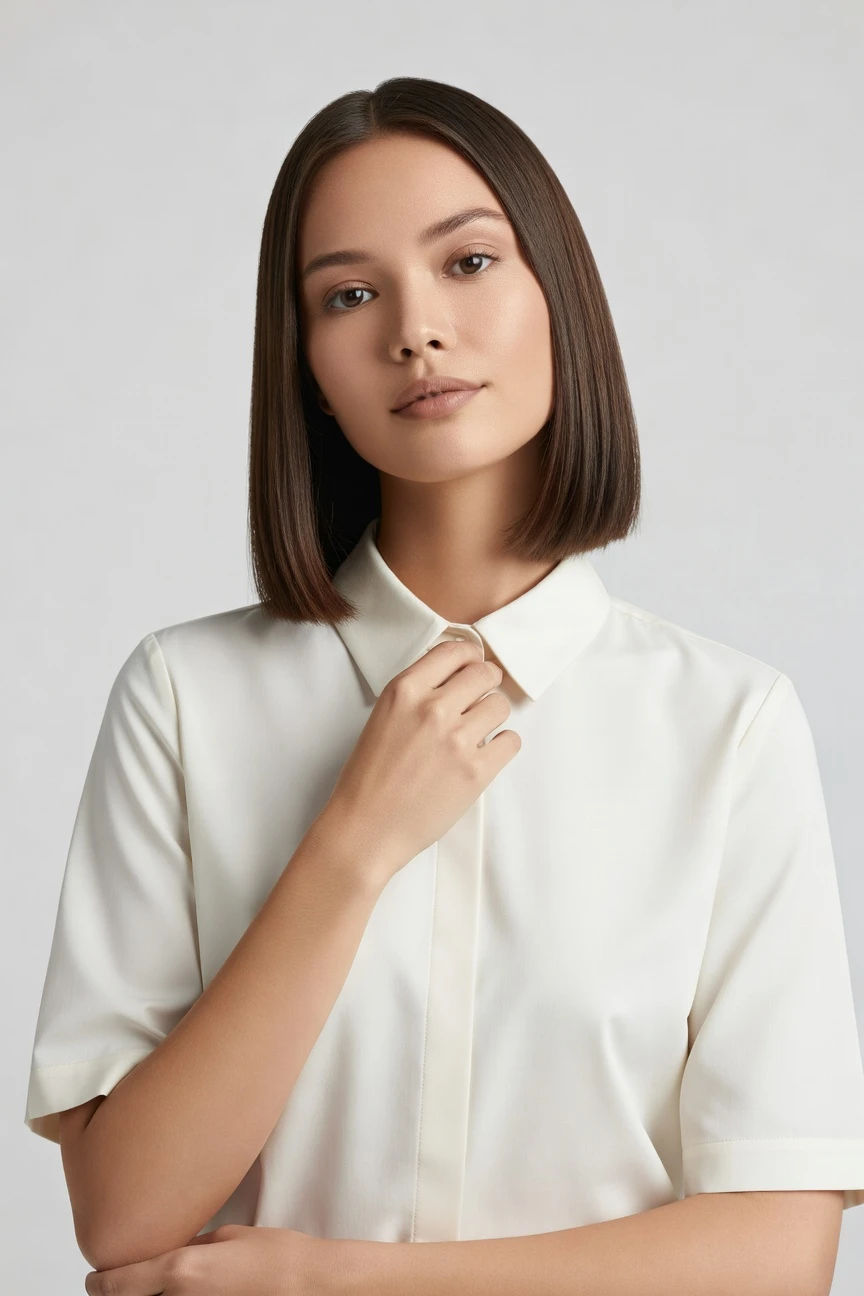
Direct the shoot. Zero prompts.
This setup is tuned for Amazon listing imagery: a clean half-body crop, 85mm lens, 4:5 frame, and 4K output for polished product-page presentation. You select the visual result with interface controls, then generate. ~$0.55 per image · ~30-40s
- 4 clicks · 0 keystrokes
- app.rawshot.ai / new_shoot
How it works
Build Amazon Listing Images by Click
A garment-led workflow for marketplace teams that need clean, consistent fashion visuals without studios or text-box guesswork.
- Step 01
Upload the Garment
Start with the product, not a blank text box. RAWSHOT reads the cut, colour, pattern, logo, and proportion so the garment stays the brief.
- Step 02
Set the Listing View
Choose lens, framing, aspect ratio, background, and style from visual controls built for commerce teams. You direct the output like an application, not a chat thread.
- Step 03
Generate and Publish
Create labelled on-model images in about 30–40 seconds, then reuse the same setup across variants and SKUs. Keep the workflow in the browser or scale it through the API.
Spec sheet
Proof for Listing-Ready Fashion Imagery
These twelve proof points show how RAWSHOT holds up for Amazon workflows, from garment fidelity and consistency to rights, provenance, and scale.
- 01
Synthetic Models by Design
Every model is built from 28 body attributes with 10+ options each. Accidental real-person likeness is statistically negligible by design.
- 02
Every Setting Is a Click
Lens, crop, lighting, pose, background, and style live in buttons, sliders, and presets. You direct the shoot without typing instructions.
- 03
Built Around the Garment
RAWSHOT is engineered to represent cut, colour, pattern, logo, fabric, and drape faithfully. The product stays central instead of being bent around generic image logic.
- 04
Diverse Bodies, Consistent Presentation
Select from a wide range of synthetic model attributes for a brand fit that matches your audience. Keep diversity intentional while holding the garment view steady.
- 05
Stable Across SKU Runs
Reuse the same visual setup across colourways, sizes, and product families. That means cleaner listing pages and fewer retakes when catalog volume grows.
- 06
Styles for Marketplace or Brand
Choose from 150+ visual styles, from catalog clean to campaign gloss. Keep Amazon-compliant clarity or push into richer branded listing imagery when the category allows it.
- 07
2K and 4K in Any Ratio
Generate stills in 2K or 4K with every aspect ratio covered. Build square, portrait, or detail views for marketplaces, ads, and downstream creative.
- 08
Labelled and Compliance-Ready
Outputs are C2PA-signed, AI-labelled, and watermarked with visible and cryptographic layers. RAWSHOT is built for EU AI Act Article 50, California SB 942, and GDPR-aligned operation.
- 09
Audit Trail per Image
Each output carries a signed provenance record that supports internal review and external transparency. That matters when teams need traceable assets, not mystery files.
- 10
GUI for One Shoot, API for Scale
Use the browser for single listings and the REST API for catalog pipelines. The same engine powers both, with no separate product tier for serious volume.
- 11
Clear Economics and Fast Turns
Images are about $0.55 each and usually arrive in 30–40 seconds. Tokens never expire, and failed generations refund their tokens.
- 12
Commercial Rights Stay Simple
Every output includes full commercial rights, permanent and worldwide. Teams can publish to product pages, ads, marketplaces, and brand channels without rights ambiguity.
Outputs
From Product Upload to Amazon-Ready Frames
See how the same garment can be directed into clean marketplace imagery, cropped detail views, and stronger branded listing assets. The product stays consistent while the presentation adapts.


Browse 150+ visual styles →
Comparison
RAWSHOT vs category tools vs DIY prompting
Three lenses on every dimension — what you optimize for in RAWSHOT versus typical category tools and blank-box AI workflows.
01
Interface
RAWSHOT
Click-driven controls for lens, crop, pose, light, and styleCategory tools + DIY
Template-style controls with less direct garment-specific steering. DIY prompting: Typed instructions in a chat flow with trial-and-error revisions02
Garment fidelity
RAWSHOT
Engineered around cut, colour, logo, pattern, and drape retentionCategory tools + DIY
Often strong visually but less reliable on exact product details. DIY prompting: Garments drift, logos mutate, and product details get invented03
Model consistency
RAWSHOT
Same model setups can stay stable across large SKU batchesCategory tools + DIY
Consistency varies across sessions and product runs. DIY prompting: Faces and body presentation shift from image to image04
Provenance and labelling
RAWSHOT
C2PA-signed, visibly watermarked, cryptographically watermarked, AI-labelledCategory tools + DIY
Labelling support varies and provenance is often partial. DIY prompting: Usually no signed provenance metadata or dependable labelling trail05
Commercial rights
RAWSHOT
Full commercial rights to every output, permanent and worldwideCategory tools + DIY
Rights can be usable but terms differ by plan or workflow. DIY prompting: Usage clarity depends on model, platform, and changing terms06
Pricing transparency
RAWSHOT
About $0.55 per image, tokens never expire, one-click cancelCategory tools + DIY
Credits, seats, or gated plans can complicate forecasting. DIY prompting: Low entry cost but unpredictable time cost and redo overhead07
Catalog scale
RAWSHOT
Browser GUI and REST API use the same engine and qualityCategory tools + DIY
Scale features often sit behind sales-led tiers. DIY prompting: No dependable batch workflow for large apparel catalogs08
Iteration reliability
RAWSHOT
Repeatable UI selections make variants easier to reproduceCategory tools + DIY
Preset systems help but can limit precise control. DIY prompting: Recreating a prior result means reworking text and hoping it matches
Prompting does not scale
Stop writing essays. Direct the shoot.
Most AI photo tools start with a blank text box. Rawshot turns the shoot into repeatable controls, so creative teams can produce consistent fashion imagery without prompt syntax or one-off hacks.
Category norm
ManualCreate a premium editorial fashion photograph of a model wearing the exact navy oversized wool coat from SKU-1842, full-body crop, realistic hands, consistent facial identity, clean e-commerce lighting, subtle Paris street background, 85mm lens, no logo distortion, no fabric hallucination, same pose as last campaign, repeatable for all colorways...
A prompt can describe one image. It cannot become a shared production system for hundreds of products, models, angles and markets.
Rawshot
ClicksSaved shoot recipe
Apply to 1 SKU or 10,000 via GUI, CSV or REST API.
Rawshot makes creative direction visible: buttons, presets and sliders instead of hidden prompt craft. The result is easier to teach, faster to approve and built for repeat production.
Use cases
Who Wins With Better Amazon Visuals
Operator archetypes and how click-directed, garment-first output fits the way they actually work.
- 01
Indie Fashion Founder
Launch your Amazon catalog with polished on-model imagery before a studio day ever enters the budget.
Confidence · high
- 02
Marketplace Catalog Manager
Standardise listing visuals across hundreds of SKUs with one repeatable setup and cleaner variation control.
Confidence · high
- 03
Private-Label Brand Team
Turn supplier garments into stronger PDP imagery that feels consistent across the whole storefront.
Confidence · high
- 04
DTC Brand Expanding to Amazon
Adapt existing product lines into marketplace-ready fashion images without rebuilding the whole creative pipeline.
Confidence · high
- 05
Resale and Vintage Seller
Present one-off garments with clearer fit and stronger product-page confidence when each item only exists once.
Confidence · high
- 06
Kidswear Operator
Create labelled synthetic-model imagery for listings that need clarity, consistency, and category-appropriate presentation.
Confidence · high
- 07
Adaptive Fashion Brand
Show garments on diverse body setups and keep the product, not the workaround, at the center.
Confidence · high
- 08
Lingerie Marketplace Seller
Build cleaner, controlled listing imagery with framing and styling choices suited to strict marketplace environments.
Confidence · high
- 09
Factory-Direct Manufacturer
Move from production samples to publishable Amazon visuals without waiting for agency scheduling or studio logistics.
Confidence · high
- 10
Crowdfunded Apparel Creator
Test listing imagery early, refine your product page, and show backers a clearer retail presentation.
Confidence · high
- 11
Student Brand Builder
Create your first professional-looking marketplace assets with interface controls you can learn in one session.
Confidence · high
- 12
Enterprise Catalog Team
Run the same garment-led image engine across browser shoots and nightly API workflows for large SKU counts.
Confidence · high
— Principle
Honest is better than perfect.
Amazon listings need trust as much as they need polish. RAWSHOT labels outputs, signs them with C2PA provenance metadata, and applies visible plus cryptographic watermarking so your team knows what it is publishing. That makes AI-assisted listing imagery easier to govern across brand, legal, and marketplace operations.
Rights & provenance
Full commercial rights. Forever.
- C2PA-signed on every image — EU AI Act Article 50 compliant
- 28-attribute synthetic models — real-person likeness statistically impossible
- Full commercial rights to every generation — no recurring licensing fees
- Tokens never expire · One-click cancel · Transparent pricing
EU AI Act
C2PA
Commercial use
Pricing
~$0.55 per image.
~30–40 seconds per generation. Tokens never expire. Cancel in one click.
- 01The cancel button is on the pricing page.
- 02No per-seat gates. No 'contact sales' walls for core features.
- 03Failed generations refund their tokens.
- 04Full commercial rights to every output, permanent, worldwide.
FAQ
Practical answers on control, rights, pricing, scale, and compliant publishing.
Do I need to write prompts to use RAWSHOT?
Never—you direct every output with sliders, presets, and clicks on the garment, not typed prompts. That matters for fashion commerce because the person choosing framing, crop, and background is often a buyer, merchandiser, founder, or catalog lead, not someone hired to translate apparel decisions into chat syntax. In RAWSHOT, camera, angle, lens, aspect ratio, lighting, pose, and visual style are interface controls, so the workflow feels like directing a shoot rather than negotiating with a text box.
For listing teams, reliability matters more than novelty. RAWSHOT keeps timings, token rules, refund behavior, rights, provenance, and output labelling explicit, which makes it easier to build repeatable product-page operations. You can run a single image in the browser GUI or scale a larger batch through the REST API without changing the basic interaction model. The practical takeaway is simple: if your team can judge the garment, they can direct the image.
What does an AI-assisted fashion listing workflow change for SKU-scale catalogs?
It changes who can produce usable imagery and how quickly a catalog team can move from garment file to publishable product page. Traditional shoots ask for samples, coordination, schedule alignment, and budget that many operators simply do not have. A click-driven workflow removes those gates while still giving teams real control over framing, background, style, and consistency, which is what large apparel catalogs need when every SKU must feel related but still show the product clearly.
RAWSHOT is built around that operational reality. You generate stills in about 30–40 seconds, pay about $0.55 per image, keep tokens without expiry, and receive refunds for failed generations. Because the same engine serves browser work and REST API pipelines, teams can test one listing manually and later scale the same setup across bigger assortments. For catalog operations, the value is not abstract efficiency language; it is having a practical path to consistent imagery where there was none before.
Why skip reshooting every SKU when season updates or marketplace refreshes come around?
Because most refreshes do not require reinventing the garment; they require updating the presentation. Seasonal assortments, revised main images, alternate crops, and marketplace-specific page needs often force brands into expensive repetition even when the product itself has not changed. A digital fashion workflow lets teams preserve the garment as the constant while adjusting only the variables that matter for the next publishing cycle, such as ratio, crop, background, model selection, or visual style.
RAWSHOT is useful here because those adjustments live in repeatable controls rather than buried inside improvised text instructions. You can keep a stable lens and framing for an Amazon listing set, create alternate detail crops in 2K or 4K, and carry a consistent model presentation across related products. That reduces the operational drag of reshoots without claiming to replace the value of studio photography. For commerce teams, the takeaway is to reserve physical shoots for moments that truly need them and handle listing refreshes with a more flexible system.
How do we turn flat garments into catalogue-ready imagery without prompting?
You start by uploading the garment and then directing the result through visual controls. Instead of describing an outcome in prose, you choose lens, framing, aspect ratio, background, lighting, and style from the interface. That keeps the workflow grounded in decisions merchandisers and creative operators already understand. For apparel teams, this is the difference between hoping an image model interprets intent correctly and selecting the exact presentation needed for a product page.
RAWSHOT is built so the garment remains the brief. The system is engineered around cut, colour, pattern, logo, fabric, and drape, and it supports upper-body, lower-body, full-outfit, footwear, jewelry, handbags, watches, sunglasses, and accessories, with up to four products in one composition. You can generate a clean marketplace frame, a tighter crop, or a more branded secondary image from the same product base. In practice, that means flatter source materials can still become polished on-model catalog assets through directed controls rather than trial-and-error text work.
Why does RAWSHOT beat ChatGPT, Midjourney, or generic image tools for fashion PDPs?
The short answer is garment control and reproducibility. Generic image systems are broad tools; they are not built around the operational demands of apparel product pages. When teams use them for fashion commerce, they often run into drifting garments, altered logos, unstable faces, and a workflow where reproducing a prior result becomes its own project. That is manageable for experimentation, but it is a weak foundation for product pages where details, consistency, and traceability matter.
RAWSHOT approaches the problem as a fashion application, not a chat experience. You direct camera, crop, pose, style, and output settings through fixed controls, and the system is designed around faithful garment representation rather than broad imaginative range. On top of that, outputs are AI-labelled, C2PA-signed, watermarked, and paired with clear commercial rights. For teams publishing apparel PDPs, the practical advantage is less time spent correcting invented details and more confidence that the image pipeline can be repeated at scale.
Can I use RAWSHOT outputs commercially for Amazon, ads, and product pages?
Yes. RAWSHOT includes full commercial rights to every output, permanent and worldwide. That matters because listing teams do not need rights ambiguity when an image moves from a marketplace PDP to paid social, email, retail decks, or brand site reuse. Clear usage terms make adoption much easier for founders, operators, and legal reviewers who need to know whether an image can travel across channels without renegotiation or plan-dependent caveats.
RAWSHOT also pairs those rights with transparent signalling about what the file is. Outputs are AI-labelled, C2PA-signed, and watermarked with visible and cryptographic layers, so teams can maintain internal honesty standards while still publishing polished work. The practical takeaway is to treat the asset like a governed commercial file, not an anonymous experiment: review the garment, verify the presentation, and then deploy it wherever your commerce workflow needs it.
What should a buyer or QA lead check before publishing listing images from RAWSHOT?
Check the same fundamentals you would check in any apparel image workflow, but do it with special attention to the garment itself. Confirm the cut, colour, pattern, logo placement, and proportion match the real product, then verify that framing, crop, and background fit the marketplace requirement. If you are using synthetic models across a collection, review for consistency in body presentation and brand suitability so your catalog feels intentional rather than assembled from unrelated outputs.
RAWSHOT supports this review process with provenance and transparency built in. Each output is AI-labelled, carries C2PA metadata, and includes watermarking cues, which helps separate governed assets from untracked files in busy teams. Because generations are quick and failed generations refund their tokens, it is practical to reject weak outputs and regenerate until the garment presentation is right. The operational rule is simple: publish only what faithfully represents the product and clearly fits your channel standards.
How much does an ai amazon listing generator cost for still images?
For stills, RAWSHOT is about $0.55 per image, and a generation usually takes about 30–40 seconds. Tokens never expire, failed generations refund their tokens, and cancellation is one click from the pricing page. That pricing model is useful for commerce teams because it stays understandable whether you are testing a few hero frames for a new listing or running a larger catalog batch across many products and variants.
The cost discussion also gets better when you compare it to the real alternative. Many smaller brands are not choosing between RAWSHOT and a full production day; they are choosing between having imagery and not having it at all. RAWSHOT removes the need for studio scheduling, shipped samples, and per-seat barriers for core use. The practical takeaway is to estimate image needs by SKU, build a repeatable visual setup, and budget directly against output count rather than opaque agency overhead.
Can this connect to Shopify or catalog systems through an API instead of only the browser?
Yes. RAWSHOT provides a REST API for catalog-scale workflows while keeping the browser GUI available for single-shoot work and quick approvals. That matters for teams whose image operations span multiple systems, because they can test a look manually, confirm the garment presentation, and then automate the same logic through a larger pipeline. The product is designed so one workflow does not trap you in a separate edition once volume increases.
For fashion operators, the real value is consistency between manual and automated production. The same engine, models, output quality, and pricing logic apply whether you generate one listing image in the interface or run a larger overnight job. That makes it easier to tie imagery into merchandising calendars, feed updates, and SKU launches without creating a split between “creative mode” and “operations mode.” In practice, teams can validate visually first and operationalize second.
How far can a small team scale fashion image production with RAWSHOT before needing a bigger platform?
Much farther than most teams expect, because RAWSHOT is not divided into a lightweight tool for small users and a separate product for large ones. The same engine supports one-off browser work and high-volume API workflows, with no per-seat gate for core features and no forced jump into a hidden enterprise edition just to keep producing at volume. That matters for growing labels, marketplace operators, and manufacturers who need the process to remain stable as SKU count rises.
Operationally, a small team can standardize visual presets, keep model presentation consistent, generate stills in roughly 30–40 seconds, and use the API when batch volume justifies automation. Since tokens do not expire and failed generations refund, teams can iterate responsibly without treating every test as wasted spend. The practical takeaway is to design one repeatable image system early, then extend it from browser decisions to catalog-scale production as the assortment grows.
Keep exploring