
— 28 attributes · 10+ options each · Save once
AI Boy Generator — with click-driven control over every attribute.
Build a reusable boy model when age, proportions, and consistency matter across a full range. You select body, height, hair, expression, and presentation through buttons, sliders, and presets, then save that model to reuse across every SKU. The result is a synthetic composite with statistically negligible real-person likeness, labelled and C2PA-signed.
- ~$0.99 per model
- ~50–60s per generation
- 150+ styles
- 28 attributes × 10+ options
- Save once, reuse across catalog
- EU-hosted and labelled
7-day free trial • 50 tokens (10 images) • Cancel anytime

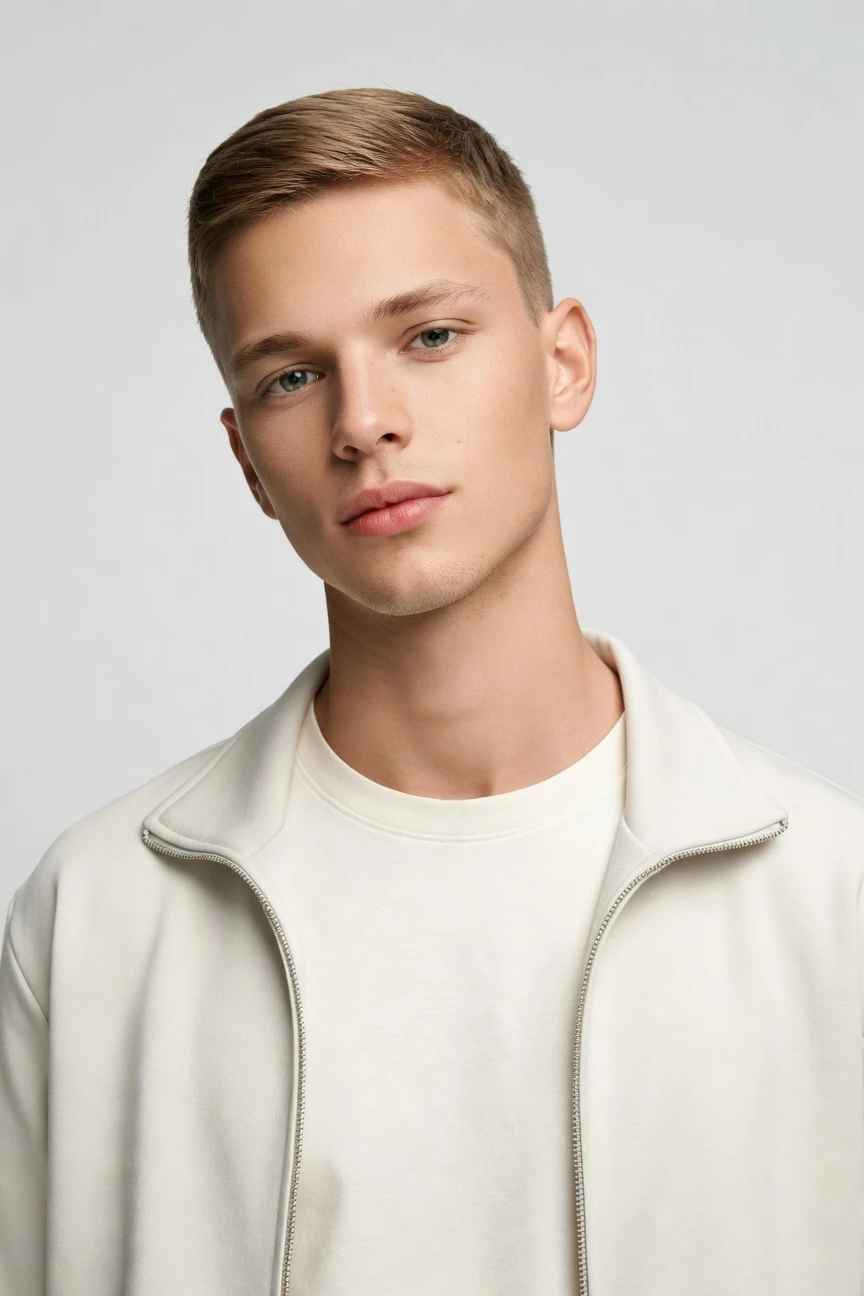
Saved model setup
Female · 26–35 · Dark brown · 175cm
Build a model. Zero prompts.
This setup starts from a boy-focused catalog profile: younger age range, average build, medium height, and a neutral expression you can reuse across repeated product drops. Five direct selections shape the saved model, while the height slider fine-tunes proportion for childrenswear, teen lines, or youth-led streetwear. 28 attributes · 10+ options each
- 5 clicks · 0 keystrokes
- app.rawshot.ai / build_model
How it works
Build Once, Reuse Across Every SKU
A boy model should stay consistent from first sample images to full catalog rollout, without turning your team into syntax specialists.
- Step 01
Set the Model Attributes
Choose age range, build, height, hair, skin tone, and expression through fixed controls. The interface is built for fashion teams, so every decision is visible and repeatable.
- Step 02
Save the Face and Body
Generate the synthetic composite, review it, and save it to your model library. That gives you one consistent base to carry through lookbooks, PDPs, and campaign variants.
- Step 03
Reuse Across Every Garment
Apply the saved model to one product or a full catalog through the browser GUI or REST API. You keep the same identity, the same proportions, and the same operational rules at every scale.
Spec sheet
Proof for Reusable Boy Model Workflows
These twelve points show what matters in practice: attribute control, garment faithfulness, compliance, rights, and scale.
- 01
Composite by Design
Every model is built from 28 body attributes with 10+ options each. That composite structure makes accidental real-person likeness statistically negligible by design.
- 02
Every Setting Is a Click
You direct the model with buttons, sliders, and presets instead of an empty text box. Buyers, merchandisers, and creative teams can use the same interface without translation.
- 03
Built Around the Garment
The product stays the brief. Cut, colour, pattern, logo, drape, and proportion are represented faithfully instead of being bent around generic image logic.
- 04
Diverse Synthetic Casts
Build boy-focused synthetic models across different tones, builds, and styling directions while staying transparent about what the output is. Diversity is available without borrowing a real person's identity.
- 05
Consistency Across SKUs
Save one face and body, then reuse them across a whole line. That means fewer retakes, less drift, and tighter continuity across product pages.
- 06
150+ Visual Styles
Move the same saved model through catalog, editorial, campaign, studio, street, Y2K, vintage, noir, and more. Brand shifts do not require rebuilding the identity from zero.
- 07
2K, 4K, Every Ratio
Generate assets for PDPs, social crops, marketplace requirements, and lookbook layouts in the format you need. Resolution and aspect ratio stay flexible around the same base model.
- 08
Labelled and Compliant
Outputs are AI-labelled, C2PA-signed, and watermarked with visible and cryptographic layers. RAWSHOT is EU-hosted and aligned with Article 50, California SB 942, and GDPR requirements.
- 09
Signed Audit Trail per Image
Each output carries provenance metadata that records what it is. That gives ecommerce and compliance teams a cleaner review trail than unlabeled image files.
- 10
GUI to REST API
Use the browser for single-shoot work or plug the same engine into catalog-scale pipelines. The indie label and the enterprise team use the same core product.
- 11
Fast, Refund-Safe Generation
Model generations run in about 50–60 seconds, tokens never expire, and failed generations refund their tokens. Operationally, that makes iteration predictable instead of punitive.
- 12
Permanent Worldwide Rights
Every output includes full commercial rights for permanent worldwide use. You can publish across ecommerce, marketing, marketplaces, and paid media without a separate licensing maze.
Outputs
Saved Model, many directions.
One synthetic boy model can move from clean catalog to story-led editorial without losing continuity. That makes seasonal updates and multi-channel publishing easier to manage.


Browse all 600+ models →
Comparison
RAWSHOT vs category tools vs DIY prompting
Three lenses on every dimension — what you optimize for in RAWSHOT versus typical category tools and blank-box AI workflows.
01
Interface
RAWSHOT
Click-driven controls for body, age, hair, expression, and reuseCategory tools + DIY
Often mix limited presets with less precise fashion-specific controls. DIY prompting: Typed instructions in a chat flow with trial-and-error wording overhead02
Model consistency
RAWSHOT
Save one synthetic model and reuse it across every SKUCategory tools + DIY
Consistency varies across sessions or requires manual matching. DIY prompting: Faces drift between outputs, so continuity across products is unreliable03
Garment fidelity
RAWSHOT
Engineered around the garment's cut, colour, pattern, and drapeCategory tools + DIY
Can stylise fashion output but still bend product details. DIY prompting: Garments drift, logos get invented, and proportions change between generations04
Provenance
RAWSHOT
C2PA-signed, AI-labelled, with visible and cryptographic watermarkingCategory tools + DIY
Labelling and provenance are often partial or absent. DIY prompting: No standard provenance metadata, unclear disclosure, and weak auditability05
Commercial rights
RAWSHOT
Permanent worldwide commercial rights included with every outputCategory tools + DIY
Rights can depend on plan level or tool-specific terms. DIY prompting: Usage rights and training provenance are often unclear to commerce teams06
Pricing transparency
RAWSHOT
Same per-model price, no per-seat gates, cancel in one clickCategory tools + DIY
Plans may add seats, tiers, or gated higher-volume access. DIY prompting: Low entry cost hides repeat iterations, failed runs, and manual cleanup time07
Catalog scale
RAWSHOT
Same engine works in GUI and REST API for nightly pipelinesCategory tools + DIY
Scale features may sit behind sales-led enterprise packaging. DIY prompting: No dependable batch workflow for controlled, repeatable fashion production08
Audit trail
RAWSHOT
Signed per-image records support review and compliance workflowsCategory tools + DIY
Some outputs lack image-level traceability for operations teams. DIY prompting: Files arrive without structured audit trails or reproducible production records
Prompting does not scale
Stop writing essays. Direct the shoot.
Most AI photo tools start with a blank text box. Rawshot turns the shoot into repeatable controls, so creative teams can produce consistent fashion imagery without prompt syntax or one-off hacks.
Category norm
ManualCreate a premium editorial fashion photograph of a model wearing the exact navy oversized wool coat from SKU-1842, full-body crop, realistic hands, consistent facial identity, clean e-commerce lighting, subtle Paris street background, 85mm lens, no logo distortion, no fabric hallucination, same pose as last campaign, repeatable for all colorways...
A prompt can describe one image. It cannot become a shared production system for hundreds of products, models, angles and markets.
Rawshot
ClicksSaved shoot recipe
Apply to 1 SKU or 10,000 via GUI, CSV or REST API.
Rawshot makes creative direction visible: buttons, presets and sliders instead of hidden prompt craft. The result is easier to teach, faster to approve and built for repeat production.
Use cases
Where Reusable Boy Models Unlock Access
Operator archetypes and how click-directed, garment-first output fits the way they actually work.
- 01
Kidswear Labels
Build age-appropriate boy models for tops, trousers, outerwear, and sets before a full sample run is ready.
Confidence · high
- 02
Teen Streetwear Brands
Keep one recognizable model identity across drops so hoodies, cargos, and graphics launch with clean continuity.
Confidence · high
- 03
School Uniform Suppliers
Reuse the same saved model across shirts, knitwear, blazers, and seasonal layers for stable catalog pages.
Confidence · high
- 04
Adaptive Fashion Teams
Direct inclusive boy-focused imagery with controlled body attributes and keep output labelled and reviewable.
Confidence · high
- 05
Marketplace Sellers
Generate consistent youth apparel imagery in the browser without setting up separate shoots for every listing.
Confidence · high
- 06
Crowdfunded Brands
Show a full line on a reusable synthetic model before committing to expensive production-day logistics.
Confidence · high
- 07
Factory-Direct Manufacturers
Standardize model presentation across large SKU counts through the API instead of rebuilding each product from scratch.
Confidence · high
- 08
Resale and Vintage Stores
Apply a consistent boy model profile to mixed inventory so the storefront feels curated rather than patchworked.
Confidence · high
- 09
Lookbook Creators
Carry the same face and body through editorial sequences while switching lighting, framing, and visual style presets.
Confidence · high
- 10
Private Label Operators
Launch youth basics with reliable proportions and repeated model identity across marketplaces, PDPs, and ads.
Confidence · high
- 11
Student Designers
Present a boy-led collection with professional control when studio access and casting budgets are out of reach.
Confidence · high
- 12
Agency Test Shoots
Prototype cast direction for junior or youth-oriented fashion concepts before committing to live production.
Confidence · high
— Principle
Honest is better than perfect.
When you are building boy-focused synthetic models, clarity matters as much as control. Every output is AI-labelled, C2PA-signed, and watermarked, with a signed audit trail per image. We do that because commerce teams need usable assets they can publish, review, and govern without pretending the file came from somewhere else.
Rights & provenance
Full commercial rights. Forever.
- C2PA-signed on every image — EU AI Act Article 50 compliant
- 28-attribute synthetic models — real-person likeness statistically impossible
- Full commercial rights to every generation — no recurring licensing fees
- Tokens never expire · One-click cancel · Transparent pricing
EU AI Act
C2PA
Commercial use
Pricing
~$0.99 per model generation.
~50–60 seconds per generation. Save the model once, reuse it across your entire catalog.
- 01Tokens never expire. Cancel in one click.
- 02Same face, same body, every SKU — no drift between shoots.
- 03No per-seat gates. No 'contact sales' walls for core features.
- 04Failed generations refund their tokens.
FAQ
Practical answers on control, rights, pricing, scale, and compliant publishing.
Do I need to write prompts to use RAWSHOT?
Never—you direct every output with sliders, presets, and clicks on the garment, not typed prompts. That UI control is consistent across GUI and REST API payloads, which is why ecommerce teams onboard buyers without rewriting creative briefs as chat threads. You set the model through visible controls such as age range, body type, height, hair, and expression, then save it for reuse instead of trying to recreate it from memory.
For catalog teams, reliability matters more than model cleverness; RAWSHOT keeps tokens, timings, refund rules, commercial rights framing, provenance signalling, watermarking cues, REST surface, and SKU-scale batch patterns explicit so operations can rehearse PDP launches without hallucinated garment inventions. The practical takeaway is simple: treat model creation like a production tool, not a guessing game, and let your team work from repeatable controls rather than syntax.
What does an AI boy generator actually change for ecommerce catalog teams?
It changes consistency first. Instead of casting again every time you add a new hoodie, trouser, or jacket, you build a reusable synthetic boy model once and carry that identity through the range. That matters for youth apparel, schoolwear, and teen-led fashion where repeated proportions, age cues, and face continuity affect how professional the storefront feels.
In RAWSHOT, the model is not a one-off image artifact. You set 28 body attributes with 10+ options each, save the result to your library, and apply it in the browser or through the REST API across a larger product set. Because outputs are labelled, watermarked, and C2PA-signed, the workflow also gives operations and compliance teams a cleaner publishing path than unlabeled generic files. In practice, catalog teams use this to stabilize product presentation, shorten review loops, and keep visual identity steady across many SKUs.
Why skip reshooting every SKU when a season update only changes styling or colorways?
Because the expensive part is often not creative ambition but repetition. If the model identity stays the same and the main change is garment, colorway, crop, or visual treatment, rebuilding the entire shoot pipeline wastes time and budget that smaller operators usually do not have. Seasonal updates need continuity, not constant recasting.
RAWSHOT lets you save the face and body once, then reuse that synthetic model across the next set of products while adjusting framing, lighting, aspect ratio, and style presets around it. That means a youth collection can move from clean PDP imagery to campaign variants without breaking recognition between pages. You still review garment faithfulness and brand fit like a proper commerce workflow, but you stop paying the operational penalty of starting over for every small assortment change. The result is not fewer standards; it is access to standards that were previously out of reach.
How do we turn flat garments into catalogue-ready imagery without prompting?
You start with the product, then direct the outcome through controls. Choose or build the saved model, set framing, camera, lighting, background, and style, and generate the output in the browser as a single-shoot task or at scale through the API. The process is designed for operators who need repeatable catalog imagery, not chat-style experimentation.
That matters because fashion teams review different things than general image users do. They need the cut, colour, pattern, logo, and drape to hold together while the model remains stable from one SKU to the next. RAWSHOT is engineered around that garment-led workflow, and the outputs arrive with commercial rights, provenance metadata, and refund-safe generation rules if a run fails. In practice, teams use the UI to establish the visual system once, then roll it out product by product without forcing merchandisers to learn syntax.
Why does garment-led control beat DIY prompting in ChatGPT, Midjourney, or generic image tools for fashion PDPs?
Because fashion production fails in very specific ways, and generic image tools are not built to prevent them. A typed workflow can produce shifting faces, altered garment proportions, invented logos, and inconsistent details between outputs that make a product page look unreliable. Even when one image looks good, repeating that exact setup across a catalog becomes a manual chase.
RAWSHOT approaches the problem from the opposite direction. The garment is the brief, the model can be saved and reused, and the core controls are buttons, sliders, and presets meant for commerce teams rather than open-ended text interpretation. On top of that, outputs are AI-labelled, C2PA-signed, and covered by permanent worldwide commercial rights, which addresses governance and publishing questions generic tools often leave vague. For PDP work, the winning workflow is the one that preserves product truth and repeatability, not the one that occasionally surprises you with a nice frame.
Are RAWSHOT model outputs labelled, watermarked, and safe to use commercially?
Yes. Every output is AI-labelled and carries multi-layer watermarking, including visible and cryptographic methods, with C2PA-signed provenance metadata attached to the image. RAWSHOT also includes full commercial rights for permanent worldwide use, which gives commerce teams a clear basis for publishing across PDPs, ads, marketplaces, and lookbooks.
That transparency matters because labelled output is not a side note; it is part of good brand practice. RAWSHOT is EU-hosted, GDPR-compliant, and aligned with the disclosure direction set by Article 50 and California SB 942, while the synthetic model system is built as a composite across 28 body attributes to make accidental real-person likeness statistically negligible by design. The practical takeaway is that you should treat model assets as governed marketing files with traceable provenance, not as anonymous images whose origin becomes a problem later.
What should our team check before publishing a saved boy model across a full product range?
Check the same things you would check in any serious fashion workflow: garment fidelity, proportion, logo accuracy, age fit, and consistency of face and body across the selected products. Then confirm the output carries the expected labelling, watermarking cues, and provenance metadata so the asset is ready for internal approval and external use. A fast image is only useful if it survives QA.
In RAWSHOT, that review process is easier because the model is reusable and the controls are explicit. You are not trying to infer what wording created the result; you are checking a saved configuration, a defined set of visual decisions, and a signed image record. Teams usually establish one approved model profile, one styling system, and one review checklist, then scale from there through GUI or API. That keeps publishing disciplined even when the catalog grows quickly.
How much does a reusable model cost, and what happens if a generation fails?
A model generation is about $0.99 and usually completes in around 50–60 seconds. Tokens never expire, there are no per-seat gates for core features, and you can cancel in one click from the pricing page, which keeps the economics legible for small teams and larger operators alike. The point is predictable access, not a maze of usage traps.
If a generation fails, the tokens are refunded. That matters in day-to-day operations because teams often test several body, age, or expression setups before they settle on the saved model that will anchor a line. Once that model is approved, you reuse it across the catalog instead of paying to rediscover it every time. The practical planning rule is simple: budget for the model once, then treat reuse as the multiplier that makes the workflow efficient and stable.
Can we connect this to Shopify-scale catalogs or internal product pipelines through an API?
Yes. RAWSHOT has a browser GUI for single-shoot work and a REST API for catalog-scale production, so the same engine can serve a designer testing one product and an operations team handling a nightly batch. That continuity matters because handoff failures usually happen when the creative workflow and the production workflow live in different systems with different rules.
With RAWSHOT, the saved synthetic model, generation logic, and output standards remain aligned across both surfaces. Teams can establish a reusable boy model in the UI, confirm garment behavior and visual direction, then carry the same setup into automated pipelines that attach to larger commerce operations. Because outputs include signed provenance metadata and clear rights framing, the integration story is not only about throughput; it is also about keeping governance intact as volume increases. That is what makes API use operationally credible rather than merely technical.
How do teams scale from one saved model in the browser to thousands of outputs across departments?
They standardize the model first, then distribute the production system around it. A buyer or creative lead can approve the saved identity in the browser, merchandising can map products to that identity, and operations can push larger generation runs through the API without changing the underlying visual logic. That is how one model becomes shared infrastructure rather than a one-off experiment.
RAWSHOT supports that scale because the same pricing logic, model library, rights framing, provenance signals, and generation behavior apply whether you are making one asset or many. There is no separate enterprise-only image engine hiding behind a sales call for core functionality, and there are no seat gates that stop broader team adoption. The useful way to run it is to define your approved model profiles, visual presets, and QA checkpoints once, then let different roles execute against that standard with minimal friction.
Keep exploring