
— Headshots · 150+ styles · 4K
Direct clean casting visuals with the AI Fashion Model Headshot Generator
Generate polished fashion headshots for casting decks, storefront profiles, and campaign planning. Select lens, framing, lighting, backdrop, mood, and aspect ratio with clicks inside a real interface. No studio. No samples. No prompts.
- ~$0.55 per image
- ~30–40s per generation
- 150+ styles
- 2K or 4K
- Every aspect ratio
- Full commercial rights
7-day free trial • 50 tokens (10 images) • Cancel anytime

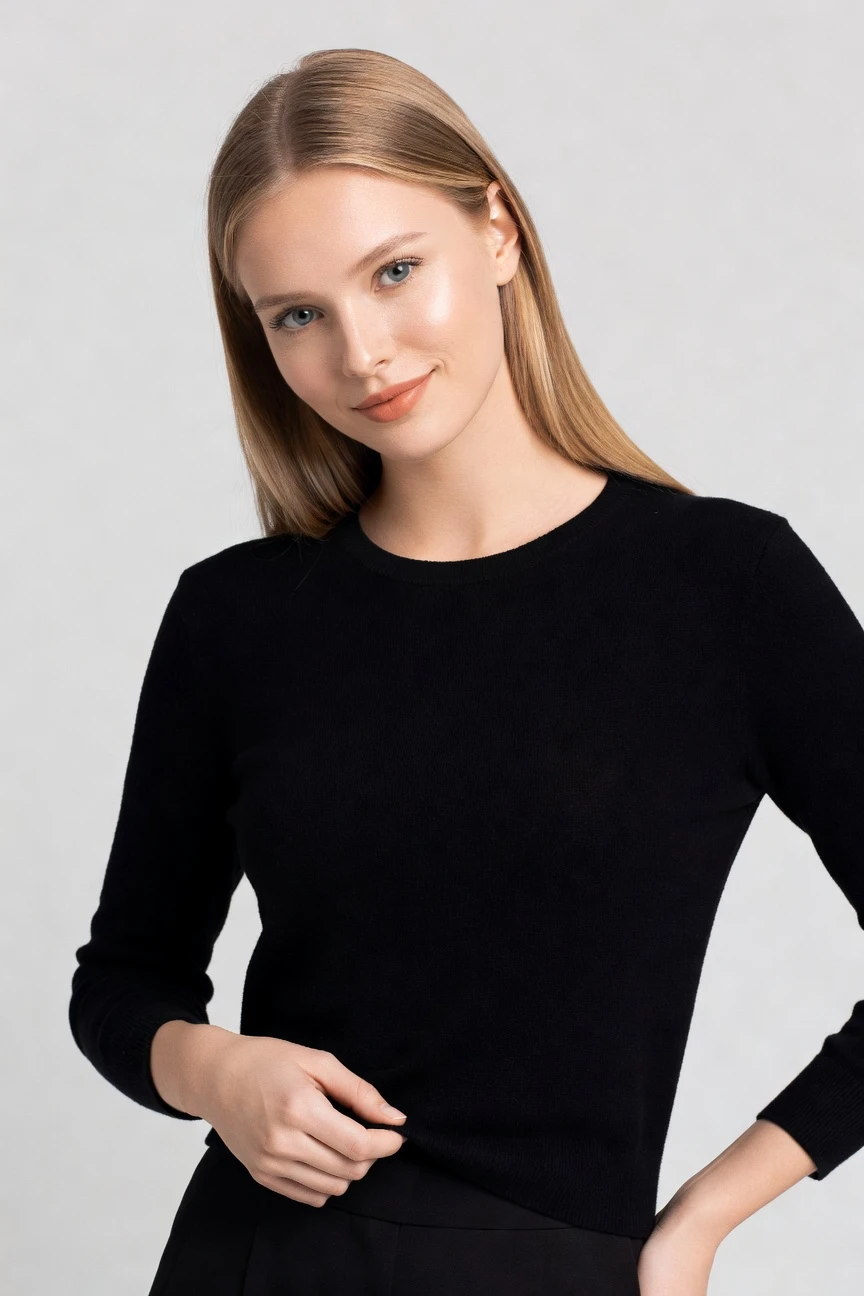
Direct the shoot. Zero prompts.
This setup starts with an 85mm lens, half-body framing, and a 4:5 crop to create a clean fashion headshot. You adjust the camera and output settings with clicks, then generate a consistent portrait around the garment and styling choices. ~$0.55 per image · ~30-40s
- 4 clicks · 0 keystrokes
- app.rawshot.ai / new_shoot
How it works
Build Fashion Headshots Like a Shoot Plan
Start with frame and styling controls, then generate labelled output that stays consistent from one image to a full catalog batch.
- Step 01
Set the Headshot Frame
Choose the lens, crop, angle, and output ratio that suit profile imagery, casting decks, or campaign planning. The interface starts from fashion photography controls, not an empty text box.
- Step 02
Tune the Visual Direction
Adjust lighting, backdrop, mood, and style preset to move from clean catalog clarity to beauty-led editorial polish. Each decision is made with buttons, sliders, and presets.
- Step 03
Generate and Reuse at Scale
Create one image for a brand page or roll the same visual logic across a whole range. The same engine works in the browser for one-offs and through the REST API for larger pipelines.
Spec sheet
Proof for Fashion Headshot Workflows
These twelve proof points show how RAWSHOT keeps portraits controllable, garment-led, commercially usable, and operationally clear.
- 01
Synthetic by Design
Every model is built from 28 body attributes with 10+ options each, making accidental real-person likeness statistically negligible by design.
- 02
Every Setting Is a Click
You direct lens, framing, light, background, and visual style through controls in the interface. No typed instructions are required.
- 03
Garment-Led Representation
Cut, colour, pattern, logos, fabric behaviour, and proportion stay central. The garment is the brief, even in tighter portrait framing.
- 04
Diverse Synthetic Models
Build a broad range of model options for different brand worlds, audiences, and casting needs while staying transparently labelled.
- 05
Consistent Across SKUs
Keep the same face, framing logic, and visual direction across many products, so profile imagery feels planned instead of pieced together.
- 06
150+ Visual Styles
Move from clean storefront portraits to beauty-led campaign looks with presets for catalog, editorial, studio, street, vintage, noir, and more.
- 07
2K, 4K, Any Ratio
Generate stills in 2K or 4K and crop for 1:1, 4:5, 3:4, 16:9, or other formats needed across commerce and marketing channels.
- 08
Labelled and Compliant
Outputs are AI-labelled, watermarked, and built for EU AI Act Article 50, California SB 942, and GDPR-aware operations.
- 09
Per-Image Audit Trail
Each image carries a signed provenance record, giving teams a clear chain of accountability for what was generated and how it should be disclosed.
- 10
Browser to REST API
Use the GUI for one headshot session or connect the same system to catalog workflows through the REST API. No separate product tier is required.
- 11
Fast, Clear Economics
Images cost about $0.55 and usually generate in 30–40 seconds. Tokens never expire, and failed generations refund tokens automatically.
- 12
Worldwide Commercial Rights
Every output includes full commercial rights, permanent and worldwide, so teams can publish across PDPs, ads, decks, and social channels.
Outputs
Headshots for commerce and casting
From clean storefront portraits to beauty-led campaign crops, you can direct fashion headshots with the same controls and the same honest output standards.


Browse 150+ visual styles →
Comparison
RAWSHOT vs category tools vs DIY prompting
Three lenses on every dimension — what you optimize for in RAWSHOT versus typical category tools and blank-box AI workflows.
01
Interface
RAWSHOT
Click-driven shoot controls for lens, frame, light, style, and outputCategory tools + DIY
Often mix simple controls with narrower fashion-specific direction. DIY prompting: Requires typed instructions, repeated retries, and manual phrasing to steer results02
Garment fidelity
RAWSHOT
Built around real garments with attention to cut, colour, logos, and drapeCategory tools + DIY
Can stylise well but may soften product-specific details. DIY prompting: Garments drift, logos get invented, and proportions change between attempts03
Model consistency
RAWSHOT
Same synthetic model can stay stable across repeated catalog outputsCategory tools + DIY
Consistency varies across sessions and larger product sets. DIY prompting: Faces shift across generations, making SKU-wide continuity hard to maintain04
Provenance + labelling
RAWSHOT
C2PA-signed, visibly watermarked, cryptographically watermarked, and AI-labelled outputCategory tools + DIY
Labelling and provenance support differ by tool and plan. DIY prompting: Usually no provenance metadata, weak disclosure support, and unclear downstream signalling05
Commercial rights
RAWSHOT
Permanent worldwide commercial rights included with every outputCategory tools + DIY
Rights may depend on plan structure or platform terms. DIY prompting: Rights position can be unclear across model providers and generation stacks06
Pricing transparency
RAWSHOT
Same per-image pricing, no per-seat gates, tokens never expireCategory tools + DIY
May add seat limits, feature gates, or plan-based restrictions. DIY prompting: Costs sprawl across subscriptions, credits, retries, and external editing steps07
Iteration speed
RAWSHOT
Generate a new portrait variant in about 30–40 secondsCategory tools + DIY
Can be fast, but often with less precise garment-first control. DIY prompting: Iteration slows down through wording changes, retries, and cleanup of visual errors08
Catalog scale
RAWSHOT
Same engine works in browser GUI and REST API for large pipelinesCategory tools + DIY
Scale paths often split across editions or sales-led upgrades. DIY prompting: No clean audit trail, repeatability, or structured workflow for nightly SKU batches
Prompting does not scale
Stop writing essays. Direct the shoot.
Most AI photo tools start with a blank text box. Rawshot turns the shoot into repeatable controls, so creative teams can produce consistent fashion imagery without prompt syntax or one-off hacks.
Category norm
ManualCreate a premium editorial fashion photograph of a model wearing the exact navy oversized wool coat from SKU-1842, full-body crop, realistic hands, consistent facial identity, clean e-commerce lighting, subtle Paris street background, 85mm lens, no logo distortion, no fabric hallucination, same pose as last campaign, repeatable for all colorways...
A prompt can describe one image. It cannot become a shared production system for hundreds of products, models, angles and markets.
Rawshot
ClicksSaved shoot recipe
Apply to 1 SKU or 10,000 via GUI, CSV or REST API.
Rawshot makes creative direction visible: buttons, presets and sliders instead of hidden prompt craft. The result is easier to teach, faster to approve and built for repeat production.
Use cases
Where Fashion Headshots Unlock Access
Operator archetypes and how click-directed, garment-first output fits the way they actually work.
- 01
Indie Designers Building First Brand Pages
Launch with polished portrait imagery for about, profile, and drop pages without booking a studio day before the collection is even proven.
Confidence · high
- 02
DTC Labels Refreshing Storefront Profiles
Update site banners, founder pages, and face-led campaign assets with consistent fashion portraits that match the collection mood.
Confidence · high
- 03
Marketplace Sellers Needing Clean Talent Imagery
Create headshot-led profile visuals that make storefronts feel credible without mixing inconsistent stock portraits into product pages.
Confidence · high
- 04
Crowdfunded Brands Testing Pre-Launch Visuals
Generate fashion headshots for pitch decks, landing pages, and ad tests before committing to physical production and shoot logistics.
Confidence · high
- 05
Beauty and Accessories Teams Framing the Face
Use tighter portrait crops to show eyewear, jewelry, and face-adjacent accessories in context while keeping the product central.
Confidence · high
- 06
Lookbook Teams Building Casting Boards
Assemble clean, consistent portrait references that help align styling, lighting, and model direction before broader campaign production begins.
Confidence · high
- 07
Catalog Managers Standardising Profile Images
Keep the same face and frame logic across many products so headshot assets feel planned across categories and seasons.
Confidence · high
- 08
Students Creating Portfolio Fashion Portraits
Build presentation-ready visuals for graduate collections and portfolio sites when traditional photography is financially out of reach.
Confidence · high
- 09
Adaptive Fashion Brands Testing Representation
Explore different model attributes and portrait directions to build more representative visual systems around the same garments.
Confidence · high
- 10
Resale and Vintage Sellers Upgrading Brand Identity
Pair one-off products with clean fashion headshots that make small inventories feel branded instead of improvised.
Confidence · high
- 11
Agency Teams Mocking Up AI Fashion Model Headshot Generator Concepts
Prototype portrait directions for client reviews quickly, then lock visual language before full campaign production.
Confidence · high
- 12
Factory-Direct Manufacturers Pitching Private Label Programs
Show potential buyers polished profile and casting-style imagery alongside product assortments without waiting on studio coordination.
Confidence · high
— Principle
Honest is better than perfect.
Headshots shape trust quickly, so provenance matters as much as polish. Every RAWSHOT image is AI-labelled, watermarked, and C2PA-signed, with a per-image audit trail that supports compliant publishing and internal review. We build for clear disclosure, not ambiguity.
Rights & provenance
Full commercial rights. Forever.
- C2PA-signed on every image — EU AI Act Article 50 compliant
- 28-attribute synthetic models — real-person likeness statistically impossible
- Full commercial rights to every generation — no recurring licensing fees
- Tokens never expire · One-click cancel · Transparent pricing
EU AI Act
C2PA
Commercial use
Pricing
~$0.55 per image.
~30–40 seconds per generation. Tokens never expire. Cancel in one click.
- 01The cancel button is on the pricing page.
- 02No per-seat gates. No 'contact sales' walls for core features.
- 03Failed generations refund their tokens.
- 04Full commercial rights to every output, permanent, worldwide.
FAQ
Practical answers on control, rights, pricing, scale, and compliant publishing.
Do I need to write prompts to use RAWSHOT?
Never—you direct every output with sliders, presets, and clicks on the garment, not typed prompts. That matters because fashion teams do not need another tool that turns buyers, founders, or merchandisers into syntax specialists before they can publish a usable image. In RAWSHOT, you choose practical controls such as lens, framing, lighting, backdrop, aspect ratio, and visual style, then generate from a real interface built for apparel work.
For catalog teams, reliability matters more than model cleverness, so the same control logic works in the browser GUI and in REST API payloads. Tokens, timings, refund rules, rights, provenance, and watermarking are all explicit instead of buried behind trial and error. The result is a workflow you can hand to an operator and trust in production, whether you need one headshot or a larger batch.
What does AI-assisted fashion headshot production change for ecommerce and catalog teams?
It gives teams access to portrait imagery that was often skipped entirely because the economics and logistics of traditional shoots did not make sense for every SKU, update, or test. Clean headshots become practical for storefront profiles, casting boards, deck visuals, accessory-focused crops, and brand pages, instead of being reserved for the few moments when a studio day can be justified. That shifts headshots from occasional luxury to everyday infrastructure.
RAWSHOT supports that shift with garment-led controls, 150+ visual styles, 2K and 4K output, and a workflow that stays stable from one image to a large pipeline. Teams can hold visual consistency across seasons, keep disclosure standards clear through C2PA and watermarking, and publish with permanent worldwide commercial rights. In practice, that means portrait imagery becomes something operations can plan, budget, and repeat rather than something they postpone.
Why skip reshooting every SKU when season styling or brand presentation changes?
Because many updates are directional rather than physical. Teams often need a new crop, a cleaner profile image, a different mood, or a new visual system for a launch page, but not a full reshoot with travel, casting, sample handling, and studio coordination. When that overhead blocks small changes, the result is stale presentation, uneven catalog pages, and fewer tests than the brand actually wants to run.
RAWSHOT lets you adjust visual direction through controls instead of rebuilding the entire production process around each update. You can hold onto a consistent face, framing logic, and output standard while changing the style, light, backdrop, or ratio that supports a new campaign surface. That makes seasonal refreshes and merchandising tests operationally realistic, especially for teams that were previously priced out of routine photography altogether.
How do we turn flat garments into catalogue-ready imagery without prompting?
You start with the product and direct the output through the interface. Choose the framing that suits the item, select the lens and angle, pick a light system, set the background, and apply a visual style that matches the channel you are preparing for. That sequence mirrors a shoot plan, which is why non-technical teams can use it without learning a new language or translating fashion choices into text commands.
RAWSHOT is engineered around the garment, so representation of cut, colour, pattern, logo placement, drape, and proportion is the core brief rather than an afterthought. For portrait-heavy outputs, that means you can still keep upper-body apparel, jewelry, eyewear, or face-adjacent accessories readable inside a controlled headshot frame. The practical takeaway is simple: operators direct the image by selecting controls, then review labelled outputs with a clear audit trail before publishing.
Why does garment-led control beat DIY prompting in ChatGPT, Midjourney, or generic image models for fashion PDPs?
Generic image tools are broad by design, so fashion operators usually spend time fighting the interface before they can evaluate the output. Typed instructions produce drift in the areas commerce teams care about most: logos change, prints mutate, garment proportions move, faces vary between attempts, and it becomes difficult to repeat a successful result across a product set. That creates hidden labor in retries, selection, retouching, and internal sign-off.
RAWSHOT avoids that workflow by replacing text guessing with explicit controls and by centering the garment as the brief. It also makes the commercial layer clearer through permanent worldwide rights, visible and cryptographic watermarking, and C2PA-signed provenance metadata on each image. For teams running PDPs, that combination matters more than novelty, because the goal is not to generate surprises but to publish consistent, attributable, garment-faithful imagery on schedule.
Can I use an ai fashion model headshot generator for commercial fashion work with clear labelling?
Yes, if the system is built for commercial publishing rather than casual experimentation. Headshots used on storefronts, decks, ads, and brand pages need clear rights, clear attribution standards, and a defensible way to disclose what the image is. Without that, teams end up with avoidable friction during approvals, platform reviews, or downstream partner conversations.
RAWSHOT includes full commercial rights to every output, permanent and worldwide, and pairs that with AI labelling, visible and cryptographic watermarking, and C2PA-signed provenance metadata. The models are synthetic composites built from 28 body attributes with 10+ options each, which reduces real-person likeness risk by design. For commercial teams, the operational takeaway is to publish headshots with confidence only when honesty, rights, and auditability are built into the image itself.
What should a merchandiser or brand lead check before publishing synthetic fashion headshots?
Start with the same standards you would apply to any commerce image: product accuracy, readability of key details, consistency with the page template, and fit with the brand's visual system. For headshots, that also means checking whether the framing serves the selling task, whether any face-adjacent accessory remains clear, and whether the image sits coherently beside the rest of the catalog. Quality control is less about chasing abstract realism and more about preventing avoidable mismatch.
With RAWSHOT, teams should also verify disclosure and provenance signals as part of QA, not as a legal afterthought. Each output is AI-labelled, watermarked, and C2PA-signed, with an audit trail per image. A practical review loop is to validate garment fidelity first, confirm the selected model and crop remain consistent with the batch, and then clear the image for the intended channel with those provenance signals intact.
How much does an ai fashion model headshot generator cost for still images, and what happens to unused tokens?
For stills, RAWSHOT runs at about $0.55 per image, with most generations landing in roughly 30 to 40 seconds. Tokens never expire, which matters for fashion teams whose production rhythm follows launches, approvals, and inventory timing rather than a fixed monthly content calendar. That pricing structure makes it easier to budget tests, profile updates, and small visual refreshes without feeling pressure to use credits on someone else's schedule.
The economics stay clear in operation as well. Failed generations refund their tokens, the cancel button is on the pricing page, and there are no per-seat gates or core-feature walls hidden behind a sales conversation. For teams comparing stills to motion, it is also useful to know that video costs more because it uses more tokens per second. In practice, headshot planning becomes predictable enough to fit normal merchandising and campaign workflows.
Can RAWSHOT plug into Shopify-scale catalogs or internal image pipelines through an API?
Yes. RAWSHOT is built for both single-shoot work in the browser and structured production through a REST API, so the same core system can support a founder making a handful of profile images and a catalog team processing larger assortments. That continuity matters because teams do not have to switch tools or downgrade controls when they move from experimentation to repeatable operations. The model logic, rights framing, and provenance standards stay aligned.
For integration-heavy teams, the value is reproducibility. You can carry stable choices for framing, style, aspect ratio, and other settings into a broader pipeline, while preserving per-image auditability and labelled output. That makes RAWSHOT suitable for ecommerce environments where assets need to move through review, scheduling, and publishing systems without losing context. The practical move is to establish a repeatable preset logic in the GUI, then operationalise it through the API.
How do small teams and larger catalog operations share the same workflow without an enterprise-only version?
RAWSHOT uses the same engine, the same models, the same per-image pricing logic, and the same output standards whether you are producing a single portrait in the browser or running a much larger batch through the API. That matters because growth should not force a team into a different product with different controls, different rights assumptions, or new barriers just when repeatability becomes important. A founder and a catalog manager can work from the same system and still meet different scale requirements.
Operationally, that means one team can define visual direction in the interface while another team carries that direction into a structured production flow. There are no per-seat gates for core features, no contact-sales wall for the product itself, and tokens do not expire between slower planning cycles and faster launch periods. The result is a workflow that scales with the business without changing the rules halfway through.
Keep exploring