
— Full-body fashion imagery · 150+ styles · 4K
Direct full-length fashion imagery with the AI Full Body Photo Generator
Generate complete on-model frames that show silhouette, proportion, and drape in one shot. Select lens, framing, pose, light, background, and aspect ratio with buttons, sliders, and presets built for garments. No studio. No samples. No typed commands.
- ~$0.55 per image
- ~30–40s per generation
- 150+ styles
- 2K or 4K
- Every aspect ratio
- Full commercial rights
7-day free trial • 50 tokens (10 images) • Cancel anytime

Direct the shoot. Zero prompts.
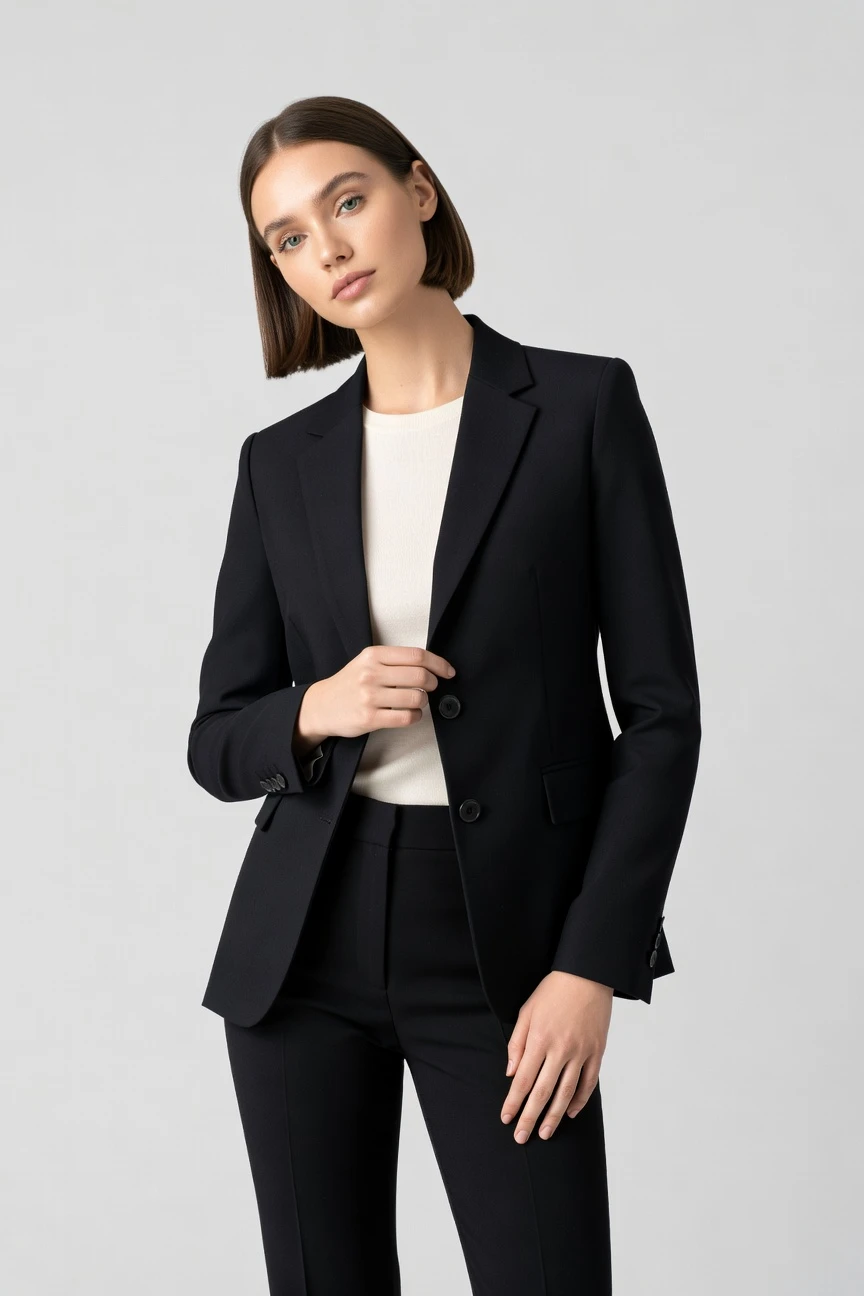
This setup is tuned for full-length fashion imagery: an 85mm lens, 3/4 body framing, 4:5 aspect ratio, and 4K output. You click into the silhouette you need, then adjust pose, light, and styling until the garment reads the way it should. ~$0.55 per image · ~30-40s
- 4 clicks · 0 keystrokes
- app.rawshot.ai / new_shoot
How it works
Build Full-Length Fashion Frames by Click
The workflow stays garment-led from first image to catalog-scale rollout, so silhouette and styling stay controlled without typed commands.
- Step 01
Upload the Garment
Start with the product, not a blank text field. RAWSHOT is built to represent cut, colour, pattern, logo, and drape as the brief.
- Step 02
Set the Full-Length Frame
Choose lens, framing, pose, angle, lighting, background, and style from visual controls. You direct the silhouette and scene with clicks, then generate.
- Step 03
Reuse What Works at Scale
Keep the same visual logic across one look or thousands of SKUs. Run single shoots in the browser or move repeatable catalog workflows into the REST API.
Spec sheet
Proof for Full-Body Fashion Production
These twelve points show what matters in practice: garment fidelity, repeatability, provenance, rights, scale, and a real interface for apparel teams.
- 01
Synthetic Models by Design
Every model is built from 28 body attributes with 10+ options each. Accidental real-person likeness is statistically negligible by design, not left to chance.
- 02
Every Setting Is a Click
Camera, angle, distance, pose, expression, light, background, and style live in controls. You direct the output in an application made for fashion teams.
- 03
The Garment Stays Central
RAWSHOT is engineered around the real product. Cut, colour, pattern, logo, fabric, and proportion are represented faithfully instead of being bent around generic image logic.
- 04
Diverse Bodies, Consistent Styling
Choose from a broad synthetic model system to match brand fit, audience, and casting intent. Keep the same styling language across categories without reshooting people.
- 05
Stay Consistent Across SKUs
Reuse the same face, frame logic, and visual direction across large assortments. That means fewer near-matches, fewer retakes, and cleaner collection pages.
- 06
150+ Presets for Brand Direction
Move from catalog clean to campaign gloss, noir, street flash, vintage, or lifestyle in a few clicks. The system gives range without forcing you to reinvent the setup each time.
- 07
2K, 4K, and Any Ratio
Generate for PDPs, marketplaces, paid social, lookbooks, or print crops from the same workflow. Full-length imagery works across 1:1, 4:5, 3:4, 2:3, 16:9, and 9:16.
- 08
Labelled and Compliance-Ready
Outputs are C2PA-signed, AI-labelled, and protected with visible plus cryptographic watermarking. RAWSHOT is built for EU-hosted, GDPR-conscious operations and current disclosure requirements.
- 09
Per-Image Audit Trail
Each output carries a signed record that helps teams track provenance and internal approval. That matters when creative, ecommerce, and compliance all touch the same asset.
- 10
One Product for GUI and API
Style a single image in the browser or push nightly catalog runs through REST. The indie label and the enterprise catalog team use the same engine, models, and output standards.
- 11
Fast, Transparent Economics
Stills run at about $0.55 per image and usually generate in 30–40 seconds. Tokens never expire, and failed generations refund their tokens.
- 12
Rights Stay Clear
Every output includes full commercial rights, permanent and worldwide. You do not need a separate licensing negotiation to publish, sell, or syndicate the imagery.
Outputs
Full-Length Output Without Studio Friction
Show the whole look in clean catalog frames, styled campaigns, or marketplace-ready crops. The same garment-led system can move from one hero image to a repeatable catalog program.


Browse 150+ visual styles →
Comparison
RAWSHOT vs category tools vs DIY prompting
Three lenses on every dimension — what you optimize for in RAWSHOT versus typical category tools and blank-box AI workflows.
01
Interface
RAWSHOT
Click-driven controls for lens, frame, pose, light, and styleCategory tools + DIY
Usually mix lightweight controls with less apparel-specific direction. DIY prompting: Typed commands in a generic image tool, with repeated trial and error02
Garment fidelity
RAWSHOT
Built around the garment so cut, logo, colour, and drape stay readableCategory tools + DIY
Often stronger on mood than exact apparel representation. DIY prompting: Garments drift, logos mutate, and small construction details get invented03
Model consistency across SKUs
RAWSHOT
Same synthetic model and framing logic reused across whole assortmentsCategory tools + DIY
Consistency can vary across sessions or product groups. DIY prompting: Faces, body proportions, and styling shift from image to image04
Provenance + labelling
RAWSHOT
C2PA-signed, AI-labelled, visible and cryptographic watermarking includedCategory tools + DIY
Labelling and provenance support are uneven or absent. DIY prompting: No dependable provenance metadata and no standard labelling workflow05
Commercial rights
RAWSHOT
Full worldwide commercial rights included with every outputCategory tools + DIY
Rights terms differ by tool, plan, or usage tier. DIY prompting: Usage clarity can be unclear across models, platforms, and source components06
Pricing transparency
RAWSHOT
About $0.55 per image, tokens never expire, one-click cancelCategory tools + DIY
Seats, tiers, or gated plans often shape access. DIY prompting: Token math varies by model and retries make spend unpredictable07
Iteration speed
RAWSHOT
New full-length variants in about 30–40 seconds from saved settingsCategory tools + DIY
Fast for simple variants, less structured for apparel precision. DIY prompting: Iteration slows because every revision restarts a text-led workflow08
Catalog scale
RAWSHOT
Browser GUI for one shoot, REST API for 10,000-SKU pipelinesCategory tools + DIY
Scale features may sit behind enterprise packaging. DIY prompting: No reliable apparel pipeline, weak repeatability, and heavy manual cleanup
Prompting does not scale
Stop writing essays. Direct the shoot.
Most AI photo tools start with a blank text box. Rawshot turns the shoot into repeatable controls, so creative teams can produce consistent fashion imagery without prompt syntax or one-off hacks.
Category norm
ManualCreate a premium editorial fashion photograph of a model wearing the exact navy oversized wool coat from SKU-1842, full-body crop, realistic hands, consistent facial identity, clean e-commerce lighting, subtle Paris street background, 85mm lens, no logo distortion, no fabric hallucination, same pose as last campaign, repeatable for all colorways...
A prompt can describe one image. It cannot become a shared production system for hundreds of products, models, angles and markets.
Rawshot
ClicksSaved shoot recipe
Apply to 1 SKU or 10,000 via GUI, CSV or REST API.
Rawshot makes creative direction visible: buttons, presets and sliders instead of hidden prompt craft. The result is easier to teach, faster to approve and built for repeat production.
Use cases
Who Needs Full-Length Imagery Fast
Operator archetypes and how click-directed, garment-first output fits the way they actually work.
- 01
Indie Designers Launching a First Drop
Show complete silhouettes before a studio budget exists, so buyers can understand the collection from the first release.
Confidence · high
- 02
DTC Fashion Brands Refreshing PDPs
Update on-model product pages with consistent full-length frames across categories, colours, and seasonal edits.
Confidence · high
- 03
Marketplace Sellers Needing Clear Outfit Coverage
Generate clean, commerce-ready images that show proportion and fit cues in formats marketplaces actually accept.
Confidence · high
- 04
Crowdfunded Apparel Projects Pre-Sample
Present the whole look to backers before shipping samples across countries or booking a physical set.
Confidence · high
- 05
Factory-Direct Manufacturers Selling to Retailers
Create line-sheet and sell-in imagery that shows full outfits clearly, even when production timelines are tight.
Confidence · high
- 06
Kidswear Labels Managing Fast Size Turns
Keep a stable visual system while collections change quickly and every SKU still needs a complete look shown.
Confidence · high
- 07
Adaptive Fashion Teams Showing Function and Form
Use full-body imagery to communicate silhouette, closures, layering, and wear context without losing product clarity.
Confidence · high
- 08
Resale and Vintage Sellers Styling Unique Pieces
Give one-off garments consistent on-model presentation so mixed inventory feels like a coherent storefront.
Confidence · high
- 09
Lingerie and Intimates Brands Needing Controlled Framing
Direct tasteful, labelled, compliance-aware full-length imagery with exact control over pose, crop, and background.
Confidence · high
- 10
Students Building a Fashion Portfolio
Create presentation-ready images for collections, coursework, and applications when traditional photography is out of reach.
Confidence · high
- 11
Catalog Teams Standardising an AI Full Body Photo Generator Workflow
Move from ad hoc experiments to a repeatable system with saved controls, clear rights, and provenance per image.
Confidence · high
- 12
Brand Marketers Testing an ai full body photo generator for Paid Social
Produce vertical, square, and portrait variants from one garment-led setup so campaigns can launch without reshoots.
Confidence · high
— Principle
Honest is better than perfect.
Full-body fashion imagery carries brand risk when attribution is vague. RAWSHOT labels outputs, signs them with C2PA provenance metadata, and applies visible plus cryptographic watermarking so your team knows exactly what it is publishing. That matters for ecommerce, marketplaces, and paid media teams that need assets to be usable, reviewable, and transparent.
Rights & provenance
Full commercial rights. Forever.
- C2PA-signed on every image — EU AI Act Article 50 compliant
- 28-attribute synthetic models — real-person likeness statistically impossible
- Full commercial rights to every generation — no recurring licensing fees
- Tokens never expire · One-click cancel · Transparent pricing
EU AI Act
C2PA
Commercial use
Pricing
~$0.55 per image.
~30–40 seconds per generation. Tokens never expire. Cancel in one click.
- 01The cancel button is on the pricing page.
- 02No per-seat gates. No 'contact sales' walls for core features.
- 03Failed generations refund their tokens.
- 04Full commercial rights to every output, permanent, worldwide.
FAQ
Practical answers on control, rights, pricing, scale, and compliant publishing.
Do I need to write prompts to use RAWSHOT?
Never. You direct every output with sliders, presets, and clicks on the garment instead of typing instructions into an empty box. That matters because apparel teams already think in lenses, framing, poses, lighting setups, backgrounds, ratios, and product focus, not in command syntax. RAWSHOT mirrors that real workflow, so a buyer, merchandiser, designer, or ecommerce lead can work inside a structured interface without translating taste into chatbot language.
For commerce teams, reliability beats novelty. RAWSHOT keeps pricing, generation times, refund rules, rights, provenance, and output settings explicit, which makes the system easier to operationalise across launches and catalog refreshes. The same click-driven logic works in the browser for one-off image making and in the REST API for larger batches. In practice, that means your team spends time choosing the right visual direction for the garment instead of fighting with wording, retries, and inconsistent results.
What does AI-assisted full-body fashion photography change for SKU-scale catalogs?
It changes who gets to publish complete on-model imagery at all. Full-length fashion photography normally demands samples, scheduling, casting, studio coordination, post-production, and a budget many operators simply do not have. RAWSHOT turns that into a garment-led production workflow where you choose frame, lens, pose, background, lighting, style, and output ratio in one interface, then generate assets in roughly 30–40 seconds per image.
For SKU-scale teams, the real gain is consistency. You can keep the same synthetic model, visual language, and framing logic across a product family instead of rebuilding the shoot every time stock turns over or a season changes. That helps PDPs read cleanly, keeps assortment pages visually coherent, and reduces manual retouching caused by generic tools drifting between outputs. The practical takeaway is simple: treat full-body imagery as repeatable infrastructure, not a rare event reserved for the most important SKUs.
Why skip reshooting every SKU when the season, backdrop, or brand styling changes?
You should skip constant reshoots when the garment itself is stable but the merchandising context has changed. In apparel commerce, teams often need new backgrounds, campaign moods, crops, or channel-specific formats long after the original product photography was made. Booking another physical production day for each visual update slows launches and limits experimentation, especially for smaller brands and lean ecommerce teams.
RAWSHOT lets you keep the product central while changing the surrounding creative direction through controls and presets. You can move from a clean catalog frame to a more editorial look, adjust lens and composition, or export a different aspect ratio for social and marketplace needs without rebuilding the whole asset pipeline. Because outputs include full commercial rights and clear provenance handling, teams can work with more confidence across review, approval, and publishing. Operationally, that means reserving physical shoots for when they truly add value, not for every routine styling change.
How do we turn flat garments into catalogue-ready imagery without prompting?
You begin with the garment and build the image through explicit controls. RAWSHOT lets you set the lens, framing, pose, camera angle, lighting system, background, mood, visual style, aspect ratio, and resolution inside a click-driven interface designed for fashion production. That structure matters because garment imagery needs repeatable decisions, not free-form interpretation, especially when your team is preparing PDPs, category pages, lookbooks, or marketplace feeds.
Once the visual system is set, you generate outputs and keep iterating against the garment until the silhouette, drape, and focus read correctly. For stills, generation usually lands in about 30–40 seconds at around $0.55 per image, so teams can test variants without treating each try like a costly event. Failed generations refund their tokens, and tokens never expire, which keeps experimentation practical. The operational habit to adopt is to save a stable recipe for each collection type, then reuse it across related SKUs for cleaner catalog consistency.
Why does RAWSHOT beat DIY prompting in ChatGPT, Midjourney, or generic image tools for fashion PDPs?
The difference is that RAWSHOT is engineered around apparel operations, while generic image tools are built for broad image creation. Fashion teams need cut, colour, print, logo placement, proportion, and drape to stay coherent across repeated outputs. In DIY text-led workflows, the garment often drifts, branding details get invented, the model changes unexpectedly, and every revision depends on another round of wording and interpretation. That introduces risk exactly where commerce teams need control.
RAWSHOT replaces that uncertainty with explicit controls and a product surface meant for on-model fashion imagery. It also adds the governance layer generic tools usually lack: C2PA-signed provenance, AI labelling, visible plus cryptographic watermarking, full commercial rights, and a browser-to-API path for scale. That combination matters when images must move through merchandising, legal, brand review, and publication. In practice, teams should use generic tools for broad ideation if they want, but use RAWSHOT when the garment and the publishing workflow need to hold up under real operational pressure.
Can we use these full-length outputs commercially, and are they clearly labelled?
Yes. Every RAWSHOT output comes with full commercial rights that are permanent and worldwide, so teams can publish images across PDPs, marketplaces, paid social, email, and campaign channels without negotiating separate usage layers. Just as important, the outputs are clearly identified rather than passed off as something else. RAWSHOT applies AI labelling, visible watermarking, cryptographic watermarking, and C2PA provenance metadata because honest attribution is part of the product, not an afterthought.
That clarity matters for brand trust and internal governance. Marketing teams need assets they can ship, legal teams need traceability, and platform teams need an audit trail they can review later. RAWSHOT is EU-hosted, GDPR-conscious, and built to support current disclosure expectations rather than obscuring them. The practical advice is to treat labelling and provenance as part of your brand standard from day one, so synthetic fashion imagery enters your workflow with the same review discipline as any other commercial asset.
What should a buyer or QA lead check before publishing AI full body photo generator outputs?
Start with the garment. Check that cut, colour, pattern, logo placement, trim details, and drape read correctly in the full-length frame, and confirm that the product focus matches the intended selling point. Then review the image as a commerce asset: make sure pose, crop, background, and aspect ratio fit the destination channel, whether that is a PDP, a marketplace listing, a social placement, or a lookbook layout. Full-body imagery has to communicate silhouette clearly, so proportion and framing deserve special attention.
After the visual review, confirm governance signals. RAWSHOT outputs are AI-labelled, watermarked visibly and cryptographically, and signed with C2PA provenance metadata, so your team should verify those cues are present in the handoff process. It is also smart to confirm rights status and keep the asset tied to its product record or internal approval path. The practical standard is simple: publish only after both the garment reading and the attribution reading are correct, because quality and honesty belong in the same checklist.
How much does still-image generation cost, and what happens if a shot fails?
For stills, RAWSHOT runs at about $0.55 per image, with most generations completing in roughly 30–40 seconds. That pricing matters because it keeps full-length fashion imagery accessible for operators who never had a studio budget in the first place. It also makes testing different crops, styles, or backgrounds realistic for small teams, rather than forcing one high-stakes creative bet on a costly production day.
The token model is intentionally plain. Tokens never expire, failed generations refund their tokens, and cancellation is available in one click from the pricing page. There are no per-seat gates and no core-feature wall that pushes routine work into a sales conversation. For planning purposes, teams should price full-body stills as a repeatable operating line, not a rare exception. That lets merchandising, design, and growth teams iterate at a healthy pace while keeping spend legible and tied directly to output volume.
Can RAWSHOT plug into Shopify-scale catalog workflows through an API?
Yes. RAWSHOT supports a browser GUI for hands-on shoot direction and a REST API for larger catalog operations, so teams can move from single-image work to batch production without switching products. That is important for Shopify-scale and marketplace-heavy businesses because the same visual logic that works for a hero SKU should be reusable across colourways, replenishment lines, and broad assortment updates. The goal is not to split creative and operations into separate tools, but to keep one consistent production system from test to scale.
In practice, teams define the visual structure once, then push it through repeatable workflows tied to product data and publishing calendars. Because RAWSHOT keeps per-image economics, rights, and provenance handling explicit, the output is easier to route into existing review and commerce pipelines. The operational takeaway is to build a controlled template for each product family, then let the API carry that logic through larger volumes instead of recreating styling decisions one SKU at a time.
Can one team handle a single lookbook image in the GUI and 10,000 SKUs through the API with the same system?
Yes, and that continuity is one of the main reasons RAWSHOT is useful. The same engine, the same synthetic model system, the same pricing logic, and the same output standards apply whether you are directing one image in the browser or running a large nightly catalog pipeline through the REST API. That means smaller brands do not get a stripped-down version, and larger catalog teams do not need a separate product just because volume increases.
Operationally, this helps teams share one visual language across roles. A designer or merchandiser can establish the right full-length framing and style in the GUI, then operations can scale that exact logic through the API without translating it into a new workflow or renegotiating access. Since there are no per-seat gates for core features, the tool remains usable across creative, ecommerce, and catalog functions. The best practice is to treat RAWSHOT as a common production layer so experimentation and scale reinforce each other instead of drifting apart.
Keep exploring