
— On-model imagery · 150+ styles · 4K
Direct campaign-ready fashion imagery with the AI High Quality Image Generator
Generate polished fashion images around the garment you need to sell, not around guesswork. Click lens, framing, pose, light, background, and visual style in a real interface built for apparel teams. No studio. No samples. No prompts.
- ~$0.55 per image
- ~30–40s per generation
- 150+ styles
- 2K or 4K
- Every aspect ratio
- Full commercial rights
7-day free trial • 50 tokens (10 images) • Cancel anytime

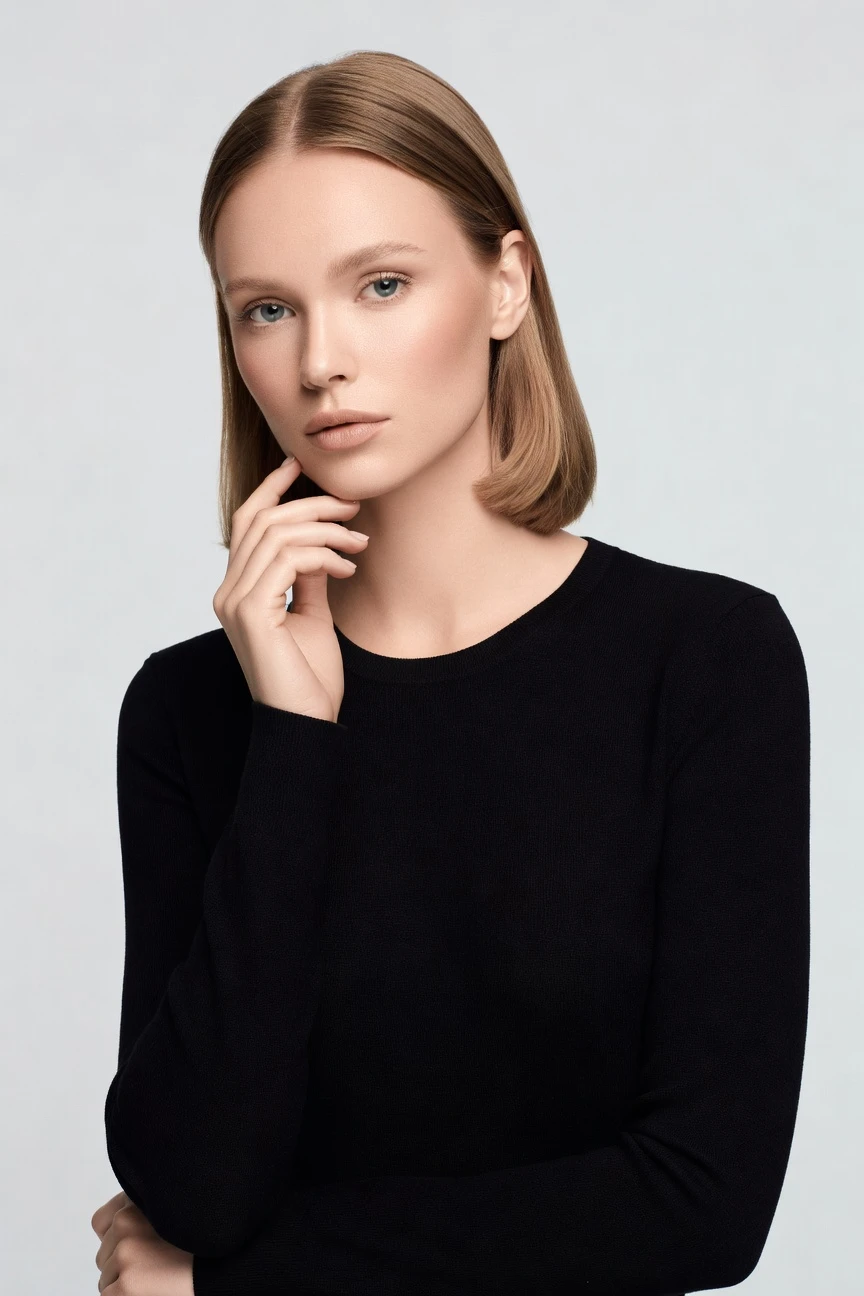
Direct the shoot. Zero prompts.
This setup is tuned for high-quality fashion imagery with a flattering 85mm lens, half-body framing, portrait-first aspect ratio, and 4K output. You select the look from controls, then generate around the real garment with no text box involved. ~$0.55 per image · ~30-40s
- 4 clicks · 0 keystrokes
- app.rawshot.ai / new_shoot
How it works
From Garment File to High-Quality Output
A fashion-first workflow for teams that want directorial control without studios, reshoots, or text-box trial and error.
- Step 01
Upload the Garment
Start with the real product you need to show. RAWSHOT builds the image around cut, colour, pattern, logo, and drape instead of bending the garment to fit a text guess.
- Step 02
Set the Shot in Clicks
Choose lens, framing, pose, lighting, background, aspect ratio, and visual style from buttons and presets. You direct the image like software, not a chat window.
- Step 03
Generate and Scale
Create a single hero image in the browser or run the same logic across a large catalog through the API. The price model, output quality, and commercial rights stay the same.
Spec sheet
Proof That the Product Stays in Charge
These twelve surfaces show why RAWSHOT works as production software for fashion teams, not as a generic image toy.
- 01
Built From Synthetic Attribute Systems
Every model is assembled from 28 body attributes with 10+ options each. Accidental real-person likeness is statistically negligible by design.
- 02
Every Setting Is a Click
Lens, framing, pose, lighting, background, and style live in controls you can see. You direct the result through the interface, not through typed syntax.
- 03
Garment Fidelity Comes First
RAWSHOT is engineered around the item itself. Cut, colour, pattern, logo placement, fabric feel, and proportion stay central to the output.
- 04
Diverse Synthetic Models, Transparently Labelled
Use a broad range of body presentations for different brand needs while keeping the system honest about what it is. The output is labelled, not passed off as photography.
- 05
Consistency Across Large Catalogs
Keep the same face, styling logic, and visual direction across many SKUs. That means fewer near-matches, fewer retakes, and cleaner merchandising.
- 06
150+ Fashion Visual Styles
Move from clean catalog to editorial drama, street flash, noir, vintage, or campaign gloss with presets made for apparel imagery. Your brand language stays selectable, not improvised.
- 07
2K, 4K, and Every Ratio
Generate square, portrait, landscape, and platform-ready crops in high resolution. Build PDPs, paid social, lookbooks, and marketplace imagery from the same system.
- 08
Signed, Watermarked, and Labelled
Every output is backed by C2PA provenance, visible and cryptographic watermarking, and compliance-ready labelling. Honest handling is a product choice, not an afterthought.
- 09
Per-Image Audit Trail
Each image carries a signed record tied to its generation. That gives teams traceability for review, approval, and downstream content governance.
- 10
GUI for One Shoot, API for 10,000
Use the browser for hands-on creative work or the REST API for nightly catalog runs. The same engine powers both without feature walls or separate editions.
- 11
Fast, Clear, and Token-Stable
Images run at about $0.55 each and usually generate in 30–40 seconds. Tokens never expire, and failed generations refund their tokens.
- 12
Commercial Rights Stay Clear
Every output includes full commercial rights, permanent and worldwide. You can publish across ecommerce, marketing, paid media, and marketplaces without rights ambiguity.
Outputs
High Quality In Different Modes
From clean commerce frames to branded campaign surfaces, the same garment can be directed across multiple visual intents without leaving the browser. What changes is the shot direction, not the underlying product truth.


Browse 150+ visual styles →
Comparison
RAWSHOT vs category tools vs DIY prompting
Three lenses on every dimension — what you optimize for in RAWSHOT versus typical category tools and blank-box AI workflows.
01
Interface
RAWSHOT
Click-driven controls for camera, framing, light, style, and product focusCategory tools + DIY
Often mix presets with shallow text fields and limited apparel-specific controls. DIY prompting: You steer through typed requests and repeated rewrites instead of stable production controls02
Garment fidelity
RAWSHOT
Engineered around cut, colour, pattern, logos, drape, and proportionCategory tools + DIY
May hold silhouette broadly but often soften product-specific details. DIY prompting: Garments drift, logos get invented, and fabric details change between outputs03
Model consistency across SKUs
RAWSHOT
Same model logic can stay consistent across broad catalog runsCategory tools + DIY
Consistency varies between sessions and product groups. DIY prompting: Faces, body proportions, and styling change from image to image04
Provenance and labelling
RAWSHOT
C2PA-signed, AI-labelled, with visible and cryptographic watermarkingCategory tools + DIY
Labelling and provenance support are often partial or absent. DIY prompting: Usually no provenance metadata, no signed record, and unclear downstream labelling05
Commercial rights
RAWSHOT
Full commercial rights to every output, permanent and worldwideCategory tools + DIY
Rights terms may differ by plan, seat, or enterprise agreement. DIY prompting: Usage rights and training context can be unclear for commerce teams06
Iteration speed per variant
RAWSHOT
New angles and styles come from saved controls and repeatable settingsCategory tools + DIY
Variants exist but can require reworking flows tool by tool. DIY prompting: Each change means another manual rewrite with inconsistent outcomes07
Pricing transparency
RAWSHOT
About $0.55 per image, tokens never expire, one-click cancelCategory tools + DIY
Seats, tiers, or sales-gated plans can shape access. DIY prompting: Low entry cost hides labour time, failed attempts, and review overhead08
Catalog scale
RAWSHOT
Browser GUI and REST API use the same engine for single or bulk workCategory tools + DIY
Bulk workflows are often reserved for higher plans or separate products. DIY prompting: No reliable SKU pipeline, audit trail, or repeatable batch structure
Prompting does not scale
Stop writing essays. Direct the shoot.
Most AI photo tools start with a blank text box. Rawshot turns the shoot into repeatable controls, so creative teams can produce consistent fashion imagery without prompt syntax or one-off hacks.
Category norm
ManualCreate a premium editorial fashion photograph of a model wearing the exact navy oversized wool coat from SKU-1842, full-body crop, realistic hands, consistent facial identity, clean e-commerce lighting, subtle Paris street background, 85mm lens, no logo distortion, no fabric hallucination, same pose as last campaign, repeatable for all colorways...
A prompt can describe one image. It cannot become a shared production system for hundreds of products, models, angles and markets.
Rawshot
ClicksSaved shoot recipe
Apply to 1 SKU or 10,000 via GUI, CSV or REST API.
Rawshot makes creative direction visible: buttons, presets and sliders instead of hidden prompt craft. The result is easier to teach, faster to approve and built for repeat production.
Use cases
Where Better Fashion Imagery Unlocks Access
Operator archetypes and how click-directed, garment-first output fits the way they actually work.
- 01
Indie Designer Launching a First Drop
Create polished on-model visuals for a small collection without booking a studio day or shipping samples across countries.
Confidence · high
- 02
DTC Brand Refreshing PDPs
Update product pages with cleaner, higher-quality fashion imagery that matches the garment and the season's brand direction.
Confidence · high
- 03
Marketplace Seller Improving Listings
Turn flat product assets into clearer model-led images that help shoppers understand fit, silhouette, and styling context.
Confidence · high
- 04
Crowdfunded Label Pre-Selling Production
Show the garment before inventory lands so backers can see a finished brand presentation earlier in the cycle.
Confidence · high
- 05
Factory-Direct Manufacturer Pitching Buyers
Present collections with controlled, consistent visuals that help wholesale partners review assortments faster.
Confidence · high
- 06
Resale and Vintage Operator Sorting Stock
Standardise mixed inventory into a cleaner visual system so product pages look coherent even when items come from many eras.
Confidence · high
- 07
Kidswear Team Testing Creative Directions
Compare catalog-clean and campaign-led styles for the same garments before spending on external production.
Confidence · high
- 08
Adaptive Fashion Brand Needing Representation
Build imagery with broader body options while keeping the output labelled, traceable, and commercially usable.
Confidence · high
- 09
Lingerie DTC Preparing Paid Social
Direct softer framing, cleaner crops, and brand-fit styling for channels that need both clarity and control.
Confidence · high
- 10
Student Portfolio Building a Fashion Story
Produce high-quality lookbook images around real garments when studio access and production budgets are out of reach.
Confidence · high
- 11
Catalog Manager Running Seasonal Updates
Roll out new backgrounds, framings, or campaign treatments across hundreds of SKUs without resetting the whole workflow.
Confidence · high
- 12
Enterprise Content Team Scaling Overnight
Use the API to generate consistent imagery for large assortments while keeping per-image pricing and audit trails predictable.
Confidence · high
— Principle
Honest is better than perfect.
High-quality output matters more when it is publishable with clear provenance. RAWSHOT signs images with C2PA metadata, applies visible and cryptographic watermarking, labels outputs, and runs on an EU-hosted, GDPR-compliant stack so fashion teams can scale imagery without pretending it came from somewhere else.
Rights & provenance
Full commercial rights. Forever.
- C2PA-signed on every image — EU AI Act Article 50 compliant
- 28-attribute synthetic models — real-person likeness statistically impossible
- Full commercial rights to every generation — no recurring licensing fees
- Tokens never expire · One-click cancel · Transparent pricing
EU AI Act
C2PA
Commercial use
Pricing
~$0.55 per image.
~30–40 seconds per generation. Tokens never expire. Cancel in one click.
- 01The cancel button is on the pricing page.
- 02No per-seat gates. No 'contact sales' walls for core features.
- 03Failed generations refund their tokens.
- 04Full commercial rights to every output, permanent, worldwide.
FAQ
Practical answers on control, rights, pricing, scale, and compliant publishing.
Do I need to write prompts to use RAWSHOT?
Never—you direct every output with sliders, presets, and clicks on the garment, not typed prompts. That UI control is consistent across GUI and REST API payloads, which is why ecommerce teams onboard buyers without rewriting creative briefs as chat threads. Instead of guessing what wording will produce a usable frame, you choose lens, framing, pose, lighting, background, aspect ratio, and visual style in a structured interface built for apparel.
For catalog teams, reliability matters more than model cleverness; RAWSHOT keeps tokens, timings, refund rules, commercial rights framing, provenance signalling, watermarking cues, REST surface, and SKU-scale batch patterns explicit so operations can rehearse PDP launches without hallucinated garment inventions. The practical takeaway is simple: train teams on controls they can see, save repeatable setups, and generate around the real product rather than around trial-and-error text.
What does an ai high quality image generator actually change for fashion ecommerce teams?
It changes who gets access to strong product imagery and how consistently that imagery can be produced. For fashion ecommerce teams, the real gain is not a vague sense of novelty; it is the ability to turn garment files into clear, on-model visuals without booking a studio, shipping samples, or coordinating a full production calendar. That matters when margins are tight, assortments are wide, and content deadlines move faster than traditional shoots can support.
RAWSHOT makes that shift practical by centering the garment and putting creative decisions into visible controls. You click through camera choices, framing, pose, lighting, backgrounds, and 150+ visual styles, then generate 2K or 4K output with C2PA provenance, watermarking, and full commercial rights included. Teams can use the browser for one-off shoots or the API for larger catalogs, which turns image creation into a repeatable production system rather than a one-time event.
Why skip reshooting every SKU when a season, channel, or campaign direction changes?
Because most of the work in a reshoot is operational overhead, not creative value. When a brand needs new crops, cleaner backgrounds, fresh seasonal mood, or a different merchandising angle, rebooking models, studio time, logistics, and post can slow the team far more than the actual visual change requires. That makes smaller brands wait too long and larger brands carry unnecessary friction across hundreds of products.
RAWSHOT lets you preserve the product and redirect the image. You can keep the same garment, select a new framing, switch the visual style, adjust the background, and generate a new asset in about 30–40 seconds per image at roughly $0.55 each. Because the controls are structured and the outputs carry clear provenance and rights, teams can treat seasonal refreshes as controlled content operations instead of full reshoot projects.
How do we turn flat garments into catalogue-ready imagery without prompting?
You start with the real garment asset, then set the shot using interface controls instead of freeform text. In practice that means choosing lens, crop, pose, light, background, aspect ratio, and the visual direction that fits the channel, whether you need a clean PDP image, a marketplace frame, or a branded campaign look. The process is easier to review internally because everyone can see the same settings and approve them before generation.
RAWSHOT is built around apparel representation, so the garment remains the brief throughout the workflow. The system is designed to respect cut, colour, pattern, logo placement, fabric character, and proportion, while still giving teams room to direct the final presentation. That combination is what makes the output usable for commerce: it is fast enough for production, structured enough for repeatability, and honest enough to publish with labelled provenance and watermarking.
Why does RAWSHOT beat DIY prompting in ChatGPT, Midjourney, or generic image models for fashion PDPs?
The short answer is garment control and operational reliability. Generic image systems are built to improvise across many subjects, so fashion teams often end up fighting drift: logos mutate, trims disappear, proportions shift, and the same model face rarely stays stable across a product set. Even when one image looks good, repeating that result across a catalog becomes manual, fragile work.
RAWSHOT replaces that roulette with an apparel-specific application. You work through visible controls instead of trial-and-error wording, you generate around the garment rather than around a broad visual guess, and you receive outputs with clear commercial rights, C2PA signing, and watermarking already in place. For commerce teams, that means fewer review cycles spent catching invented details and more confidence that a chosen setup can be reused across the next hundred SKUs.
Are RAWSHOT images safe to use commercially for product pages, ads, and marketplaces?
Yes. RAWSHOT includes full commercial rights to every output, permanent and worldwide, which is the baseline teams need before they publish assets across ecommerce, paid media, email, wholesale decks, and marketplaces. Just as important, the system is explicit about what the outputs are: labelled, signed, and watermarked rather than disguised as something else. That clarity reduces internal hesitation during approval and helps teams build policy around publication.
RAWSHOT also supports trust at the file level. Outputs carry C2PA provenance metadata and multi-layer watermarking, including visible and cryptographic signals, while the platform is built in the EU and aligned with GDPR-minded operations. For a fashion team, the practical move is to treat each generated image like any other managed asset: review garment accuracy, confirm channel fit, then publish with confidence because the rights and provenance are already accounted for.
What should our team check before publishing AI-assisted fashion images?
Check the same commercial truths you would check in any product image, then add provenance and labelling review. Start with the garment itself: silhouette, colour, trim, pattern, logo placement, fabric behaviour, and overall proportion should match the product you intend to sell. After that, confirm the framing, aspect ratio, and visual style fit the destination channel, because a strong marketplace image and a strong campaign crop often solve different jobs.
With RAWSHOT, teams should also verify the operational signals attached to the asset. Make sure the output remains clearly labelled, that C2PA provenance is preserved in the delivery chain, and that watermarking cues are handled according to your publishing workflow. The useful habit is to build a short QA pass around product truth, channel fit, and provenance integrity so approvals stay fast without becoming careless.
How much does this cost if we need an ai high quality image generator for stills, and what happens to tokens?
For still images, RAWSHOT runs at about $0.55 per image, with most generations completing in roughly 30–40 seconds. Tokens never expire, which matters for fashion teams that work in uneven cycles; you can build assets during a launch sprint, pause, and come back later without losing prepaid value. If a generation fails, the tokens are refunded, so operations teams do not need to price around avoidable waste.
The rest of the pricing model stays straightforward on purpose. There are no per-seat gates for core features, no forced sales call to unlock normal production use, and cancellation is one click from the pricing page. For budget planning, that means you can model cost by asset volume rather than by access politics, which is far easier for brands balancing test shoots, seasonal refreshes, and catalog maintenance.
Can RAWSHOT plug into our Shopify-scale catalog workflow or internal content pipeline?
Yes. RAWSHOT supports both browser-based creative work and REST API workflows, so teams can start with hands-on image direction and extend into batch operations when assortment size grows. That matters for Shopify brands, marketplaces, and enterprise catalog groups because the people defining the visual standard are not always the people running nightly content jobs. A tool only becomes useful at scale when both groups can work from the same underlying logic.
In practice, teams use the GUI to establish repeatable settings for garment type, framing, style, and output format, then carry that logic into automated flows through the API. Because the same engine powers single-image and bulk generation, there is less drift between pilot work and production work. The result is a cleaner path from creative approval to operational rollout, with provenance, rights, and auditability staying attached to each image.
How do teams scale from one browser shoot to thousands of fashion images without quality dropping?
They standardise decisions before they standardise volume. The reliable path is to define a repeatable visual system in the browser first—model choice, lens range, framing rules, lighting direction, background family, aspect ratios, and style presets—then roll that structure into larger generation runs. When those choices live in a visible application instead of scattered text experiments, handoff between creative, merchandising, and operations becomes much more stable.
RAWSHOT is designed for that transition. The same product supports one shoot or ten thousand, with the same engine, the same models, the same per-image pricing, and the same output quality principles across GUI and API usage. For teams trying to scale without losing control, the practical rule is simple: lock your garment-led standards early, then expand volume through repeatable settings and audit-ready outputs rather than through improvised one-off generation.
Keep exploring