
— 28 attributes · 10+ options each · Save once
AI Man Generator — with click-driven control over every attribute.
Build a consistent male-presenting synthetic model for your brand without learning syntax or chasing random outputs. You set body attributes, save the model once, and reuse the same face and proportions across every SKU, campaign, and catalog update. Each output is transparently labelled, C2PA-signed, and engineered to avoid real-person likeness.
- ~$0.99 per model
- ~50–60s per generation
- 150+ styles
- 28 attributes × 10+ options
- Save once, reuse across catalog
- C2PA-signed
7-day free trial • 50 tokens (10 images) • Cancel anytime

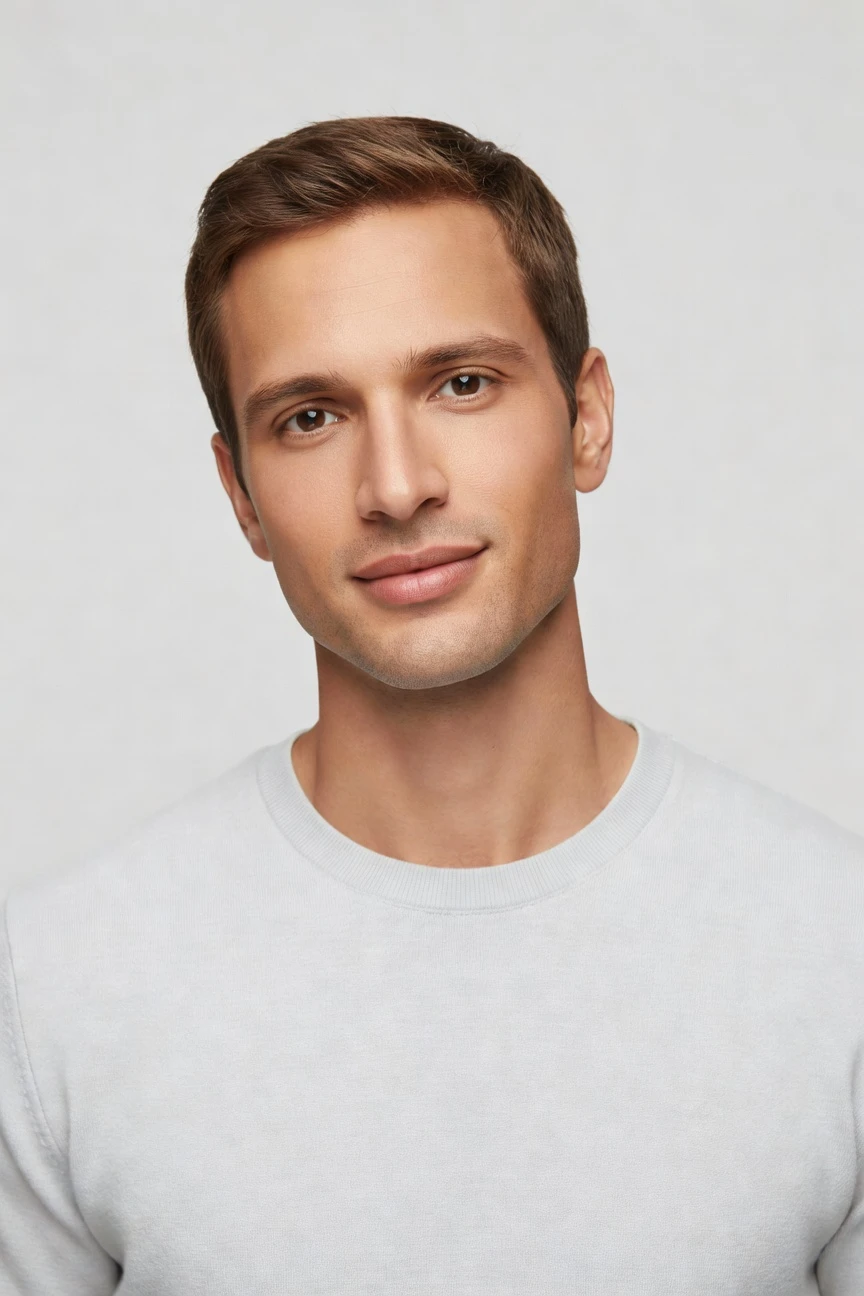
Saved model setup
Female · 26–35 · Dark brown · 175cm
Build a model. Zero prompts.
This setup starts from a male-presenting base with a reusable adult fit, medium height, and a clean commercial look. You click the attributes once, save the model to your library, and keep the same identity across future shoots. 28 attributes · 10+ options each
- 5 clicks · 0 keystrokes
- app.rawshot.ai / build_model
How it works
Build Once, Reuse Across Every SKU
Start with the model, lock consistency early, and carry the same identity through browser shoots or catalog-scale pipelines.
- Step 01
Set the Model Attributes
Choose the body, age range, skin tone, hair, height, and expression from visual controls. The model is built as a synthetic composite shaped for apparel use, not pulled from a real person.
- Step 02
Save the Identity Once
Add the finished model to your library and keep that same face and body available for future shoots. This gives catalog teams consistency across seasons, restocks, and campaign drops.
- Step 03
Reuse Across Every Workflow
Apply the saved model in the browser for one-off shoots or through the REST API for SKU-scale production. The same identity holds across stills, motion, and repeated garment launches.
Spec sheet
Proof for Consistent Men's Model Workflows
These twelve points show where control, trust, and scale matter most when you need a reusable male-presenting model for fashion imagery.
- 01
Attribute-Level Identity Control
Build from 28 body attributes with 10+ options each, so identity comes from structured controls rather than guesswork. The synthetic composite design keeps accidental real-person likeness statistically negligible by design.
- 02
Every Setting Is a Click
You direct the model with buttons, sliders, and presets inside a real application. No empty text field, no syntax learning curve, and no translation layer between styling intent and output.
- 03
Built Around the Garment
The garment stays central to the shoot, with attention to cut, colour, pattern, logo, fabric, drape, and proportion. RAWSHOT is engineered so apparel teams can style around the product instead of bending the product around a text box.
- 04
Diverse Synthetic Men, Transparently Labelled
Create male-presenting models across a broad range of tones, proportions, and styling directions. The output is labelled as synthetic, which keeps representation transparent and operationally clear.
- 05
Same Face Across the Catalog
Save one model and reuse it across product pages, lookbooks, and seasonal updates. That keeps identity stable between SKUs, reduces retakes, and removes the usual drift between separate shoots.
- 06
150+ Visual Style Presets
Move the same saved model through catalog, lifestyle, editorial, campaign, street, vintage, noir, and studio directions. Brand variation lives in presets and lighting choices, not in rebuilding the model each time.
- 07
2K, 4K, and Every Ratio
Generate output in 2K or 4K stills and fit the framing to PDPs, marketplaces, social crops, or campaign layouts. Full-body, half-body, close-up, detail, and flat-lay options support different commerce surfaces.
- 08
Labelled, Signed, and Compliant
Outputs carry C2PA provenance, visible and cryptographic watermarking, and AI labelling. RAWSHOT is built for EU AI Act Article 50 readiness, California SB 942 compliance, GDPR compliance, and EU hosting.
- 09
Audit Trail Per Image
Each image carries a signed record of what it is and how it was produced. That gives brand, legal, and marketplace teams a cleaner chain of custody for publication and review.
- 10
GUI for One Shoot, API for Ten Thousand
Use the browser interface for directorial one-offs, then switch to the REST API when the catalog needs batch throughput. The indie brand and the enterprise team use the same engine, not different product tiers.
- 11
Fast, Clear Model Economics
Model generations run in about 50–60 seconds at roughly $0.99 each, with tokens that never expire. Failed generations refund tokens, so experimentation stays practical instead of punitive.
- 12
Permanent Worldwide Commercial Rights
Every output includes full commercial rights for permanent worldwide use. That gives teams a clear route from generation to PDP, paid media, marketplace listing, and brand campaign.
Outputs
One Saved Model, many outputs.
Use the same male-presenting identity across clean commerce shots, styled editorials, and repeat launches. The point is not novelty; it is dependable reuse.


Browse all 600+ models →
Comparison
RAWSHOT vs category tools vs DIY prompting
Three lenses on every dimension — what you optimize for in RAWSHOT versus typical category tools and blank-box AI workflows.
01
Interface
RAWSHOT
Click-driven model builder with sliders, presets, and saved identitiesCategory tools + DIY
Often mix limited controls with lightweight text-led workflows. DIY prompting: Typed instructions in generic AI tools, with repeated trial and error02
Model consistency across SKUs
RAWSHOT
Save one male-presenting model and reuse across the full catalogCategory tools + DIY
Can vary identity between sessions or require manual matching. DIY prompting: Faces drift between outputs, so continuity breaks across product pages03
Garment fidelity
RAWSHOT
Engineered around cut, colour, logos, drape, and proportionCategory tools + DIY
Often prioritise scene mood over faithful apparel representation. DIY prompting: Garments drift, logos mutate, and product details get invented04
Provenance and labelling
RAWSHOT
C2PA-signed, watermarked, and clearly labelled synthetic outputCategory tools + DIY
Provenance support is uneven or absent across tools. DIY prompting: Usually no signed provenance metadata and unclear disclosure handling05
Commercial rights
RAWSHOT
Permanent worldwide commercial rights on every outputCategory tools + DIY
Rights terms vary and may depend on plan structure. DIY prompting: Usage clarity depends on model, platform, and changing terms06
Pricing transparency
RAWSHOT
Per-model pricing, tokens never expire, failed generations refundedCategory tools + DIY
Can add seats, volume gates, or unclear upgrade paths. DIY prompting: Low apparent entry cost, but time loss from retries compounds fast07
Catalog scale
RAWSHOT
Same engine in GUI and REST API for nightly SKU pipelinesCategory tools + DIY
Scale features may sit behind higher plans or separate products. DIY prompting: No dependable batch apparel workflow for reproducible catalog output08
Operational overhead
RAWSHOT
Teams click settings once and reuse approved model librariesCategory tools + DIY
May still require repeated setup across jobs and operators. DIY prompting: Prompt-engineering overhead turns every shoot into a fresh experiment
Prompting does not scale
Stop writing essays. Direct the shoot.
Most AI photo tools start with a blank text box. Rawshot turns the shoot into repeatable controls, so creative teams can produce consistent fashion imagery without prompt syntax or one-off hacks.
Category norm
ManualCreate a premium editorial fashion photograph of a model wearing the exact navy oversized wool coat from SKU-1842, full-body crop, realistic hands, consistent facial identity, clean e-commerce lighting, subtle Paris street background, 85mm lens, no logo distortion, no fabric hallucination, same pose as last campaign, repeatable for all colorways...
A prompt can describe one image. It cannot become a shared production system for hundreds of products, models, angles and markets.
Rawshot
ClicksSaved shoot recipe
Apply to 1 SKU or 10,000 via GUI, CSV or REST API.
Rawshot makes creative direction visible: buttons, presets and sliders instead of hidden prompt craft. The result is easier to teach, faster to approve and built for repeat production.
Use cases
Where Consistent Male Models Unlock Access
Operator archetypes and how click-directed, garment-first output fits the way they actually work.
- 01
Indie Menswear Labels
Launch a first collection with a saved male-presenting model and consistent product pages before a studio budget exists.
Confidence · high
- 02
DTC Basics Brands
Keep the same face and fit across tees, denim, knitwear, and outerwear as the catalog grows.
Confidence · high
- 03
Adaptive Menswear Teams
Test inclusive representation with controlled model attributes and labelled synthetic output across niche product lines.
Confidence · high
- 04
Crowdfunded Apparel Projects
Show campaign-ready looks before large production runs, using one reusable model identity across prelaunch assets.
Confidence · high
- 05
Marketplace Sellers
Generate clean commerce imagery for men's categories in the right framing and aspect ratio for each channel.
Confidence · high
- 06
Factory-Direct Manufacturers
Present private-label men's garments on a consistent synthetic model without waiting for regional sample shoots.
Confidence · high
- 07
Uniform and Workwear Brands
Reuse the same male model across colorways and seasonal replenishment so buyers focus on the garment, not face drift.
Confidence · high
- 08
Resale and Vintage Operators
Standardise presentation for one-off men's pieces where traditional booking costs would exceed item margin.
Confidence · high
- 09
Students and Graduate Collections
Build a professional menswear portfolio with directorial control even when there is no access to agency talent or studio crews.
Confidence · high
- 10
Kidswear Teams Shooting Fathers' Capsules
Create supporting adult male imagery for matching family edits without organizing a separate live shoot day.
Confidence · high
- 11
Editorial Commerce Teams
Move one saved model from neutral PDP imagery into styled stories and campaign crops without rebuilding identity.
Confidence · high
- 12
Enterprise Catalog Ops
Lock a male-presenting model library once, then deploy it across browser shoots and REST API batch production.
Confidence · high
— Principle
Honest is better than perfect.
If you are building male-presenting synthetic models for commerce, trust cannot be a footnote. Every RAWSHOT output is labelled, C2PA-signed, and watermarked with visible and cryptographic layers, with a signed audit trail per image. The model system is built from synthetic composite attributes rather than a real person's likeness, which helps teams publish with clearer disclosure, governance, and brand confidence.
Rights & provenance
Full commercial rights. Forever.
- C2PA-signed on every image — EU AI Act Article 50 compliant
- 28-attribute synthetic models — real-person likeness statistically impossible
- Full commercial rights to every generation — no recurring licensing fees
- Tokens never expire · One-click cancel · Transparent pricing
EU AI Act
C2PA
Commercial use
Pricing
~$0.99 per model generation.
~50–60 seconds per generation. Save the model once, reuse it across your entire catalog.
- 01Tokens never expire. Cancel in one click.
- 02Same face, same body, every SKU — no drift between shoots.
- 03No per-seat gates. No 'contact sales' walls for core features.
- 04Failed generations refund their tokens.
FAQ
Practical answers on control, rights, pricing, scale, and compliant publishing.
Do I need to write prompts to use RAWSHOT?
Never—you direct every output with sliders, presets, and clicks on the garment, not typed prompts. That matters because apparel teams need repeatable decisions around body attributes, framing, styling direction, and product focus, not a guessing game hidden behind an empty text field. In RAWSHOT, camera, angle, lighting, expression, background, visual style, and model attributes are all handled through a structured interface, so buyers, marketers, and ecommerce operators can work inside the same logic without translating brand intent into syntax.
For catalog teams, reliability matters more than model cleverness. RAWSHOT keeps token pricing, timings, refund rules, commercial rights, provenance, watermarking, and reuse patterns explicit, so operations can plan launches with fewer surprises. The same product works in the browser for directorial one-offs and through the REST API for scale, which means your team learns one system and applies it everywhere.
What does an AI man generator actually change for ecommerce catalog teams?
It changes who gets access to consistent on-model imagery. Instead of booking studio time, casting talent, coordinating samples, and rebuilding the same identity every time you add products, you can save one male-presenting synthetic model and reuse it across the catalog. That is especially useful for operators with frequent restocks, broad SKU counts, or small teams that need dependable output without a traditional production calendar.
In RAWSHOT, the value is not novelty for its own sake. You set model attributes through controls, keep that identity stable, and then apply it across stills, motion, and different visual styles while the garment remains the centre of the shoot. For ecommerce teams, that means cleaner PDP consistency, faster seasonal refreshes, and a more practical route to representation when live production has always been priced out of reach.
Why skip reshooting every SKU when the season, palette, or campaign direction changes?
Because most seasonal updates do not require rebuilding identity from zero; they require continuity. If the model changes every time the styling direction changes, your product pages start to feel inconsistent and your customers end up comparing faces and poses instead of garments. A saved synthetic model lets you change the backdrop, lighting, composition, and visual style while preserving the same person-shaped reference across the whole range.
RAWSHOT is built for that kind of reuse. You can keep one male-presenting model fixed, then move from clean catalog imagery to more styled editorial outputs with the same identity intact, whether you are working in the GUI or driving batches through the API. That helps creative teams update the season without paying the continuity penalty that usually comes with separate shoots, retakes, and recasting.
How do we turn flat garments into catalogue-ready menswear imagery without prompting?
You start by building or selecting a saved male-presenting model, then choose the framing, pose, expression, camera setup, lighting, background, and visual style from interface controls. From there, you apply the garment and generate outputs for the exact commerce surface you need, whether that is a front PDP image, a half-body crop, a detail shot, or a styled campaign frame. The workflow is structured around apparel operations, so the garment remains the brief and the model remains reusable.
In practice, that means fewer handoffs and fewer ambiguous instructions. RAWSHOT supports 2K and 4K output, every aspect ratio, and more than 150 visual style presets, while keeping commercial rights and provenance explicit. Teams that want tighter throughput can move the same logic into the REST API, but the underlying method stays the same: select, adjust, generate, review, and reuse.
Why does garment-led control beat ChatGPT, Midjourney, or generic image AI for fashion PDPs?
Because product detail is the job, not a side effect. Generic image systems are built to respond to broad creative direction, which often leads to drifting garments, invented logos, altered trims, or inconsistent faces between outputs. That can be acceptable for rough mood exploration, but it is a weak foundation for apparel commerce where fit impression, logo integrity, and repeatability matter on every product page.
RAWSHOT is designed as a fashion application rather than a general image tool. You work through direct controls, save a reusable model identity, keep the garment central, and publish outputs that are labelled, watermarked, and C2PA-signed. If your team needs reproducible menswear imagery instead of prompt roulette, the operational advantage is straightforward: fewer retries, cleaner governance, and a more stable path from asset creation to live catalog publishing.
Can we use RAWSHOT outputs commercially, and how are they labelled?
Yes. RAWSHOT provides full commercial rights to every output for permanent worldwide use, which means you can use the imagery across PDPs, marketplaces, paid campaigns, lookbooks, and brand channels without waiting on a separate rights negotiation. For fashion teams, that clarity matters because asset approval often stalls when usage terms are vague or scattered across plan tiers.
The outputs are also transparently labelled and supported by visible plus cryptographic watermarking and C2PA-signed provenance metadata. That gives legal, marketplace, and brand teams a clear disclosure and traceability foundation rather than a hidden compliance story. If your workflow includes synthetic male-presenting models, the practical rule is simple: publish labelled assets with rights clarity, and keep the audit trail attached from creation through distribution.
What quality checks should our team run before publishing synthetic menswear model imagery?
Start with the garment itself. Check cut, colour, pattern, logo placement, trim details, drape, and proportion, then confirm that the model identity matches your saved selection and has not shifted in ways that affect catalog continuity. After that, review framing, aspect ratio, background cleanliness, and whether the image is appropriate for the destination surface, such as PDP, marketplace listing, social crop, or campaign banner.
Then confirm the trust layer. RAWSHOT outputs are labelled, watermarked, and C2PA-signed, so your publishing workflow should preserve that governance posture rather than stripping it out of process. A good operational habit is to approve both the visual result and the provenance record together, especially when many teams touch the asset before launch. That keeps menswear imagery consistent not just in appearance, but in compliance and brand accountability.
How much does this cost if we only need a reusable male model and not a full shoot?
Model generation in RAWSHOT is about $0.99 per model and usually completes in roughly 50–60 seconds. That pricing is useful for teams that want to establish a stable male-presenting identity first, then reuse it across later garment shoots instead of rebuilding the person every time. Tokens never expire, failed generations refund their tokens, and cancellation is available in one click from the pricing page, so the economics stay visible rather than buried in a contract conversation.
For operators, the key advantage is planning. You can generate and approve a model library early, then deploy those saved identities across future workflows in the browser or API without paying a continuity tax in recasting and reapproval. If your main need is repeatable menswear identity, starting with the model layer is usually the cleanest operational move.
Can we connect saved models to our Shopify or ERP-driven catalog pipeline through the API?
Yes. RAWSHOT includes a REST API so approved model identities can move into batch production workflows rather than staying trapped in one-off browser sessions. That matters for teams syncing new arrivals, replenishment drops, or marketplace feeds from commerce systems where speed and consistency depend on machine-readable workflows, not manual recreation of the same decisions every day.
The important part is that the API does not represent a separate product with different underlying logic. The same saved models, the same controls, and the same output standards apply whether you are creating a single menswear asset in the GUI or orchestrating large runs from your own systems. For operations teams, that means you can standardise once, automate with confidence, and keep the same governance rules around rights, labelling, and provenance as volume grows.
What does scale look like when buyers, creatives, and catalog ops all use the same model system?
Scale looks like shared consistency rather than fragmented tooling. A buyer can approve the model identity, a creative can set the styling direction, and catalog operations can run repeatable output generation without each team rebuilding the logic from scratch. That is especially important in menswear lines where continuity across basics, seasonal drops, and replenishment cycles makes the storefront feel intentional instead of patched together from unrelated shoots.
RAWSHOT supports that by keeping the browser workflow and the REST API on the same engine, with the same pricing approach, the same saved models, and the same provenance signals attached to outputs. There are no per-seat gates for core features, so teams can work in parallel without access becoming the bottleneck. In practice, that means one approved system can serve first collection launches, daily catalog maintenance, and large SKU expansion without changing tools midstream.
Keep exploring