
— Reference imagery · 150+ styles · 4K
Build campaign-ready fashion references with the AI Reference Image Generator
Generate clear, garment-led fashion imagery you can actually use for buying, planning, and launch prep. Direct camera, framing, pose, light, background, and style with clicks inside a real application built for apparel teams. No studio. No samples. No prompts.
- ~$0.55 per image
- ~30–40s per generation
- 150+ styles
- 2K or 4K
- Every aspect ratio
- Full commercial rights
7-day free trial • 50 tokens (10 images) • Cancel anytime

Direct the shoot. Zero prompts.
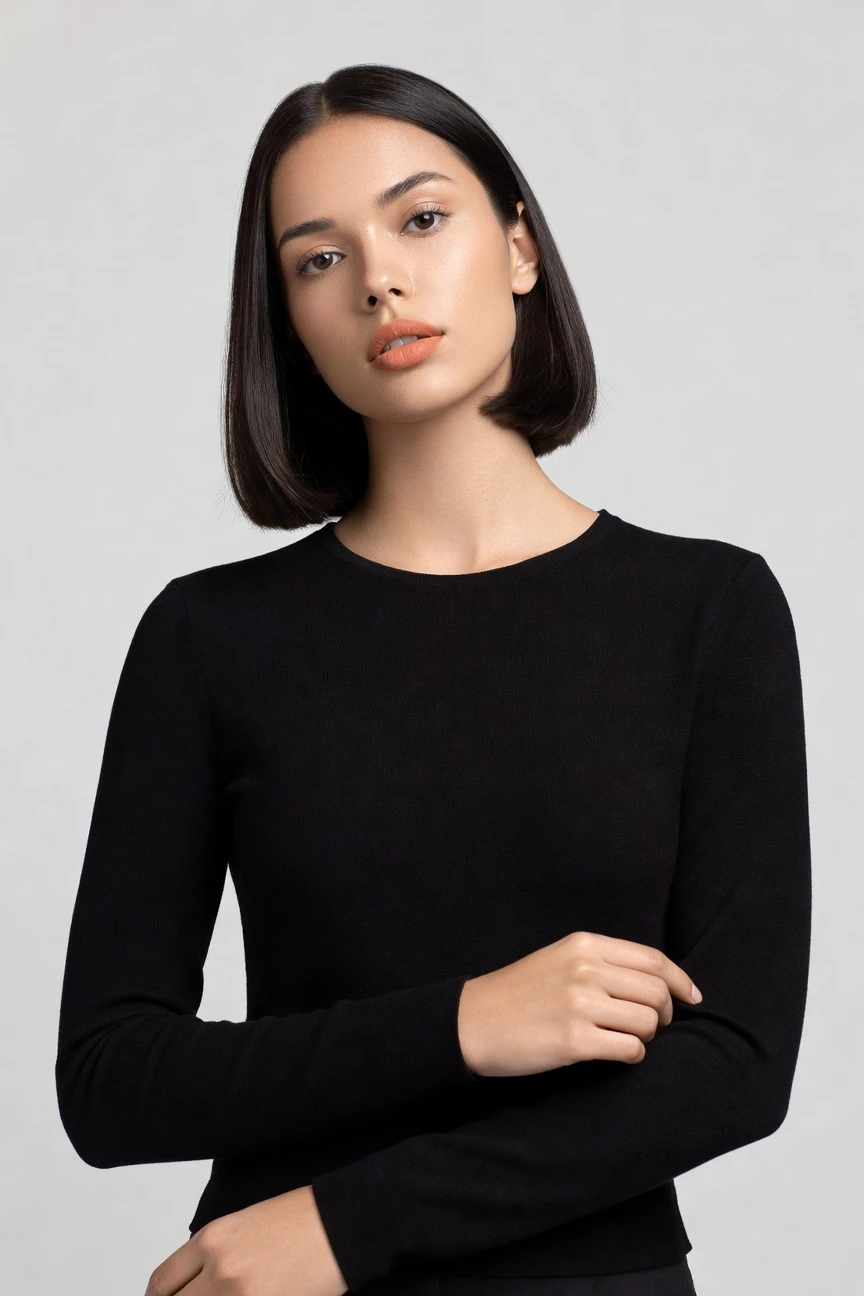
This setup is tuned for clean fashion reference imagery: half-body framing, an 85mm lens, 4:5 composition, and 4K output. You click into a usable visual starting point, then adjust only what your product and channel need. ~$0.55 per image · ~30-40s
- 4 clicks · 0 keystrokes
- app.rawshot.ai / new_shoot
How it works
From Garment to Usable Reference Frames
A click-driven workflow for teams that need clear fashion imagery without booking a studio or learning syntax.
- Step 01
Upload the Garment
Start from the product, not a blank text box. Your garment becomes the anchor for fit, colour, pattern, logo placement, and overall proportion.
- Step 02
Set the Visual Reference
Choose lens, framing, pose, lighting, background, aspect ratio, and style from buttons and presets. You direct the outcome the way a fashion team actually works.
- Step 03
Generate and Reuse
Create reference imagery in about 30–40 seconds, then iterate across more variants or move the same setup into batch workflows. The same engine works for one look or a full catalog.
Spec sheet
Proof That the Product Stays in Charge
These twelve points show what makes a fashion reference workflow usable in real commerce operations, not just impressive in a demo.
- 01
Synthetic Models by Design
Every model is built from 28 body attributes with 10+ options each. Accidental real-person likeness is statistically negligible by design.
- 02
Every Setting Is a Click
You select camera, angle, framing, light, background, style, and product focus in the interface. No blank command box sits between you and the output.
- 03
Garment Fidelity First
Cut, colour, pattern, logo, fabric behaviour, and drape stay central to the image. The garment is the brief, not an afterthought.
- 04
Diverse Models, Reusable Across Work
Build references on a wide range of synthetic bodies for different brand needs. Keep representation intentional without sourcing talent for every concept round.
- 05
Consistency Across SKUs
Keep the same face, framing logic, and visual system across many products. That matters when buyers, merchandisers, and creative teams need comparable references.
- 06
150+ Visual Styles
Move from catalog clean to campaign gloss, editorial noir, street flash, or vintage treatments in a few clicks. Reference images do not have to look generic.
- 07
2K, 4K, and Any Ratio
Generate stills in 2K or 4K and match the frame to PDPs, decks, marketplaces, social crops, or internal planning boards. One system covers all the usual destinations.
- 08
Labelled and Compliant
Outputs are C2PA-signed, watermarked, AI-labelled, EU-hosted, GDPR-compliant, and built for EU AI Act Article 50 and California SB 942 requirements.
- 09
Signed Audit Trail per Image
Each output carries provenance data that supports internal review and external transparency. Honest labelling is part of the product, not an afterthought.
- 10
GUI to REST API
Use the browser app for one-off references or send the same logic through the API for large product flows. No separate core product hides behind a sales wall.
- 11
Fast, Clear, and Token-Safe
Stills run at about $0.55 per image and usually generate in 30–40 seconds. Tokens never expire, and failed generations refund their tokens.
- 12
Commercial Rights Included
Every output comes with full commercial rights, permanent and worldwide. Teams can publish, test, and scale without rights ambiguity.
Outputs
Reference Outputs, Ready to Use
Build clean fashion references for planning, line reviews, campaign direction, and launch preparation. The outputs stay grounded in the garment while giving your team room to compare visual routes fast.


Browse 150+ visual styles →
Comparison
RAWSHOT vs category tools vs DIY prompting
Three lenses on every dimension — what you optimize for in RAWSHOT versus typical category tools and blank-box AI workflows.
01
Interface
RAWSHOT
Click-driven controls for camera, pose, light, framing, and styleCategory tools + DIY
Often mix light presets with partial text inputs and thinner shoot control. DIY prompting: Typed instructions in generic image AI, with repeated trial and rewrite loops02
Garment fidelity
RAWSHOT
Built around the actual garment's cut, colour, pattern, logo, and drapeCategory tools + DIY
Can produce attractive fashion scenes but with weaker product grounding. DIY prompting: Garment drift, invented logos, altered trims, and unstable proportions are common03
Model consistency
RAWSHOT
Same model logic can stay consistent across multiple products and variantsCategory tools + DIY
Continuity varies across sessions and larger SKU runs. DIY prompting: Faces, body shape, and pose logic shift from image to image04
Provenance
RAWSHOT
C2PA-signed outputs with visible and cryptographic watermarking built inCategory tools + DIY
Labelling and provenance support are often lighter or absent. DIY prompting: No dependable provenance metadata or platform-level audit trail for published assets05
Commercial rights
RAWSHOT
Full commercial rights to every output, permanent and worldwideCategory tools + DIY
Rights may be usable but framed with more platform caveats. DIY prompting: Rights clarity depends on provider terms and can stay operationally unclear06
Pricing transparency
RAWSHOT
About $0.55 per image, tokens never expire, refunds on failed generationsCategory tools + DIY
Credits, tiers, or seats can make true image cost harder to predict. DIY prompting: Usage cost is decoupled from fashion reliability, so retries quietly add overhead07
Catalog scale
RAWSHOT
Browser GUI and REST API use the same engine and output logicCategory tools + DIY
Core scale features may sit behind enterprise packaging or custom access. DIY prompting: No fashion-native pipeline for repeatable SKU operations and asset governance08
Operational overhead
RAWSHOT
Teams direct the image with familiar controls and repeatable settingsCategory tools + DIY
Less setup than studio work, but still more interpretation between tool and team. DIY prompting: Prompt-engineering overhead slows iteration and makes handoff between teammates brittle
Prompting does not scale
Stop writing essays. Direct the shoot.
Most AI photo tools start with a blank text box. Rawshot turns the shoot into repeatable controls, so creative teams can produce consistent fashion imagery without prompt syntax or one-off hacks.
Category norm
ManualCreate a premium editorial fashion photograph of a model wearing the exact navy oversized wool coat from SKU-1842, full-body crop, realistic hands, consistent facial identity, clean e-commerce lighting, subtle Paris street background, 85mm lens, no logo distortion, no fabric hallucination, same pose as last campaign, repeatable for all colorways...
A prompt can describe one image. It cannot become a shared production system for hundreds of products, models, angles and markets.
Rawshot
ClicksSaved shoot recipe
Apply to 1 SKU or 10,000 via GUI, CSV or REST API.
Rawshot makes creative direction visible: buttons, presets and sliders instead of hidden prompt craft. The result is easier to teach, faster to approve and built for repeat production.
Use cases
Who Uses Fashion Reference Imagery First
Operator archetypes and how click-directed, garment-first output fits the way they actually work.
- 01
Indie Designers
Build references for a first collection before samples are shipped, so buyers and collaborators can react to something visual and concrete.
Confidence · high
- 02
DTC Apparel Brands
Create on-model reference images for launch planning, PDP direction, and content calendars without waiting for a studio day.
Confidence · high
- 03
Marketplace Sellers
Standardise product presentation across mixed inventory with clear fashion references that stay closer to the garment.
Confidence · high
- 04
Resale and Vintage Stores
Turn one-off pieces into consistent listing imagery when every item is unique and reshooting each look is unrealistic.
Confidence · high
- 05
Factory-Direct Manufacturers
Share reference visuals with wholesale partners early, using the garment itself as the anchor for fit and finish.
Confidence · high
- 06
Crowdfunding Founders
Show campaign backers what the product should look like on-body before a full production shoot exists.
Confidence · high
- 07
Kidswear Labels
Prepare reference sets for range planning and retail conversations without the logistics of traditional children’s photography.
Confidence · high
- 08
Adaptive Fashion Teams
Explore inclusive styling directions and body representation with synthetic models before committing budget to a larger production.
Confidence · high
- 09
Lingerie DTC Brands
Generate tightly directed reference imagery where fit, framing, and product focus need to stay deliberate.
Confidence · high
- 10
Accessories Brands
Combine apparel and add-on products in one composition to test merchandising ideas before final creative is commissioned.
Confidence · high
- 11
Merchandising Teams
Use an ai reference image generator workflow to compare visual routes across categories, channels, and seasonal drops.
Confidence · high
- 12
Catalog Operations Leads
Scale AI-assisted reference image generation from browser tests to API pipelines when one style decision needs to carry across many SKUs.
Confidence · high
— Principle
Honest is better than perfect.
Reference imagery only helps a brand if people know what it is. That is why every RAWSHOT output is AI-labelled, C2PA-signed, and watermarked at both visible and cryptographic levels. For fashion teams using generated references in planning, publishing, or partner communication, transparency is not a footnote; it is part of the asset.
Rights & provenance
Full commercial rights. Forever.
- C2PA-signed on every image — EU AI Act Article 50 compliant
- 28-attribute synthetic models — real-person likeness statistically impossible
- Full commercial rights to every generation — no recurring licensing fees
- Tokens never expire · One-click cancel · Transparent pricing
EU AI Act
C2PA
Commercial use
Pricing
~$0.55 per image.
~30–40 seconds per generation. Tokens never expire. Cancel in one click.
- 01The cancel button is on the pricing page.
- 02No per-seat gates. No 'contact sales' walls for core features.
- 03Failed generations refund their tokens.
- 04Full commercial rights to every output, permanent, worldwide.
FAQ
Practical answers on control, rights, pricing, scale, and compliant publishing.
Do I need to write prompts to use RAWSHOT?
Never—you direct every output with sliders, presets, and clicks on the garment, not typed prompts. That matters because fashion teams already think in lenses, crops, poses, lighting setups, backgrounds, and product focus, not in trial-and-error syntax. RAWSHOT turns those familiar decisions into a usable interface, so a buyer, marketer, founder, or catalog operator can get to a dependable image without becoming a specialist in text-based image steering.
For commerce work, reliability matters more than novelty. RAWSHOT keeps pricing, generation speed, refund rules, commercial rights, provenance, and watermarking explicit, while giving you the same click-driven logic in the browser GUI and the REST API. In practice, that means teams can test references for one launch in the app, then repeat the same structure at larger scale without rewriting a creative process as chat instructions.
What does AI-assisted fashion photography change for SKU-scale catalogs?
It changes who can get visual consistency, and how early in the product cycle they can get it. Instead of waiting for a studio date, sample logistics, model booking, and retouching rounds, catalog teams can generate on-model references around the garment itself and keep camera logic, framing, and style direction consistent across many products. That makes it easier to review assortments, prepare PDP plans, align with merchandising, and spot category gaps before the expensive parts of production begin.
RAWSHOT is built for that operational reality. You can generate stills in about 30–40 seconds, choose 2K or 4K, keep aspect ratios matched to channel needs, and move from one-off browser work to REST API pipelines without changing products. The result is not a generic image toy for inspiration boards; it is infrastructure for teams that need repeatable fashion imagery tied to actual garments and ready for catalog workflows.
Why skip reshooting every SKU for season updates and assortment reviews?
Because many of those decisions happen before a traditional reshoot is available, affordable, or justified. Seasonal planning, visual refreshes, buyer presentations, line reviews, and channel tests often need current imagery fast, but not every update deserves a full studio production. Reference imagery fills that gap by giving teams a clean, consistent way to see product direction on-body while budgets, calendars, and inventory are still in motion.
RAWSHOT makes that practical by keeping the setup repeatable. You can lock in a model direction, framing, lens, background, and style treatment, then apply the same logic across multiple garments without the usual continuity issues of manual image generation. For operators, the takeaway is simple: use reference imagery to make decisions earlier, reserve traditional photography for the moments that truly require a physical shoot, and keep both workflows additive rather than competing.
How do we turn flat garments into catalogue-ready imagery without prompting?
You start with the garment and choose the visual decisions directly in the interface. Select lens, framing, pose, angle, lighting, background, style preset, aspect ratio, and product focus, then generate the image from that structured setup. Because the workflow is garment-led, the product stays central instead of being bent around a loosely interpreted text request, which is exactly what catalog teams need when colour, logo placement, and silhouette accuracy matter.
RAWSHOT supports upper-body, lower-body, full-outfit, footwear, jewellery, handbags, watches, sunglasses, and accessories, with up to four products in one composition. Outputs come in 2K or 4K, and the same logic works for single images in the browser or larger batches through the API. The operational habit to build is straightforward: standardise a few approved visual setups by category, then reuse them across SKUs so your catalogue stays coherent while production stays fast.
Why does garment-led control beat ChatGPT, Midjourney, or generic image models for fashion PDPs?
Because PDP imagery lives or dies on product truth, not on whether a model can improvise something visually interesting. Generic image systems start from open-ended text interpretation, which makes them prone to drifting logos, altered trims, unstable garment proportions, and inconsistent faces across a set. Those issues are not small creative quirks in commerce; they create review overhead, erode trust, and make it harder for teams to publish confidently at scale.
RAWSHOT is built as a fashion application rather than a general image sandbox. You direct the result through buttons, sliders, and presets; you get C2PA-signed outputs, watermarking, clear commercial rights, and a workflow that can move from a browser test to API production without changing tools. For fashion teams, garment-led control wins because it reduces ambiguity in the exact places where ecommerce operations cannot afford ambiguity.
Can we publish RAWSHOT images commercially, and are they clearly labelled?
Yes. Every RAWSHOT output includes full commercial rights that are permanent and worldwide, so teams can use the images in real brand and commerce workflows without separate licensing gymnastics. Just as important, the outputs are transparently labelled: RAWSHOT applies AI labelling, visible watermarking, cryptographic watermarking, and C2PA provenance metadata so the asset carries clear information about what it is.
That transparency is a product value, not a legal afterthought. RAWSHOT is EU-hosted, GDPR-compliant, and built around the disclosure expectations that fashion brands increasingly need to meet when synthetic imagery enters marketing or catalog use. For operators, the practical standard is simple: publish with the confidence that rights are included, provenance is attached, and honesty is preserved in the asset itself.
What should our team check before publishing AI reference images on a product page?
Check the garment first, then the disclosure layer. Confirm that cut, colour, pattern, logo placement, trim details, and overall silhouette match the actual product, and make sure the framing serves the selling task rather than distracting from it. After that, verify the channel crop, resolution, and whether the output is being used as a reference, a live PDP image, or part of a broader content mix, because each use case changes how strict your review should be.
With RAWSHOT, the supporting trust signals are built in rather than bolted on later. Outputs can be generated in 2K or 4K, carry C2PA provenance, include visible and cryptographic watermarking, and remain clearly AI-labelled. The best operating practice is to formalise a lightweight review checklist around product accuracy, brand appropriateness, and disclosure, then apply it consistently before anything reaches a storefront or campaign channel.
How much does an ai reference image generator cost for stills, and what happens to unused tokens?
For RAWSHOT still images, the working number is about $0.55 per image, with most generations landing in roughly 30–40 seconds. Tokens never expire, which matters for fashion teams whose volume changes with drop calendars, collection reviews, and launch windows rather than a neat monthly pattern. If a generation fails, the tokens are refunded, so experimentation does not quietly turn into waste when a run does not complete properly.
The pricing model is intentionally direct. There are no per-seat gates for core features, no forced enterprise detour for basic scaling, and cancellation is one click from the pricing page. For operators, that means you can budget reference imagery as an actual line item: test a handful of looks in the browser, scale when needed, and avoid the usual trap of buying access before you know whether a workflow fits your team.
Can RAWSHOT plug into Shopify-scale workflows and our existing catalog stack?
Yes. RAWSHOT supports both a browser GUI for single-shoot work and a REST API for catalog-scale pipelines, so teams can begin with manual art direction and then move the same logic into more automated flows. That matters for brands running Shopify stores, marketplace feeds, PLM-connected operations, or internal asset pipelines, because the useful question is not whether a tool can generate one image; it is whether the workflow can survive real operational handoffs.
RAWSHOT is designed so the indie brand and the enterprise catalog team use the same engine, pricing logic, and output quality. There are no per-seat gates for the core workflow, and each image carries an audit trail that supports governance as volume grows. The practical rollout is to start with approved visual templates by category, then connect generation into the systems that already manage your product data and publishing schedule.
How do teams scale from one browser shoot to thousands of fashion images without losing consistency?
They standardise decisions early and keep the production surface stable as volume rises. In practice, that means agreeing on model direction, lens ranges, framing rules, lighting setups, background families, and style presets for each product category, then reusing those choices instead of reinventing the visual logic for every SKU. Consistency does not come from luck; it comes from making the repeatable parts of image direction explicit.
RAWSHOT supports that path by giving the same click-driven controls to a single user in the browser and to larger workflows through the REST API. The same engine, model system, per-image pricing, and provenance standards apply whether you are generating one lookbook reference or a large overnight run. For team leads, the operational takeaway is clear: lock the visual system first, then let volume scale on top of it rather than asking reviewers to fix inconsistency later.
Keep exploring