
— Campaign · Editorial · 150+ styles · 4K
Direct your next drop's campaign with the AI Creative Editorial Fashion Photography Generator
Generate campaign-ready fashion imagery with editorial control and garment-first accuracy. Select lens, framing, light, background, mood, and style from buttons, sliders, and presets built for fashion teams. No studio. No samples. No prompts.
- ~$0.55 per image
- ~30–40s per generation
- 150+ styles
- 2K or 4K
- Every aspect ratio
- Full commercial rights
7-day free trial • 50 tokens (10 images) • Cancel anytime

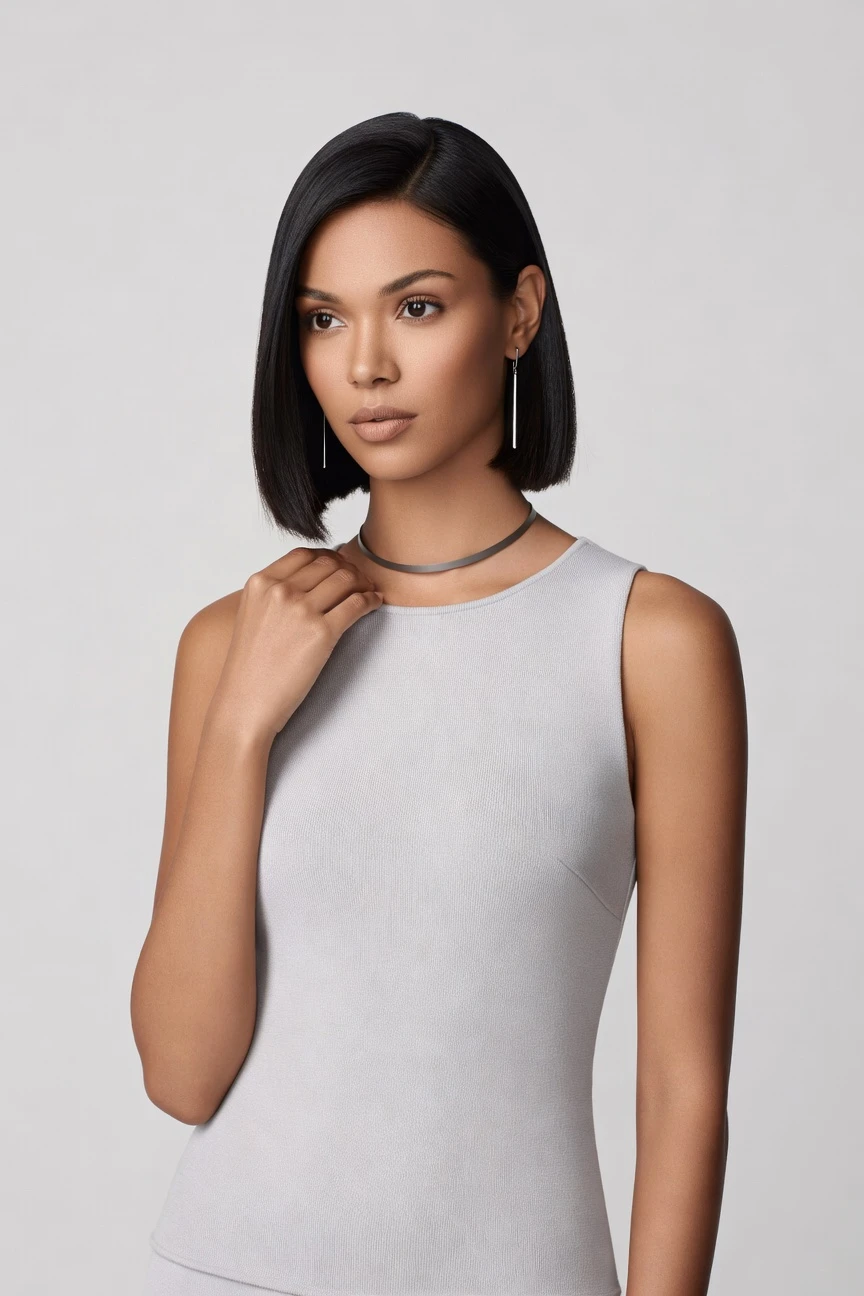
Direct the shoot. Zero prompts.
This setup starts from an editorial campaign frame: 85mm lens, half-body crop, 4:5 composition, and 4K output. You click into a polished fashion image without turning garment direction into chat syntax. ~$0.55 per image · ~30-40s
- 4 clicks · 0 keystrokes
- app.rawshot.ai / new_shoot
How it works
From Garment Upload to Editorial Frame
Three clicks-first steps turn real apparel into campaign imagery with controlled styling, reproducible settings, and output ready for commerce teams.
- Step 01
Upload the Garment
Start with the real product, not a blank text box. The cut, colour, print, logo, and proportions set the direction from the first click.
- Step 02
Set the Editorial Frame
Choose lens, crop, lighting, background, aspect ratio, and visual style from the interface. You direct the image the way a fashion team thinks: visually and operationally.
- Step 03
Generate and Scale
Create single campaign frames in the browser or repeat the same setup across a larger assortment. The same engine supports one lookbook image or a catalog-scale pipeline.
Spec sheet
Proof for Editorial Fashion Teams
These twelve surfaces show how RAWSHOT handles garment truth, visual direction, provenance, rights, and scale without gatekeeping the workflow.
- 01
Built to Avoid Likeness Risk
Every model is a synthetic composite built from 28 body attributes with 10+ options each. Accidental real-person likeness is statistically negligible by design.
- 02
Every Setting Is a Click
Camera, framing, light, pose, background, expression, and style live in the interface. You direct shoots with controls, not typed syntax.
- 03
The Garment Stays Central
RAWSHOT is engineered around the product itself, so cut, colour, pattern, drape, and branding stay represented faithfully across outputs.
- 04
Diverse Synthetic Models
Build casts across body attributes for different brand worlds and customer realities. The result is broad representation with transparent labelling built in.
- 05
Consistency Across Every SKU
Keep the same face, framing logic, and visual system across a whole drop. That means fewer near-matches and fewer retake loops in catalog work.
- 06
Editorial Style Without Guesswork
Choose from 150+ visual presets spanning campaign gloss, noir, street flash, studio minimal, vintage, and more. Style exploration stays fast and controlled.
- 07
Ready for Every Format
Generate in 2K or 4K and crop to every major aspect ratio. One setup can feed PDPs, social assets, ads, lookbooks, and retail screens.
- 08
Labelled and Compliance-Ready
Outputs are AI-labelled, watermarked, and supported by C2PA provenance metadata. RAWSHOT is built for EU AI Act Article 50, California SB 942, and GDPR-aligned operation.
- 09
Signed Audit Trail per Image
Each output carries traceable provenance data that supports review, approval, and downstream governance. Honest imagery is easier to ship across teams and channels.
- 10
Browser for Shoots, API for Scale
Use the GUI for hands-on creative work or move the same logic into REST API workflows. One product supports both experimental editorials and nightly catalog runs.
- 11
Predictable Speed and Spend
Stills run at about $0.55 per image and usually generate in 30–40 seconds. Tokens never expire, and failed generations refund tokens automatically.
- 12
Rights Stay Clear
Every output includes full commercial rights, permanent and worldwide. You can publish across ecommerce, paid media, social, wholesale, and campaign channels without rights fog.
Outputs
Editorial Outputs, garment first.
From clean campaign portraits to mood-led storytelling frames, the product remains the brief. The styling changes; the garment truth stays anchored.


Browse 150+ visual styles →
Comparison
RAWSHOT vs category tools vs DIY prompting
Three lenses on every dimension — what you optimize for in RAWSHOT versus typical category tools and blank-box AI workflows.
01
Interface
RAWSHOT
Click-driven controls for lens, frame, light, style, and product focusCategory tools + DIY
Partial visual controls, often thinner fashion-specific direction surfaces. DIY prompting: Typed instructions in generic image tools with trial-and-error interpretation02
Garment fidelity
RAWSHOT
Engineered around real garments, preserving cut, colour, print, and logoCategory tools + DIY
Can stylise attractively but often soften exact product detail. DIY prompting: Garment drift, invented trims, altered logos, and wrong proportions appear often03
Model consistency
RAWSHOT
Repeat the same synthetic model across drops, channels, and SKU groupsCategory tools + DIY
Consistency tools vary and are often weaker across larger sets. DIY prompting: Faces shift from image to image, making catalog continuity unreliable04
Provenance and labelling
RAWSHOT
C2PA-signed, visibly watermarked, cryptographically watermarked, and AI-labelledCategory tools + DIY
Labelling support varies and provenance is not always embedded. DIY prompting: No dependable provenance metadata or standardised labelling trail05
Commercial rights
RAWSHOT
Full commercial rights, permanent and worldwide, on every outputCategory tools + DIY
Rights may be usable but terms are often less explicit. DIY prompting: Rights clarity depends on model terms and is often operationally unclear06
Iteration workflow
RAWSHOT
Change one control and regenerate clean variants in the same systemCategory tools + DIY
Fast variants, but less garment-led reproducibility across teams. DIY prompting: Rewriting instructions repeatedly creates prompt-engineering overhead and drift07
Pricing transparency
RAWSHOT
Same per-image pricing, no per-seat gates, tokens never expireCategory tools + DIY
Seats, credits, or plan gates can complicate scaling. DIY prompting: Low entry cost but unpredictable time cost and inconsistent usable yield08
Catalog scale
RAWSHOT
GUI for one shoot, REST API for 10,000-SKU pipelinesCategory tools + DIY
Some scale options, often segmented behind enterprise packaging. DIY prompting: No clean production pipeline, weak auditability, and manual repeat work
Prompting does not scale
Stop writing essays. Direct the shoot.
Most AI photo tools start with a blank text box. Rawshot turns the shoot into repeatable controls, so creative teams can produce consistent fashion imagery without prompt syntax or one-off hacks.
Category norm
ManualCreate a premium editorial fashion photograph of a model wearing the exact navy oversized wool coat from SKU-1842, full-body crop, realistic hands, consistent facial identity, clean e-commerce lighting, subtle Paris street background, 85mm lens, no logo distortion, no fabric hallucination, same pose as last campaign, repeatable for all colorways...
A prompt can describe one image. It cannot become a shared production system for hundreds of products, models, angles and markets.
Rawshot
ClicksSaved shoot recipe
Apply to 1 SKU or 10,000 via GUI, CSV or REST API.
Rawshot makes creative direction visible: buttons, presets and sliders instead of hidden prompt craft. The result is easier to teach, faster to approve and built for repeat production.
Use cases
Who Uses Editorial Imagery Like This
Operator archetypes and how click-directed, garment-first output fits the way they actually work.
- 01
Indie Designer Launching a First Drop
Build campaign frames for a debut collection without booking an €8,000–€30,000 studio day before the brand has even shipped.
Confidence · high
- 02
DTC Brand Refreshing Seasonal Creative
Update editorial imagery for a new season by keeping the garment line consistent while shifting style, crop, and mood in the interface.
Confidence · high
- 03
Lookbook Team Working Ahead of Samples
Photograph garments before physical sampling cycles are complete so merchandising, press, and wholesale decks move sooner.
Confidence · high
- 04
Marketplace Seller Upgrading Brand Perception
Turn plain product uploads into polished fashion visuals that look directed, not improvised, while keeping the product recognisable.
Confidence · high
- 05
Editorial Commerce Manager Building Story-Led PDPs
Pair commerce-ready garment representation with stronger visual storytelling so product pages feel like brand media, not just inventory records.
Confidence · high
- 06
Small Label Testing Multiple Campaign Angles
Compare noir, clean campaign, street flash, and studio minimal treatments from the same base garment without resetting a physical set.
Confidence · high
- 07
Factory-Direct Manufacturer Selling to Retailers
Create dependable on-model imagery for line sheets, B2B portals, and retailer submissions with repeatable styling rules.
Confidence · high
- 08
Crowdfunded Fashion Project Needing Visibility
Show the collection in finished editorial form early enough to support preorders, fundraising pages, and launch content.
Confidence · high
- 09
Adaptive Fashion Brand Requiring More Representation
Use diverse synthetic models and controlled framing to present garments with dignity, clarity, and brand coherence across the range.
Confidence · high
- 10
Vintage or Resale Operator Elevating Hero Images
Give one-off pieces a stronger fashion context so rare inventory reads as curated editorial stock, not just isolated listings.
Confidence · high
- 11
Agency Team Pitching Creative Directions Fast
Produce multiple visual routes for a client review using the same garment-led setup, then refine the chosen route with exact controls.
Confidence · high
- 12
Enterprise Catalog Team Extending to Campaign Assets
Start with browser-directed hero images, then move repeatable settings into API workflows as assortment volume grows.
Confidence · high
— Principle
Honest is better than perfect.
Editorial fashion imagery carries brand meaning, so provenance cannot be an afterthought. Every RAWSHOT output is AI-labelled, C2PA-signed, and watermarked in visible and cryptographic layers, giving commerce and brand teams a clear record of what the image is and how it should be governed.
Rights & provenance
Full commercial rights. Forever.
- C2PA-signed on every image — EU AI Act Article 50 compliant
- 28-attribute synthetic models — real-person likeness statistically impossible
- Full commercial rights to every generation — no recurring licensing fees
- Tokens never expire · One-click cancel · Transparent pricing
EU AI Act
C2PA
Commercial use
Pricing
~$0.55 per image.
~30–40 seconds per generation. Tokens never expire. Cancel in one click.
- 01The cancel button is on the pricing page.
- 02No per-seat gates. No 'contact sales' walls for core features.
- 03Failed generations refund their tokens.
- 04Full commercial rights to every output, permanent, worldwide.
FAQ
Practical answers on control, rights, pricing, scale, and compliant publishing.
Do I need to write prompts to use RAWSHOT?
Never—you direct every output with sliders, presets, and clicks on the garment, not typed prompts. That matters because fashion teams already think in lenses, crops, lights, backgrounds, and styling systems; they should not have to translate that into chatbot syntax before they can make usable imagery. RAWSHOT gives you those controls directly in the interface, so a buyer, merchandiser, creative lead, or founder can set the shot in the same language they already use internally.
For catalog and campaign teams, reliability matters more than novelty. RAWSHOT keeps the workflow explicit with clear settings, visible pricing, refunded tokens on failed generations, full commercial rights, and provenance signals attached to each output. The same click-driven logic also carries into REST API workflows for larger operations, which means teams can move from one-off browser shoots to repeatable SKU-scale production without retraining everyone around chat behavior.
What does AI-assisted editorial fashion photography actually change for catalog and campaign teams?
It changes who gets access to polished fashion imagery and how quickly teams can move from garment to publishable asset. Instead of waiting for studio schedules, sample shipping, casting coordination, and full-day production budgets, teams can create editorial frames around the real product in a controlled application. That gives smaller labels access they never had, while larger operators gain a reliable way to expand image coverage without opening a separate tool chain for every use case.
In practice, RAWSHOT lets you keep the garment as the brief while selecting framing, lens, lighting, aspect ratio, and style preset directly in the UI. You get 2K or 4K outputs, every major aspect ratio, 150+ visual styles, C2PA provenance, watermarking, and clear commercial rights on every image. For commerce teams, the operational takeaway is simple: creative direction becomes easier to repeat, easier to review, and easier to scale across both hero campaigns and broader assortments.
Why skip reshooting every SKU when the season, channel, or campaign mood changes?
Because most seasonal changes are about presentation, not about remaking the garment from scratch. A new season may call for sharper editorial lighting, a different crop, a different aspect ratio, or a more dramatic visual system, but the product itself still needs to remain accurate. Rebooking physical production for every update slows teams down and limits how many variants they can afford to test before a launch window closes.
RAWSHOT lets you keep the garment anchored while changing the image logic around it through clicks and presets. You can move from clean campaign to noir, studio minimal, or street-flash styling without rewriting the workflow every time, and you can output new assets in roughly 30–40 seconds per still. For brand and commerce operators, that means seasonal adaptation becomes a repeatable operating motion rather than a budget gate that only the biggest teams can cross.
How do we turn flat garments into catalogue-ready imagery without prompting?
You start by uploading the garment and then directing the image through interface controls built for fashion work. Instead of typing open-ended instructions, you select the lens, framing, angle, lighting, background, mood, visual style, aspect ratio, resolution, and product focus. That structure matters because apparel teams need repeatability; they need to know which decisions created an output and how to reproduce or refine it on the next SKU.
RAWSHOT is built around the garment, so the product remains central while the team chooses how it should be presented. You can create half-body editorial frames, full-outfit campaign images, close-up detail shots, or cleaner commerce crops from the same operational logic, and you can do it in the browser GUI or later through the REST API. The practical takeaway is that catalogue-ready imagery becomes a controlled workflow, not an improvisation exercise.
Why does RAWSHOT beat ChatGPT, Midjourney, or generic image tools for fashion PDP work?
Because PDP work depends on accuracy, reproducibility, and operational clarity more than on broad image creativity. Generic image tools are built around typed instructions, which often leads to drifting garments, invented logos, altered trims, inconsistent faces, and time lost to repeated rewrites. That may be tolerable for mood boards, but it becomes a real problem when the output must align with the actual item being sold and survive internal review.
RAWSHOT replaces that roulette with garment-led controls and fashion-specific settings. You direct lens, crop, light, and style through clicks, keep provenance attached through C2PA metadata and watermarking, and work within explicit rights and refund rules that teams can actually operationalise. For fashion commerce, the important difference is not just visual polish; it is whether the system behaves like production software instead of a guessing game.
Can we use AI creative editorial fashion photography generator outputs in paid ads and ecommerce with clear rights?
Yes. Every RAWSHOT output includes full commercial rights that are permanent and worldwide, which is the standard teams need before they place images into PDPs, paid social, email, marketplace listings, or wholesale decks. Rights clarity matters because fashion assets move across many channels quickly, and teams cannot afford uncertainty when creative, commerce, and media buyers are all touching the same image set.
RAWSHOT also pairs rights clarity with transparent labelling and provenance. Outputs are AI-labelled, watermarked in visible and cryptographic layers, and supported by C2PA-signed metadata so teams have a record of what the file is. That combination makes the asset easier to govern internally and easier to deploy externally, especially for brands that care about both performance and honest disclosure in public-facing imagery.
What should our team check before publishing editorial AI fashion images to a PDP or campaign?
Start with garment truth. Check the cut, colour, pattern, drape, proportions, trims, and logos against the source garment, then confirm that framing and styling match the intended channel. After that, review provenance and disclosure signals: make sure the output remains AI-labelled, preserves watermarking, and fits your internal approval process for commerce or campaign use. Good publishing practice is not about chasing perfection; it is about making sure the product, context, and record all line up.
With RAWSHOT, those checks are easier because the system is designed to keep the garment central and attach an audit trail to each image. Teams also know the rights position, token economics, and generation conditions upfront, which removes a lot of approval friction. The operational habit to build is simple: verify the product first, verify the metadata second, and only then distribute the asset across channels.
How much does this cost per image, and what happens if a generation fails?
For still imagery, RAWSHOT runs at about $0.55 per image, and most generations complete in around 30–40 seconds. Tokens never expire, which matters for fashion teams because launch calendars shift, samples change, and assortment priorities move over time; you are not forced into waste just because a season plan moved. One-click cancellation is also built into the pricing page rather than hidden behind support friction.
If a generation fails, the tokens are refunded automatically. That policy makes budget planning much cleaner for smaller brands and for larger operators who need to model output cost across many SKUs without padded risk assumptions. For planning purposes, stills, video, and model generation are separated clearly, so image teams can cost editorial photos on their own terms instead of discovering pricing logic only after production has started.
Can the ai creative editorial fashion photography generator plug into our Shopify or catalog pipeline by API?
Yes. RAWSHOT supports a browser GUI for single-shoot creative work and a REST API for larger catalog or commerce pipelines, so teams do not have to choose between hands-on direction and operational scale. That matters for Shopify brands, marketplace sellers, and enterprise catalog groups because image work often starts as a manual creative test and later becomes a repeated production process once the visual rules are approved.
The key advantage is that the same product logic carries across both modes. You can establish a garment-led visual system in the interface, then move those repeatable settings into API-driven workflows for larger runs, including assortments that stretch into the thousands. For operations teams, the takeaway is that RAWSHOT behaves like infrastructure: one system for experimentation, one system for throughput, and no artificial split between the two.
Can one creative team handle both one-off editorial shoots and large SKU volumes in the same product?
Yes, and that is one of the clearest advantages of the platform. A founder, art director, buyer, or merchandiser can direct a single hero image in the browser, while catalog operations can use the same underlying logic for much larger runs later. That continuity matters because brand systems break down when campaign work and commerce work live in separate tools with separate assumptions about rights, metadata, and visual controls.
RAWSHOT keeps the pricing model, control surface, output rights, and provenance approach consistent whether you are making one image or building a much broader production pipeline. There are no per-seat gates for core use, tokens do not expire, and the same garment-first method remains intact at both ends of the volume range. For teams, that means fewer handoff errors and a cleaner path from creative exploration to production reality.
Keep exploring