
— Retail imagery · 150+ styles · 4K
Direct retail-ready fashion imagery with the AI Retail Photography Generator.
Generate on-model retail photography that keeps the garment at the center and the catalog moving. Select lens, framing, ratio, resolution, and visual style in a click-driven interface built for fashion teams. No studio. No samples. No prompts.
- ~$0.55 per image
- ~30–40s per generation
- 150+ styles
- 2K or 4K
- Every aspect ratio
- Full commercial rights
7-day free trial • 50 tokens (10 images) • Cancel anytime

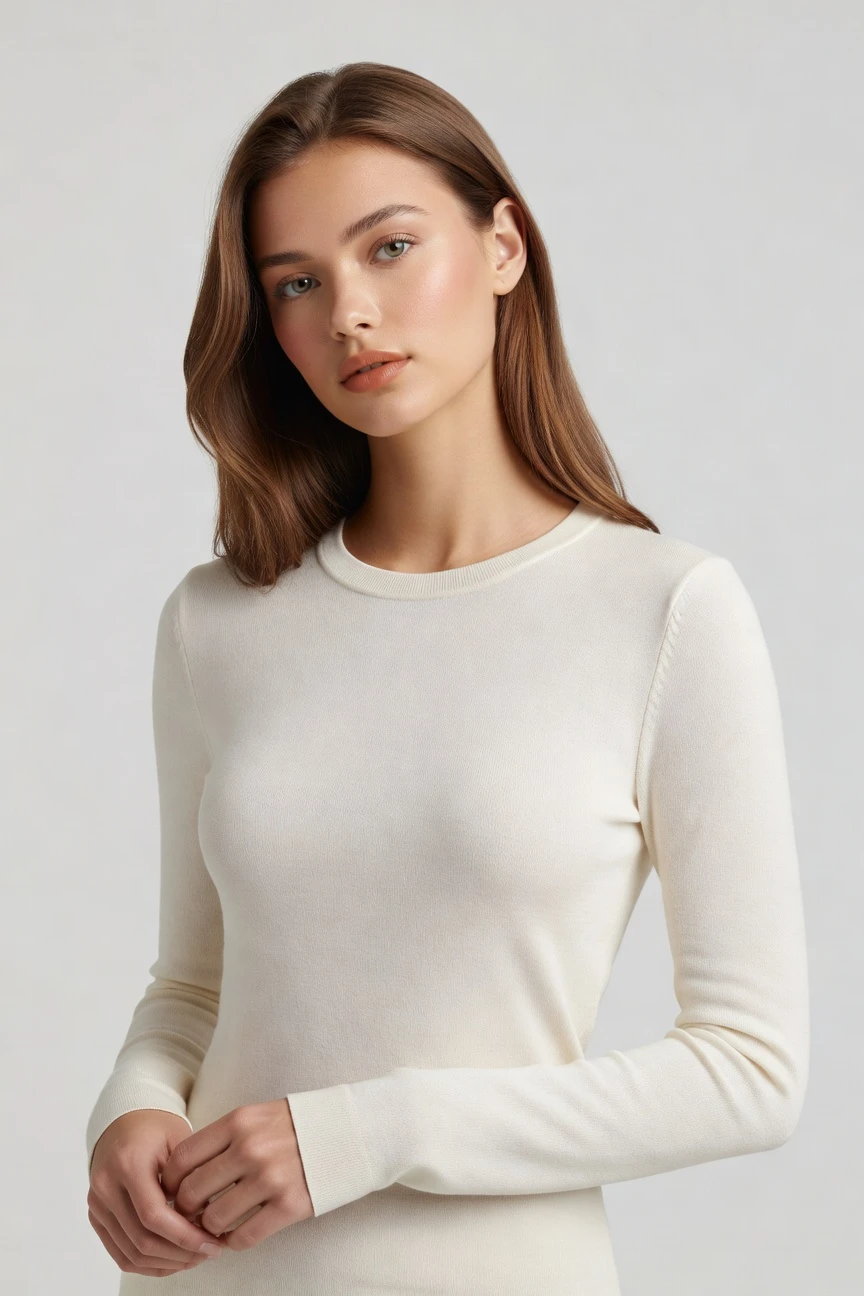
Direct the shoot. Zero prompts.
This setup is tuned for retail catalog work: an 85mm lens, half-body framing, 4:5 crop, and 4K output for clean PDP and merchandising imagery. You set the shot with controls, then generate consistent product-first visuals without writing anything. ~$0.55 per image · ~30-40s
- 4 clicks · 0 keystrokes
- app.rawshot.ai / new_shoot
How it works
From Garment Upload to Retail Output
A product-first workflow for merchandising teams, brand operators, and catalog builders who need repeatable fashion imagery without studio logistics.
- Step 01
Upload the Garment
Start with the product, not a blank text field. Your garment becomes the anchor for cut, colour, pattern, logo, and proportion.
- Step 02
Set the Retail Frame
Choose lens, crop, model, background, lighting, and visual style with buttons and presets. Direct each variant for PDP, merchandising, and campaign placements from the same interface.
- Step 03
Generate and Scale
Create single images in the browser or run the same logic across larger assortments through the API. Keep output quality, pricing, and controls consistent from one look to thousands of SKUs.
Spec sheet
Proof for Retail Image Production
These twelve surfaces show how RAWSHOT keeps fashion imagery usable for commerce teams, not just visually impressive in a demo.
- 01
Built to Avoid Real-Person Likeness
Every model is a synthetic composite across 28 body attributes with 10+ options each. Accidental resemblance to a real person is statistically negligible by design.
- 02
Every Setting Is a Click
You direct lens, framing, pose, light, background, and style through controls. The interface behaves like software for fashion teams, not a chat box.
- 03
The Garment Stays the Brief
RAWSHOT is engineered around the product itself, representing cut, colour, pattern, logos, fabric feel, drape, and proportion with retail use in mind.
- 04
Diverse Synthetic Models
Build imagery across a broad range of model looks and body configurations while keeping outputs transparently labelled. That gives smaller brands access to range without casting overhead.
- 05
Consistency Across Every SKU
Keep the same visual logic across a full assortment. That means fewer near-matches, fewer retakes, and cleaner collection pages.
- 06
150+ Styles for Retail Contexts
Switch from catalog clean to campaign gloss, editorial noir, street flash, vintage, or studio looks without rebuilding the workflow. Your brand language stays selectable.
- 07
2K, 4K, and Any Ratio
Generate square, portrait, landscape, marketplace, and social crops from the same product setup. Resolution and framing stay under your control for each placement.
- 08
Labelled and Compliance-Ready
Outputs are AI-labelled, watermarked, and aligned with EU AI Act Article 50, California SB 942, and GDPR requirements. Honesty is built into the system, not added later.
- 09
Signed Audit Trail per Image
Every output carries C2PA provenance metadata and a traceable record of what it is. That matters for internal review, partner delivery, and future-proof retail asset management.
- 10
GUI for Shoots, API for Catalogs
Use the browser for hands-on image direction or connect the REST API for larger pipelines. The same engine supports one product launch or nightly batch generation.
- 11
Fast, Clear, and Token-Stable
Images generate in about 30–40 seconds at roughly $0.55 each. Tokens never expire, and failed generations refund automatically.
- 12
Commercial Rights Stay Clear
Every output includes permanent worldwide commercial rights. You can publish across ecommerce, ads, marketplaces, and social without licensing fog around the finished asset.
Outputs
Retail Outputs, Directed by Clicks
From clean PDP imagery to branded merchandising frames, the same garment can be directed into multiple retail surfaces without rewriting the workflow. Choose the frame, keep the product faithful, and generate ready-to-use assets.


Browse 150+ visual styles →
Comparison
RAWSHOT vs category tools vs DIY prompting
Three lenses on every dimension — what you optimize for in RAWSHOT versus typical category tools and blank-box AI workflows.
01
Interface
RAWSHOT
Click-driven controls for lens, framing, style, light, and output settingsCategory tools + DIY
Preset-heavy interfaces with narrower fashion-specific direction and less operational clarity. DIY prompting: Typed instructions in generic chat or image tools, with iterative guesswork on every variation02
Garment fidelity
RAWSHOT
Engineered around the real garment’s cut, colour, pattern, logo, and drapeCategory tools + DIY
Often prioritise mood and model styling over strict product representation. DIY prompting: Garment drift, invented logos, altered seams, and unstable fabric interpretation across outputs03
Model consistency
RAWSHOT
Reusable synthetic model logic keeps catalog imagery coherent across many SKUsCategory tools + DIY
Some continuity controls, but consistency can vary across broad assortments. DIY prompting: Faces and body presentation shift between runs, making collection pages feel mismatched04
Provenance
RAWSHOT
C2PA-signed metadata plus visible and cryptographic watermarking on every outputCategory tools + DIY
Labelling and provenance support are often partial or absent. DIY prompting: No reliable provenance metadata, no signed audit trail, and unclear downstream disclosure handling05
Commercial rights
RAWSHOT
Permanent worldwide commercial rights included with every generated retail imageCategory tools + DIY
Rights can depend on plan, seat type, or enterprise terms. DIY prompting: Usage rights depend on model terms and can stay unclear for commerce publishing06
Pricing transparency
RAWSHOT
Same per-image pricing from single shoots to API-scale production runsCategory tools + DIY
Feature gates, seat limits, or volume structures can complicate scaling. DIY prompting: Cheap to start, expensive in operator time spent iterating, checking, and fixing drift07
Catalog scale
RAWSHOT
Browser GUI and REST API use the same engine and output logicCategory tools + DIY
Often split manual creative tools from enterprise workflow products. DIY prompting: No dependable batch workflow for large assortments without heavy manual intervention08
Operational reliability
RAWSHOT
Failed generations refund tokens, tokens never expire, and cancellation is one clickCategory tools + DIY
Billing and access policies can be harder to parse across plans. DIY prompting: No refund framework for wasted attempts, and reproducibility depends on repeated manual effort
Prompting does not scale
Stop writing essays. Direct the shoot.
Most AI photo tools start with a blank text box. Rawshot turns the shoot into repeatable controls, so creative teams can produce consistent fashion imagery without prompt syntax or one-off hacks.
Category norm
ManualCreate a premium editorial fashion photograph of a model wearing the exact navy oversized wool coat from SKU-1842, full-body crop, realistic hands, consistent facial identity, clean e-commerce lighting, subtle Paris street background, 85mm lens, no logo distortion, no fabric hallucination, same pose as last campaign, repeatable for all colorways...
A prompt can describe one image. It cannot become a shared production system for hundreds of products, models, angles and markets.
Rawshot
ClicksSaved shoot recipe
Apply to 1 SKU or 10,000 via GUI, CSV or REST API.
Rawshot makes creative direction visible: buttons, presets and sliders instead of hidden prompt craft. The result is easier to teach, faster to approve and built for repeat production.
Use cases
Retail Teams We Arm First
Operator archetypes and how click-directed, garment-first output fits the way they actually work.
- 01
Indie DTC Founder
Launch your first collection with on-model retail imagery that looks directed, not improvised, while keeping budget for inventory and growth.
Confidence · high
- 02
Marketplace Seller
Generate clean product-led visuals for listings, storefronts, and seasonal refreshes without booking repeated studio days.
Confidence · high
- 03
Catalog Merchandising Team
Keep SKU presentation consistent across PDPs, collection pages, and category banners with repeatable image logic.
Confidence · high
- 04
Factory-Direct Manufacturer
Show garments in a retail-ready context before coordinating complex sample logistics across markets and sales channels.
Confidence · high
- 05
Crowdfunded Fashion Brand
Present campaign and pre-order visuals early so buyers can see the product before full-scale production begins.
Confidence · high
- 06
On-Demand Label
Create imagery only when products are activated, matching the economics and speed of made-to-order retail.
Confidence · high
- 07
Resale and Vintage Operator
Standardise mixed inventory into a cleaner visual system that helps secondhand product pages feel more trustworthy.
Confidence · high
- 08
Kidswear Brand
Build retail imagery across collections and colorways without repeatedly coordinating costly physical shoots.
Confidence · high
- 09
Adaptive Fashion Team
Represent garments with more inclusive model choices and product-first framing while keeping the workflow practical.
Confidence · high
- 10
Lingerie DTC Brand
Direct fit-focused retail photography with controlled framing, selective crops, and consistent visual language across the range.
Confidence · high
- 11
Brand Marketing Manager
Turn the same garment into PDP, homepage, email, and paid-social variants by adjusting styles and crops in one system.
Confidence · high
- 12
Enterprise Catalog Ops
Run the same retail image engine across thousands of SKUs through the API without switching tools between pilot and scale.
Confidence · high
— Principle
Honest is better than perfect.
Retail imagery needs trust as much as polish. Every RAWSHOT output is AI-labelled, C2PA-signed, and protected with visible plus cryptographic watermarking, giving commerce teams provenance they can pass through workflows, partners, and publishing systems. We are EU-hosted, GDPR-compliant, and built for disclosure-forward fashion operations.
Rights & provenance
Full commercial rights. Forever.
- C2PA-signed on every image — EU AI Act Article 50 compliant
- 28-attribute synthetic models — real-person likeness statistically impossible
- Full commercial rights to every generation — no recurring licensing fees
- Tokens never expire · One-click cancel · Transparent pricing
EU AI Act
C2PA
Commercial use
Pricing
~$0.55 per image.
~30–40 seconds per generation. Tokens never expire. Cancel in one click.
- 01The cancel button is on the pricing page.
- 02No per-seat gates. No 'contact sales' walls for core features.
- 03Failed generations refund their tokens.
- 04Full commercial rights to every output, permanent, worldwide.
FAQ
Practical answers on control, rights, pricing, scale, and compliant publishing.
Do I need to write prompts to use RAWSHOT?
Never—you direct every output with sliders, presets, and clicks on the garment, not typed prompts. That matters for fashion teams because retail imagery depends on repeatable controls like lens, framing, crop, lighting, model choice, and visual style, not on guessing the right wording into a text box. RAWSHOT keeps those decisions explicit in the interface, so buyers, merchandisers, founders, and creative leads can work in the same system without translating product knowledge into chatbot syntax.
For catalog operations, reliability matters more than novelty. RAWSHOT makes token pricing, generation timing, refund rules, provenance signalling, watermarking, rights, and scale paths clear from the start, whether you work in the browser or through the REST API. The practical takeaway is simple: if your team can choose a crop, a lens, and a merchandising style, your team can direct the shoot here without learning a new writing discipline first.
What does an ai retail photography generator actually change for ecommerce teams?
It changes who gets access to directed fashion imagery and how consistently that imagery can be produced. Instead of planning around sample shipments, shoot dates, model bookings, and the limits of a one-day studio schedule, ecommerce teams can generate product-led visuals from the garment itself and keep output logic stable across PDPs, collection pages, marketplaces, and paid media. That is especially useful when assortments change quickly, products launch in waves, or the same SKU needs multiple placements and crops.
RAWSHOT is built around that retail reality. You click through camera, framing, lighting, background, model, style, ratio, and resolution in a proper application, then generate in roughly 30–40 seconds per image at about $0.55 each. Because outputs include full commercial rights, C2PA provenance metadata, and AI labelling, teams can move from generation to publishing with fewer operational unknowns and a cleaner approval path.
Why skip reshooting every SKU when seasons, channels, and campaigns change?
Because the retail problem is rarely one perfect image; it is sustained coverage across changing contexts. A garment that already exists in your assortment may need a new crop for marketplace compliance, a different frame for a homepage refresh, or a cleaner merchandising look for a regional launch. Rebuilding that from physical production every time creates delay and access problems, especially for smaller operators and lean teams that do not have standing studio budgets.
RAWSHOT lets you keep the garment as the constant while changing the surrounding direction through controls. You can shift framing, output ratio, model selection, visual style, and resolution without turning every update into a new shoot plan. For commerce teams, the useful habit is to think in reusable product assets and directed variants, not one-off image days, so you can respond faster while keeping the collection visually coherent.
How do we turn flat garments into catalogue-ready imagery without prompting?
You start by uploading the garment and then directing the outcome through interface controls. Instead of typing a description, you select the lens, framing, pose, angle, lighting, background, mood, visual style, aspect ratio, resolution, and product focus that fit the retail job in front of you. That keeps the workflow concrete for fashion teams because each setting maps to a familiar image decision rather than a writing exercise.
RAWSHOT is designed so the garment remains the anchor throughout the process. The system is built to represent cut, colour, pattern, logo, drape, and proportion with fashion-specific control surfaces, then return images with explicit provenance and commercial rights. In practice, that means your team can move from flat product input to on-model catalog output in a way that is easier to review, easier to repeat, and easier to scale across a full assortment.
Why does garment-led control beat DIY prompting in ChatGPT, Midjourney, or generic image tools for fashion PDPs?
Because product detail is the job, not a side effect. Generic image tools are built for broad image generation, so fashion teams often end up fighting drift in logos, seams, colour, trim, drape, fit balance, and overall garment structure. Even when one image looks close, the next variation can shift the model, alter the product, or lose consistency across a collection page. That turns review into a quality-control exercise instead of a production workflow.
RAWSHOT approaches the problem from the garment outward. You direct the retail frame with clicks, keep settings structured, and generate outputs with C2PA provenance, watermarking, and commercial rights already accounted for. The operational benefit is not just convenience; it is reproducibility. Teams can review image decisions in the language of commerce production, reduce guesswork, and avoid the prompt roulette that generic tools introduce into SKU-level publishing.
Can we use RAWSHOT outputs commercially, and how are they labelled?
Yes. Every RAWSHOT output comes with full commercial rights that are permanent and worldwide, so teams can use the images across ecommerce, marketplaces, social, advertising, and other brand channels without separate licensing confusion around the finished asset. Just as important, the outputs are transparently labelled as AI and include provenance measures that support responsible publishing rather than hiding how the image was made.
RAWSHOT signs outputs with C2PA metadata and applies multi-layer watermarking, including visible and cryptographic signals. That disclosure posture aligns with the broader direction of retail governance and platform scrutiny, and it gives internal teams a cleaner record for approvals, handoffs, and audits. The practical takeaway is to treat these files as production-ready commerce assets with traceable labelling, not as ambiguous visuals that require a separate trust framework later.
What should a fashion team check before publishing retail images from RAWSHOT?
Check the same things a disciplined commerce team should always check: whether the garment representation matches the source product, whether the chosen crop serves the selling task, whether the model and framing are consistent with the rest of the assortment, and whether the file is appropriate for the destination channel. Because RAWSHOT is built around the garment, those checks stay product-focused rather than turning into a hunt for random visual surprises.
You should also verify provenance and disclosure handling as part of normal QA. RAWSHOT outputs are AI-labelled, C2PA-signed, and watermarked, which gives teams a stronger review trail than a loose folder of untracked images from generic tools. In operations terms, the right workflow is simple: review for garment fidelity and brand fit, confirm output specs and metadata, then publish with confidence that the asset is both usable and honestly marked.
How much does still-image generation cost, and what happens to tokens if a run fails?
For still photography, RAWSHOT costs about $0.55 per image, and a typical generation takes around 30–40 seconds. Tokens never expire, which matters for brands that work in bursts around launches, seasonal drops, wholesale deadlines, or merchandising resets rather than on a fixed daily production rhythm. That pricing structure is meant to stay legible whether you are generating a handful of assets in the browser or planning a much larger catalog workflow.
Failed generations refund their tokens automatically, and cancellation is one click from the pricing page. There are no per-seat gates and no sales-wall requirement for core functionality, so the cost model remains understandable as teams grow. For operators, the takeaway is that budgeting becomes closer to counting image outputs than negotiating hidden access layers or absorbing waste from failed attempts.
Can RAWSHOT plug into Shopify-scale catalogs or our existing image pipeline through an API?
Yes. RAWSHOT offers a REST API for catalog-scale workflows, so teams can connect the same image engine used in the browser to larger operational systems. That matters for retail because high-volume image work is usually tied to product information, launch schedules, merchandising logic, and downstream publishing steps. An API keeps those relationships structured instead of forcing teams to rebuild output decisions by hand for every batch.
The key point is continuity. RAWSHOT does not separate a lightweight creative demo from a different enterprise-only engine; the same product supports one-off shoots and larger SKU programs. With signed provenance, explicit rights, and garment-led controls carried into the workflow, teams can standardise how retail imagery is generated and reviewed instead of treating scale as a completely different process from the first pilot.
Can a buyer, merchandiser, and catalog ops team all use the same system from one shoot to ten thousand SKUs?
Yes, and that is central to the product design. RAWSHOT uses the same engine, model system, output quality, and per-image pricing whether one person is directing a single look in the browser or a catalog team is generating high-volume outputs through the API. That continuity matters because retail teams usually cross roles: a buyer may care about product truth, a merchandiser about assortment consistency, and operations about throughput and auditability.
RAWSHOT gives each of those roles a common production surface built around clicks, presets, metadata, and product-first control. There are no per-seat gates for core use, tokens do not expire, and every image carries a signed record that supports internal review. In practical terms, teams can establish one image logic early, prove it on a small run, and then extend that same logic to larger assortments without changing tools or rewriting the workflow.
Keep exploring