
— Skin tone · Catalog consistency · Save once
AI Pale Skin Female Generator — with click-driven control over every attribute.
When pale skin is the entry point, consistency matters across every SKU, campaign crop, and seasonal update. You set skin tone, age range, body type, hair, height, and expression through 28 body attributes with 10+ options each, then save the model and reuse it across the whole catalog. Every model is a transparently labelled synthetic composite with statistically negligible real-person likeness and C2PA-signed provenance.
- ~$0.99 per model
- ~50–60s per generation
- 150+ styles
- 28 attributes × 10+ options
- Save once, reuse across catalog
- C2PA-signed
7-day free trial • 50 tokens (10 images) • Cancel anytime

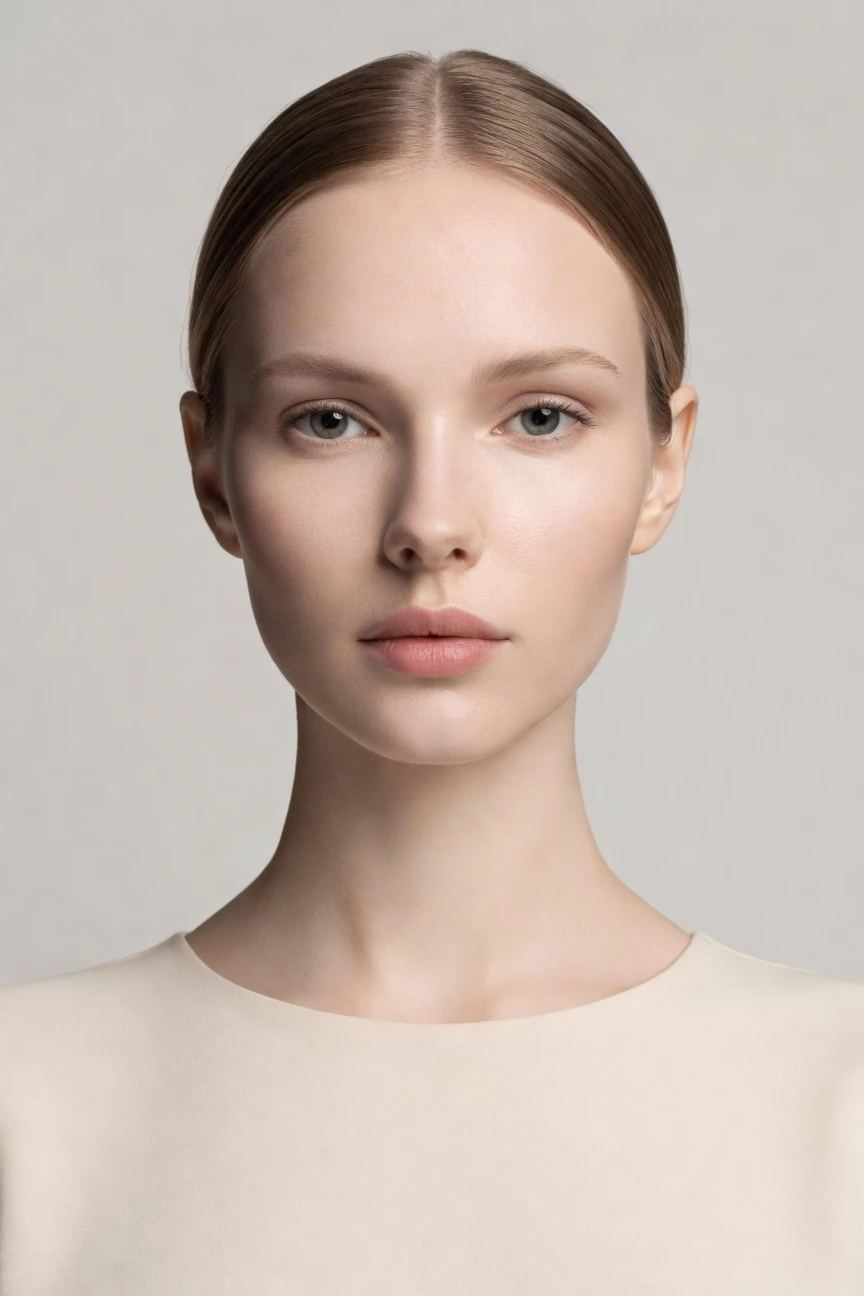
Saved model setup
Female · 26–35 · Dark brown · 175cm
Build a model. Zero prompts.
Start with skin tone as the entry attribute, then lock a female presentation, balanced proportions, and clean catalog-ready features. Save the model once and reuse the same identity across every garment, angle, and collection. 28 attributes · 10+ options each
- 5 clicks · 0 keystrokes
- app.rawshot.ai / build_model
How it works
Build Once, Reuse Across the Catalog
Start from skin tone, define the full model identity, and keep that same saved configuration stable across every product launch.
- Step 01
Select the Entry Attribute
Choose pale skin as your starting point, then set gender presentation and the rest of the model profile through clear controls. The UI is built for fashion teams, so every decision is visual and repeatable.
- Step 02
Lock the Identity
Adjust age range, body type, height, hair, eyes, and expression until the model matches your brand's casting direction. Save that configuration to your library for repeat use across collections.
- Step 03
Reuse Across Every Garment
Apply the same saved model to single looks in the browser or large assortments through the API. You keep a consistent face and body across SKUs instead of rebuilding from scratch each time.
Spec sheet
Proof for Attribute-Led Model Control
These twelve points show how RAWSHOT keeps model building usable, labelled, and operational for real fashion teams.
- 01
Built From 28 Attributes
Each synthetic model is assembled through 28 body attributes with 10+ options each, giving you granular control without relying on typed instructions or accidental resemblance.
- 02
Every Setting Is a Click
Skin tone, hair, age range, body type, height, and expression all live in buttons, sliders, and presets. You direct the result in an application, not a chat box.
- 03
Garment-Led Outputs
Once your model is saved, the garment stays the brief. Cut, colour, pattern, logo, and drape are represented faithfully instead of being bent around guesswork.
- 04
Diverse Synthetic Models
You can build pale-skin female model configurations as transparently labelled synthetic composites, then expand across other attribute sets without switching tools or workflows.
- 05
Consistent Across SKUs
Save one approved identity and reuse it across your catalog. The same face and body stay stable from PDP basics to seasonal refreshes.
- 06
Styled for Any Brand World
Apply the same saved model to catalog, lifestyle, editorial, campaign, studio, street, Y2K, vintage, noir, and many more visual directions through 150+ presets.
- 07
Ready for Any Format
Use the model in 2K or 4K stills and across every aspect ratio. That gives merch, growth, and creative teams the same identity in every channel.
- 08
Labelled and Compliance-Ready
Outputs are AI-labelled, watermarked, and C2PA-signed, with support aligned to EU AI Act Article 50, California SB 942, and GDPR-aware EU hosting.
- 09
Signed Audit Trail per Image
Every output carries provenance metadata and a traceable record. That makes review, approval, and downstream publishing easier for commerce teams that need proof, not ambiguity.
- 10
GUI for One, API for Ten Thousand
Build and approve a model in the browser, then deploy it at catalog scale through the REST API. The same engine serves both creative testing and nightly production.
- 11
Clear Pricing, No Expiry
Model generations run at about $0.99 each, usually in 50–60 seconds. Tokens never expire, and failed generations refund their tokens.
- 12
Full Commercial Rights Included
Every approved output comes with permanent, worldwide commercial rights. You can publish across ecommerce, ads, social, and marketplaces without separate licensing layers.
Outputs
One Saved Model, many brand directions
The same approved pale-skin female model can move from clean catalog framing to editorial mood without losing identity. That is what makes seasonal reuse practical instead of chaotic.


Browse all 600+ models →
Comparison
RAWSHOT vs category tools vs DIY prompting
Three lenses on every dimension — what you optimize for in RAWSHOT versus typical category tools and blank-box AI workflows.
01
Interface
RAWSHOT
Click-driven model builder with visual controls for every core attributeCategory tools + DIY
Preset-led interfaces with fewer direct controls and less reusable identity structure. DIY prompting: Typed instructions in a general model, with inconsistent interpretation between runs02
Model consistency
RAWSHOT
Save one identity and reuse the same face and body across SKUsCategory tools + DIY
Some continuity tools, but drift appears between batches or styles. DIY prompting: Faces change between outputs, so catalog continuity breaks fast03
Garment fidelity
RAWSHOT
Product-first engine keeps cut, colour, logos, and drape groundedCategory tools + DIY
Often stronger on styling than on exact garment representation. DIY prompting: Garment drift, invented logos, and altered proportions are common failure modes04
Provenance + labelling
RAWSHOT
C2PA-signed, watermarked, and AI-labelled on every outputCategory tools + DIY
Labelling varies, and provenance metadata is not always standardised. DIY prompting: Usually no built-in provenance metadata and no consistent labelling layer05
Commercial rights
RAWSHOT
Permanent worldwide commercial rights included with every outputCategory tools + DIY
Rights are often explained across separate plans or policy pages. DIY prompting: Rights clarity depends on the model and platform, which slows approvals06
Pricing transparency
RAWSHOT
Per-model pricing, tokens never expire, refunds on failed generationsCategory tools + DIY
Seats, tiers, or gated plans can complicate cost planning. DIY prompting: Usage is hard to forecast because retries and rewrites stack unpredictably07
Catalog scale
RAWSHOT
Same product in browser GUI and REST API for batch productionCategory tools + DIY
Scale features may sit behind enterprise packaging or custom access. DIY prompting: No reliable SKU pipeline, approval trail, or structured batch workflow08
Operational overhead
RAWSHOT
Teams approve controls once, then repeat a stable workflowCategory tools + DIY
Operators still spend time translating intent into tool-specific setups. DIY prompting: Prompt-engineering overhead grows with every variant, team member, and revision
Prompting does not scale
Stop writing essays. Direct the shoot.
Most AI photo tools start with a blank text box. Rawshot turns the shoot into repeatable controls, so creative teams can produce consistent fashion imagery without prompt syntax or one-off hacks.
Category norm
ManualCreate a premium editorial fashion photograph of a model wearing the exact navy oversized wool coat from SKU-1842, full-body crop, realistic hands, consistent facial identity, clean e-commerce lighting, subtle Paris street background, 85mm lens, no logo distortion, no fabric hallucination, same pose as last campaign, repeatable for all colorways...
A prompt can describe one image. It cannot become a shared production system for hundreds of products, models, angles and markets.
Rawshot
ClicksSaved shoot recipe
Apply to 1 SKU or 10,000 via GUI, CSV or REST API.
Rawshot makes creative direction visible: buttons, presets and sliders instead of hidden prompt craft. The result is easier to teach, faster to approve and built for repeat production.
Use cases
Who Needs Repeatable Pale-Skin Model Casting
Operator archetypes and how click-directed, garment-first output fits the way they actually work.
- 01
Indie womenswear labels
Build a pale-skin female model once and keep the same casting identity across your first drop, preorder page, and launch ads.
Confidence · high
- 02
DTC basics brands
Standardise one approved model for tees, knits, denim, and outerwear so every SKU lands with consistent presentation.
Confidence · high
- 03
Marketplace sellers
Create clean, repeatable on-model imagery for pale-skin catalogue assortments without booking separate shoots for every listing.
Confidence · high
- 04
Crowdfunded fashion projects
Show a full collection on a defined model identity before production, helping backers see fit direction and brand tone early.
Confidence · high
- 05
Factory-direct manufacturers
Turn line-sheet products into on-model commerce assets using the same saved female configuration across large assortments.
Confidence · high
- 06
Kidswear parent brands
Develop adult female styling references and campaign support visuals around a consistent pale-skin cast for brand storytelling.
Confidence · high
- 07
Adaptive fashion teams
Keep model identity stable while testing different closures, silhouettes, and accessibility-led design updates across the range.
Confidence · high
- 08
Lingerie and intimates brands
Control casting direction closely, then reuse the same approved body and expression settings across sensitive PDP workflows.
Confidence · high
- 09
Vintage and resale operators
Apply a dependable pale-skin model profile to one-off garments so the shop still feels visually coherent from product to product.
Confidence · high
- 10
Student designers
Build portfolio imagery around a clear female casting choice without needing studio budgets or text-led experimentation.
Confidence · high
- 11
Editorial capsule launches
Move the same saved model from clean ecom framing into mood-led campaign styles without recasting the identity.
Confidence · high
- 12
Catalog ops teams
Approve one pale-skin female model in the browser, then deploy it through the API across thousands of garment outputs.
Confidence · high
— Principle
Honest is better than perfect.
When appearance attributes like skin tone matter, transparency matters just as much. RAWSHOT labels outputs, applies visible and cryptographic watermarking, and signs provenance with C2PA so your team can publish with evidence instead of ambiguity. Every model is a synthetic composite designed to make accidental real-person likeness statistically negligible by design.
Rights & provenance
Full commercial rights. Forever.
- C2PA-signed on every image — EU AI Act Article 50 compliant
- 28-attribute synthetic models — real-person likeness statistically impossible
- Full commercial rights to every generation — no recurring licensing fees
- Tokens never expire · One-click cancel · Transparent pricing
EU AI Act
C2PA
Commercial use
Pricing
~$0.99 per model generation.
~50–60 seconds per generation. Save the model once, reuse it across your entire catalog.
- 01Tokens never expire. Cancel in one click.
- 02Same face, same body, every SKU — no drift between shoots.
- 03No per-seat gates. No 'contact sales' walls for core features.
- 04Failed generations refund their tokens.
FAQ
Practical answers on control, rights, pricing, scale, and compliant publishing.
Do I need to write prompts to use RAWSHOT?
Never—you direct every output with sliders, presets, and clicks on the garment, not typed prompts. That UI control is consistent across GUI and REST API payloads, which is why ecommerce teams onboard buyers without rewriting creative briefs as chat threads. Instead of translating fashion decisions into syntax, you select model attributes, camera choices, lighting systems, framing, and visual styles through a real application built for apparel workflows.
For catalog teams, reliability matters more than model cleverness; RAWSHOT keeps tokens, timings, refund rules, commercial rights framing, provenance signalling, watermarking cues, REST surface, and SKU-scale batch patterns explicit so operations can rehearse PDP launches without hallucinated garment inventions. The practical takeaway is simple: approve the settings once, save the model or setup, and let the team repeat a stable workflow across launches without teaching anyone how to speak to a chatbot.
What does AI-assisted fashion model building change for SKU-scale catalogs?
It changes who gets access to repeatable casting and how reliably teams can scale it. Instead of treating every product page as a fresh shoot problem, catalog teams can define a synthetic model identity once and reuse it across tops, bottoms, dresses, outerwear, and accessories with far less drift. That matters when a buyer, merchandiser, and growth lead all need the same person to appear consistently across hundreds or thousands of SKUs.
With RAWSHOT, you set 28 body attributes with 10+ options each, save the approved model, and deploy it in the browser or through the REST API using the same product and pricing logic. Outputs are labelled, C2PA-signed, and backed by permanent worldwide commercial rights, so the workflow holds up beyond image generation and into publishing, review, and compliance. For operations, that means model continuity becomes a controllable system instead of a repeated coordination problem.
Why skip reshooting every SKU when seasons or branding change?
Because most seasonal changes do not require rebuilding your casting from zero. If the garment changes but your brand's preferred model profile stays the same, reshooting each SKU wastes time, introduces inconsistency, and ties ecommerce updates to external scheduling. Teams need continuity across new colourways, styling directions, and campaign crops more often than they need a completely new production setup.
RAWSHOT lets you keep the same saved face, body, and attribute set while adjusting styling, lighting, framing, and visual direction for new launches. That means a catalog can move from clean studio presentation to editorial mood without losing the approved identity, and teams can execute those changes in the browser or scale them through the API. Operationally, the smart move is to lock the model once, then iterate the presentation layer as the season evolves.
How do we turn flat garments into catalogue-ready imagery without prompting?
You start with the product and the model settings, not a blank text field. In RAWSHOT, the garment remains the brief while your team selects a saved synthetic model, chooses framing, lighting, camera distance, background, and style presets, and then generates outputs through a click-driven interface. That keeps the process usable for fashion operators who care about fit direction, color accuracy, and assortment consistency rather than wording tricks.
Once the model is approved, the workflow becomes repeatable: match a garment to the saved identity, choose the output format, review fidelity, and publish or batch the set through the REST API. Because outputs are labelled, watermarked, and C2PA-signed, the handoff from creative production to commerce review stays clear. The practical result is catalogue-ready imagery built from controls your team can standardise, train on, and reuse without text-led trial and error.
Why does garment-led control beat DIY prompting in ChatGPT, Midjourney, or generic image tools for fashion PDPs?
Because product detail and repeatability matter more than open-ended invention in commerce. General tools are optimised for broad image creation, which is why teams run into drifting garments, invented logos, changing faces, and outputs that look interesting but fail a product review. That is not a minor inconvenience for apparel teams; it slows approvals, breaks continuity across PDPs, and creates extra checking work for people who already know what the garment should look like.
RAWSHOT is built around the garment and the shoot controls themselves. You click through model attributes, framing, lighting, and style presets in a dedicated fashion workflow, then receive labelled outputs with provenance metadata, watermarking, and clear commercial-rights framing. For teams shipping real assortments, garment-led control wins because it produces a more stable operating system for approvals, reorders, and batch launches than generic tools designed for exploratory image making.
Is the ai pale skin female generator safe to use for commercial fashion work?
Yes, if your standard for safety includes rights clarity, transparent labelling, and provenance rather than visual illusion alone. RAWSHOT provides permanent worldwide commercial rights to every output, applies visible and cryptographic watermarking, and signs outputs with C2PA metadata so downstream teams can identify what the asset is. That is the difference between merely producing an image and producing one that can move through ecommerce, marketing, and review with clear documentation.
The model itself is also designed for transparency: RAWSHOT models are synthetic composites built across 28 body attributes with 10+ options each, making accidental real-person likeness statistically negligible by design. Combined with EU hosting, GDPR-aware handling, and support aligned to disclosure requirements such as EU AI Act Article 50 and California SB 942, the workflow gives commerce teams a safer publication path. In practice, you should treat labelled provenance as part of brand quality, not as a back-office footnote.
What should our team check before publishing a saved pale-skin female model across a collection?
Check the same things you would in any disciplined commerce review: whether the garment's cut, colour, logo placement, pattern, and drape read correctly; whether the saved model identity remains stable across the set; and whether the chosen framing and style fit the channel you are publishing to. Because the model is reused across many products, small approval mistakes can scale quickly, so review should happen on both the identity and the garment representation.
RAWSHOT gives teams useful guardrails for that process through consistent model saving, labelled outputs, C2PA provenance, and watermarking signals that keep the source of the image clear. A strong publishing workflow is to approve one reference set first, then batch the remainder through the same controls or API configuration instead of improvising per SKU. That keeps quality assurance focused on merchandise accuracy and brand consistency rather than endless regeneration loops.
How much does this cost if we need a reusable model instead of stills or video?
For model creation, RAWSHOT runs at about $0.99 per model generation, with most results delivered in roughly 50–60 seconds. That pricing is separate from still-image and video generation because the workloads are different, and it gives teams a clear way to budget the identity layer before applying it across a broader catalog. Tokens never expire, the cancel control is available directly on the pricing page, and failed generations refund their tokens.
The important operational point is that a saved model keeps paying off after the first build. Once your team approves the face, body, skin tone, and related attributes, you can reuse that model across the catalog instead of recreating the identity every time a new garment arrives. Budgeting becomes much simpler when the model is a reusable asset in your workflow rather than a one-off experiment that disappears between launches.
Can we push saved model identities into Shopify-scale or PLM-connected workflows through the API?
Yes. RAWSHOT is built for both single-shoot browser work and catalog-scale REST API pipelines, so the same approved model identity can move from manual review into structured production. That matters for teams working across ecommerce platforms, PLM-connected systems, or internal content operations, because the approval logic does not have to change when volume increases. You are not switching to a different product just because the SKU count grows.
In practice, teams often build and approve the model in the GUI, then pass that saved identity into batch generation workflows for large assortments, refresh cycles, or channel-specific renders. Per-image audit trails, provenance metadata, and no per-seat gates make the handoff more predictable for operations, legal, and merchandising stakeholders. The useful habit is to treat the approved model as a reusable production object that can be referenced across systems, not as a single creative file.
How do creative, ecommerce, and catalog ops teams share one model workflow from first click to thousands of outputs?
They share it by working from the same saved identity and the same control logic rather than splitting into separate creative and production tools. A creative lead can define the model, visual direction, and approval standard in the browser, while ecommerce and catalog operations reuse that model in repeatable image or video workflows at scale. Because the controls are explicit and visual, teams spend less time translating intent between departments and more time aligning on merchandise presentation.
RAWSHOT supports that handoff with one product surface for GUI work, one REST API for scale, clear token economics, refunded failures, and labelled outputs with provenance records. That combination matters when a brand needs to launch a single capsule today and a 10,000-SKU refresh tomorrow without changing quality standards or procurement logic. The best operational pattern is to approve once, document the settings, and let each team extend the same model through its own production lane.