
— Website imagery · 150+ styles · 4K
Launch cleaner product pages with the AI Website Photography Generator.
Create on-model website imagery that keeps the garment at the center and the brand consistent across every page. Direct lens, framing, aspect ratio, style, and product focus with buttons, sliders, and presets in a real application built for fashion teams. No studio. No sample shipping. No prompts.
- ~$0.55 per image
- ~30–40s per generation
- 150+ styles
- 2K or 4K
- Every aspect ratio
- Full commercial rights
7-day free trial • 50 tokens (10 images) • Cancel anytime

Direct the shoot. Zero prompts.
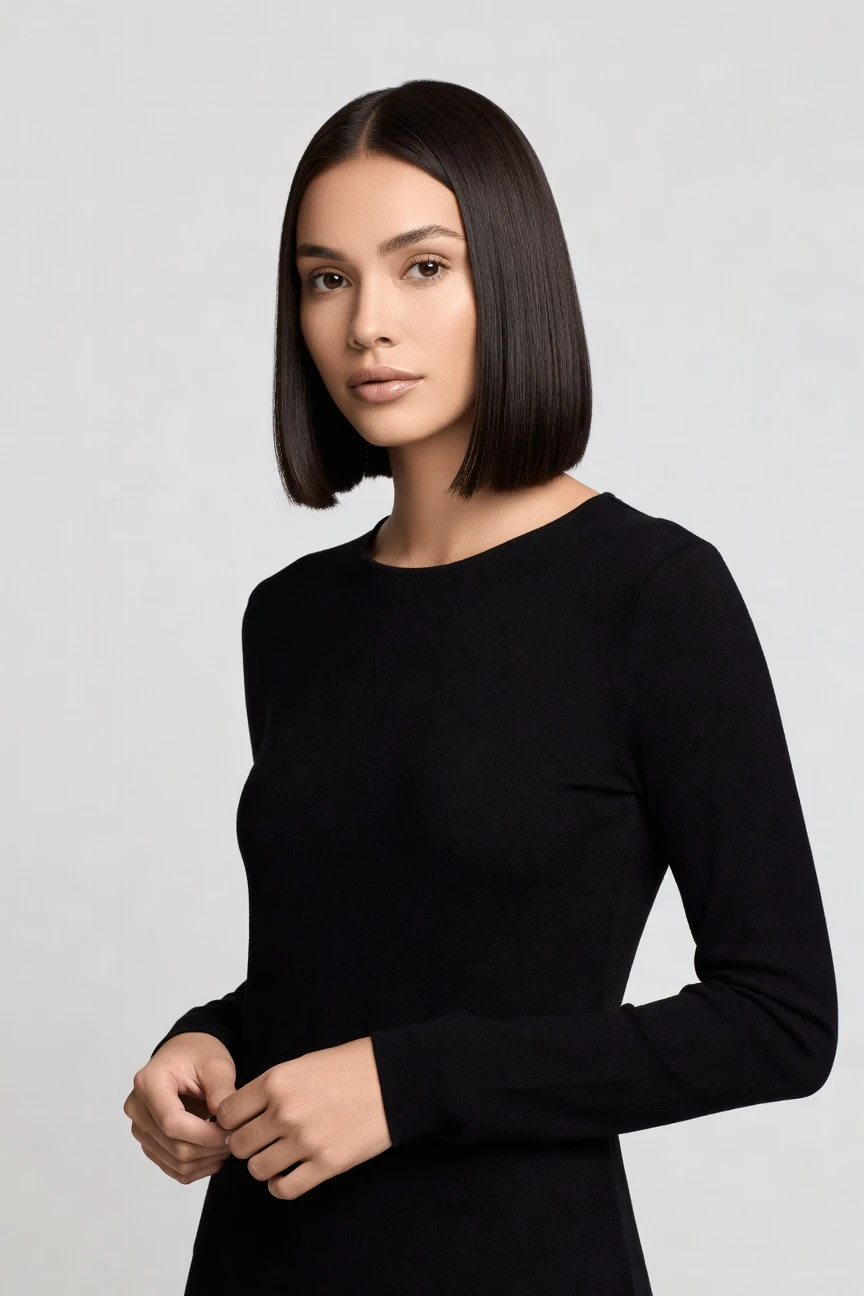
This setup is tuned for website product imagery: half-body framing for clear garment read, 85mm lens for clean proportion, 4:5 for PDP and landing-page crops, and 4K output for reuse across storefront, ads, and email. ~$0.55 per image · ~30-40s
- 4 clicks · 0 keystrokes
- app.rawshot.ai / new_shoot
How it works
From Garment Upload to Live Product Page
A website-ready fashion workflow should stay visual, repeatable, and easy to scale from one SKU to thousands.
- Step 01
Upload the Garment
Start with the product you need on site. RAWSHOT is built around the garment, so cut, colour, pattern, logo, and proportion stay central to the image.
- Step 02
Set the Website Frame
Choose lens, framing, aspect ratio, lighting, background, and style from visual controls. You direct the page-ready composition with clicks, not typed instructions.
- Step 03
Generate and Reuse at Scale
Create stills in about 30–40 seconds, then repeat the same setup across more SKUs in the browser or through the REST API. The same engine serves one hero product or a full catalog rollout.
Spec sheet
Proof for Website-Ready Fashion Imagery
These twelve surfaces show how RAWSHOT keeps product pages controlled, transparent, and usable from first launch to catalog scale.
- 01
Built to Avoid Likeness Risk
Every model is a synthetic composite built from 28 body attributes with 10+ options each, making accidental real-person likeness statistically negligible by design.
- 02
Every Setting Is a Click
Camera, framing, pose, light, background, style, and product focus live in the interface as buttons, sliders, and presets. No prompts. Ever.
- 03
The Garment Leads the Image
RAWSHOT is engineered around the product, so cut, colour, pattern, logo, drape, and proportion are represented faithfully instead of bent around generic image behavior.
- 04
Diverse Synthetic Models
Choose from broad body and appearance combinations for on-model website imagery while keeping outputs transparently labelled and operationally consistent.
- 05
Consistency Across SKUs
Keep the same face, framing logic, and visual setup across a product range so category pages, PDPs, and collection drops feel coherent.
- 06
150+ Visual Styles
Move from clean catalog to campaign, editorial, studio, street, vintage, noir, and more without rebuilding your workflow for each new storefront need.
- 07
2K, 4K, and Every Ratio
Generate assets for homepage banners, collection tiles, PDPs, email blocks, and paid placements with 2K or 4K output in every aspect ratio.
- 08
Labelled and Compliant by Design
Outputs are AI-labelled, watermarked, and aligned with EU AI Act Article 50, California SB 942, and GDPR expectations for transparent commerce media.
- 09
Signed Audit Trail per Image
Each output carries C2PA-signed provenance metadata and a per-image audit trail, giving teams a clear record of what the asset is and how it was issued.
- 10
GUI for One Shoot, API for Scale
Use the browser for single-product work or connect the REST API for nightly catalog pipelines. Same engine, same quality, same pricing logic.
- 11
Fast, Clear Image Economics
Stills run at about $0.55 per image and usually generate in 30–40 seconds. Tokens never expire, and failed generations refund tokens.
- 12
Permanent Worldwide Rights
Every output includes full commercial rights, permanent and worldwide, so teams can publish across storefronts, campaigns, marketplaces, and internal systems.
Outputs
Outputs for every page type
Build a website image system, not just a single shot. Generate clean product-page assets, collection imagery, and campaign-led storefront visuals from the same garment-led workflow.


Browse 150+ visual styles →
Comparison
RAWSHOT vs category tools vs DIY prompting
Three lenses on every dimension — what you optimize for in RAWSHOT versus typical category tools and blank-box AI workflows.
01
Interface
RAWSHOT
Click-driven controls for lens, framing, light, style, and product focusCategory tools + DIY
Usually mix lightweight controls with text-heavy creative direction. DIY prompting: Requires typed instructions, retries, and manual phrasing to steer basic composition02
Garment fidelity
RAWSHOT
Engineered around the garment so cut, colour, pattern, and logos stay centralCategory tools + DIY
Often prioritize mood and model output over exact product representation. DIY prompting: Garments drift, logos get invented, and fabric details change between renders03
Model consistency
RAWSHOT
Same model logic can stay consistent across website categories and SKU setsCategory tools + DIY
Consistency often weakens across larger batches and repeated product runs. DIY prompting: Faces and body presentation shift from image to image with no stable catalog identity04
Provenance + labelling
RAWSHOT
C2PA-signed, visibly watermarked, cryptographically watermarked, and AI-labelledCategory tools + DIY
Labelling and provenance support vary, often without signed metadata. DIY prompting: No dependable provenance metadata, no audit layer, and unclear disclosure workflow05
Commercial rights
RAWSHOT
Full commercial rights to every output, permanent and worldwideCategory tools + DIY
Rights are often less explicit or tied to plan structure. DIY prompting: Rights position can be unclear across models, tools, and source combinations06
Pricing transparency
RAWSHOT
About $0.55 per image, tokens never expire, one-click cancelCategory tools + DIY
Pricing can add seat limits, usage gates, or plan complexity. DIY prompting: Low entry cost hides high iteration waste and repeated manual trial cycles07
Iteration speed
RAWSHOT
Website-ready stills in about 30–40 seconds with repeatable settingsCategory tools + DIY
Fast for simple output, but less predictable across exact garment repeats. DIY prompting: Time disappears into rewriting instructions and correcting inconsistent results08
Catalog scale
RAWSHOT
Browser GUI and REST API use the same engine for one shoot or ten thousandCategory tools + DIY
Scale features are often separated behind higher-tier workflows. DIY prompting: No clean batch pipeline, weak repeatability, and heavy manual supervision
Prompting does not scale
Stop writing essays. Direct the shoot.
Most AI photo tools start with a blank text box. Rawshot turns the shoot into repeatable controls, so creative teams can produce consistent fashion imagery without prompt syntax or one-off hacks.
Category norm
ManualCreate a premium editorial fashion photograph of a model wearing the exact navy oversized wool coat from SKU-1842, full-body crop, realistic hands, consistent facial identity, clean e-commerce lighting, subtle Paris street background, 85mm lens, no logo distortion, no fabric hallucination, same pose as last campaign, repeatable for all colorways...
A prompt can describe one image. It cannot become a shared production system for hundreds of products, models, angles and markets.
Rawshot
ClicksSaved shoot recipe
Apply to 1 SKU or 10,000 via GUI, CSV or REST API.
Rawshot makes creative direction visible: buttons, presets and sliders instead of hidden prompt craft. The result is easier to teach, faster to approve and built for repeat production.
Use cases
Who Needs Better Website Imagery Access
Operator archetypes and how click-directed, garment-first output fits the way they actually work.
- 01
Indie Fashion Labels
Launch a polished storefront with on-model images before a traditional shoot budget exists.
Confidence · high
- 02
DTC Apparel Teams
Keep PDPs, collection pages, and homepage assets visually consistent across every release.
Confidence · high
- 03
Marketplace Sellers
Create cleaner website and listing imagery that makes garment details easier to read at speed.
Confidence · high
- 04
Preorder and Crowdfunding Brands
Photograph garments before production to validate demand without shipping samples into a studio.
Confidence · high
- 05
Factory-Direct Manufacturers
Turn product lines into website-ready imagery for wholesale portals and direct channels from one system.
Confidence · high
- 06
Resale and Vintage Operators
Standardize presentation across mixed inventory so your website feels curated instead of patched together.
Confidence · high
- 07
Kidswear Brands
Generate labelled synthetic-model imagery for ecommerce pages while keeping the product front and center.
Confidence · high
- 08
Adaptive Fashion Teams
Build more representative website photography across body configurations without restarting your production model each time.
Confidence · high
- 09
Lingerie DTC Brands
Direct tasteful, controlled on-site imagery with exact framing and clear product focus.
Confidence · high
- 10
Accessories and Footwear Sellers
Mix full-outfit and product-led website images to support cross-sell, merchandising, and campaign modules.
Confidence · high
- 11
Students and New Designers
Present a collection online with credible fashion photography before agency budgets or studio access arrive.
Confidence · high
- 12
Enterprise Catalog Operations
Run repeatable website image pipelines through the API while preserving the same visual standards used in the browser.
Confidence · high
— Principle
Honest is better than perfect.
Website imagery needs trust as much as polish. RAWSHOT signs outputs with C2PA provenance metadata, applies visible and cryptographic watermarking, and labels AI output clearly so commerce teams can publish with proof, not ambiguity. We are EU-hosted, GDPR-compliant, and built for the disclosure standards modern retail media now demands.
Rights & provenance
Full commercial rights. Forever.
- C2PA-signed on every image — EU AI Act Article 50 compliant
- 28-attribute synthetic models — real-person likeness statistically impossible
- Full commercial rights to every generation — no recurring licensing fees
- Tokens never expire · One-click cancel · Transparent pricing
EU AI Act
C2PA
Commercial use
Pricing
~$0.55 per image.
~30–40 seconds per generation. Tokens never expire. Cancel in one click.
- 01The cancel button is on the pricing page.
- 02No per-seat gates. No 'contact sales' walls for core features.
- 03Failed generations refund their tokens.
- 04Full commercial rights to every output, permanent, worldwide.
FAQ
Practical answers on control, rights, pricing, scale, and compliant publishing.
Do I need to write prompts to use RAWSHOT?
Never—you direct every output with sliders, presets, and clicks on the garment, not typed prompts. That matters for fashion teams because website imagery depends on repeatable decisions like lens, framing, crop, lighting, and product focus, not on who can guess the right wording in a chat box. In RAWSHOT, those decisions live in the interface, so buyers, merchandisers, founders, and creative teams can work from the same visual controls without translating commerce needs into syntax.
For catalog operations, reliability beats novelty. RAWSHOT keeps token pricing, generation times, refunds for failed generations, rights, provenance, watermarking, and output settings explicit in the product, while the same control logic carries from the browser GUI into REST API workflows. That gives teams a stable way to generate page-ready imagery, review garment fidelity, and scale approved setups across more SKUs without turning production into prompt roulette.
What does an ai website photography generator actually change for ecommerce teams?
It changes who gets access to usable fashion imagery and how quickly that imagery can move into production. Instead of waiting for a studio day, shipping samples, booking talent, and then reshooting when a collection page needs a different crop or layout, teams can generate on-model stills in about 30–40 seconds and keep the garment central. That is especially useful for ecommerce operations that need homepage modules, PDP heroes, collection grids, and campaign landing pages from the same product line.
With RAWSHOT, the workflow stays operationally clear: you upload the garment, choose framing, lens, lighting, background, aspect ratio, and visual style, then generate assets with full commercial rights. Outputs can be delivered in 2K or 4K, labelled clearly, and tied to C2PA-signed provenance metadata and watermarking. The practical result is not abstract efficiency language; it is a website image system that more brands can actually afford to use and repeat.
Why skip reshooting every SKU when a season update only needs new website visuals?
Because most seasonal website changes are about presentation, not about remaking the product. If the garment already exists and the team needs a cleaner collection page, a new homepage treatment, a sharper PDP crop, or a different visual style for the drop, reshooting every SKU through a physical studio process is slow, expensive, and hard to repeat at smaller budgets. Commerce teams often need many more image variants than traditional production calendars can support.
RAWSHOT lets you keep the garment as the brief while changing the presentation through clicks. You can switch framing, lens, aspect ratio, background, lighting, and style presets, then reuse approved settings across more products in the browser or via the REST API. Because outputs carry full commercial rights and transparent provenance signals, teams can move from seasonal planning to publishing without reopening the entire studio workflow each time the website needs a new visual layer.
How do we turn flat garments into catalogue-ready imagery without prompting?
You start with the garment and direct the result through interface controls instead of typed instructions. In RAWSHOT, teams choose lens, framing, pose, angle, lighting, background, mood, visual style, aspect ratio, resolution, and product focus using buttons and presets designed for fashion production. That keeps the workflow legible for ecommerce operators who care about clean product reads, consistent crops, and reusable page layouts more than experimental image generation behavior.
Once a setup works, you can repeat it across a range. A merchandising team might lock an 85mm half-body setup for tops, a clean 4:5 crop for PDPs, and a separate full-outfit configuration for category pages, then run those same choices across multiple SKUs. Because stills generate in roughly 30–40 seconds, failed generations refund tokens, and tokens never expire, teams can iterate with clear economics while preserving the controls that make the imagery usable on site.
Why does garment-led control beat ChatGPT, Midjourney, or generic image tools for fashion PDPs?
Because product pages fail when the garment stops being trustworthy. Generic image tools are built to satisfy broad image requests, which often means drifting silhouettes, altered fabric behavior, invented logos, unstable faces, and inconsistent framing between outputs. Even when a single image looks appealing, ecommerce teams still need repeatability across sizes, colourways, categories, and seasonal updates. A good-looking one-off does not solve a catalog workflow.
RAWSHOT is built around the garment and directed through explicit controls, so teams work with fashion-specific decisions rather than trial-and-error wording. You also get clearer commercial rights, visible and cryptographic watermarking, AI labelling, and C2PA-signed provenance metadata per image, which generic DIY workflows usually do not provide in a dependable way. For PDP operations, that means fewer surprises in QA, faster approval loops, and a more accountable path from generation to publication.
Can we use RAWSHOT outputs on a live store if we need clear rights and transparent labelling?
Yes. RAWSHOT provides full commercial rights to every output, permanent and worldwide, so teams can use images across storefronts, marketplaces, campaigns, email, and social placements without treating each asset like a licensing exception. Just as important, the outputs are transparently labelled rather than presented as something they are not. For modern retail brands, that honesty supports internal governance, marketplace trust, and long-term brand equity.
Each image is paired with C2PA-signed provenance metadata and multi-layer watermarking that includes visible and cryptographic signals. RAWSHOT is EU-hosted, GDPR-compliant, and designed around the disclosure direction reflected in EU AI Act Article 50 and California SB 942. The practical takeaway for commerce teams is simple: publish with a clear audit trail, keep disclosure standards explicit, and build website imagery systems that are easier to defend internally and externally.
What should a buyer or ecommerce lead check before publishing these images to a storefront?
First, check the garment itself. Confirm that cut, colour, pattern, logo placement, fabric behavior, and proportion read correctly for the product page or collection context you are publishing into. Then review framing, crop, and product focus against the intended module, because a homepage banner, PDP hero, and collection tile each need a different composition logic. Quality control in fashion imagery is less about abstract image taste and more about whether the asset supports a buying decision clearly.
Second, check the governance layer. Make sure the output carries the expected provenance record, watermarking cues, and AI labelling, and confirm the asset is the approved resolution and aspect ratio for the channel. RAWSHOT supports 2K and 4K stills, every aspect ratio, and a signed audit trail per image, so teams can bake those checks into normal publishing workflows. That gives buyers and ecommerce leads a concrete approval standard instead of a subjective debate.
How much does website image generation cost, and what happens if a generation fails?
For still images, RAWSHOT runs at about $0.55 per image, and most generations complete in roughly 30–40 seconds. Tokens never expire, which matters for fashion teams that work in bursts around launch calendars, merchandising deadlines, and delayed approvals rather than on a perfectly even monthly schedule. The pricing model stays readable for both small brands and larger catalog operators because the same core product is used across browser and API workflows.
If a generation fails, the tokens are refunded. There are also no per-seat gates and no requirement to go through a sales process to access core functionality, while cancellation is available in one click from the pricing page. For operators budgeting website imagery, that means you can estimate volume directly, test a workflow without hidden seat math, and scale output according to the number of assets your storefront actually needs.
Can RAWSHOT plug into Shopify-scale catalogs or internal merchandising systems through an API?
Yes. RAWSHOT offers a REST API for catalog-scale workflows, so teams can move beyond one-off browser shoots and connect image generation to the systems already used for assortments, product data, or nightly content operations. That is useful when ecommerce teams need the same visual rules applied across large SKU sets rather than relying on manual creative handling for every individual product. The operational benefit is consistency as much as speed.
The key point is that the API is not a separate lower-quality mode. It uses the same engine, model logic, and pricing logic as the browser GUI, which means a team can prove a setup visually in the interface and then roll that setup into a broader pipeline. With signed audit trails, transparent labelling, and stable control surfaces, merchandising and engineering teams can build repeatable website image workflows without splitting creative standards from production scale.
How do teams scale from one browser shoot to thousands of product-page assets without losing consistency?
They start by treating the first approved setup as a repeatable system, not as a one-time image. In practice, that means locking decisions such as lens, framing, aspect ratio, background, product focus, and visual style for a given product family, then applying those same rules across more SKUs. Because RAWSHOT keeps the interface click-driven and garment-led, teams can establish a visual standard that buyers, creatives, and operators all understand without translating it into unstable text instructions.
From there, scaling is a matter of workflow choice. A small brand can stay inside the GUI and build a drop manually, while a larger catalog team can move the same setup into the REST API for batch production. Since the same engine powers both paths, output quality, pricing, rights, and provenance behavior stay aligned. That gives teams a practical route from a single website launch image to a broad, controlled asset library for the full store.
Keep exploring