
— Brown Hair · Menswear Catalogs · Saved Identity
AI Brown Hair Male Generator — with click-driven control over every attribute.
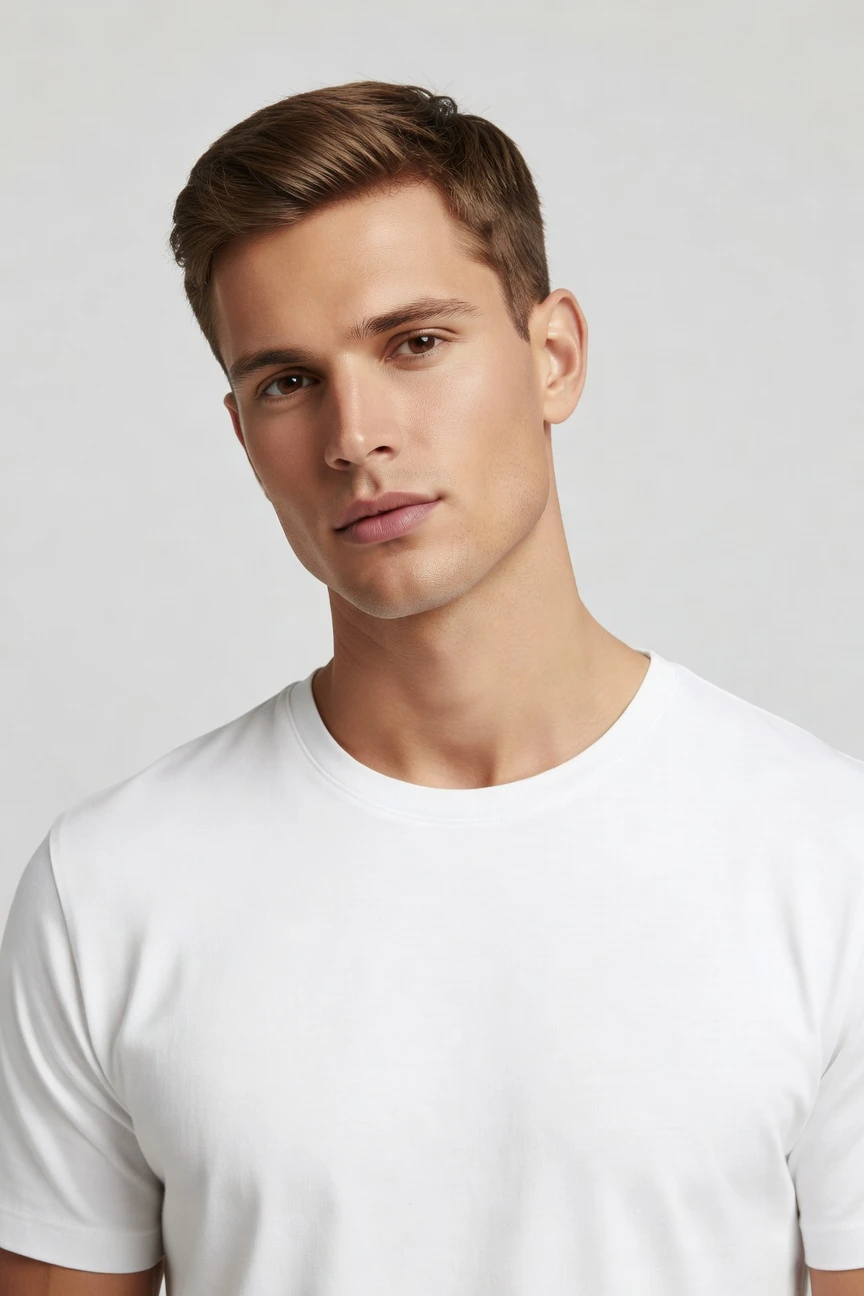
Brown-haired male presentation is often the baseline identity brands need for menswear, basics, tailoring, and marketplace catalogs. You set hair color, hair shape, age, body type, expression, and 28 total body attributes with buttons and sliders, then save the model once and reuse it across every SKU. The result is a transparently labelled synthetic composite with C2PA-signed provenance, built for consistency rather than guesswork.
- ~$0.99 per model
- ~50–60s per generation
- 150+ styles
- 28 attributes × 10+ options
- Save once, reuse across catalog
- C2PA-signed
7-day free trial • 50 tokens (10 images) • Cancel anytime

Saved model setup
Female · 26–35 · Dark brown · 175cm
Build a model. Zero prompts.
Start from a male-presenting base, then click brown hair, an adult age range, average body type, and a neutral expression. Save that identity to your library so the same face and body return across every product shoot. 28 attributes · 10+ options each
- 5 clicks · 0 keystrokes
- app.rawshot.ai / build_model
How it works
Build Once, Reuse Across the Catalog
Brown-haired male model setup becomes a saved asset your team can apply to single looks or full menswear pipelines.
- Step 01
Set the Identity
Choose male presentation, brown hair, age range, body type, expression, and the rest of the body profile with clicks. The model is built as a synthetic composite, not around a real person.
- Step 02
Save It to Your Library
Lock the face and body once so the identity stays stable across future shoots. That gives menswear teams a repeatable base for every product, season, and channel.
- Step 03
Reuse Across Every SKU
Apply the saved model in the browser or through the REST API for catalog-scale output. You keep the same person, the same proportions, and the same brand continuity without rebuilding each time.
Spec sheet
Proof for Repeatable Male Model Workflows
These twelve points show how RAWSHOT keeps identity control, garment accuracy, compliance, and scale in one application.
- 01
Composite by Design
Every model is built from 28 body attributes with 10+ options each. That synthetic construction keeps accidental real-person likeness statistically negligible by design.
- 02
Every Setting Is a Click
Hair color, hair shape, age, body type, expression, framing, and style live in controls, not an empty text field. You direct the result through the interface.
- 03
The Garment Stays Central
RAWSHOT is engineered around the product, so cut, colour, pattern, logo, fabric, and drape stay faithful. The clothing is not bent around a vague instruction.
- 04
Male Variants Without Guesswork
Build diverse synthetic male-presenting identities across body types, ages, and heritage cues. Brown hair is one attribute inside a wider, controllable model system.
- 05
Consistency Across SKUs
Save one identity and keep it stable through shirts, denim, tailoring, outerwear, and accessories. That continuity matters for PDP trust and brand recognition.
- 06
150+ Visual Styles
Move the same saved model through catalog, studio, editorial, campaign, street, vintage, noir, and more. Identity stays stable while the art direction changes.
- 07
Every Frame You Need
Generate outputs in 2K or 4K and every aspect ratio. Go from marketplace crops to lookbook layouts without rebuilding the model.
- 08
Labelled and Compliant
Outputs are C2PA-signed, AI-labelled, and protected with visible and cryptographic watermarking. RAWSHOT is built for EU AI Act Article 50, California SB 942, GDPR, and EU hosting.
- 09
Signed Audit Trail per Image
Each output carries provenance metadata tied to what it is. That gives commerce and compliance teams a record they can store, review, and pass downstream.
- 10
GUI to REST API
Use the browser for one-off creative direction or the REST API for nightly catalog runs. The same engine powers both, with no separate enterprise product.
- 11
Fast, Clear Model Economics
Model generations cost about $0.99 and take around 50–60 seconds. Tokens never expire, and failed generations refund their tokens.
- 12
Full Commercial Rights
Every output includes permanent, worldwide commercial rights. You can publish across ecommerce, marketplaces, paid media, wholesale, and brand channels.
Outputs
One Identity, Many Outputs
Build the brown-haired male model once, then direct it through catalog, editorial, and seasonal variants without losing face consistency. That is what turns a character choice into a reliable brand asset.


Browse all 600+ models →
Comparison
RAWSHOT vs category tools vs DIY prompting
Three lenses on every dimension — what you optimize for in RAWSHOT versus typical category tools and blank-box AI workflows.
01
Interface
RAWSHOT
Buttons, sliders, and presets control every model attribute directlyCategory tools + DIY
Simpler fashion wrappers with fewer explicit controls and less structured model setup. DIY prompting: Typed instructions in generic chat or image tools, with trial-and-error wording overhead02
Model consistency
RAWSHOT
Save one male identity and reuse it across the whole catalogCategory tools + DIY
Some identity recall, but weaker lock across large SKU sets. DIY prompting: Faces drift between outputs, so the same model rarely stays stable03
Garment fidelity
RAWSHOT
Engineered around real garments, with product-led representation of cut and logosCategory tools + DIY
Often styled broadly, with less reliable treatment of product details. DIY prompting: Garment drift, invented logos, altered seams, and changed proportions are common04
Provenance + labelling
RAWSHOT
C2PA-signed, AI-labelled, and watermarked with visible and cryptographic layersCategory tools + DIY
May label outputs lightly, but provenance depth varies across tools. DIY prompting: No standard provenance metadata, limited disclosure tooling, and unclear downstream proof05
Commercial rights
RAWSHOT
Permanent worldwide commercial rights included in every outputCategory tools + DIY
Rights terms may vary by plan, vendor, or usage tier. DIY prompting: Usage clarity depends on model, platform, and source assets, creating legal uncertainty06
Pricing transparency
RAWSHOT
Flat per-model pricing, tokens never expire, failed generations refund automaticallyCategory tools + DIY
Credits, seats, or gated plans often complicate forecasting. DIY prompting: Apparent low entry cost hides repeated retries, wasted generations, and manual cleanup07
Catalog scale
RAWSHOT
Same product in GUI and REST API, ready for single shoots or 10,000 SKUsCategory tools + DIY
Scale features are often held behind higher tiers or sales conversations. DIY prompting: No structured catalog pipeline, weak reproducibility, and manual file handling bottlenecks08
Auditability
RAWSHOT
Signed per-image audit trail supports review, storage, and downstream governanceCategory tools + DIY
Basic asset exports without deep image-level provenance records. DIY prompting: Little to no image-level audit trail beyond screenshots and human notes
Prompting does not scale
Stop writing essays. Direct the shoot.
Most AI photo tools start with a blank text box. Rawshot turns the shoot into repeatable controls, so creative teams can produce consistent fashion imagery without prompt syntax or one-off hacks.
Category norm
ManualCreate a premium editorial fashion photograph of a model wearing the exact navy oversized wool coat from SKU-1842, full-body crop, realistic hands, consistent facial identity, clean e-commerce lighting, subtle Paris street background, 85mm lens, no logo distortion, no fabric hallucination, same pose as last campaign, repeatable for all colorways...
A prompt can describe one image. It cannot become a shared production system for hundreds of products, models, angles and markets.
Rawshot
ClicksSaved shoot recipe
Apply to 1 SKU or 10,000 via GUI, CSV or REST API.
Rawshot makes creative direction visible: buttons, presets and sliders instead of hidden prompt craft. The result is easier to teach, faster to approve and built for repeat production.
Use cases
Where a Saved Male Identity Pays Off
Operator archetypes and how click-directed, garment-first output fits the way they actually work.
- 01
Indie Menswear Labels
Launch your first collection with a stable brown-haired male model across tees, shirting, denim, and outerwear without booking a studio day.
Confidence · high
- 02
DTC Basics Brands
Keep one familiar male identity across core products so repeat buyers see continuity from PDP to retention ads.
Confidence · high
- 03
Tailoring Startups
Show jackets, trousers, and suiting separates on the same male presentation to make fit stories feel coherent across the line.
Confidence · high
- 04
Marketplace Sellers
Standardise catalog imagery for Amazon, Zalando, or your own store with one saved model reused at scale.
Confidence · high
- 05
Factory-Direct Manufacturers
Turn sample garments into on-model assets quickly so wholesale and retail partners can review consistent menswear imagery earlier.
Confidence · high
- 06
Crowdfunded Apparel Projects
Present a polished male lead identity for prelaunch pages and campaign updates before you can fund a conventional shoot.
Confidence · high
- 07
Resale and Vintage Stores
Use a brown-haired male model for menswear assortments where visual continuity matters more than matching every one-off item with a live shoot.
Confidence · high
- 08
Adaptive Fashion Teams
Maintain a recognisable male identity while you test different garment constructions, closures, and accessibility details.
Confidence · high
- 09
On-Demand Print Brands
Apply the same model to fast-moving graphic drops so new products publish with less visual drift between releases.
Confidence · high
- 10
Wholesale Lookbook Builders
Create buyer-facing line sheets and digital lookbooks with the same male figure across categories, crops, and aspect ratios.
Confidence · high
- 11
Student Fashion Portfolios
Show menswear concepts on a consistent model identity without learning syntax or renting production infrastructure.
Confidence · high
- 12
Editorial Concept Teams
Push the same brown-haired male base from clean studio to mood-led storytelling while keeping the face and body recognisable.
Confidence · high
— Principle
Honest is better than perfect.
When teams build a reusable brown-haired male identity, trust matters as much as aesthetics. RAWSHOT labels outputs, signs them with C2PA provenance, and applies visible plus cryptographic watermarking so your catalog is explicit about what it is. The model itself is a synthetic composite, designed to avoid real-person likeness rather than imitate one.
Rights & provenance
Full commercial rights. Forever.
- C2PA-signed on every image — EU AI Act Article 50 compliant
- 28-attribute synthetic models — real-person likeness statistically impossible
- Full commercial rights to every generation — no recurring licensing fees
- Tokens never expire · One-click cancel · Transparent pricing
EU AI Act
C2PA
Commercial use
Pricing
~$0.99 per model generation.
~50–60 seconds per generation. Save the model once, reuse it across your entire catalog.
- 01Tokens never expire. Cancel in one click.
- 02Same face, same body, every SKU — no drift between shoots.
- 03No per-seat gates. No 'contact sales' walls for core features.
- 04Failed generations refund their tokens.
FAQ
Practical answers on control, rights, pricing, scale, and compliant publishing.
Do I need to write prompts to use RAWSHOT?
Never—you direct every output with sliders, presets, and clicks on the garment, not typed prompts. That matters because fashion teams need repeatable decisions they can hand from creative to ecommerce without translating intent into fragile text syntax. In RAWSHOT, you choose model attributes, camera, framing, lighting, background, and visual style inside a real application, so the workflow feels like directing a shoot rather than negotiating with a chat box.
For catalog teams, reliability matters more than clever phrasing. RAWSHOT keeps pricing, timings, refund rules, commercial rights, provenance signalling, watermarking, and REST API behavior explicit, which makes the system easier to operationalise across launches and refreshes. The practical takeaway is simple: train your team on the controls once, save the model to your library, and reuse it across the catalog without inventing a new text recipe for every product.
What does an AI brown hair male generator actually change for ecommerce teams?
It changes consistency from an aspiration into a saved asset. For ecommerce teams, a brown-haired male model is often not a novelty choice but a baseline identity used across core menswear, marketplace listings, and retention campaigns. When that identity can be built once and reused, teams stop re-solving the same casting problem for every new product and start publishing with a stable visual language across PDPs, ads, and seasonal refreshes.
RAWSHOT makes that possible through 28 model attributes with 10+ options each, plus reusable library saving, visual presets, and browser or API workflows. The result is not just speed; it is a cleaner operating model where the same face, body, and overall presentation remain steady while garments and styles change around them. That gives merchandisers and brand teams a more dependable foundation for scaling assortment without visual drift.
Why skip reshooting every SKU when season updates only change styling or background?
Because the expensive part is often rebuilding the same visual identity again and again. If your menswear line already knows the type of male presentation it wants, reshooting every SKU for minor changes in setting, crop, or season creates unnecessary coordination around casting, studio time, and retouching. Teams end up paying to rediscover a look they already approved instead of extending it across new products and channels.
RAWSHOT lets you save the approved model once, then restyle outputs with different visual presets, camera setups, aspect ratios, and framing options while keeping the person consistent. That means your autumn outerwear refresh, marketplace crop set, and paid social variants can all stem from the same underlying identity. Operationally, the best move is to lock the model first, then use style and framing changes as controlled variations rather than rebuilding from zero.
How do we turn flat garments into catalogue-ready imagery without prompting?
You start by building or selecting the model identity in the interface, then attach the garment workflow around it with framing, camera, lighting, background, and style controls. That is important for apparel teams because catalogue-ready output depends on repeatable production decisions, not on whoever writes the most persuasive sentence into a blank field. The goal is to move from product file to publishable asset through a process other teammates can repeat.
RAWSHOT was built around the garment, so cut, colour, pattern, logo, fabric, drape, and proportion stay central while you direct the shoot with controls. Once the brown-haired male model is saved to your library, the same identity can carry multiple products and categories without rebuilding the person every time. In practice, teams should define one base model, one style family, and one framing system first, then expand into variants after the core PDP standard is approved.
Why does garment-led control beat ChatGPT, Midjourney, or generic image AI for fashion PDPs?
Because product pages are judged on accuracy, repeatability, and rights clarity, not on whether a general-purpose tool can improvise something visually interesting. Generic chat and image systems tend to push teams into text-heavy trial and error, and the result often includes drifting garments, invented logos, unstable faces, or output that looks close enough until merchandising reviews it line by line. That creates more correction work exactly where catalog operations need less uncertainty.
RAWSHOT takes the opposite route: the garment is the brief, the controls are explicit, and the model can be saved and reused across SKUs. On top of that, outputs are AI-labelled, C2PA-signed, and watermarked, with permanent worldwide commercial rights included. The practical advantage is that buyers, merchandisers, and creative teams can align around a controlled system designed for apparel publishing instead of spending hours trying to coax reproducibility from tools built for general image experimentation.
Can we use RAWSHOT outputs commercially if the model is synthetic and labelled?
Yes. RAWSHOT includes full commercial rights to every output on a permanent, worldwide basis, which is the baseline teams need for ecommerce, paid media, marketplaces, wholesale decks, and brand channels. The fact that the model is synthetic and transparently labelled does not weaken that use case; it strengthens the governance side by making the nature of the asset explicit instead of leaving downstream teams to infer where the image came from.
RAWSHOT also adds C2PA provenance metadata and multi-layer watermarking, including visible and cryptographic signals, so your organisation can store and distribute assets with clearer disclosure and auditability. That matters for legal, compliance, and marketplace operations that increasingly need proof, not just visuals. The sensible workflow is to keep the provenance-rich files in your DAM or product pipeline and publish from that controlled source of truth.
What should our team check before publishing a saved male model across the whole catalog?
Check the same things you would review in any fashion production workflow, but do it with model consistency and provenance in mind. Confirm that the garment remains faithful in cut, colour, pattern, logo placement, and drape. Confirm that the face, body proportions, and hair presentation stay aligned with your approved brand identity across products. Then verify the framing, aspect ratio, and style preset fit the destination channel, whether that is a PDP, marketplace tile, campaign crop, or lookbook spread.
With RAWSHOT, teams should also preserve the AI-labelled, C2PA-signed files and keep watermarking expectations understood internally. Because the model is a reusable synthetic composite, quality control is less about one hero shot and more about maintaining a standard library asset that other teammates can trust. The practical habit is to approve one base model profile, document the approved visual presets, and review garment fidelity on the first batch before scaling further.
How much does this model workflow cost, and what happens if a generation fails?
Model generation in RAWSHOT costs about $0.99 per model and usually completes in around 50–60 seconds. That pricing is straightforward enough for teams to forecast library building and iteration without guessing at hidden seat rules or expiring credits. For operators comparing options, the important point is that the saved model can then be reused across many outputs, which makes the initial model setup a durable asset rather than a one-time experiment.
If a generation fails, the tokens are refunded. Tokens also never expire, and cancellation is one click from the pricing page, which reduces the usual anxiety around overcommitting before a workflow is proven internally. In practice, teams should build and approve their core identities first, then scale usage once the model library matches their brand roster and channel requirements.
Can we plug saved models into Shopify-scale catalog or marketplace pipelines through the API?
Yes. RAWSHOT supports a browser GUI for single-shoot work and a REST API for catalog-scale operations, so the same saved brown-haired male identity can move from creative approval into structured production runs. That is valuable for Shopify stores, marketplace sellers, and multi-brand commerce teams because model consistency usually breaks when one system handles ideation and another handles scale. Here, the product surface stays aligned across both modes.
For operations teams, the practical benefit is predictable reuse: the approved model can be referenced in recurring jobs, while image provenance, rights framing, and refund logic remain consistent with the GUI experience. That allows merchandising and engineering to work from the same asset logic rather than parallel tool stacks. The best rollout is to validate a small category in the browser, then shift the same model and style rules into batch API workflows once approval criteria are stable.
How do creative and ecommerce teams share one model library without losing throughput or control?
They share it by treating model identities as operational assets, not as one-off creative outputs. Creative can define the approved male presentations, style families, and channel looks, while ecommerce applies those saved assets repeatedly across products, crops, and launch calendars. That division of labour matters because throughput improves when teams stop debating the model identity on every SKU and focus instead on product accuracy and channel fit.
RAWSHOT supports that approach with reusable synthetic models, a click-driven interface, and the option to scale through the REST API without moving to a separate gated product. Because tokens never expire and failed generations refund, teams can refine the library deliberately rather than rushing through a use-it-or-lose-it credit cycle. The strongest operating pattern is to centralise model approval, lock the library, and then let downstream teams generate within those approved boundaries.