
— Golden brown skin · Catalog control · 28 attributes
AI Golden Brown Skin Male Generator — with click-driven control over every attribute.
When skin tone is part of the brand brief, consistency matters across every product page, campaign crop, and season refresh. You set 28 body attributes with 10+ options each, save the model once, and reuse the same identity across your whole catalog. Every output is a transparently labelled synthetic composite with C2PA-signed provenance.
- ~$0.99 per model
- ~50–60s per generation
- 150+ styles
- 28 attributes × 10+ options
- save once, reuse across catalog
- C2PA-signed
7-day free trial • 50 tokens (10 images) • Cancel anytime

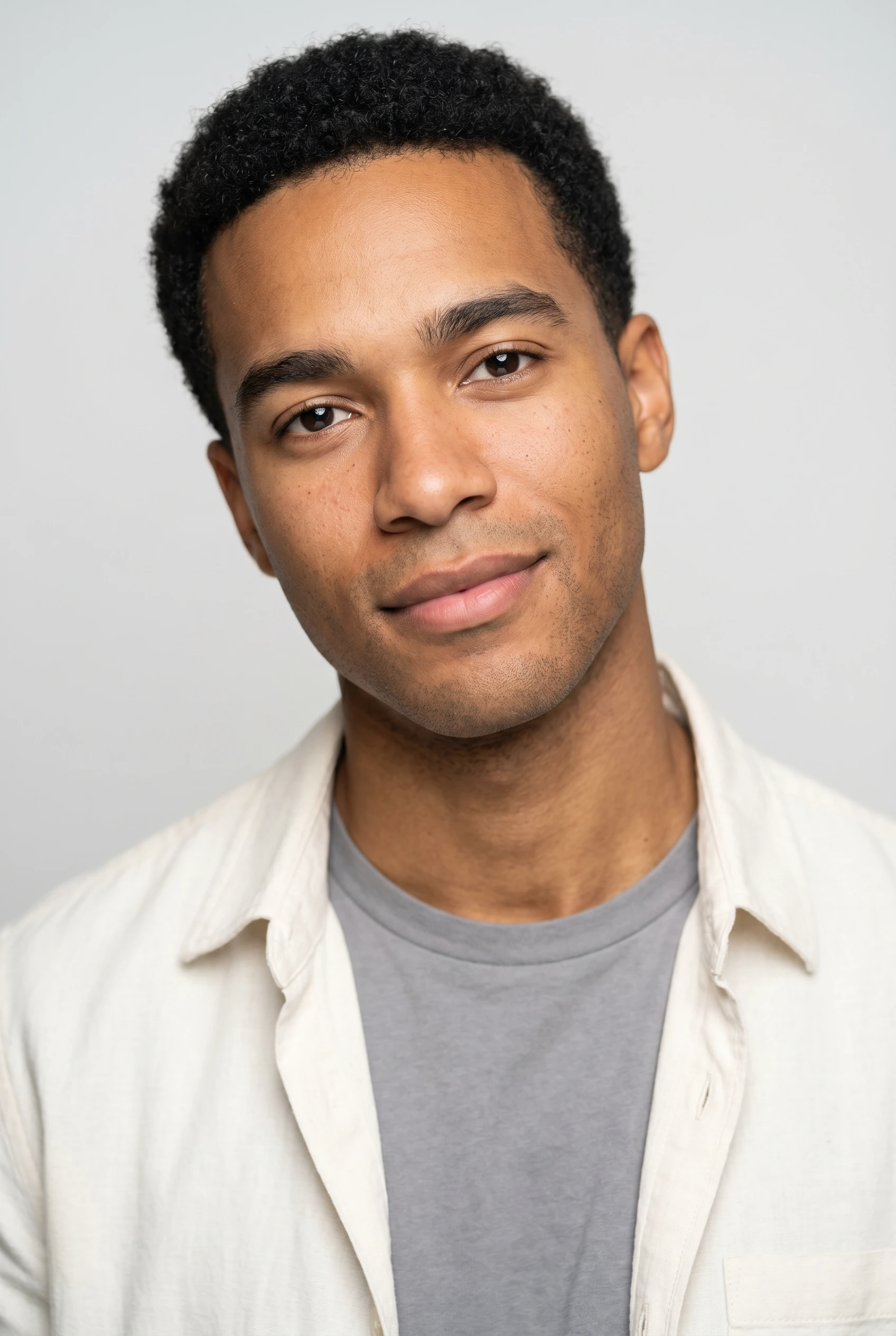
Saved model setup
Male · 26–35 · Dark brown · 175cm
Build a model. Zero prompts.
Start with golden brown skin as the entry attribute, then set a male presentation, age range, body type, and expression with clicks. Save the model to your library and reuse the same identity across lookbooks, PDPs, and batch catalog work. 28 attributes · 10+ options each
- 6 clicks · 0 keystrokes
- app.rawshot.ai / build_model
How it works
Build Once, Reuse Across the Catalog
Start from skin tone, save the model identity, then deploy the same person across PDPs, campaign variants, and batch operations.
- Step 01
Set the Entry Attribute
Choose golden brown skin first, then shape the model around it with body, age, hair, height, and expression controls. The interface is built for visual decisions, not typed instructions.
- Step 02
Save the Model Identity
Lock the combination into your library once the proportions and presentation match your brand. That saved identity becomes the reusable base for future shoots and catalog runs.
- Step 03
Reuse Across Every Garment
Apply the same model to one look or thousands of SKUs through the browser GUI or REST API. You keep face, body, and attribute consistency without rebuilding from scratch each time.
Spec sheet
Proof for Consistent Golden Brown Male Models
These twelve points show how RAWSHOT keeps identity, garment accuracy, compliance, and scale aligned in one application.
- 01
Attribute-Driven Identity
Build from 28 body attributes with 10+ options each, so the model is defined by selectable traits instead of guesswork. Synthetic composite construction keeps accidental real-person likeness statistically negligible by design.
- 02
Every Setting Is a Click
Skin tone, gender presentation, height, expression, and styling choices live in buttons, sliders, and presets. You direct the result inside an application built for fashion teams.
- 03
Garment-Led Representation
The product stays central: cut, colour, pattern, logo, fabric, and drape are represented around the garment. RAWSHOT is engineered so the clothing remains the brief.
- 04
Diverse Synthetic Models
Create golden brown skin male identities that fit your brand world without casting delays or availability gaps. The model library gives smaller labels access to representation they often cannot source at shoot scale.
- 05
Same Model Across SKUs
Save one face and body combination, then reuse it across your full assortment. That keeps collection pages, product detail pages, and retargeting creative visually coherent.
- 06
150+ Visual Styles
Move the same saved model through catalog, editorial, campaign, street, studio, vintage, noir, and more. Style changes do not require rebuilding the person from scratch.
- 07
2K, 4K, and Every Ratio
Output for PDP crops, marketplace listings, lookbooks, and paid social in the formats your channel mix needs. Framing and aspect ratio adapt without breaking model continuity.
- 08
Labelled and Compliant by Design
Outputs are AI-labelled, watermarked, and C2PA-signed with provenance metadata. RAWSHOT is built for EU hosting, GDPR compliance, and disclosure standards that commerce teams can stand behind.
- 09
Signed Audit Trail per Image
Each output carries traceable records for what it is and how it was produced. That gives teams a clearer internal review path for publishing, approvals, and archive management.
- 10
GUI for One-Offs, API for Scale
Use the browser for creative selection work, then push the same model system into REST API pipelines when assortment volume climbs. The indie brand and enterprise catalog team use the same core product.
- 11
Fast, Transparent Economics
Model generations run in about 50–60 seconds at roughly $0.99 each, and tokens never expire. Failed generations refund their tokens, so testing variants stays operationally clear.
- 12
Permanent Worldwide Rights
Every output includes full commercial rights for permanent, worldwide use. That matters when a saved model identity appears across PDPs, ads, email, marketplaces, and seasonal refreshes.
Outputs
One Saved Model, many channels.
Build the identity once, then carry it into clean catalog frames, tighter crops, campaign compositions, and seasonal updates without losing visual continuity.


Browse all 600+ models →
Comparison
RAWSHOT vs category tools vs DIY prompting
Three lenses on every dimension — what you optimize for in RAWSHOT versus typical category tools and blank-box AI workflows.
01
Interface
RAWSHOT
Click-driven model builder with visual controls for every core attributeCategory tools + DIY
Fashion-focused interfaces, but often narrower controls or gated advanced options. DIY prompting: Typed instructions in a chat box with trial-and-error wording and weak repeatability02
Garment fidelity
RAWSHOT
Garment stays central with faithful cut, colour, logo, and drape representationCategory tools + DIY
Can look polished, but product details may soften under style bias. DIY prompting: Garments drift, logos mutate, and fabric details get invented between attempts03
Model consistency
RAWSHOT
Save one identity and reuse it across SKUs, ratios, and style presetsCategory tools + DIY
Some consistency tools exist, but identity locking can vary by workflow. DIY prompting: Faces and bodies change from image to image, even with similar instructions04
Provenance + labelling
RAWSHOT
C2PA-signed, visibly watermarked, cryptographically watermarked, and AI-labelled outputsCategory tools + DIY
Disclosure support varies and provenance metadata is not always standard. DIY prompting: No dependable provenance metadata, inconsistent labelling, and weak auditability05
Commercial rights
RAWSHOT
Permanent worldwide commercial rights included with every outputCategory tools + DIY
Rights can be plan-dependent or framed with platform-specific caveats. DIY prompting: Usage clarity depends on model terms, training uncertainty, and platform rules06
Pricing transparency
RAWSHOT
Per-model pricing, tokens never expire, one-click cancel, refunds on failuresCategory tools + DIY
Credits and plan structures vary, sometimes with volume or seat complexity. DIY prompting: General tools hide fashion-specific workload costs behind broad subscription logic07
Catalog scale
RAWSHOT
Same engine works in browser GUI and REST API for batch pipelinesCategory tools + DIY
Scale features may sit behind sales-led tiers or separate enterprise layers. DIY prompting: No dependable fashion workflow for nightly SKU runs or product system integration08
Operator workload
RAWSHOT
Buyers and marketers adjust presets instead of learning syntax habitsCategory tools + DIY
Less manual wording than generic tools, but still more interpretation overhead. DIY prompting: Teams spend time rewriting inputs, comparing variants, and correcting avoidable drift
Prompting does not scale
Stop writing essays. Direct the shoot.
Most AI photo tools start with a blank text box. Rawshot turns the shoot into repeatable controls, so creative teams can produce consistent fashion imagery without prompt syntax or one-off hacks.
Category norm
ManualCreate a premium editorial fashion photograph of a model wearing the exact navy oversized wool coat from SKU-1842, full-body crop, realistic hands, consistent facial identity, clean e-commerce lighting, subtle Paris street background, 85mm lens, no logo distortion, no fabric hallucination, same pose as last campaign, repeatable for all colorways...
A prompt can describe one image. It cannot become a shared production system for hundreds of products, models, angles and markets.
Rawshot
ClicksSaved shoot recipe
Apply to 1 SKU or 10,000 via GUI, CSV or REST API.
Rawshot makes creative direction visible: buttons, presets and sliders instead of hidden prompt craft. The result is easier to teach, faster to approve and built for repeat production.
Use cases
Where Golden Brown Male Representation Pays Off
Operator archetypes and how click-directed, garment-first output fits the way they actually work.
- 01
DTC Menswear Launches
A small menswear label can build one golden brown male identity and use it across its first full product drop without booking a studio day.
Confidence · high
- 02
Marketplace Catalog Refreshes
Sellers updating hundreds of listings can keep a consistent golden brown male presentation across size runs, ratios, and revised product pages.
Confidence · high
- 03
Adaptive Fashion Merchandising
Teams can test more inclusive representation in product storytelling while keeping garments, fit emphasis, and channel formatting controlled.
Confidence · high
- 04
Crowdfunding Pre-Sales
Founders can show future products on a saved golden brown male model before physical samples are ready for a conventional shoot.
Confidence · high
- 05
Resort and Vacation Capsules
Brands can move the same identity through lighter campaign styling and warmer visual worlds without losing model continuity.
Confidence · high
- 06
Streetwear Drop Pages
Streetwear operators can hold onto one recognizable golden brown male face across limited drops, lookbook panels, and launch emails.
Confidence · high
- 07
Wholesale Line Sheets
Sales teams can create cleaner on-model references for buyers while keeping assortments visually aligned across collections.
Confidence · high
- 08
Factory-Direct Catalogs
Manufacturers selling direct can standardize a golden brown male model across large SKU sets instead of sourcing new talent for every update.
Confidence · high
- 09
Resale and Vintage Stores
Vintage operators can give mixed inventory a more coherent presentation by reusing one saved identity across constantly changing stock.
Confidence · high
- 10
Lingerie and Base Layers
Brands can show close-fit products on a stable golden brown male model while preserving consistency in body presentation and styling.
Confidence · high
- 11
Paid Social Variant Testing
Growth teams can test multiple creative directions around the same model identity so performance comparisons stay cleaner.
Confidence · high
- 12
Seasonal Rebrands
When a label updates art direction, it can keep the same golden brown male representation and change only style, framing, and environment.
Confidence · high
— Principle
Honest is better than perfect.
When representation is part of the selection criteria, transparency matters as much as polish. RAWSHOT labels every output, adds visible and cryptographic watermarking, and signs provenance with C2PA metadata. The models are synthetic composites built from attribute combinations, not scans of real people, which gives commerce teams a clearer standard for review and publication.
Rights & provenance
Full commercial rights. Forever.
- C2PA-signed on every image — EU AI Act Article 50 compliant
- 28-attribute synthetic models — real-person likeness statistically impossible
- Full commercial rights to every generation — no recurring licensing fees
- Tokens never expire · One-click cancel · Transparent pricing
EU AI Act
C2PA
Commercial use
Pricing
~$0.99 per model generation.
~50–60 seconds per generation. Save the model once, reuse it across your entire catalog.
- 01Tokens never expire. Cancel in one click.
- 02Same face, same body, every SKU — no drift between shoots.
- 03No per-seat gates. No 'contact sales' walls for core features.
- 04Failed generations refund their tokens.
FAQ
Practical answers on control, rights, pricing, scale, and compliant publishing.
Do I need to write prompts to use RAWSHOT?
Never—you direct every output with sliders, presets, and clicks on the garment, not typed prompts. That UI control is consistent across GUI and REST API payloads, which is why ecommerce teams onboard buyers without rewriting creative briefs as chat threads. Instead of translating a visual decision into syntax, you select things like model attributes, framing, lighting, style, and product focus directly in the interface.
For catalog teams, reliability matters more than model cleverness; RAWSHOT keeps tokens, timings, refund rules, commercial rights framing, provenance signalling, watermarking cues, REST surface, and SKU-scale batch patterns explicit so operations can rehearse PDP launches without hallucinated garment inventions. The practical takeaway is simple: your team learns one application workflow, saves approved models to a library, and reuses them across collections without turning fashion production into a writing exercise.
What does an AI golden brown skin male generator change for catalog and ecommerce teams?
It gives teams a repeatable way to build and save a specific model identity, then apply that identity across many garments without recasting or reshooting. For ecommerce, that matters because representation often needs to stay stable across PDPs, collection pages, paid social crops, and seasonal updates. When the same face, body, and skin tone can be reused reliably, the catalog looks intentional instead of pieced together over time.
In RAWSHOT, you define that identity through 28 body attributes with 10+ options each, save it once, and deploy it again in the browser or through the REST API. You can then move the model through 150+ visual styles, multiple framings, and every aspect ratio while keeping output labelled, watermarked, and C2PA-signed. For operators, the result is less coordination overhead and a much cleaner path from product upload to publish-ready fashion imagery.
Why skip reshooting every SKU when the season, styling, or channel changes?
Because the expensive part is not only the camera day; it is the repeated coordination around talent, samples, scheduling, approvals, and revisions every time the channel mix changes. Most brands do not need a brand-new human production chain just to adapt a consistent product line to updated styling, tighter crops, or marketplace requirements. They need continuity that survives those changes.
RAWSHOT lets you save a model identity once and then restyle, reframe, and republish around that same base. A menswear team can keep the same golden brown male presentation while changing lighting systems, environments, aspect ratios, or creative direction across catalog and campaign work. That means the seasonal update becomes a controlled production task inside the application rather than another full shoot cycle, which is especially valuable for lean teams managing many SKUs at once.
How do we turn flat garments into catalogue-ready imagery without prompting?
You start by building or selecting the model identity, then choose the garment, framing, camera distance, lighting, background, and visual style through interface controls. That sequence matters because fashion teams need product decisions to stay visible and repeatable, not buried in chat-like instructions. The workflow is designed so buyers, marketers, and ecommerce operators can review the same settings and approve them quickly.
RAWSHOT is built around the garment, so product details such as cut, colour, pattern, logo placement, and drape stay central to the output. Once the model is saved, you can apply it across full-body, half-body, close-up, or detail-led compositions and export in the ratios your channels require. In practice, the cleanest setup is to standardize your approved model library first, then run garments against those saved identities for faster catalog production.
Why does RAWSHOT beat ChatGPT, Midjourney, or generic image AI for fashion PDPs?
Because PDP work needs repeatability, garment accuracy, and operational clarity more than novelty. Generic tools are built around typed inputs, which makes each variation vulnerable to wording drift, invented logos, changing faces, and inconsistent fabric detail. That can be tolerable for rough ideation, but it becomes expensive when product pages need approved imagery that lines up across an entire assortment.
RAWSHOT replaces that uncertainty with a fashion-specific application: attribute controls for models, garment-led generation, reusable identities, and explicit commercial-rights framing. Outputs are also AI-labelled, watermarked, and C2PA-signed, which generic image systems often do not handle in a workflow-friendly way. For commerce teams, the practical difference is that RAWSHOT behaves like production infrastructure, while generic image tools behave like open-ended exploration environments.
Can I use RAWSHOT outputs commercially for ads, PDPs, and marketplaces?
Yes. RAWSHOT includes full commercial rights for every output, permanent and worldwide, which covers the channels most fashion teams care about: product pages, marketplaces, paid social, email, lookbooks, and brand campaigns. That clarity is important because imagery rarely stays in one place; a single approved image often gets repurposed across storefronts, partner channels, and internal sales materials.
RAWSHOT also pairs rights clarity with transparent labelling practices instead of hiding how the image was made. Each output is AI-labelled, carries visible and cryptographic watermarking, and includes C2PA-signed provenance metadata for a stronger audit trail. Teams should treat that combination as a publishing standard: clear rights, clear disclosure, and a documented record that supports review, approval, and downstream reuse without ambiguity.
What should our team check before publishing a saved golden brown male model across a live catalog?
Check the same things you would review in any serious fashion production: garment fidelity, proportion, logo integrity, fit presentation, channel crop, and whether the model identity still matches the approved brand standard. For attribute-led model work, also verify that skin tone, body presentation, and facial consistency remain stable across the product set so the catalog reads as intentional. Quality control is not about chasing abstract perfection; it is about protecting trust and reducing avoidable retakes.
RAWSHOT helps by making outputs labelled and traceable rather than opaque. Teams can review images with C2PA provenance metadata, visible and cryptographic watermarking, and a signed audit trail per image, then decide what is ready for PDPs, ads, or internal review rounds. The best operational habit is to approve one model template first, then run batch production against that reference so QA checks stay fast and consistent.
How much does the ai golden brown skin male generator cost, and what happens to unused tokens?
Model generation in RAWSHOT costs about $0.99 per model and usually completes in around 50–60 seconds. Tokens never expire, which means teams can buy capacity for an upcoming range, pause, and come back later without losing what they paid for. That matters for fashion calendars, where assortment plans, sample readiness, and channel priorities often shift between weeks.
RAWSHOT also keeps the pricing mechanics straightforward in day-to-day operations. Failed generations refund their tokens, core features are not hidden behind per-seat gates, and cancellation is available in one click from the pricing page. For planning purposes, teams should think of model generation as the reusable foundation layer: once the identity is approved and saved, it supports much more efficient image production across the catalog.
Can we plug saved model identities into Shopify-scale or ERP-linked image pipelines?
Yes. RAWSHOT supports both browser-based single-shoot work and REST API workflows for catalog-scale production, which is exactly what teams need when they move from a few approved looks to large assortments. A merchandising or creative team can approve the model identity in the GUI first, then operations can use that same identity inside structured batch processes. That keeps the creative standard and the production standard aligned.
Because the same engine powers one-off work and larger pipelines, brands do not have to swap tools when volume increases. The platform is positioned for PLM-integration readiness, includes signed audit trails per image, and keeps output rights and provenance handling explicit for enterprise review. The practical approach is to lock your model library and style presets early, then let downstream systems call the same approved components at scale.
What happens when one buyer needs a single look and the catalog team needs ten thousand SKUs?
The core product stays the same. RAWSHOT is built so the indie designer working in the browser and the enterprise team running batch jobs through the API use the same engine, the same model system, and the same basic pricing logic. That consistency matters because it prevents the usual split where early creative work happens in one tool and scaled production is forced into another.
Operationally, that means teams can start with one approved golden brown male model, test it on a few hero garments, then expand it into broad catalog coverage without resetting the workflow. There are no per-seat gates for core features and no hidden jump to a separate enterprise edition just because output volume rises. The best rollout pattern is to validate identity, styling, and QA rules on a small set, then scale the same structure across the full assortment.