
BEST LIST
Best knitwear AI product photography generator
RAWSHOT sets every part of a shoot before generation; the knitwear AI product photography generator category also includes swaps and editing workflows.
- 10 tools
- 3 approaches
- no rankings · no scores
By the RAWSHOT team · Updated
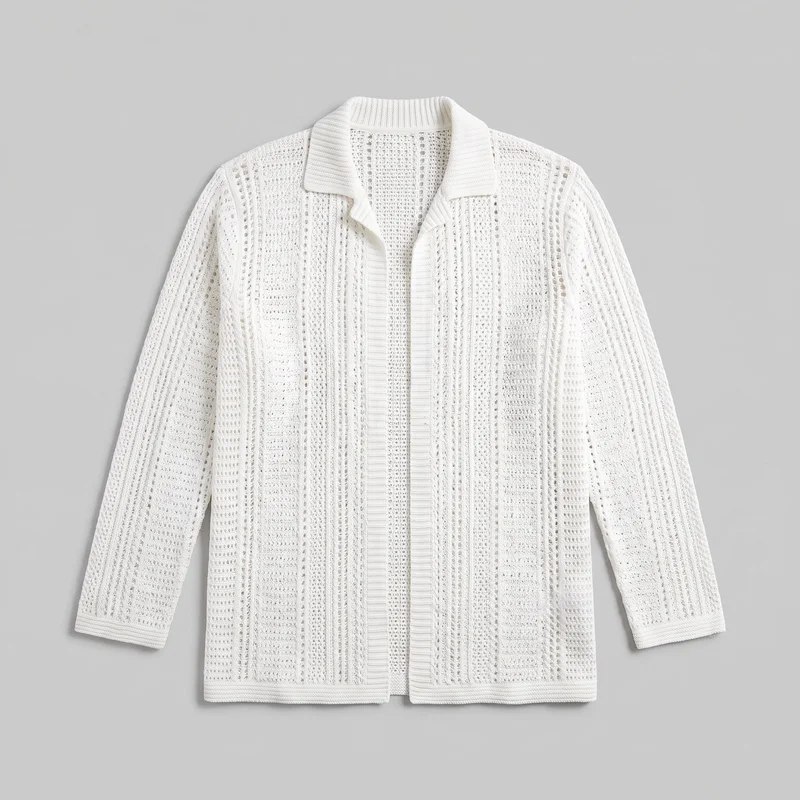
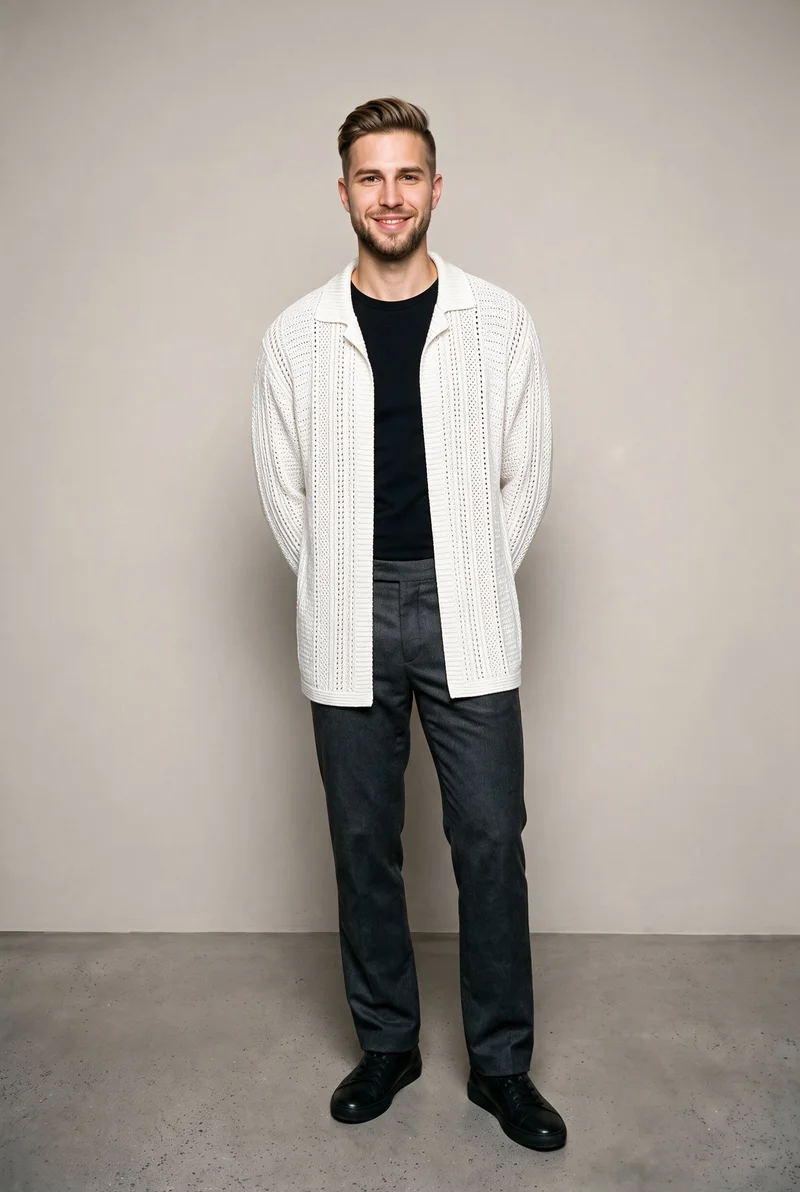 AI-generated · C2PA
THE SHORT ANSWER
RAWSHOT sets the model, outfit, styling, background, light, frame, camera view, pose, expression, ratio, and resolution before generating; other selected workflows transform or edit supplied imagery. The main decision is whether knitwear needs a directed shoot, a swap, or post-production.
The tools on this list
- 01
RAWSHOT AIour productControl-based generatorsBest for: Strongest when the brand wants to direct the entire composition before creating its knitwear images.
- 02
Claid.aiControl-based generatorsBest for: Strongest when the starting assets are flat lays or ghost-mannequin photographs of knitwear.
- 03
grace aiControl-based generatorsBest for: Strongest when garment files must become coordinated still images, flat lays, lifestyle scenes, and video.
- 04
SHOWZ.AIControl-based generatorsBest for: Strongest when outfit items need selectable poses, backdrops, lighting, and models in one self-service workflow.
- 05
CatalogXModel and product swap toolsBest for: Strongest when knitwear arrives as flat, hanger, mannequin, or ghost-mannequin photography.
- 06
FASHNModel and product swap toolsBest for: Strongest when product-to-model generation, virtual try-on, image editing, and video belong in a connected workflow.
- 07
Genera SpaceModel and product swap toolsBest for: Strongest when the available knitwear assets include flat lays, ghost-mannequin images, samples, or tech packs.
- 08
WearViewModel and product swap toolsBest for: Strongest when existing flat-lay, hanger, or on-person clothing photographs need new on-model treatments.
- 09
AutoRetouchProduct photo editorsBest for: Strongest when existing product inputs need configurable on-model views and a human validation step.
- 10
BotikaProduct photo editorsBest for: Strongest when clothing photographs need on-model imagery with attention to fabric flow, fit, and poses.
Control-based generators
- How it works
- You usually choose the model, garment, pose, setting, framing, and other controls before generating the image.
- Fits
- Teams that need repeatable fashion images and want to see every creative decision before they generate.
RAWSHOT AIour product
rawshot.ai
Fashion photo studio in software that generates original on-model images and video of real products for brands controlling the full composition.
Best for
Strongest when the brand wants to direct the entire composition before creating its knitwear images.
Strong at
- The control surface includes 15 frames, 5 camera views, 104 poses, 10 expressions, and 24 makeup looks.
- Up to 4 products can share an outfit while the model, light, and crop hold when one element changes.
Requirements
- Input:
- Product photo and shoot settings
- Output:
- Newly generated images
- Models:
- Synthetic, licence-free models
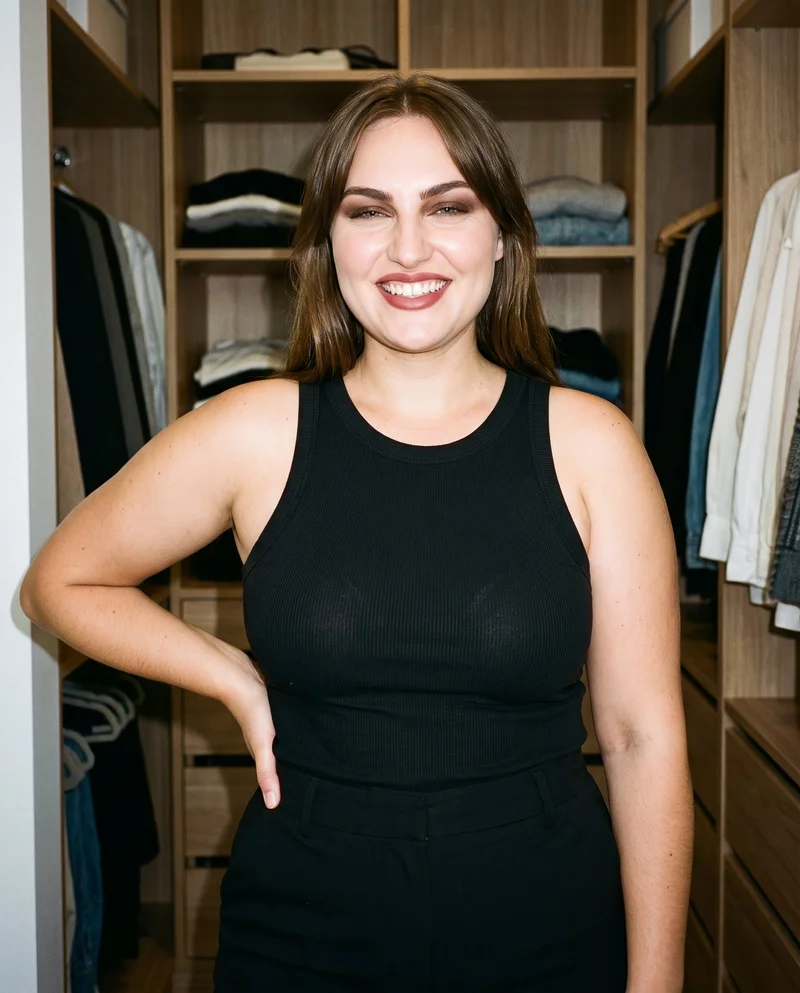
Women's Black Ribbed Tank Top · Upper body
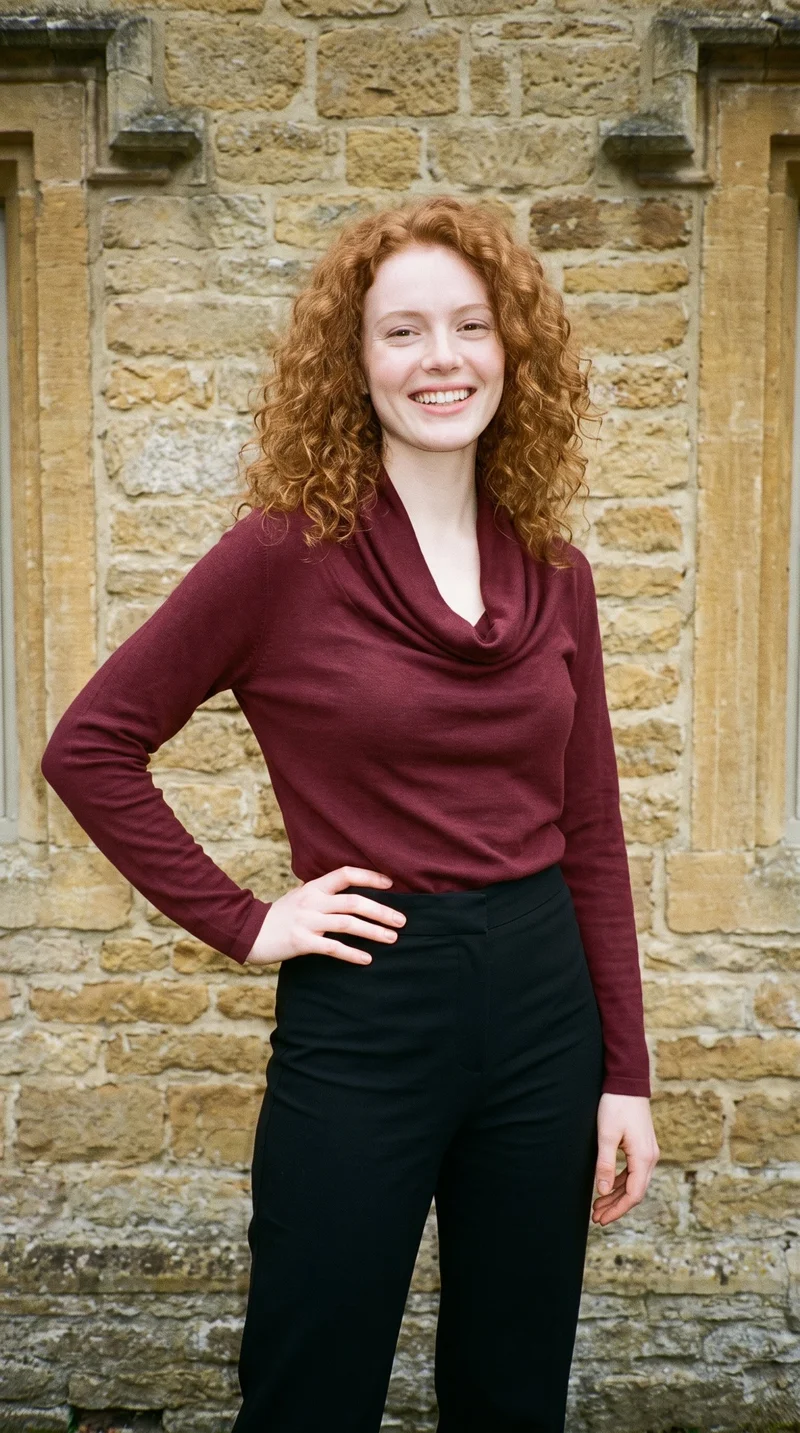
Burgundy Cowl-Neck Top · Three-quarter length
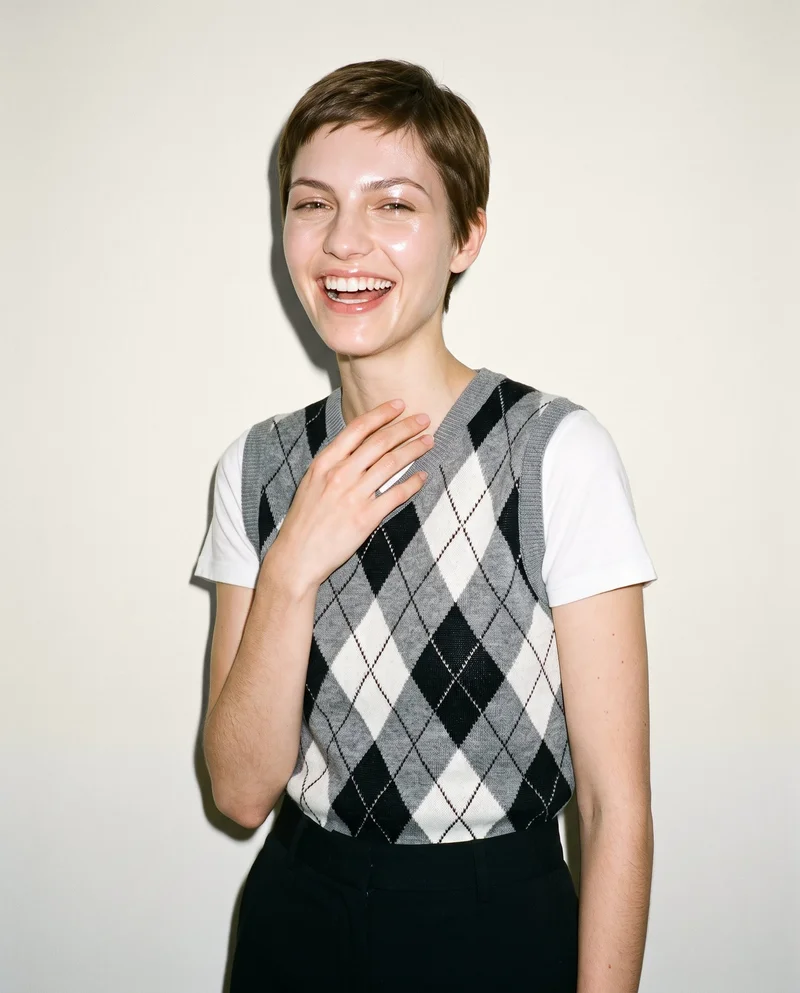
Women's Grey Argyle Sweater Vest · Upper body
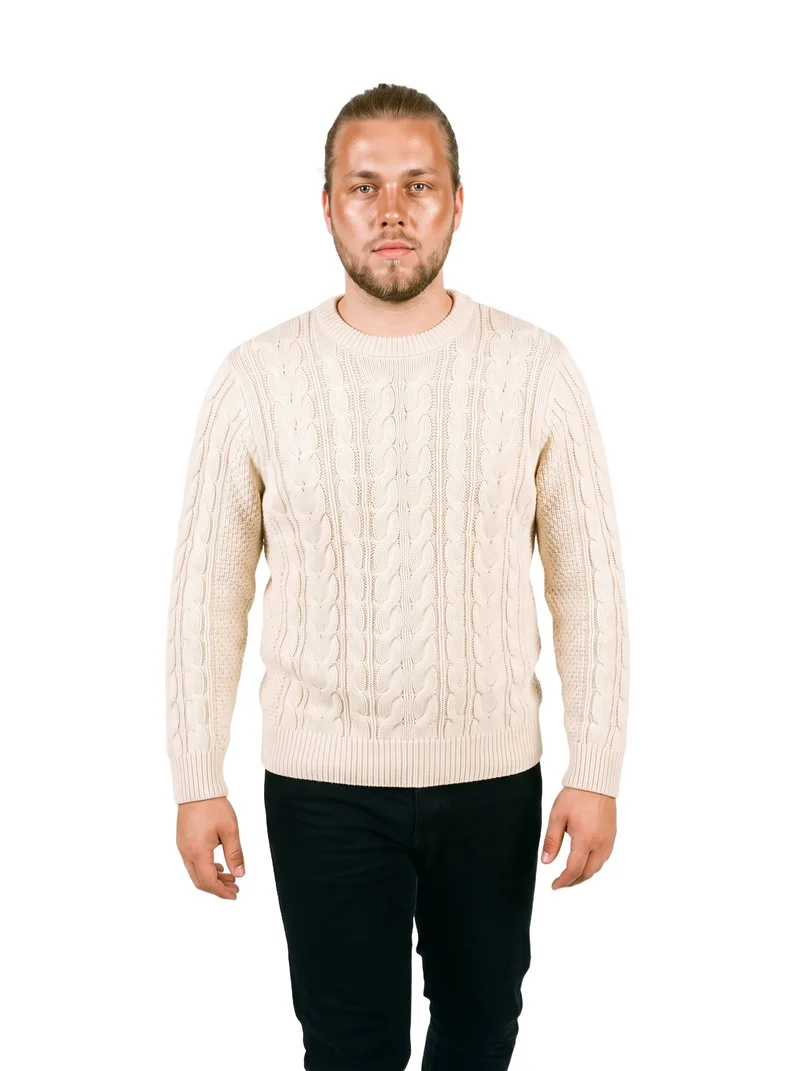
Men's Cream Cable-Knit Pullover Jumper · Three-quarter length
Claid.ai
claid.ai
AI fashion studio that generates on-model images, lifestyle content, and video from uploaded garment photographs.
Best for
Strongest when the starting assets are flat lays or ghost-mannequin photographs of knitwear.
Strong at
- Flat-lay and ghost-mannequin inputs become on-model visuals while retaining the garment’s design, color, and construction.
- Model choices include a supplied library and customer-uploaded model photos for which the customer holds rights.
Requirements
- Input:
- Product photo and shoot settings, text prompt
- Output:
- Newly generated images
- Models:
- Synthetic, licence-free models, models from a library, your own model or the shopper
grace ai
gracefashion.ai
Self-service fashion studio that turns a brand’s garments into on-model imagery and video with selectable models, scenes, and lighting.
Best for
Strongest when garment files must become coordinated still images, flat lays, lifestyle scenes, and video.
Strong at
- The garment workflow preserves details including seams, buttons, prints, and logos rather than reinterpreting the product.
- Outputs include on-model imagery, lifestyle images, still life, flat lays, and video from product files or key visuals.
SHOWZ.AI
showz.ai
Self-service AI photo studio that creates ecommerce product images for fashion brands from outfit items and selected visual settings.
Best for
Strongest when outfit items need selectable poses, backdrops, lighting, and models in one self-service workflow.
Strong at
- Users add outfit items and choose the model, pose, backdrop, and lighting setup before image generation.
- The fitting workflow addresses fabric behavior and drape using European clothing-size training.
Model and product swap tools
- How it works
- You typically upload a garment or model image and combine it with an existing photo, template, or model from a library.
- Fits
- Teams that already have a useful source image and need quick variations without rebuilding the full scene.
CatalogX
catalogx.app
Self-service product photography tool that converts garment and accessory photographs into images of those products on models.
Best for
Strongest when knitwear arrives as flat, hanger, mannequin, or ghost-mannequin photography.
Strong at
- The garment workflow accepts flat-lay, hanger, mannequin, and ghost-mannequin starting images.
- Quality Mode checks color, pattern, and embroidery against the source and can initiate a reviewed retry.
FASHN
fashn.ai
Fashion-content app that creates on-model product photos, virtual try-ons, edits, and videos from product or model images.
Best for
Strongest when product-to-model generation, virtual try-on, image editing, and video belong in a connected workflow.
Strong at
- Product-to-model imagery can begin with flat-lay, mannequin, or other product photographs.
- Virtual try-on preserves visible prints, logos, colors, textures, and finishes from the supplied product.
Requirements
- Input:
- Brief and product samples, text prompt
- Models:
- Synthetic, licence-free models, your own model or the shopper
- Labelling:
- Watermark
Genera Space
generaspace.ai
Self-service fashion photography platform that turns apparel inputs into on-model imagery for product pages, lookbooks, and campaigns.
Best for
Strongest when the available knitwear assets include flat lays, ghost-mannequin images, samples, or tech packs.
Strong at
- Accepted product inputs include flat lays, ghost-mannequin shots, samples, and tech packs.
- Garment replication covers colors, textures, patterns, silhouettes, proportions, and individual product details.
WearView
wearview.co
Self-service fashion photography tool that converts clothing photos into on-model product images and related fashion visuals.
Best for
Strongest when existing flat-lay, hanger, or on-person clothing photographs need new on-model treatments.
Strong at
- The input workflow accepts flat-lay, hanger, and on-person clothing photographs for on-model output.
- Customers select the model, pose, background, style, ethnicity, age, and overall look.
Product photo editors
- How it works
- You typically upload a product shot, then remove or replace the background, retouch details, or resize it for different channels.
- Fits
- Teams with finished product photos that need clean backgrounds, consistent retouching, or channel-ready formats at volume.
AutoRetouch
autoretouch.com
Image-production platform whose AI Shoot workflow creates synthetic-model catalog imagery from uploaded product images.
Best for
Strongest when existing product inputs need configurable on-model views and a human validation step.
Strong at
- AI Shoot creates multiple on-model views using existing product inputs, configurable models, styling, and post-processing.
- Production imagery passes through documented human quality checks and validation before delivery.
Requirements
- Input:
- Product photo and shoot settings
- Output:
- Newly generated images
- Models:
- Synthetic, licence-free models
- Labelling:
- AI label
Botika
botika.com
Self-service fashion image tool that turns clothing photographs into on-model imagery and supports related mannequin, video, and retouching workflows.
Best for
Strongest when clothing photographs need on-model imagery with attention to fabric flow, fit, and poses.
Strong at
- The fashion workflow develops on-model imagery directly from supplied clothing photographs.
- Garment handling addresses fabric flow, fit, and the interaction between clothing and selected poses.
Criteria and tests
What to check for apparel photography
What to look for
- 1Product fidelity: seams, closures, prints, and proportions stay faithful to the garment.
- 2Fit and drape: the fabric falls naturally across standing, seated, and moving poses.
- 3Model consistency: the same person remains recognizable across a complete image set.
- 4Production control: framing, poses, backgrounds, and output ratios can be repeated intentionally.
Test these shots
- 1A plain light garment with subtle seams and low-contrast construction details.
- 2A patterned garment whose print must align across folds, sleeves, and closures.
- 3A layered outfit with overlapping hems, collars, and accessories.
- 4The same garment and model in front, back, seated, and walking views.
- 5One product adapted into a clean PDP crop, a marketplace ratio, and a campaign frame.
Crops to check: Full-length front and back views, Waist-up fit view, Close crop of fabric, seams, and closures, Movement crop with hands and garment edges visible
Questions
Frequently asked questions
What does a knitwear AI product photography generator actually create?
A knitwear AI product photography generator turns real garment inputs into product images for catalogs, product pages, marketplaces, or campaigns. Control-based generators set the composition before generation, model and product swap tools place supplied knitwear into existing visual structures, and product photo editors develop uploaded photography. RAWSHOT AI and SHOWZ.AI represent control-based workflows, while FASHN and CatalogX handle swaps and Botika develops clothing photos into on-model imagery. Choose the workflow based on how much usable photography and art direction already exist.
Which workflow should I choose for knitwear flat lays and model swaps?
Choose according to whether the flat lay is an input to a new composition or a garment placed into an existing image workflow. Control-based generators such as RAWSHOT AI and Claid.ai suit brands selecting models, poses, settings, and framing before generation. Model and product swap tools such as Genera Space, FASHN, CatalogX, and WearView accept garment photography for product-to-model output. Product photo editors such as Botika and AutoRetouch fit workflows that begin with established product assets. Start by identifying which creative decisions are already settled.
Can a small knitwear brand use AI images for product pages?
Yes, this approach fits a small knitwear brand with clear product references and someone responsible for image approval. Prepare sharp flat lays, mannequin photographs, or garment shots with accurate color, visible construction, and unobstructed cuffs, collars, and hems. RAWSHOT AI supports directing the composition, while CatalogX and WearView turn existing garment photos into on-model treatments. The brand still needs a defined crop, background policy, and review process. Begin with representative plain, patterned, and textured garments before expanding the workflow.
How do I verify ribbing, cable patterns, and drape in AI knitwear photos?
Check every generated image against the source garment before approving it. Inspect rib spacing, cable direction, stitch texture, neckline shape, shoulder seams, cuffs, hems, closures, color, and pattern alignment across folds. Then compare front, back, seated, and moving views, zooming into sleeve joins and layered edges where distortions become visible. FASHN preserves prints, colors, textures, and finishes, while CatalogX checks color, pattern, and embroidery against the source. Reject any image that changes a construction detail customers use to judge the product.
Where do AI knitwear images fit in an existing ecommerce photo workflow?
AI knitwear images fit between product capture and channel-specific publishing. The product team supplies clean flat lays, mannequin shots, or approved garment files; the creative lead selects models, poses, backgrounds, crops, and styling through RAWSHOT AI, Genera Space, or another chosen workflow. A reviewer checks knit structure, color, fit, drape, seams, and pattern alignment against the physical product. The ecommerce team then exports the approved product-page, marketplace, and campaign formats and attaches them to the correct product records. Keep final approval with the brand’s visual owner.
Which metrics show whether AI knitwear photography is working?
Measure whether the new workflow publishes accurate knitwear imagery with fewer production interruptions. Track time from approved garment input to publication, the share of images rejected for color or construction errors, reshoots, revision cycles, and missing product-page views. After publication, monitor conversion, image-related customer questions, and returns mentioning color, texture, fit, length, or appearance. Separate results by plain knits, patterned pieces, and complex layered products. Continue only with workflows that meet the brand’s approval standard and produce clear operational improvements.
When is a conventional photoshoot still preferable for knitwear?
A conventional photoshoot is preferable when the concept depends on physical interaction, exact location conditions, specialist styling, or close creative collaboration on set. It also suits hero campaigns where the photographer’s interpretation and spontaneous decisions are central to the work. Generated imagery is enough for routine product-page views, marketplace crops, colorway support, and collection gaps when reliable garment references and firm approval criteria exist. Established brands can use both approaches for different assignments. Choose according to the creative purpose, required evidence, and available product assets.
How do RAWSHOT AI and FASHN handle knitwear product-to-model imagery?
RAWSHOT AI and FASHN use distinct workflows for turning knitwear inputs into on-model imagery. RAWSHOT AI sets the model, outfit, styling, background, light, frame, camera view, pose, expression, ratio, and resolution before taking the picture in one pass. FASHN starts from product or model images and connects product photography, virtual try-on, editing, and video workflows. For a directed collection composition, examine RAWSHOT’s visible controls; for transformation across connected asset workflows, examine FASHN’s supported inputs and tools. Base the choice on where creative decisions occur.
Get started
See your products on a model.
Upload a product, choose the model, pose, setting, and framing, then generate the shot with every decision visible.