
BEST LIST
Best Lingerie Set AI On-Model Photography Generator
RAWSHOT configures the complete composition before generation, providing a directed approach to lingerie set AI on-model photography.
- 10 tools
- 4 approaches
- no rankings · no scores
By the RAWSHOT team · Updated
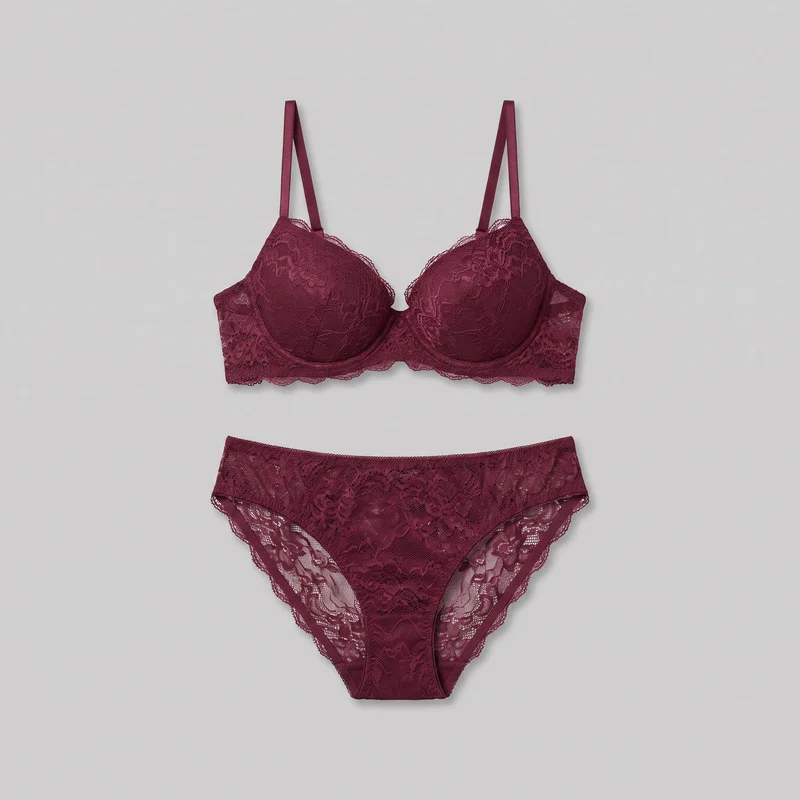
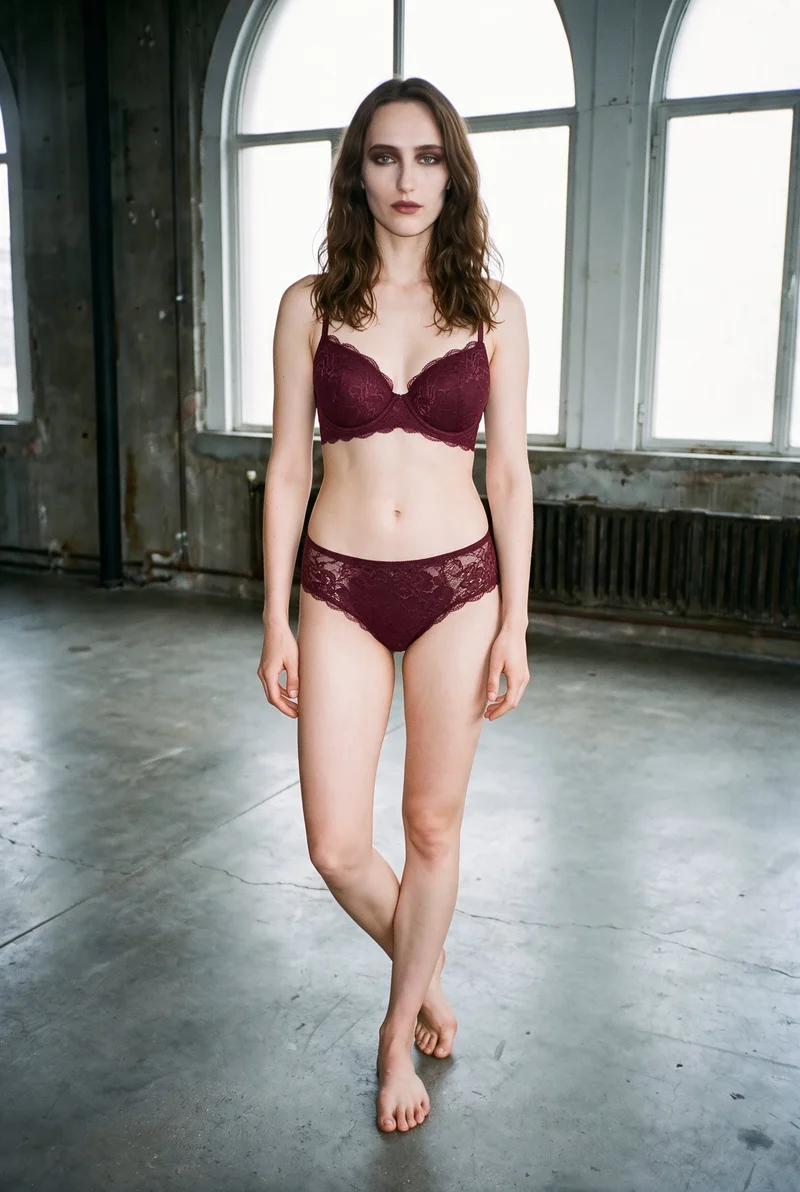 AI-generated · C2PA
THE SHORT ANSWER
RAWSHOT sets the model, coordinated outfit, styling, pose, light, background, framing, and camera view before generating, while other workflows transform source images, edit assets, or manage production. The main decision is how much direct shoot control your lingerie catalog requires.
A private way to create intimate apparel images
Create lingerie, underwear, and swimwear images without asking a model to wear the product. In RAWSHOT, you choose the model, pose, setting, framing, and garment, then generate the shot with every decision visible.
The tools on this list
- 01
RAWSHOT AIour productControl-based generatorsBest for: Strongest when a brand wants to direct every visible decision before generating a coordinated lingerie set.
- 02
CaimeraControl-based generatorsBest for: Strongest when flat-lay lingerie assets must support both catalog and editorial production workflows.
- 03
iFoto.AIControl-based generatorsBest for: Strongest when an ecommerce seller already has lingerie photographed on a mannequin or person.
- 04
caspa AIModel and product swap toolsBest for: Strongest when a retailer needs product details, patterns, and logos retained during model placement.
- 05
CatalogXModel and product swap toolsBest for: Strongest when a catalog contains mixed flat-lay, hanger, mannequin, and ghost-mannequin garment photography.
- 06
FASHNModel and product swap toolsBest for: Strongest when the starting asset is a flat lay, mannequin photo, or existing model image.
- 07
BotikaProduct photo editorsBest for: Strongest when clothing photos require fashion-specific handling of fabric flow, fit, and catalog poses.
- 08
PhotoroomProduct photo editorsBest for: Strongest when existing fashion images need coordinated editing before publication across commerce channels.
- 09
Hyperblack StudiosAI-assisted servicesBest for: Strongest when a brand wants studio staff to photograph flat lays and manage AI image production.
- 10
LookletAI-assisted servicesBest for: Strongest when lingerie imagery needs managed garment capture, styling, quality checks, and retouching.
Control-based generators
- How it works
- You usually choose the model, garment, pose, setting, framing, and other controls before generating the image.
- Fits
- Teams that need repeatable fashion images and want to see every creative decision before they generate.
RAWSHOT AIour product
rawshot.ai
Browser-based fashion photo studio that creates original on-model product imagery and video through visible composition controls.
Best for
Strongest when a brand wants to direct every visible decision before generating a coordinated lingerie set.
Strong at
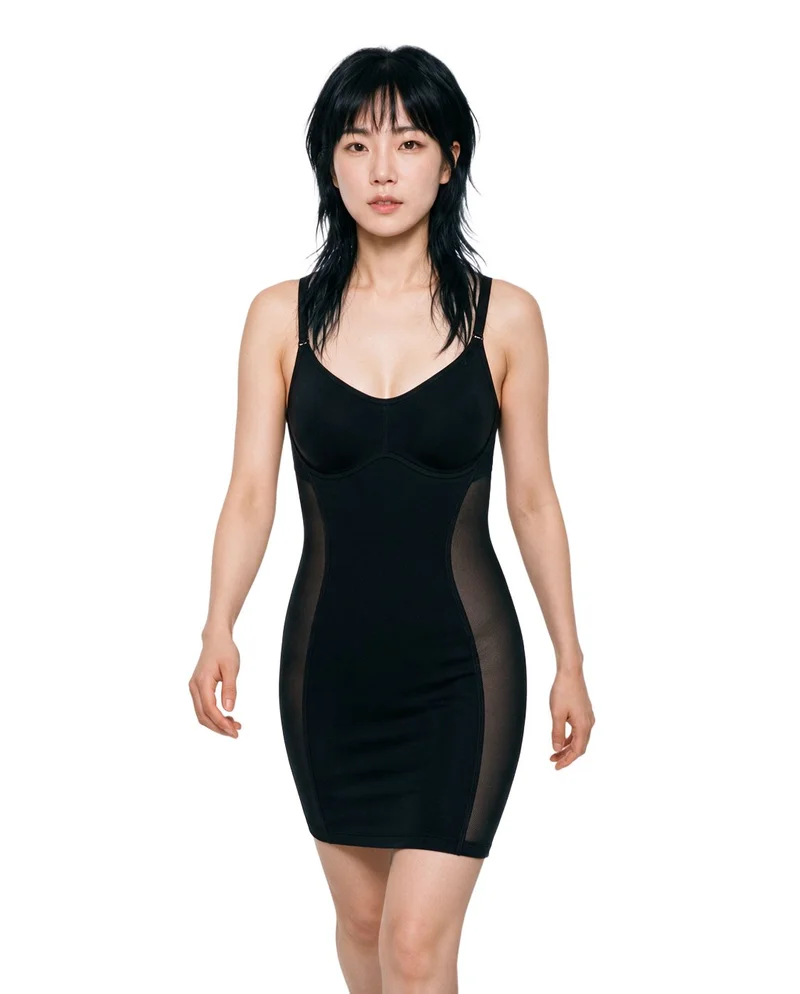
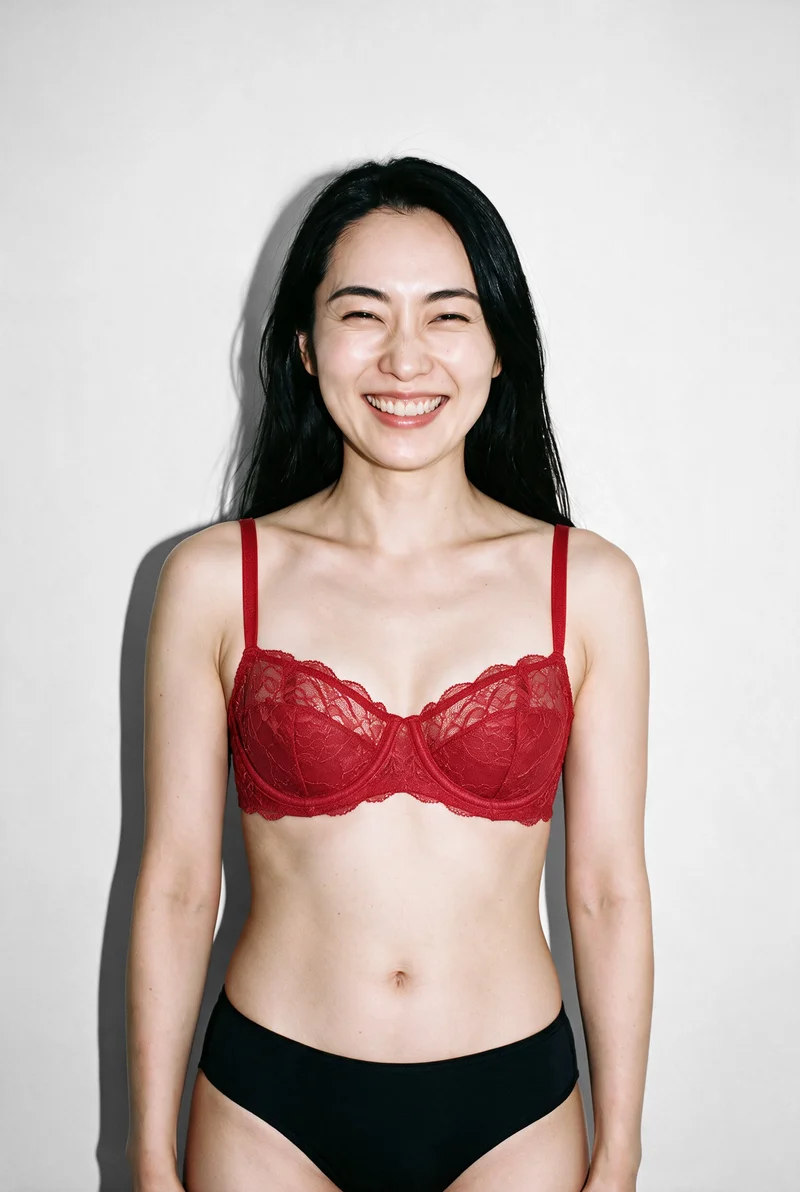
- The composition controls include 15 frames, 5 camera views, 104 poses, and 10 expressions.
- Up to 4 products can be combined while the model, light, crop, and remaining composition hold when one element changes.
Requirements
- Input:
- Product photo and shoot settings
- Output:
- Newly generated images
- Models:
- Synthetic, licence-free models
Also offers: Finished images can become short fashion videos using 132 available video actions.
Grey Marl Boxers · Three-quarter length
Nude High-Waist Shapewear · Three-quarter length
Black Shaping Slip · Three-quarter length
Red Balconette Bra · Upper body
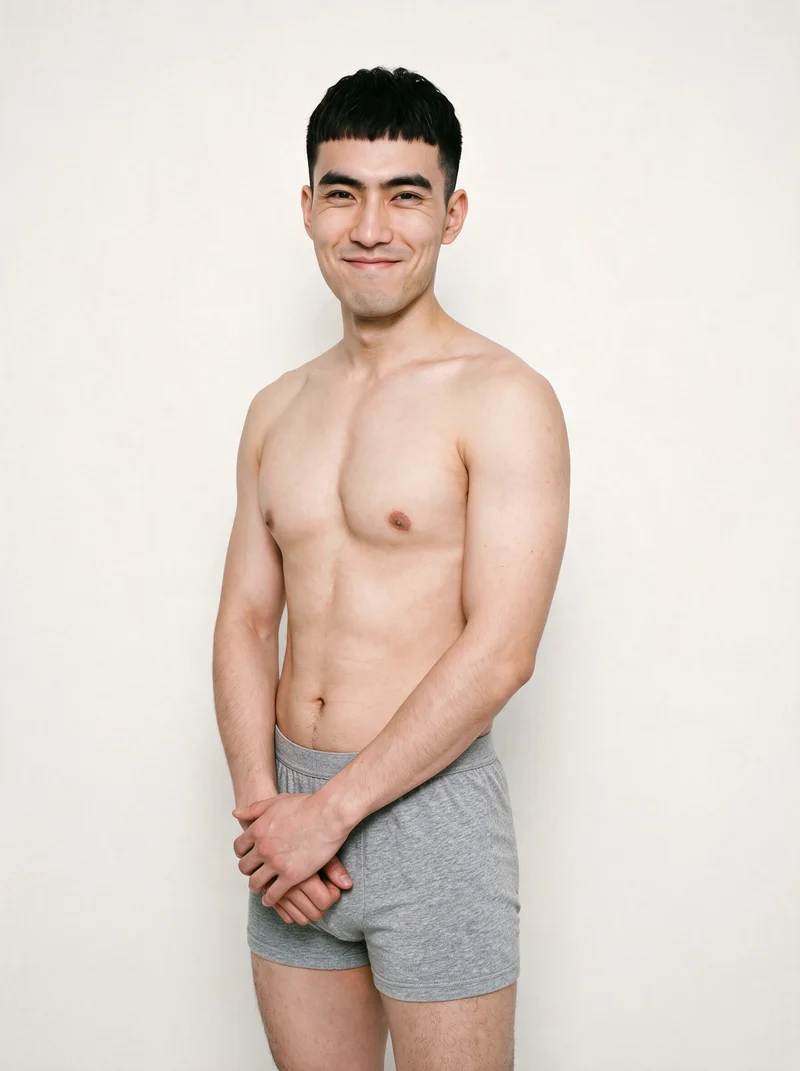
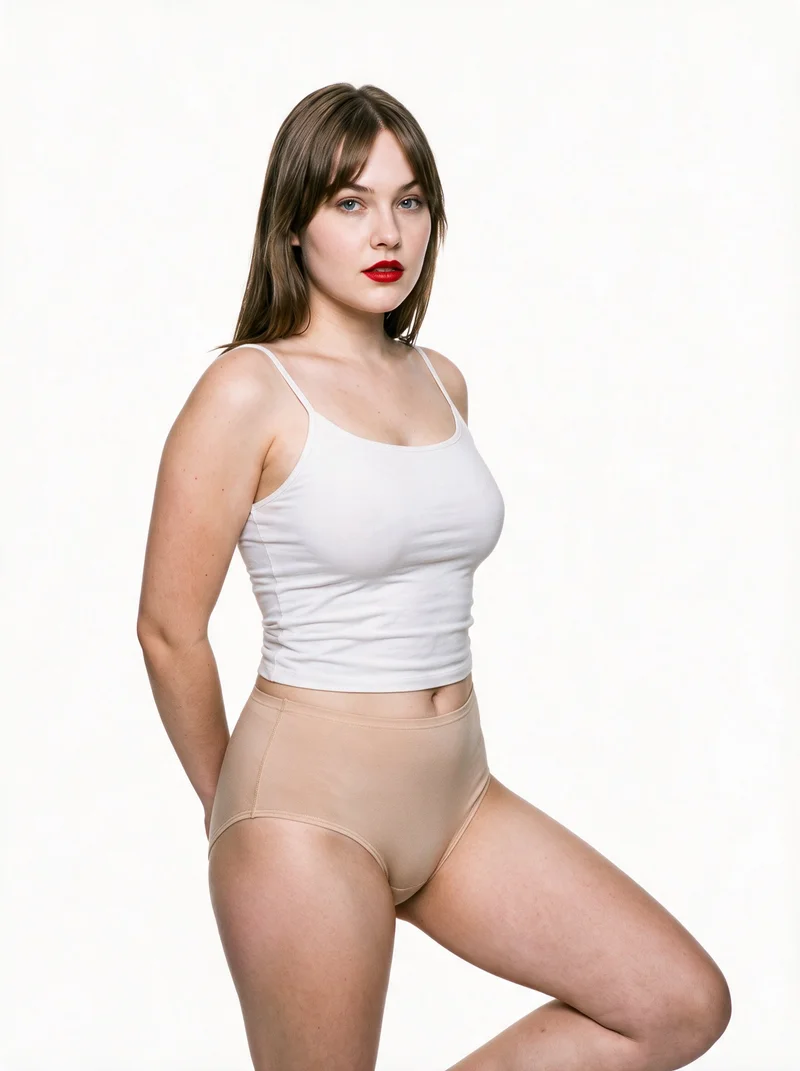
Caimera
caimera.ai
AI visual production platform for fashion teams creating catalog imagery, editorial visuals, garment concepts, and image edits.
Best for
Strongest when flat-lay lingerie assets must support both catalog and editorial production workflows.
Strong at
- Catalog generation includes selectable models, poses, and backgrounds for flat-lay fashion products.
- Editorial production can reuse products stored in a product library across different creative images.
Requirements
- Input:
- Product photo and shoot settings, text prompt
- Output:
- Newly generated images
- Models:
- Models from a library
- Labelling:
- AI label, watermark
Also offers: Caimera creates fashion sketches, prints, graphics, and concept mockups from written direction.
iFoto.AI
ifoto.ai
Browser-based ecommerce image suite with a fashion-model workflow for converting apparel photos into synthetic on-model product imagery.
Best for
Strongest when an ecommerce seller already has lingerie photographed on a mannequin or person.
Strong at
- Model controls cover gender, ethnicity, age, expression, and makeup within the fashion photography workflow.
- Backgrounds can come from a template library or be customized for the product image.
Requirements
- Input:
- Product photo and shoot settings, text prompt
- Models:
- Synthetic, licence-free models, models from a library
- Labelling:
- Watermark
Also offers: The broader suite includes ecommerce image creation, editing, and outfit-change tools.
Model and product swap tools
- How it works
- You typically upload a garment or model image and combine it with an existing photo, template, or model from a library.
- Fits
- Teams that already have a useful source image and need quick variations without rebuilding the full scene.
caspa AI
caspa.ai
Ecommerce product-imagery suite that creates and edits fashion photos and videos, including on-model clothing presentations.
Best for
Strongest when a retailer needs product details, patterns, and logos retained during model placement.
Strong at
- The fashion workflow maintains product details, patterns, and logos across generated clothing imagery.
- Editing tools include background removal, object erasing, and image upscaling for ecommerce assets.
Requirements
- Input:
- Text prompt, product photo and shoot settings
- Output:
- Newly generated images
- Models:
- Synthetic, licence-free models
Also offers: Caspa AI also creates product videos, infographics, and enhanced product-page content.
CatalogX
catalogx.app
Self-service fashion photography tool that converts garment and accessory photos into product images presented on models.
Best for
Strongest when a catalog contains mixed flat-lay, hanger, mannequin, and ghost-mannequin garment photography.
Strong at
- Its garment workflows accept flat-lay, hanger, mannequin, and ghost-mannequin source photography.
- Quality Mode checks color, pattern, and embroidery against the source and can trigger a reviewed retry.
Also offers: CatalogX presents bags, jewelry, watches, and footwear on models with specified product sizing.
FASHN
fashn.ai
AI fashion-content application for creating on-model product photos, virtual try-ons, edits, and videos from fashion assets.
Best for
Strongest when the starting asset is a flat lay, mannequin photo, or existing model image.
Strong at
- Virtual try-on preserves prints, logos, colors, textures, and finishes from the product reference.
- Connected studio workflows support iteration and reuse of previously generated fashion assets.
Requirements
- Input:
- Brief and product samples, text prompt
- Models:
- Synthetic, licence-free models, your own model or the shopper
- Labelling:
- Watermark
Also offers: FASHN includes fashion video creation and guided image-editing workflows.
Product photo editors
- How it works
- You typically upload a product shot, then remove or replace the background, retouch details, or resize it for different channels.
- Fits
- Teams with finished product photos that need clean backgrounds, consistent retouching, or channel-ready formats at volume.
Botika
botika.com
Self-service fashion image tool that turns clothing photography into on-model imagery for product and catalog use.
Best for
Strongest when clothing photos require fashion-specific handling of fabric flow, fit, and catalog poses.
Strong at
- The fashion workflow handles fabric flow, garment fit, and poses when creating model imagery.
- Flat-lay and mannequin workflows provide additional routes from existing clothing assets to finished fashion images.
Also offers: Botika also provides fashion video and retouching workflows.
Photoroom
photoroom.com
AI photo-editing and product-photography platform for preparing commerce imagery and creating fashion model presentations.
Best for
Strongest when existing fashion images need coordinated editing before publication across commerce channels.
Strong at
- Generated fashion imagery can be edited across larger catalogs through the platform’s coordinated editing workflow.
- The API accepts extra product references and optional written style guidance for fashion imagery.
Requirements
- Input:
- Product photo and shoot settings, text prompt
- Output:
- Newly generated images
- Models:
- Synthetic, licence-free models, models from a library, your own model or the shopper
- Labelling:
- Watermark
Also offers: Its AI Fashion Models workflow combines uploaded clothing with preset or customer-supplied models, poses, and backgrounds.
AI-assisted services
- How it works
- You usually send a brief and product assets to a managed team, which runs the production process and returns selected final images.
- Fits
- Teams that want finished work without operating the image tool or production workflow themselves.
Hyperblack Studios
hyperblackstudios.com
Studio-run ecommerce photography and AI production service creating on-model imagery from photographed fashion products.
Best for
Strongest when a brand wants studio staff to photograph flat lays and manage AI image production.
Strong at
- The studio creates on-model imagery from photographed flat lays with attention to drape, fit, and fabric.
- Its production platform tracks project handoffs and deadlines while giving clients access to progress.
Requirements
- Input:
- Brief and product samples
- Output:
- Real photography
Also offers: Hyperblack Studios can correct sample colors, materials, damage, and missing product details.
Looklet
looklet.com
Fashion ecommerce imagery platform and service for creating, styling, reviewing, and retouching on-model product photography.
Best for
Strongest when lingerie imagery needs managed garment capture, styling, quality checks, and retouching.
Strong at
- Enterprise production combines studio garment capture with human quality checks and retouching.
- Digital styling supports changing models and backgrounds while mixing coordinated products into complete looks.
Requirements
- Input:
- Product photo and shoot settings
- Output:
- Real photography
- Models:
- Synthetic, licence-free models, models from a library, real talent, your own model or the shopper
- Labelling:
- C2PA content credentials, AI label
Also offers: Looklet offers a separate shopper-facing Dressing Room virtual try-on workflow.
Criteria and tests
What to check for intimate apparel photography
What to look for
- 1Garment coverage: cups, straps, bands, seams, and leg openings stay faithful and appropriately placed.
- 2Body and fabric realism: skin, stretch, sheerness, and close-fitting materials remain natural.
- 3Pose suitability: the model and framing present the product clearly without accidental exposure.
- 4Range consistency: fit and garment construction hold across body types, colors, and coordinated pieces.
Test these shots
- 1A bra with thin straps, underwire, and closures that must remain connected.
- 2Briefs or shapewear with close-fitting edges and visible seam construction.
- 3A lace or semi-sheer garment where pattern and coverage must remain controlled.
- 4A coordinated set shown in front, back, seated, and movement views.
- 5The same product across different model body types and skin tones.
Crops to check: Full front and back fit views, Torso crop showing straps, bands, and closures, Close crop of lace, seams, and fabric edges, Movement crop with coverage and garment placement visible
Questions
Frequently asked questions
What does an AI lingerie set photography generator actually produce?
An AI lingerie set photography generator turns product assets into coordinated on-model images for catalogs, product pages, and campaigns. Control-based generators such as RAWSHOT, Caimera, and iFoto let users set visual choices before generation. Model and product swap tools such as caspa AI, FASHN, and CatalogX transform existing garment or model images. Product photo editors prepare assets, while AI-assisted services manage production and review. Choose according to whether you want direct control, image transformation, editing, or managed delivery.
Which workflow fits my lingerie catalog production process?
Match the workflow to the assets and production responsibility your team already has. Use control-based generators such as RAWSHOT or Caimera when your team wants to choose the model, pose, scene, and framing. Model and product swap tools such as caspa AI or CatalogX fit established flat-lay and mannequin photography. Product photo editors such as Botika and Photoroom support asset preparation. Looklet and Hyperblack Studios fit brands that want an AI-assisted service to manage production and review.
Can a direct-to-consumer lingerie brand use AI on-model photography?
Yes, a direct-to-consumer lingerie brand can use AI imagery when it has clear product references and defined catalog standards. Prepare accurate flat lays, mannequin images, or other supported product photography showing cups, straps, bands, seams, closures, and coordinated pieces. Establish approved poses, framing, backgrounds, and coverage rules before publishing. Assign a merchandiser or art director to review garment construction and color. Begin with a representative set containing lace, thin straps, closures, and close-fitting edges.
How do I verify AI lingerie images preserve construction details?
Check every generated image against the source product before approving it. Inspect cup shape, strap attachment, underwire, band width, closures, seams, lace placement, leg openings, color, pattern alignment, and coordinated-piece matching. Review front, back, seated, and movement views separately because construction errors can appear only at certain angles. Compare images at close crop and full catalog size, then record recurring issues by product type. Approve a style only after merchandising and brand reviewers agree that its construction remains faithful.
How should generated lingerie images enter an ecommerce photo workflow?
Start with approved product assets and a shot brief defining models, coverage, poses, views, backgrounds, and channel formats. The creative team configures a control-based generator, runs a swap workflow, or sends the package to an AI-assisted service. A merchandiser checks product construction, while an art director reviews framing, color, and range consistency. Editors then prepare crops and channel-ready files for product pages, marketplaces, and campaigns. Publish only approved images and retain the original product references with the final assets.
How can retailers measure whether AI lingerie photography works?
Track production and commerce signals before and after adding generated imagery. Operational measures include time from approved product asset to publication, images rejected during review, correction rounds, and products published with complete view coverage. Commerce measures include product-page engagement, conversion, and returns that mention color, fit presentation, coverage, or differences from the displayed product. Review results by garment type because lace sets, structured bras, briefs, and shapewear present different accuracy risks. Keep the workflow when it improves publishing speed without increasing image-related returns or rejections.
When is a conventional lingerie photoshoot still the right choice?
A conventional shoot is the right choice when the concept depends on physical set interaction, specialized movement direction, close creative collaboration, or a named model relationship. A managed provider also fits when the brand wants someone else to handle capture, review, and retouching. Generated images are enough for controlled catalog poses, product-page views, color updates, coordinated sets, and products that never received a scheduled shoot. Use photographers for concepts requiring live creative judgment, and generated production for clearly specified repeatable catalog work.
How do RAWSHOT and Caimera handle a lingerie catalog shoot?
RAWSHOT and Caimera organize lingerie catalog production through different workflows. RAWSHOT exposes the complete composition before generation, including the model, coordinated outfit, styling, background, light, frame, camera view, pose, expression, ratio, and resolution. Caimera generates catalog images from flat-lay products using selectable models, poses, and backgrounds, and it also supports editorial production through a product library. Choose RAWSHOT when each shoot decision needs a visible control, or Caimera when flat-lay catalog and editorial workflows define the job.
Are the models real people?
RAWSHOT’s fashion models are generated adult synthetic composites, not photographs or likenesses of real people. The model provides a catalog presentation for the brand’s product, while the lingerie set remains the subject being represented. Brands can choose from 1197 license-free adult models or use the private model builder. Every output is C2PA-signed, watermarked, and labeled as AI. Review model selection alongside pose, framing, and product accuracy, then choose the presentation that fits the catalog’s established art direction.
Can RAWSHOT edit photos of real people in lingerie?
RAWSHOT does not edit or alter photos of real people in lingerie. It generates original brand product images using adult synthetic-composite fashion models and product references. The workflow centers on choosing the product, model, styling, pose, setting, light, camera view, framing, ratio, and resolution before generation. This keeps the task focused on commercial fashion imagery rather than modifying a person’s photograph. Use RAWSHOT when the goal is to present a real lingerie product in newly generated catalog or campaign imagery.
Get started
See your products on a model.
Upload a product, choose the model, pose, setting, and framing, then generate the shot with every decision visible.