
— Petite proportions · Catalog consistency · Save once
AI Petite Model Generator — with click-driven control over every attribute.
Petite fit needs the right proportion from the first output, so you can show shorter silhouettes without stretching garments into generic sample-size imagery. You select height, body type, age range, expression, hair, and more across 28 body attributes with 10+ options each, then save the model and reuse it across your whole catalog. Every model is a transparently labelled synthetic composite with no real-person likeness, and every output carries C2PA-signed provenance.
- ~$0.99 per generation
- ~50–60s per generation
- 150+ styles
- 2K and 4K
- Every aspect ratio
- Save once, reuse across catalog
7-day free trial • 50 tokens (10 images) • Cancel anytime

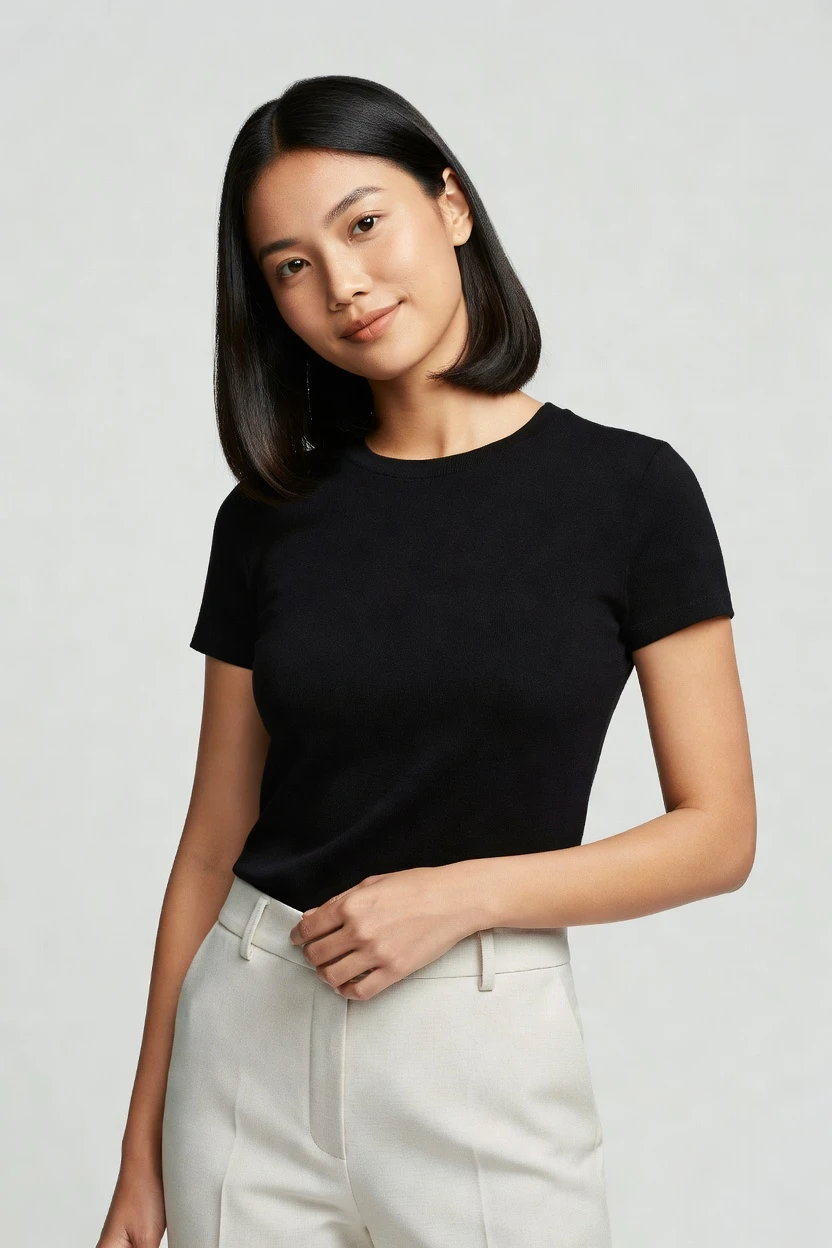
Saved model setup
Female · 26–35 · Dark brown · 175cm
Build a model. Zero prompts.
Start from petite proportions as the entry point, then click through height, body type, age range, hair, and expression until the model matches your brand casting logic. Save it once and keep the same face and body across every SKU. 28 attributes · 10+ options each
- 6 clicks · 0 keystrokes
- app.rawshot.ai / build_model
How it works
Build Once, Reuse Across the Catalog
Petite casting becomes a repeatable asset when the model is saved to your library and reused across every product launch.
- Step 01
Set Petite Proportions First
Choose the body setup that fits your casting brief, with height and proportion as the starting point. You build the model through visual controls, not an empty text box.
- Step 02
Save the Model to Your Library
Once the face, body, and styling attributes are right, save that model for reuse. The same identity stays available for future drops, lookbooks, and SKU refreshes.
- Step 03
Reuse Across Every Garment
Apply the saved model across single looks or full catalog runs in the browser or through the API. You keep consistency across outputs without rebuilding the cast each time.
Spec sheet
Proof for Petite-Fit Model Workflows
These twelve proof points show how RAWSHOT handles control, garment accuracy, trust, and scale for repeatable fashion operations.
- 01
No Real-Person Likeness
Every model is a synthetic composite built from 28 body attributes with 10+ options each. Accidental real-person likeness is statistically negligible by design.
- 02
Every Setting Is a Click
You direct body attributes, expression, and styling through buttons, sliders, and presets. It works like an application for fashion teams, not a chat box.
- 03
The Garment Stays the Brief
Cut, colour, pattern, logo, fabric, and drape are represented faithfully. Petite casting does not come at the cost of bending the product into something else.
- 04
Diverse Synthetic Models
Build transparently labelled synthetic models across different body attributes and identities. That gives smaller brands access to casting range without studio constraints.
- 05
Same Face Across SKUs
Save one petite model and reuse it across your entire catalog. The face and body stay consistent between products, seasons, and refresh cycles.
- 06
150+ Visual Styles
Move from clean catalog to editorial, lifestyle, campaign, street, vintage, or studio looks without changing tools. One saved model can carry many brand directions.
- 07
2K, 4K, Any Ratio
Generate outputs in 2K or 4K and publish in every aspect ratio. That covers PDP imagery, social crops, marketplace requirements, and campaign placements.
- 08
Labelled and Compliant
Outputs are C2PA-signed, AI-labelled, and aligned with EU AI Act Article 50 and California SB 942 requirements. Honesty is built into the product surface.
- 09
Signed Audit Trail per Image
Each output carries a signed audit trail for internal review and downstream verification. That matters when teams need traceability beyond a final JPEG.
- 10
GUI for One Shoot, API for Scale
Use the browser for hands-on casting and the REST API for repeatable catalog pipelines. The same product serves indie drops and enterprise batch work.
- 11
Clear Speed and Pricing
Model generation runs at about ~$0.99 and usually completes in ~50–60 seconds. Tokens never expire, and failed generations refund their tokens.
- 12
Full Commercial Rights
Every output comes with full commercial rights, permanent and worldwide. You do not have to untangle a murky usage story before publishing.
Outputs
Saved Petite Models, Ready to Reuse
Build a petite brand face once, then carry it across new arrivals, seasonal edits, and marketplace updates. The result is a tighter catalog identity with less casting drift.


Browse all 600+ models →
Comparison
RAWSHOT vs category tools vs DIY prompting
Three lenses on every dimension — what you optimize for in RAWSHOT versus typical category tools and blank-box AI workflows.
01
Interface
RAWSHOT
Click-driven controls for body attributes, styling, and reuse across shootsCategory tools + DIY
Mixed UI depth with narrower controls and more manual creative guesswork. DIY prompting: You type instructions, iterate by trial, and absorb setup overhead before useful output02
Garment fidelity
RAWSHOT
Built around the garment so cut, logo, colour, and drape stay intactCategory tools + DIY
Often weaker on product-specific details when styling variables stack up. DIY prompting: Garment drift and invented logos appear between outputs, especially across variants03
Model consistency across SKUs
RAWSHOT
Save one petite model and keep the same face and body catalog-wideCategory tools + DIY
Consistency exists in parts, but often weakens across bigger product runs. DIY prompting: Faces change across outputs, so the catalog loses continuity from SKU to SKU04
Provenance + labelling
RAWSHOT
C2PA-signed outputs with AI labelling and visible plus cryptographic watermarkingCategory tools + DIY
Often limited or absent provenance signals for downstream trust workflows. DIY prompting: Missing provenance metadata, no dependable labelling, and no signed output trail05
Commercial rights
RAWSHOT
Full commercial rights to every output, permanent and worldwideCategory tools + DIY
Rights language varies by plan, usage context, or platform terms. DIY prompting: Rights can be unclear, making approval harder for commerce and brand teams06
Pricing transparency
RAWSHOT
Flat per-model pricing, tokens never expire, one-click cancel, refunds on failuresCategory tools + DIY
Per-seat gates, volume tiers, or core features pushed behind sales calls. DIY prompting: Tool pricing may be simple, but usable fashion output takes repeated manual iteration07
Catalog API
RAWSHOT
Browser GUI and REST API share the same engine and model logicCategory tools + DIY
API access may sit behind higher plans or separate enterprise packaging. DIY prompting: No clean catalog pipeline for repeatable body settings, approvals, and batch orchestration08
Iteration speed per variant
RAWSHOT
Adjust a few controls, save the model, and reuse without rebuilding identityCategory tools + DIY
Iteration can slow once teams chase consistency across multiple garment sets. DIY prompting: Each new variant needs more rewriting and checking before it matches prior outputs
Prompting does not scale
Stop writing essays. Direct the shoot.
Most AI photo tools start with a blank text box. Rawshot turns the shoot into repeatable controls, so creative teams can produce consistent fashion imagery without prompt syntax or one-off hacks.
Category norm
ManualCreate a premium editorial fashion photograph of a model wearing the exact navy oversized wool coat from SKU-1842, full-body crop, realistic hands, consistent facial identity, clean e-commerce lighting, subtle Paris street background, 85mm lens, no logo distortion, no fabric hallucination, same pose as last campaign, repeatable for all colorways...
A prompt can describe one image. It cannot become a shared production system for hundreds of products, models, angles and markets.
Rawshot
ClicksSaved shoot recipe
Apply to 1 SKU or 10,000 via GUI, CSV or REST API.
Rawshot makes creative direction visible: buttons, presets and sliders instead of hidden prompt craft. The result is easier to teach, faster to approve and built for repeat production.
Use cases
Who Petite Model Workflows Unlock
Operator archetypes and how click-directed, garment-first output fits the way they actually work.
- 01
Indie Petite Womenswear Labels
Launch a first collection with a saved petite model that matches your brand proportions across every product page.
Confidence · high
- 02
DTC Denim Brands
Show inseam, rise, and silhouette on shorter proportions without reshooting every wash and fit in a physical studio.
Confidence · high
- 03
Crowdfunded Fashion Projects
Present petite-fit concepts before full production so backers can see proportion and styling clearly.
Confidence · high
- 04
Adaptive Fashion Teams
Combine specific body-direction choices with catalog consistency when inclusive casting matters to product understanding.
Confidence · high
- 05
Marketplace Sellers
Create repeatable on-model listings for petite-targeted assortments across channels with consistent identity and ratios.
Confidence · high
- 06
Factory-Direct Manufacturers
Test petite catalog presentation at scale before committing to regional studio schedules and sample logistics.
Confidence · high
- 07
Lookbook Creators
Carry one saved petite cast across seasonal storytelling so the collection feels coherent from first look to last.
Confidence · high
- 08
Resale and Vintage Operators
Use a consistent shorter-proportion model to standardize mixed inventory and make fit cues easier to compare.
Confidence · high
- 09
Kidswear Transition Lines
Show garments designed for smaller adult frames with more relevant body proportions than generic sample-size imagery.
Confidence · high
- 10
Lingerie and Intimates Brands
Maintain the same petite model across sets and colorways so shoppers focus on fit and product details.
Confidence · high
- 11
Catalog Teams Managing Many SKUs
Save approved petite models once, then apply them through browser workflows or API pipelines across large assortments.
Confidence · high
- 12
Students and Emerging Designers
Build a petite cast without agency fees or studio days, then present polished imagery for portfolios, drops, and pitches.
Confidence · high
— Principle
Honest is better than perfect.
Petite casting needs trust as much as it needs proportion. RAWSHOT labels outputs, signs them with C2PA metadata, and applies visible plus cryptographic watermarking so teams can publish with a clear record of what the imagery is. Every model is a synthetic composite by design, which supports honest representation without leaning on real-person likeness.
Rights & provenance
Full commercial rights. Forever.
- C2PA-signed on every image — EU AI Act Article 50 compliant
- 28-attribute synthetic models — real-person likeness statistically impossible
- Full commercial rights to every generation — no recurring licensing fees
- Tokens never expire · One-click cancel · Transparent pricing
EU AI Act
C2PA
Commercial use
Pricing
~$0.99 per model generation.
~50–60 seconds per generation. Save the model once, reuse it across your entire catalog.
- 01Tokens never expire. Cancel in one click.
- 02Same face, same body, every SKU — no drift between shoots.
- 03No per-seat gates. No 'contact sales' walls for core features.
- 04Failed generations refund their tokens.
FAQ
Practical answers on control, rights, pricing, scale, and compliant publishing.
Do I need to write prompts to use RAWSHOT?
Never—you direct every output with sliders, presets, and clicks on the garment, not typed prompts. That UI control is consistent across GUI and REST API payloads, which is why ecommerce teams onboard buyers without rewriting creative briefs as chat threads. Instead of translating fashion decisions into syntax, you choose body attributes, camera logic, styling direction, and output settings in a structured interface built for apparel work.
For catalog teams, reliability matters more than model cleverness; RAWSHOT keeps tokens, timings, refund rules, commercial rights framing, provenance signalling, watermarking cues, REST surface, and SKU-scale batch patterns explicit so operations can rehearse PDP launches without hallucinated garment inventions. The practical takeaway is simple: your team learns one interface, saves approved models, and reuses them across future outputs without becoming text specialists first.
What does an AI Petite Model Generator change for catalog teams selling petite fit?
It changes the starting point from generic sample-size imagery to proportion that actually reflects the line you are selling. Petite collections depend on shorter balance, cleaner hem breaks, and more believable body-to-garment relationships, so representation matters before styling even begins. When those proportions are off, shoppers read the product incorrectly and teams end up compensating with extra explanations, extra crops, or extra reshoots.
RAWSHOT lets teams build a petite synthetic model through click-driven attribute controls, save it once, and reuse it across the whole catalog. That means the same face and body can hold denim, dresses, tailoring, knitwear, and outerwear without drifting between shoots. Because outputs are labelled, C2PA-signed, and backed by a signed audit trail per image, the workflow is not just visually consistent; it is operationally legible for brand, legal, and ecommerce review.
Why skip reshooting every SKU when seasonal drops only change colors, prints, or trims?
Because the expensive part is often rebuilding consistency, not just creating another image. When a collection already has an approved cast and a known body profile, repeating the full studio process for minor updates slows launch calendars and makes continuity harder to hold. Petite ranges feel that pain sharply, since fit communication depends on keeping body scale stable from one drop to the next.
With RAWSHOT, you save the approved model once and reuse it when new garments arrive. You keep the same petite proportions, face, and body logic while swapping products, visual styles, framing, and output ratios as needed. That shortens the path from product-ready asset to publishable imagery while preserving commercial rights, labelling, and provenance, so teams can update assortments quickly without sacrificing traceability or catalog coherence.
How do we turn flat garments into catalogue-ready on-model imagery without prompting?
You start by building or selecting the model, then direct the shoot through interface controls for framing, style, lighting, aspect ratio, and garment focus. The workflow is structured so buyers, merchandisers, and creative leads can make decisions in the same language they already use for ecommerce production. That is especially useful when the goal is a repeatable petite presentation rather than a one-off visual experiment.
RAWSHOT is engineered around the garment, so cut, colour, pattern, logo, fabric, and drape remain the brief while the model stays consistent in the background. Teams can output 2K or 4K imagery in any aspect ratio, then apply the same setup to future SKUs through the browser or REST API. In practice, that lets you move from product asset to publishable PDP imagery with less back-and-forth and a clearer approval chain.
Why does RAWSHOT beat ChatGPT, Midjourney, or generic image models for fashion PDP work?
The main difference is control structure. Generic image tools ask you to improvise instructions and then hope the system preserves the garment, the face, and the commercial intent from one output to the next. For fashion commerce, that usually produces the wrong kind of variation: garments drift, logos get invented, and faces shift between images even when the brand needs stable catalog identity.
RAWSHOT replaces that roulette with product-specific controls and reusable synthetic models. You click body attributes, save approved identities, and keep them consistent across SKUs, while provenance, labelling, watermarking, and commercial-rights framing remain explicit instead of assumed. That gives ecommerce teams something they can actually standardize: a repeatable workflow where the garment stays central and review teams can see exactly what they are approving.
Are RAWSHOT outputs safe to publish in ads, product pages, and marketplaces?
Yes. Every RAWSHOT output comes with full commercial rights, permanent and worldwide, so commerce teams do not have to decode an uncertain usage position before launch. That matters when the same asset needs to travel across PDPs, paid social, marketplaces, email, and seasonal campaign placements. Clear rights remove friction between creative generation and actual publishing.
Trust is not only about licensing, though; it is also about disclosure and recordkeeping. RAWSHOT outputs are AI-labelled, C2PA-signed, and protected with visible plus cryptographic watermarking, and each image carries a signed audit trail for downstream verification. For operators, the practical advantage is straightforward: assets can move through internal approval and external publishing with a cleaner, more defensible paper trail.
What should buyers and ecommerce leads check before publishing petite-model outputs?
Start with the garment itself: verify cut, colour, pattern, logo placement, fabric behaviour, and overall drape against the source product. Then review whether the selected proportions support the fit story the page is supposed to tell, especially for inseam, hem length, sleeve balance, and silhouette on shorter frames. A good review process checks representation and product truth together, because the strongest asset is still wrong if either one slips.
After visual QA, confirm the trust layer. RAWSHOT gives teams labelled outputs, C2PA provenance, watermarking signals, and a signed audit trail per image, so reviewers can validate not only what they see but what the file claims to be. That turns publishing into a controlled workflow rather than a leap of faith, which is exactly what commerce teams need when assets move fast across multiple channels.
How much does the ai petite model generator cost, and what happens to unused tokens?
Model generation is about ~$0.99 per model and usually completes in roughly 50–60 seconds. Tokens never expire, which means teams can buy for current launches without worrying that unused balance disappears at quarter end. That pricing model is useful for both small brands building one approved petite cast and larger catalog teams preparing many reusable identities.
RAWSHOT also keeps the commercial terms plain: you can cancel in one click, there are no per-seat gates for core features, and failed generations refund their tokens. The value is not only the per-model price; it is the fact that one saved model can be reused across your catalog without drift between shoots. In operational terms, you are paying once for the identity asset and then compounding that consistency across future launches.
Can we connect saved models to Shopify-scale or PLM-driven catalog workflows through an API?
Yes. RAWSHOT offers a REST API alongside the browser interface, so the same product can support hands-on creative work and structured catalog automation. That matters when teams want to approve petite casting in the GUI, then push repeatable generation logic into a broader commerce pipeline tied to product data, launch calendars, or downstream merchandising systems. One interface handles exploratory work; the API handles repetition and scale.
The important point is that the underlying engine stays the same whether you run one look or thousands of SKUs. Saved models, provenance patterns, rights framing, and auditability do not switch to a different product tier just because volume increases. For operations teams, that means fewer workflow breaks, cleaner handoffs between creative and engineering, and a simpler path to repeatable catalog updates.
Can a small team start in the browser and later scale the same petite casting workflow across thousands of SKUs?
Yes, and that continuity is one of the strongest operational advantages. A small brand can begin by building a petite synthetic model in the GUI, testing visual styles, confirming proportion, and saving approved identities without involving a developer on day one. As the assortment grows, that same casting logic can move into repeatable batch workflows rather than being rebuilt from scratch inside a new tool or sales-gated plan.
RAWSHOT uses the same engine, model logic, pricing posture, and rights framework whether you are directing a single shoot or feeding a high-volume catalog pipeline. There are no per-seat gates for core features, tokens never expire, and failed generations refund their tokens, which helps teams scale at their own pace instead of being punished for growth. The result is infrastructure for access: start simple, keep control, and expand without changing the creative rules.
Keep exploring