
— Pinterest ads · 150+ styles · 4K
Build click-ready fashion campaigns with the AI Pinterest Ad Generator.
Generate Pinterest-ready fashion ad imagery built around the real garment. Direct framing, lens, lighting, background, and visual style with clicks in a real application, not an empty text box. No studio. No samples. No prompts.
- ~$0.55 per image
- ~30–40s per generation
- 150+ styles
- 2K or 4K
- 4:5, 1:1, 9:16
- Full commercial rights
7-day free trial • 50 tokens (10 images) • Cancel anytime

Direct the shoot. Zero prompts.
Preset for Pinterest ad creative: 4:5 framing, campaign gloss styling, clean studio light, and a product-first composition that keeps the garment readable in-feed. You click the ad-ready look into place, then generate. 5 tokens · ~34s per image
- 6 clicks · 0 keystrokes
- app.rawshot.ai / new_shoot
How it works
From Garment to Pinterest Ad Creative
A product-led workflow for teams that need campaign imagery without studio days or command-line guesswork.
- Step 01
Upload the Garment
Start with the real product, not a blank box. RAWSHOT reads the cut, colour, pattern, logo, and drape as the thing to preserve.
- Step 02
Set the Ad Frame
Click through lens, crop, pose, lighting, background, and visual style until the composition fits Pinterest placements. Every decision lives in controls you can repeat.
- Step 03
Generate and Publish
Create campaign-ready images in 2K or 4K, sized for pins, boards, and paid placements. Keep the same workflow for one hero image or a full seasonal rollout.
Spec sheet
Proof for Fashion Ad Production
These twelve surfaces show why click-directed fashion imagery holds up in paid social, brand review, and catalog operations.
- 01
No-Likeness by Design
Synthetic models are built from 28 body attributes with 10+ options each. Accidental real-person likeness is statistically negligible by design.
- 02
Every Setting Is a Click
Lens, angle, frame, pose, expression, light, background, and style live in buttons, sliders, and presets. You direct the image without typed syntax.
- 03
The Garment Stays the Brief
RAWSHOT is engineered to represent cut, colour, pattern, logo, fabric, and drape faithfully. Ad creative starts from the product you need to sell.
- 04
Diverse Synthetic Models
Use transparently labelled synthetic models across fashion categories and brand aesthetics. The casting surface is broad without borrowing a real person’s identity.
- 05
Same Face Across the Line
Keep one model consistent across every SKU and campaign variant. No drift between looks, no near-match retakes, no broken brand continuity.
- 06
150+ Visual Styles
Move from clean catalog to glossy campaign, street, noir, vintage, or studio looks with presets. Pinterest creative can shift by board, audience, or season fast.
- 07
2K, 4K, Every Ratio
Generate in 2K or 4K and crop for 1:1, 4:5, 3:4, 2:3, 16:9, or 9:16. The same garment can feed paid pins, landing pages, and social cutdowns.
- 08
Labelled and Compliant
Outputs are C2PA-signed, AI-labelled, and aligned with EU AI Act Article 50 and California SB 942 requirements. Honest provenance is built into the file.
- 09
Signed Audit Trail per Image
Each output carries a signed audit trail for review, approval, and archive workflows. Commerce teams get traceability image by image, not hand-waving.
- 10
GUI for Shoots, API for Scale
Work in the browser for one-off ad sets or run catalog-scale image generation through the REST API. The product stays the same as volume grows.
- 11
Clear Speed and Pricing
Still images run at about ~$0.55 each and ~30–40 seconds per generation. Tokens never expire, and failed generations refund their tokens.
- 12
Commercial Rights Included
Every output comes with full commercial rights, permanent and worldwide. Use the image in ads, landing pages, email, and marketplace creative without rights fog.
Outputs
Ad-Ready Outputs, Garment First.
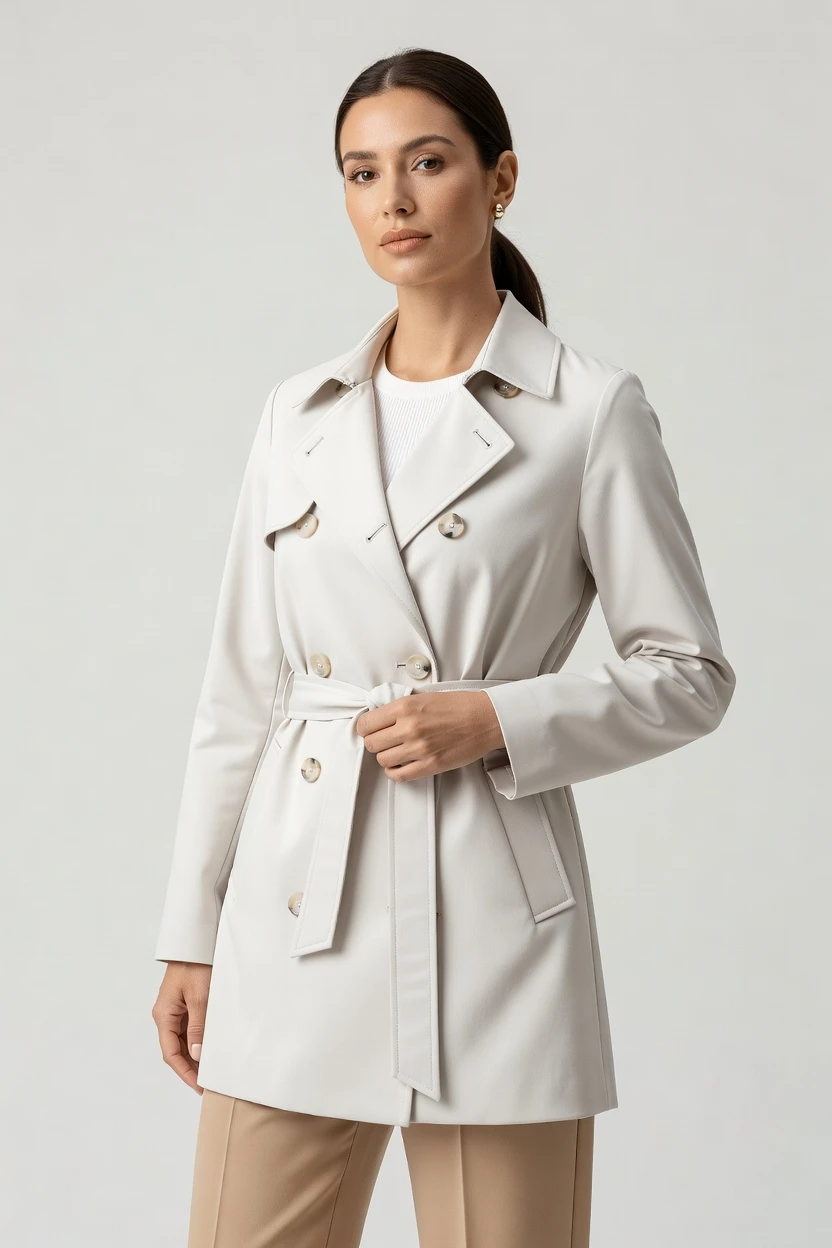
Build a Pinterest ad set with clean product readability, campaign styling, and repeatable crops. Each image starts from the same garment-faithful core and can branch into multiple creative directions fast.


Browse 150+ visual styles →
Comparison
RAWSHOT vs category tools vs DIY prompting
Three lenses on every dimension — what you optimize for in RAWSHOT versus typical category tools and blank-box AI workflows.
01
Interface
RAWSHOT
Click-driven controls for camera, framing, pose, light, background, and styleCategory tools + DIY
Often mix limited controls with vague text-driven adjustments and shallower direction. DIY prompting: You start from a chat box and spend time steering phrasing before usable outputs appear02
Garment fidelity
RAWSHOT
Built around the real garment so cut, colour, logo, and drape stay readableCategory tools + DIY
Product details hold less reliably across variants and styling changes. DIY prompting: Garment drift appears quickly, with mutated seams, altered colours, and invented logos03
Model consistency across SKUs
RAWSHOT
Same model, same face, same body across the entire lineCategory tools + DIY
Consistency can weaken across batches or campaign variants. DIY prompting: Faces shift between outputs, breaking catalog and ad continuity04
Provenance + labelling
RAWSHOT
C2PA-signed outputs with AI labelling and visible plus cryptographic watermarkingCategory tools + DIY
Provenance metadata and transparent labelling are often missing or partial. DIY prompting: No C2PA, no clean labelling, and no signed audit record for review05
Commercial rights
RAWSHOT
Full commercial rights to every output, permanent and worldwideCategory tools + DIY
Rights language can vary by plan, seat, or sales agreement. DIY prompting: Rights are often unclear for ad use, especially across platforms and campaigns06
Pricing transparency
RAWSHOT
Flat per-image pricing with no per-seat gates, no expiring tokensCategory tools + DIY
Per-seat pricing, volume tiers, and gated plans are common. DIY prompting: Usage cost is indirect, inconsistent, and tied to repeated retries and revisions07
Iteration speed per variant
RAWSHOT
Repeat ad crops and style variants fast with reusable click settingsCategory tools + DIY
Variant creation is possible but less predictable across repeat runs. DIY prompting: Iterations slow down because every change requires more manual steering and checking08
Catalog API
RAWSHOT
Browser GUI for one shoot, REST API for nightly catalog pipelinesCategory tools + DIY
Some tools focus on one-off creative rather than operational scale. DIY prompting: No garment-native catalog pipeline, no audit trail, and weak reproducibility at scale
Prompting does not scale
Stop writing essays. Direct the shoot.
Most AI photo tools start with a blank text box. Rawshot turns the shoot into repeatable controls, so creative teams can produce consistent fashion imagery without prompt syntax or one-off hacks.
Category norm
ManualCreate a premium editorial fashion photograph of a model wearing the exact navy oversized wool coat from SKU-1842, full-body crop, realistic hands, consistent facial identity, clean e-commerce lighting, subtle Paris street background, 85mm lens, no logo distortion, no fabric hallucination, same pose as last campaign, repeatable for all colorways...
A prompt can describe one image. It cannot become a shared production system for hundreds of products, models, angles and markets.
Rawshot
ClicksSaved shoot recipe
Apply to 1 SKU or 10,000 via GUI, CSV or REST API.
Rawshot makes creative direction visible: buttons, presets and sliders instead of hidden prompt craft. The result is easier to teach, faster to approve and built for repeat production.
Use cases
Where Pinterest Ad Imagery Opens Access
Operator archetypes and how click-directed, garment-first output fits the way they actually work.
- 01
Indie Designer Launching a First Drop
Create Pinterest campaign assets for a new collection without booking a studio day before the first orders land.
Confidence · high
- 02
DTC Brand Testing Seasonal Boards
Spin one garment into multiple ad looks for winter, resort, or gifting boards while keeping the product consistent.
Confidence · high
- 03
Crowdfunding Fashion Creator
Publish polished pin creative before full production so backers can see the concept on-model, not just as a flat sketch.
Confidence · high
- 04
Marketplace Seller Building Better Pins
Turn plain product inventory into clean ad-ready imagery sized for discovery feeds and product-rich landing pages.
Confidence · high
- 05
Resale and Vintage Curator
Give one-off pieces campaign-style presentation for promoted pins without losing the quirks that make each item sell.
Confidence · high
- 06
Kidswear Label Planning Paid Social
Build compliant, clearly labelled fashion ad creative around garments and styling direction instead of expensive reshoots.
Confidence · high
- 07
Adaptive Fashion Team
Show fit, proportion, and styling intent in clear campaign imagery that respects the garment as the brief.
Confidence · high
- 08
Lingerie DTC Brand
Generate polished Pinterest visuals with controlled framing, consistent model choice, and product-first composition.
Confidence · high
- 09
Factory-Direct Manufacturer
Produce ad images across many SKUs from the same interface you can later extend into API-based catalog workflows.
Confidence · high
- 10
Student Brand or Graduate Collection
Present a final project like a real campaign with editorial control and commercial-ready rights from day one.
Confidence · high
- 11
In-House Growth Team Running Creative Tests
Swap crops, backgrounds, and visual styles quickly to test what earns saves, clicks, and downstream conversion.
Confidence · high
- 12
Catalog Manager Refreshing Hero Images
Update paid pin creative for hundreds of products while keeping the same model, framing logic, and review trail.
Confidence · high
— Principle
Honest is better than perfect.
Pinterest ads are paid media, so provenance and rights cannot be an afterthought. RAWSHOT outputs are C2PA-signed, AI-labelled, and watermarked with visible plus cryptographic layers, with a signed audit trail per image. That gives brand, legal, and performance teams a cleaner review path before anything goes live.
Rights & provenance
Full commercial rights. Forever.
- C2PA-signed on every image — EU AI Act Article 50 compliant
- 28-attribute synthetic models — real-person likeness statistically impossible
- Full commercial rights to every generation — no recurring licensing fees
- Tokens never expire · One-click cancel · Transparent pricing
EU AI Act
C2PA
Commercial use
Pricing
~$0.55 per image.
~30–40 seconds per generation. Tokens never expire. Cancel in one click.
- 01The cancel button is on the pricing page.
- 02No per-seat gates. No 'contact sales' walls for core features.
- 03Failed generations refund their tokens.
- 04Full commercial rights to every output, permanent, worldwide.
FAQ
Practical answers on control, rights, pricing, scale, and compliant publishing.
Do I need to write prompts to use RAWSHOT?
Never. You direct every output with sliders, presets, and clicks on the garment, not typed prompts. That matters for fashion teams because a buyer, marketer, or founder can set lens, framing, pose, lighting, background, aspect ratio, and visual style without turning a creative review into a wording exercise. The interface behaves like a real application for image production, so the discussion stays on the product and the ad objective rather than on syntax.
In practice, that makes approval and repetition much easier. A team can lock a 4:5 Pinterest crop, keep studio soft light, choose a campaign preset, and run variants while preserving the same garment-led setup. The same logic carries into browser work for one-off shoots and REST API payloads for larger runs, which means operations stay consistent from first concept to scaled production. You click, adjust, generate, and review with clear pricing, token behavior, refunds on failed generations, and rights already defined.
What does an AI Pinterest ad generator actually change for fashion marketing teams?
It changes who gets access to usable campaign imagery. Traditional fashion shoots often sit far outside the reach of indie labels, small DTC teams, resale operators, and makers, even when the need for polished ad creative is obvious. RAWSHOT gives those teams a way to produce on-model fashion imagery for paid Pinterest placements without a studio booking, shipped samples across continents, or a specialist operator managing chat-based iterations. The result is not a vague shortcut; it is a clearer production path for teams that were previously priced out.
For marketing teams, the practical benefit is repeatable creative built around the real garment. You can set a campaign look, maintain the same model across variants, generate in 2K or 4K, and crop for placements like 4:5 or 1:1 without rebuilding the process every time. That lets performance, brand, and merchandising teams work from the same production surface, with C2PA-signed provenance, AI labelling, and commercial rights already in place for publishing.
Why skip reshooting every SKU when a season or campaign angle changes?
Because the expensive part is rarely the decision to refresh creative; it is the logistics around doing it. Seasonal updates, offer changes, trend shifts, and new channel requirements often demand new imagery long before a traditional shoot can be planned, staffed, and approved. RAWSHOT lets teams restyle the same garment into different campaign directions through clicks on framing, lighting, background, crop, and visual style, so the product can re-enter market with new relevance without repeating the whole studio process.
That is especially useful when you need a family of assets rather than one hero image. A growth team can create cleaner catalog-facing variants for landing pages, more polished campaign gloss for paid Pinterest placements, and close-up detail crops for retargeting creative from the same garment-led workflow. Because output pricing is flat per image, tokens never expire, and failed generations refund their tokens, teams can plan refresh cycles as an operational routine rather than a special project that only large budgets can support.
How do we turn flat garments into catalogue-ready imagery without prompting?
You begin with the garment and then direct the shoot through controls. In RAWSHOT, that means selecting the model, lens, framing, camera angle, pose, lighting, background, mood, visual style, aspect ratio, and resolution inside the interface, rather than trying to explain those decisions in a text box. For apparel teams, that is a major workflow improvement because each decision becomes inspectable, repeatable, and easier to standardize across categories and team members. The garment remains the anchor of the image instead of becoming collateral damage in a generic image workflow.
Once the setup is locked, you generate stills in about 30 to 40 seconds each and review for product clarity, crop suitability, and campaign fit. You can keep the same configuration for multiple SKUs, move between 2K and 4K output, and create assets for PDPs, paid pins, email, and landing pages from one production surface. The actionable takeaway is simple: treat image creation like a controlled merchandising workflow, not a writing exercise.
Why does RAWSHOT beat DIY work in ChatGPT, Midjourney, or other generic image models for fashion ads?
Because fashion advertising depends on product accuracy and operational repeatability, not on lucky one-off images. Generic image tools tend to introduce exactly the problems commerce teams cannot tolerate: garment drift between outputs, invented logos, inconsistent faces across variants, weak reproducibility, and no clean provenance story for review. They also push the user into a chat-style workflow where every change starts with more wording, more retries, and more manual checking. That is a poor fit for catalogs, paid media variants, and image approval cycles.
RAWSHOT is built around the garment and the controls. You choose visual settings directly, preserve the same model across SKUs, generate known aspect ratios, and receive outputs with C2PA signing, AI labelling, watermarking, and a signed audit trail per image. The difference is not cosmetic. It means your team can build ad creative that survives brand review, legal review, and merchandising review without guessing whether the next output will silently mutate the product.
Can we use RAWSHOT images in paid ads with clear rights and proper labelling?
Yes. Every RAWSHOT output includes full commercial rights, permanent and worldwide, which means you can use the images across Pinterest ads, landing pages, email, marketplaces, and broader campaign distribution without entering a grey zone on usage. That clarity matters because paid media often moves fast, and teams cannot afford to stop a launch over ambiguous rights language. RAWSHOT also labels outputs and attaches provenance rather than pretending synthetic fashion imagery should pass without disclosure.
On the trust side, the files are C2PA-signed and layered with visible plus cryptographic watermarking, with a signed audit trail attached per image. That gives internal reviewers and external partners a concrete record of what the asset is and where it came from. For fashion operators, the practical advice is to build compliant publishing into the asset workflow from the start, not as a cleanup step after creative has already been approved and routed into paid spend.
What should our team check before publishing fashion ad images from RAWSHOT?
Check the garment first, then the campaign frame, then the trust signals. The product should hold the right cut, colour, logo, pattern, and drape for the SKU you are promoting, because no amount of stylish creative fixes a mismatch between the ad and the actual item. After that, confirm the crop, lighting, and visual style fit the placement, whether you are aiming for a clean product-forward pin, a more editorial board cover, or a detail-led retargeting asset. A good review process is still a merchandising process.
Then verify the operational and compliance layer. Make sure the output carries the expected provenance and labelling, that the team has stored the signed audit trail, and that the selected model and styling remain consistent across the asset set. RAWSHOT supports that review path with C2PA signing, AI labelling, visible plus cryptographic watermarking, and repeatable controls. Teams that formalize these checks publish faster because they stop debating basics after the asset is already in trafficking.
How much does still-image production cost for Pinterest campaigns, and what happens to unused tokens?
For stills, RAWSHOT runs at about ~$0.55 per image, with most generations completing in roughly 30 to 40 seconds. Tokens never expire, which is important for fashion teams because campaign planning is rarely linear; a brand might generate heavily during a launch week and then pause before the next seasonal push. One-click cancellation is available, the cancel button sits on the pricing page, and failed generations refund their tokens. That combination makes budgeting much easier than plans built around hidden usage cliffs or seat-based gating.
The key planning benefit is predictability. A growth team can estimate creative testing volume, a founder can budget a first ad set, and a catalog lead can batch refreshes without wondering whether unused balance will disappear. RAWSHOT also keeps core features outside sales-call walls, so the same product surface supports both small runs and larger operational use. For still-image campaigns, that means you can scale output volume when the business needs it, not when a contract allows it.
Can RAWSHOT plug into Shopify-scale or catalog pipelines through an API?
Yes. RAWSHOT supports a browser GUI for single-shoot work and a REST API for catalog-scale production, so teams do not have to switch systems when they move from testing creative concepts to running broader image workflows. That matters for fashion operators because the real burden is often not generating one good image; it is keeping image logic consistent across dozens, hundreds, or thousands of SKUs. An API makes that repeatability operational rather than aspirational.
For a commerce team, the clean approach is to define repeatable settings around category, crop, resolution, and model consistency, then pass those through larger workflows as needed. RAWSHOT is integration-ready for environments that need auditability and scale, including signed audit trails per image and provenance-aware output handling. The practical outcome is that marketing, merchandising, and operations can work from one production engine, whether they are building a campaign set in the browser or refreshing a broad catalog overnight.
How do small teams and large catalog operators use the same AI Pinterest ad generator without hitting feature gates?
They use the same underlying product surface. RAWSHOT is built so an indie designer making a single ad set in the browser and a catalog team running high-volume production through the REST API are not separated by a different class of core tool. There are no per-seat gates for basic capability, no enterprise-only wall around the essential workflow, and no pricing model designed to punish growth with hidden changes to output logic. That keeps training, review, and creative standards aligned across team sizes.
In practice, smaller teams benefit from access while larger teams benefit from continuity. A founder can direct one campaign with clicks, save the visual logic, and return later without losing tokens or relearning the interface. A larger operator can formalize the same choices into repeatable API-driven production with consistent models, aspect ratios, provenance, audit trails, and rights handling. The operational lesson is simple: choose one production system that scales with the business instead of outgrowing the very workflow that made it usable in the first place.
Keep exploring