
— Wide-format imagery · 150+ styles · 4K
Direct wide-format fashion campaigns with the AI Wide Image Generator.
Generate panoramic campaign frames and wide ecommerce visuals built around the real garment. Select lens, framing, angle, lighting, background, style, and aspect ratio in a click-driven interface made for fashion teams. No studio. No samples. No prompts.
- ~$0.55 per image
- ~30–40s per generation
- 150+ styles
- 2K or 4K
- Every aspect ratio
- Full commercial rights
7-day free trial • 50 tokens (10 images) • Cancel anytime

Direct the shoot. Zero prompts.
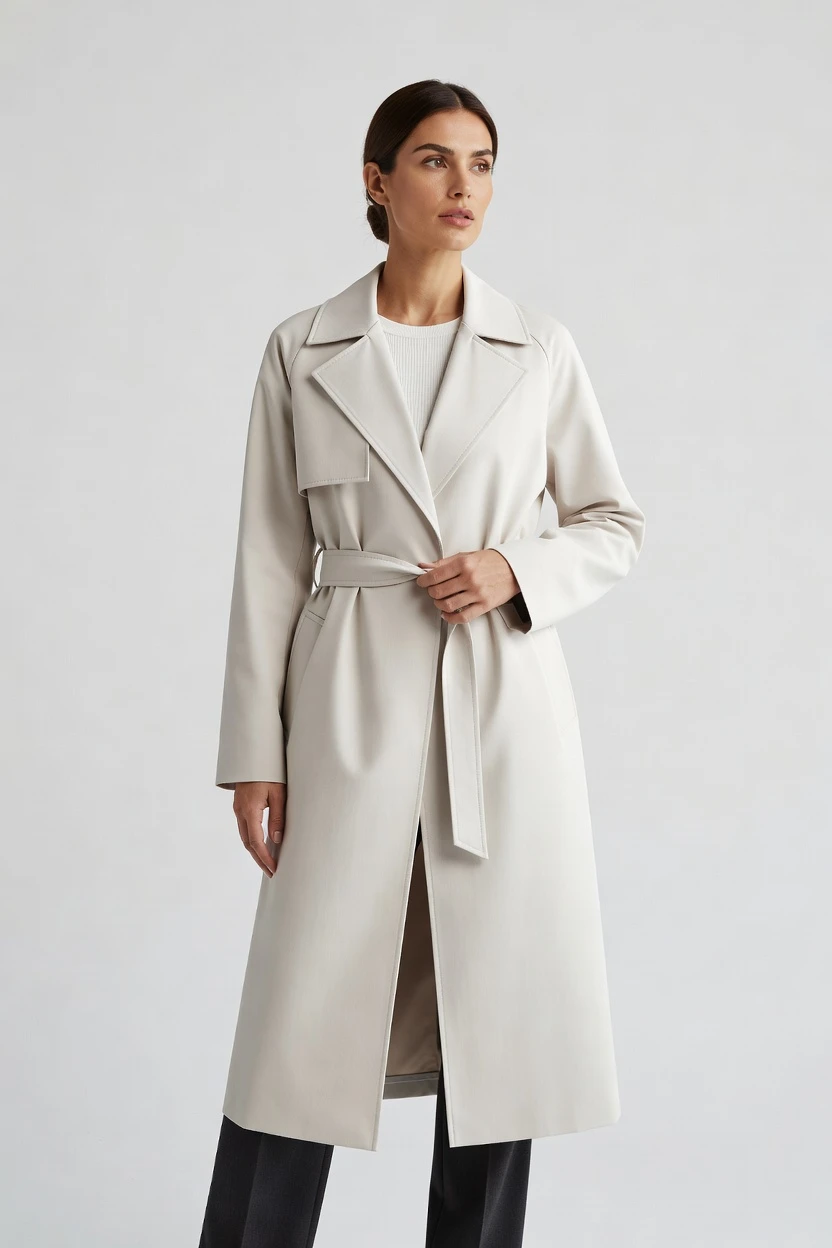
This setup starts from a wide, campaign-ready fashion frame with clean studio light, 4K output, and a composition that keeps room for cropping across storefronts and socials. You click the visual decisions, keep the garment central, and generate a broad-format image without typing anything. 5 tokens · ~34s per image
- 6 clicks · 0 keystrokes
- app.rawshot.ai / new_shoot
How it works
Build Wide Fashion Frames Without Studio Friction
From campaign banners to storefront hero images, you set the frame, direct the garment, and generate publish-ready output in a few clicks.
- Step 01
Choose a Wide Frame
Select the aspect ratio, lens, framing, and angle that fit your channel mix. Wide campaign compositions can start in 16:9, then stay crop-flexible for storefront banners, PDP modules, and paid placements.
- Step 02
Direct Around the Garment
Adjust pose, lighting, background, and visual style with buttons, sliders, and presets. The garment stays the brief, so cut, colour, logo, pattern, and drape remain the thing you are directing around.
- Step 03
Generate and Reuse at Scale
Create the image in roughly 30–40 seconds, then repeat the same setup across variants or your entire catalog. Use the browser GUI for one-off shoots or the REST API for nightly SKU pipelines.
Spec sheet
Proof for Wide-Format Fashion Production
These twelve surfaces show how RAWSHOT keeps wide imagery usable for commerce teams, not just visually impressive in isolation.
- 01
No-Likeness by Design
Every model is a synthetic composite built from 28 body attributes with 10+ options each. Accidental real-person likeness is statistically negligible by design.
- 02
Every Setting Is a Click
Lens, angle, distance, pose, expression, light, background, and style live in controls, not an empty text box. You direct the image through the interface.
- 03
The Garment Stays True
RAWSHOT is engineered around the product, so cut, colour, pattern, logo, fabric, drape, and proportion are represented faithfully in wide campaign compositions.
- 04
Diverse Synthetic Models
Choose from transparently labelled synthetic models designed for fashion presentation. The system expands access to on-model imagery without leaning on real-person likeness.
- 05
Same Model Across Every SKU
Keep the same face and body across a full range, collection, or catalog run. There is no drift between looks when you need consistent merchandising.
- 06
150+ Visual Styles
Move from catalog clean to campaign gloss, editorial noir, street flash, or vintage-inspired treatments. Wide imagery can match your channel, season, and brand world.
- 07
2K, 4K, and Any Ratio
Generate in 2K or 4K and choose the aspect ratio that fits your placement. Build wide frames for banners, landing pages, marketplaces, and social crops from the same system.
- 08
Labelled and Compliant
Outputs are C2PA-signed, AI-labelled, and aligned with EU AI Act Article 50 and California SB 942 requirements. Honest provenance is built into the workflow.
- 09
Signed Audit Trail per Image
Each image carries a signed audit trail for traceability and review. That matters when wide-format assets move across teams, agencies, storefronts, and paid media workflows.
- 10
GUI for Shoots, API for Scale
Style one hero frame in the browser, then run the same logic through the REST API for catalog-scale production. One product works for one shoot or ten thousand.
- 11
Fast, Flat Image Economics
Images cost about $0.55 each, generate in roughly 30–40 seconds, and tokens never expire. Failed generations refund tokens, so wide-variant testing stays predictable.
- 12
Commercial Rights Included
Every output comes with full commercial rights, permanent and worldwide. You can publish across ecommerce, paid, social, email, and marketplaces without rights fog.
Outputs
Wide Frames, Ready to Publish
From storefront banners to campaign headers, RAWSHOT produces wide-format fashion imagery that stays centered on the garment and usable across channels. Build once, crop many ways, and keep provenance attached.


Browse 150+ visual styles →
Comparison
RAWSHOT vs category tools vs DIY prompting
Three lenses on every dimension — what you optimize for in RAWSHOT versus typical category tools and blank-box AI workflows.
01
Interface
RAWSHOT
Click-driven controls for lens, frame, light, style, and garment focusCategory tools + DIY
Often mix shallow controls with text-led workflows and less directorial precision. DIY prompting: You type instructions, revise repeatedly, and spend time steering syntax instead of shots02
Garment fidelity
RAWSHOT
Built around the real garment with faithful cut, colour, logo, and drapeCategory tools + DIY
Can approximate styling well but often soften detail across fashion-specific product traits. DIY prompting: Garment drift and invented logos appear between outputs, especially in wide scenes03
Model consistency across SKUs
RAWSHOT
Same saved model across every product, collection, and repeat shootCategory tools + DIY
Consistency exists but is often weaker across larger catalog runs and variants. DIY prompting: Faces shift between generations, making consistent merchandising hard to maintain04
Provenance + labelling
RAWSHOT
C2PA-signed, AI-labelled, watermarked, and traceable per imageCategory tools + DIY
Many tools provide output files without strong provenance records or clear labelling. DIY prompting: No C2PA, no reliable labelling, and no signed audit trail for published assets05
Commercial rights
RAWSHOT
Full commercial rights to every output, permanent and worldwideCategory tools + DIY
Rights terms vary by plan, seat, or usage tier. DIY prompting: Usage rights are often unclear for commerce teams and agency review06
Pricing transparency
RAWSHOT
Flat per-image pricing with tokens that never expire and one-click cancelCategory tools + DIY
Per-seat plans, volume tiers, and gated access are common. DIY prompting: Tooling costs can be opaque once retries, upscales, and failed attempts accumulate07
Iteration speed per variant
RAWSHOT
Generate wide variants in about 30–40 seconds with reusable settingsCategory tools + DIY
Iteration can be quick, but controls and repeatability are often less exact. DIY prompting: Each variation means another typed attempt, with less predictable reproducibility08
Catalog API
RAWSHOT
Browser GUI for one shoot and REST API for nightly SKU pipelinesCategory tools + DIY
API access is often reserved for higher tiers or sales-led plans. DIY prompting: No structured catalog pipeline; teams stitch together manual steps and inconsistent outputs
Prompting does not scale
Stop writing essays. Direct the shoot.
Most AI photo tools start with a blank text box. Rawshot turns the shoot into repeatable controls, so creative teams can produce consistent fashion imagery without prompt syntax or one-off hacks.
Category norm
ManualCreate a premium editorial fashion photograph of a model wearing the exact navy oversized wool coat from SKU-1842, full-body crop, realistic hands, consistent facial identity, clean e-commerce lighting, subtle Paris street background, 85mm lens, no logo distortion, no fabric hallucination, same pose as last campaign, repeatable for all colorways...
A prompt can describe one image. It cannot become a shared production system for hundreds of products, models, angles and markets.
Rawshot
ClicksSaved shoot recipe
Apply to 1 SKU or 10,000 via GUI, CSV or REST API.
Rawshot makes creative direction visible: buttons, presets and sliders instead of hidden prompt craft. The result is easier to teach, faster to approve and built for repeat production.
Use cases
Who Needs Wide Fashion Imagery Fast
Operator archetypes and how click-directed, garment-first output fits the way they actually work.
- 01
Indie Designers Launching a Drop
Create wide campaign headers and landing-page visuals before a first collection can justify a traditional studio day.
Confidence · high
- 02
DTC Brands Refreshing Storefronts
Generate wide homepage and collection-banner imagery that stays visually consistent with the garments actually for sale.
Confidence · high
- 03
Marketplace Sellers Needing Banner Assets
Build broad-format visuals for storefront headers, sale pages, and seasonal edits without breaking catalog consistency.
Confidence · high
- 04
Crowdfunding Creators Proving the Vision
Show a product line in wide, campaign-ready frames that help backers understand the brand world before scale exists.
Confidence · high
- 05
Catalog Teams Managing Variant Sprawl
Reuse the same model, framing logic, and wide compositions across colorways and product families through the API.
Confidence · high
- 06
Factory-Direct Manufacturers Pitching Buyers
Present collections in polished wide imagery that makes line sheets and digital wholesale pages feel complete.
Confidence · high
- 07
Vintage and Resale Operators Curating Edits
Turn mixed inventory into clean wide-format collection stories for category pages, email headers, and social placements.
Confidence · high
- 08
Kidswear Labels Planning Seasonal Stories
Assemble broad visual narratives for seasonal launches while keeping the garment details readable and central.
Confidence · high
- 09
Adaptive Fashion Brands Expanding Access
Produce inclusive, labelled fashion imagery in wide layouts that support brand storytelling and ecommerce clarity.
Confidence · high
- 10
Lingerie DTC Teams Building Campaign Pages
Generate wide on-model compositions with controlled framing, clear provenance, and commercial rights for paid and owned channels.
Confidence · high
- 11
Students and Makers Testing a Brand System
Experiment with wide campaign looks, crops, and styles before committing cash to production-heavy imagery.
Confidence · high
- 12
In-House Ecommerce Teams Recutting for Channels
Start from one wide master image, then crop for storefront modules, ads, email, and social without changing the underlying visual language.
Confidence · high
— Principle
Honest is better than perfect.
Wide campaign images travel far: storefront hero slots, paid placements, landing pages, and social crops all multiply exposure. That is exactly why RAWSHOT signs provenance with C2PA, applies visible and cryptographic watermarking, labels outputs, and keeps a signed audit trail per image. For fashion teams, compliance is not a footer note; it is the trust layer that lets wide-format assets move through review, publishing, and reuse with clarity.
Rights & provenance
Full commercial rights. Forever.
- C2PA-signed on every image — EU AI Act Article 50 compliant
- 28-attribute synthetic models — real-person likeness statistically impossible
- Full commercial rights to every generation — no recurring licensing fees
- Tokens never expire · One-click cancel · Transparent pricing
EU AI Act
C2PA
Commercial use
Pricing
~$0.55 per image.
~30–40 seconds per generation. Tokens never expire. Cancel in one click.
- 01The cancel button is on the pricing page.
- 02No per-seat gates. No 'contact sales' walls for core features.
- 03Failed generations refund their tokens.
- 04Full commercial rights to every output, permanent, worldwide.
FAQ
Practical answers on control, rights, pricing, scale, and compliant publishing.
Do I need to write prompts to use RAWSHOT?
Never. You direct every output with sliders, presets, and clicks on the garment, not typed prompts. That matters for fashion teams because the work is operational as much as creative: buyers, merchandisers, founders, and ecommerce managers need a repeatable interface they can learn quickly, not an open-ended text field that changes results every time someone phrases a request differently. In RAWSHOT, camera, framing, pose, angle, lighting, background, visual style, resolution, and product focus are all explicit controls, so the decision-making stays visible and reusable.
For commerce teams, reliability beats improvisation. RAWSHOT keeps timings, token use, refund rules, commercial rights, provenance signals, and output settings legible inside a real application, whether you are generating one hero image in the browser or scaling through the REST API. That gives teams a way to rehearse launches, keep brand presentation consistent, and avoid the common failure modes of generic image tools, where garments mutate and approval becomes a guessing game.
What does an AI wide image generator actually change for fashion ecommerce teams?
It changes the format and timing of what becomes possible. Wide images are not just decorative assets; they are the working format behind homepage heroes, category banners, collection headers, paid media, and landing pages. Traditional production makes those placements expensive to update, so many teams reuse outdated campaign art or settle for cropped assets that were never composed for the space. RAWSHOT gives you a direct way to generate wide-format on-model imagery around the garment itself, with control over lens, framing, lighting, background, and aspect ratio.
That matters operationally because a fashion team can create the correct shape at the start instead of stretching a studio shoot beyond its original brief. You can generate 2K or 4K stills, choose the ratio for the destination, and keep the same visual language across multiple placements. The result is not just speed; it is broader access to fashion imagery for teams that previously had no practical route to wide campaign assets at all.
Why skip reshooting every SKU just to update seasonal banners and campaign headers?
Because most seasonal updates are really a framing and merchandising problem, not a reason to rebuild your entire production calendar. A new collection page, sale event, regional launch, or campaign concept often needs fresh wide imagery, but the garments already exist and the commercial pressure is immediate. Booking another studio day for a broad-format banner can push timelines, budgets, and sample handling well beyond what many operators can support. RAWSHOT lets you direct new wide images around the same product without reopening the whole production machine.
That gives smaller brands and lean in-house teams a practical route to visual freshness. You can preserve garment fidelity, select a new visual style from 150+ presets, generate in about 30–40 seconds, and publish with full commercial rights attached. Instead of treating every banner revision as a mini shoot, teams can treat it as a controlled image-production task with explicit settings, provenance, and a clear audit trail.
How do we turn flat garments into catalogue-ready wide imagery without prompting?
You start by setting the image as a fashion production job, not a chat exercise. In RAWSHOT, you choose the model presentation, lens, framing, angle, lighting, background, and style directly in the interface, then generate from those controls. That makes the workflow understandable for buyers and merchandisers as well as creatives, because each decision is visible and repeatable. For wide catalogue imagery, teams usually begin with a ratio suited to banners or landing pages, then refine garment focus so the outfit remains readable inside the broader frame.
The important point is that the garment remains the brief. RAWSHOT is engineered to represent cut, colour, pattern, logo, fabric, drape, and proportion faithfully, so the wide composition still serves commerce rather than burying the product under visual noise. Once the setup works, you can reuse it across products or move it into the REST API for larger batch runs. That keeps the process structured enough for real catalog operations, not one-off experimentation.
Why does RAWSHOT beat ChatGPT, Midjourney, or generic image models for fashion PDPs and banners?
Because fashion teams need control that survives repetition. Generic image tools are good at producing surprising pictures, but commerce work depends on the same garment being represented clearly from one asset to the next. In DIY workflows, teams run into garment drift, invented logos, shifting faces, and unpredictable composition, especially once they try to create multiple wide variants for banners, PDP modules, and ads. The time then moves from production into cleanup, debate, and reattempts. RAWSHOT removes that roulette by giving you explicit controls and a system built around the garment.
RAWSHOT also brings the trust layer most generic tools do not provide. Outputs are C2PA-signed, AI-labelled, watermarked, and tracked with a signed audit trail per image. Commercial rights are clear and permanent worldwide. For a fashion operator, that means the asset is not only easier to direct; it is also easier to approve, reuse, and defend inside real publishing and compliance processes.
Can we use wide-format RAWSHOT images in ads, storefronts, and campaigns with clear rights?
Yes. RAWSHOT gives full commercial rights to every output, permanent and worldwide, which is exactly the clarity teams need when one image moves across homepage banners, paid social, landing pages, email, marketplaces, and campaign recuts. Rights confusion slows launches because legal, brand, and performance teams all need confidence that an asset can be reused without extra negotiation. RAWSHOT is structured for that commercial reality, not for hobbyist experimentation.
Trust is not only about licensing, though. Wide-format assets often become the most visible images a brand publishes, so provenance matters too. RAWSHOT labels outputs, applies visible and cryptographic watermarking, signs provenance with C2PA, and keeps an audit trail per image. That combination gives teams a practical standard for responsible publishing: you can move faster, but you are not hiding what the asset is or where it came from.
What quality checks should a buyer or art director run before publishing a wide fashion image?
Start with the product itself. Check that the garment’s cut, colour, pattern, logo placement, fabric behavior, and overall proportion read correctly in the wider composition. Then review whether the framing serves the destination: a homepage hero, banner slot, or campaign header has different crop pressure than a PDP module, so teams should confirm the subject remains usable across planned placements. In RAWSHOT, those review points are easier because the settings that shaped the output are explicit rather than buried in text instructions.
After the visual review, confirm the trust layer. Make sure the image is carrying its C2PA provenance, AI labelling, watermarking signals, and signed audit trail, and verify that the commercial rights fit the intended use. Teams that build these checks into approval avoid two common problems: publishing assets that misstate the garment, and publishing assets that are visually strong but operationally weak. Good QA means the image can travel safely across channels after launch.
How much does a wide campaign still cost, and what happens if a generation fails?
For photos, RAWSHOT costs about $0.55 per image, with generation times around 30–40 seconds. Tokens never expire, and the cancel button is on the pricing page, which matters for teams that need predictable operating costs rather than a vague subscription story. Wide campaign stills are priced the same way as other photo outputs because the platform is built around a flat per-image model, not around surprise fees for core production tasks.
If a generation fails, the tokens are refunded. That is an important operational detail because fashion teams test variants constantly: alternate crops, new backgrounds, seasonal style shifts, or channel-specific compositions. When failed attempts are refunded, experimentation becomes manageable instead of punitive. The pricing model stays readable for founders doing one launch as well as for catalog teams planning larger output volumes through the same system.
How does the REST API fit Shopify-scale catalogs and wider merchandising workflows?
The REST API turns a browser-tested setup into a repeatable production pattern. A team can establish the right model, lens, framing, lighting, background, and style in the GUI, then pass those same choices into API-driven catalog workflows for larger runs. That is useful for Shopify-scale catalogs, PLM-connected environments, or internal merchandising systems where the goal is consistency across many SKUs rather than handcrafted one-offs. The same engine, models, and pricing logic apply whether you are producing one image or thousands.
For wide merchandising assets, the API matters because banner and collection-image needs often appear in batches. A seasonal drop may require broad-format visuals across multiple categories, regions, or storefront templates at once. With RAWSHOT, teams do not need a separate enterprise-only product to support that. They can move from single-shoot creative testing to catalog-scale execution inside the same platform, while keeping provenance, auditability, and rights clarity attached to every output.
Can one team use the browser for one shoot and the API for ten thousand wide images?
Yes, and that continuity is one of the main operational advantages. Many tools split the world into a lightweight creative surface for individuals and a separate, gated system for scale. RAWSHOT does not. The same product supports a founder building one banner in the browser and a catalog team running a large scheduled pipeline through the REST API. The controls, output logic, and pricing model stay aligned, which means teams can hand work from creative exploration to production without changing platforms.
That also helps with roles and throughput. Art direction can happen in the GUI where visual decisions are easy to review, while operations can take proven setups into batch workflows once the look is approved. Because there are no per-seat gates for core features and no expiring tokens pressuring teams into rushed usage, brands can structure work around their real cadence. One interface for one shoot or ten thousand keeps wide-image production practical instead of fragmented.
Keep exploring