
— Ghost mannequin imagery · 150+ styles · 4K
Publish cleaner PDP visuals with the Invisible Ghost Mannequin Photography Generator.
Generate clean catalog imagery that keeps attention on the garment, not the model. Direct framing, lens, lighting, background, and product focus with buttons, sliders, and presets in a real application. No studio. No samples. No prompts.
- ~$0.55 per image
- ~30–40s per generation
- 150+ styles
- 2K or 4K
- Every aspect ratio
- Full commercial rights
7-day free trial • 50 tokens (10 images) • Cancel anytime

Direct the shoot. Zero prompts.
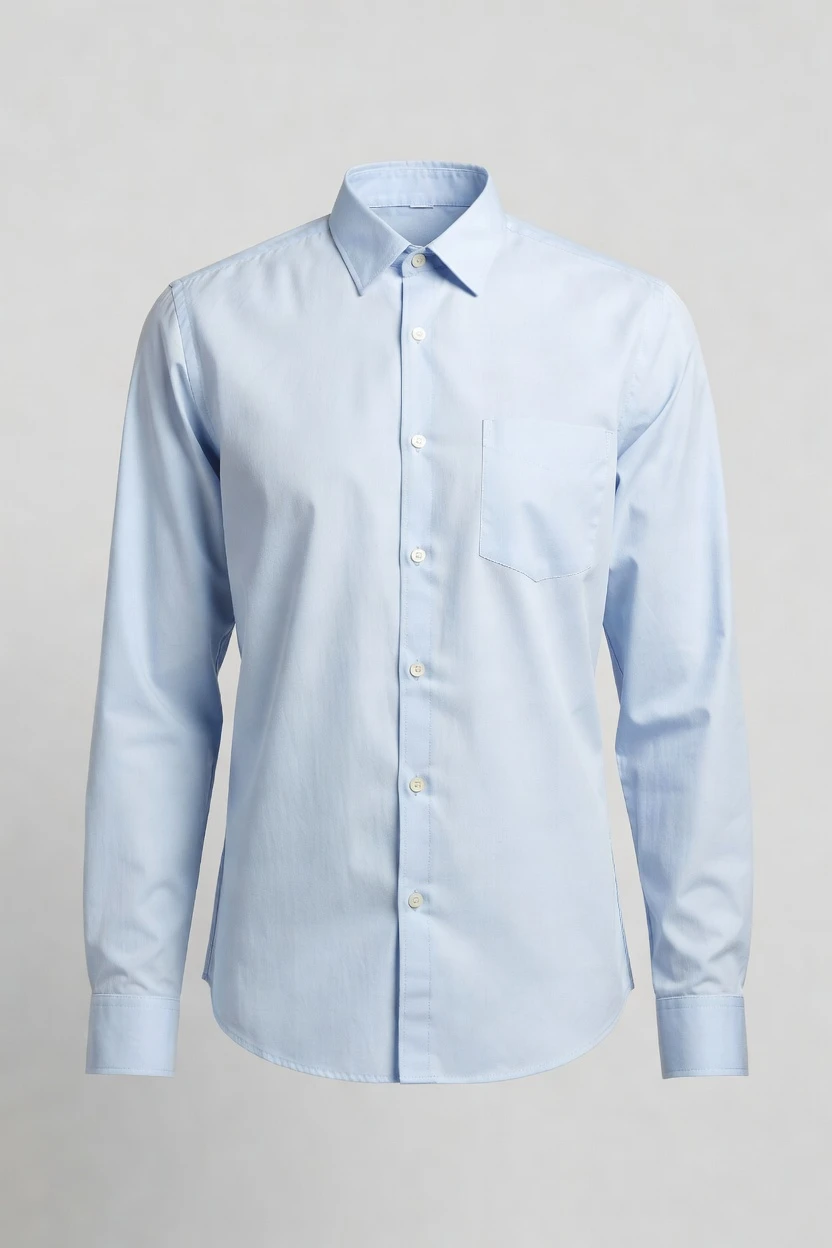
Preset for clean ghost mannequin apparel imagery with a half-body frame, studio softbox lighting, and a light grey seamless background. You click into catalog-safe composition and generate garment-first output without typing anything. 5 tokens · ~34s per image
- 6 clicks · 0 keystrokes
- app.rawshot.ai / new_shoot
How it works
Turn Flat Garments Into Clean PDP Imagery
A click-driven workflow for ghost mannequin presentation, from first garment upload to publish-ready catalog output at SKU scale.
- Step 01
Upload the Garment
Start from the real product and set the category, framing, and product focus. RAWSHOT is engineered around the garment, so the item stays the brief from the first click.
- Step 02
Set the Empty-Form Look
Choose lens, angle, lighting, background, and catalog style from visual controls. You direct a clean ghost mannequin presentation without learning syntax or translating taste into text.
- Step 03
Generate and Publish
Generate 2K or 4K outputs for PDPs, marketplaces, and campaigns. Keep the approved look consistent across every SKU in the browser or scale it through the REST API.
Spec sheet
Proof for Garment-First Catalog Production
These twelve surfaces show how RAWSHOT keeps ghost mannequin imagery controlled, labelled, consistent, and ready for real commerce operations.
- 01
No-Likeness by Design
Every RAWSHOT model is a synthetic composite built from 28 body attributes with 10+ options each. Accidental real-person likeness is statistically negligible by design.
- 02
Every Setting Is a Click
Lens, framing, angle, lighting, background, style, and product focus live in buttons, sliders, and presets. You direct the result in an application, not a chat box.
- 03
Garment Shape Stays Central
Cut, colour, pattern, logo, fabric, and drape are represented faithfully. For ghost mannequin work, that means cleaner garment-first output instead of warped silhouettes or altered trims.
- 04
Synthetic Models, Clearly Labelled
Use diverse synthetic models when the shot needs form and proportion, with transparent AI labelling built in. The output is honest about what it is.
- 05
Same Look Across Every SKU
Lock in a repeatable presentation for tops, dresses, outerwear, or full looks. Your catalog stays consistent from one product page to the next without visual drift between shoots.
- 06
150+ Visual Styles
Move from strict catalog clean to editorial gloss, lifestyle warmth, noir, street, or vintage treatments. One interface covers packshot clarity and brand-led variation.
- 07
2K, 4K, and Every Ratio
Generate stills in 2K or 4K and crop for 1:1, 4:5, 3:4, 2:3, 16:9, or 9:16. The same garment treatment can serve PDPs, ads, and social placements.
- 08
Provenance and Compliance Built In
Outputs are C2PA-signed, AI-labelled, and backed by visible plus cryptographic watermarking. RAWSHOT is built for EU AI Act Article 50, California SB 942, and GDPR-conscious teams.
- 09
Signed Audit Trail per Image
Each image carries a signed record for governance and review. That gives ecommerce and brand teams a cleaner approval trail than loose files passed around after a shoot.
- 10
GUI for One Shoot, API for Scale
Use the browser GUI for individual product pages or run the same engine through the REST API for catalog-scale pipelines. The indie label and the enterprise team use the same product.
- 11
Fast, Flat Image Pricing
~$0.55 per image with generation in about 30–40 seconds. Tokens never expire, failed generations refund tokens, and growth is not punished by seat limits or volume tiers.
- 12
Commercial Rights Included
Full commercial rights come with every output, permanent and worldwide. You can publish to PDPs, marketplaces, ads, lookbooks, and social channels without a murky rights story.
Outputs
Catalog Output, without the studio day
From hollow-form tops to clean outerwear presentations, you generate garment-first imagery that reads clearly on PDPs and marketplace grids. The same controls also support brand-led variants when you need more than one sell-in look.


Browse 150+ visual styles →
Comparison
RAWSHOT vs category tools vs DIY prompting
Three lenses on every dimension — what you optimize for in RAWSHOT versus typical category tools and blank-box AI workflows.
01
Interface
RAWSHOT
Click-driven controls for lens, framing, light, background, and product focusCategory tools + DIY
Often mix shallow presets with less precise creative controls. DIY prompting: Typed instructions turn you into the operator before you get usable output02
Garment fidelity
RAWSHOT
Engineered around the garment, with faithful cut, colour, logo, and drapeCategory tools + DIY
Can smooth over trims, proportions, and product details. DIY prompting: Garment drift and invented logos appear across otherwise similar outputs03
Consistency across SKUs
RAWSHOT
Repeat the same visual treatment across the whole catalog with stable settingsCategory tools + DIY
Consistency varies by tool and usually weakens at larger SKU counts. DIY prompting: Outputs shift between attempts, making catalog standardization slow and unreliable04
Provenance + labelling
RAWSHOT
C2PA-signed output with AI labels and layered watermarkingCategory tools + DIY
Often lack strong provenance records or transparent output labelling. DIY prompting: No C2PA, no clear labelling standard, and no audit-ready provenance metadata05
Commercial rights
RAWSHOT
Full commercial rights to every output, permanent and worldwideCategory tools + DIY
Rights terms vary and can be harder for teams to operationalize. DIY prompting: Rights position is often unclear for brand teams planning paid distribution06
Pricing transparency
RAWSHOT
Flat per-image pricing, tokens never expire, failed generations refund tokensCategory tools + DIY
Per-seat pricing and volume tiers can penalize growth. DIY prompting: Low apparent entry cost hides operator time and repeated regeneration overhead07
Catalog scale
RAWSHOT
Browser GUI and REST API use the same engine and output standardsCategory tools + DIY
Core scale features may sit behind higher plans or sales gates. DIY prompting: No dependable catalog API pattern for repeatable product pipelines08
Iteration speed per variant
RAWSHOT
Adjust one control and regenerate a new version in secondsCategory tools + DIY
Iteration exists but with thinner control over garment-led changes. DIY prompting: Each variant requires another typed attempt, with inconsistent reproducibility
Prompting does not scale
Stop writing essays. Direct the shoot.
Most AI photo tools start with a blank text box. Rawshot turns the shoot into repeatable controls, so creative teams can produce consistent fashion imagery without prompt syntax or one-off hacks.
Category norm
ManualCreate a premium editorial fashion photograph of a model wearing the exact navy oversized wool coat from SKU-1842, full-body crop, realistic hands, consistent facial identity, clean e-commerce lighting, subtle Paris street background, 85mm lens, no logo distortion, no fabric hallucination, same pose as last campaign, repeatable for all colorways...
A prompt can describe one image. It cannot become a shared production system for hundreds of products, models, angles and markets.
Rawshot
ClicksSaved shoot recipe
Apply to 1 SKU or 10,000 via GUI, CSV or REST API.
Rawshot makes creative direction visible: buttons, presets and sliders instead of hidden prompt craft. The result is easier to teach, faster to approve and built for repeat production.
Use cases
Where Ghost Mannequin Output Wins
Operator archetypes and how click-directed, garment-first output fits the way they actually work.
- 01
Indie Apparel Labels
Launch a first collection with clean ghost mannequin PDPs that keep focus on fit, cut, and fabric without booking a studio day.
Confidence · high
- 02
Marketplace Sellers
Standardize hollow-form product imagery across listings so shirts, knits, and outerwear read consistently in crowded search grids.
Confidence · high
- 03
DTC Basics Brands
Publish repeatable catalog visuals for replenishment styles where buyers want clean comparison, not a new photoshoot every week.
Confidence · high
- 04
Factory-Direct Manufacturers
Turn production-ready garments into sales-ready catalog imagery for wholesale outreach, line sheets, and ecommerce pages from the same interface.
Confidence · high
- 05
Crowdfunded Fashion Projects
Show backers polished garment-first visuals before a full content budget exists, with commercial rights already covered for campaign rollout.
Confidence · high
- 06
Resale and Vintage Sellers
Present one-off pieces in a cleaner ghost mannequin format when consistency matters more than styling each listing on a live model.
Confidence · high
- 07
Kidswear Operators
Keep attention on construction, colour, and size progression with catalog-safe apparel imagery that avoids reinventing the look for every SKU.
Confidence · high
- 08
Adaptive Fashion Teams
Highlight closures, access points, and garment engineering with detail-led compositions that stay clean and readable on product pages.
Confidence · high
- 09
Lingerie and Intimates Brands
Use garment-led framing for selected catalog views where shape and material need to read clearly in a restrained, product-first presentation.
Confidence · high
- 10
Uniform and Workwear Suppliers
Generate consistent apparel visuals for large ranges where procurement buyers need straightforward comparison across cuts and colorways.
Confidence · high
- 11
Pre-Order Merchants
Photograph garments before full production runs by generating clean ecommerce imagery from the approved product without cross-continent sample shipping.
Confidence · high
- 12
Catalog Teams at Scale
Lock a ghost mannequin treatment once, then carry it across hundreds or thousands of SKUs through the GUI or REST pipeline.
Confidence · high
— Principle
Honest is better than perfect.
Ghost mannequin imagery still needs provenance, especially when it is clean enough to sit beside conventional packshots in a live catalog. RAWSHOT labels outputs, signs them with C2PA metadata, and adds visible plus cryptographic watermarking so commerce teams can publish with a clearer record of what each asset is. That matters for brand trust, retailer approvals, and internal governance as much as for regulation.
Rights & provenance
Full commercial rights. Forever.
- C2PA-signed on every image — EU AI Act Article 50 compliant
- 28-attribute synthetic models — real-person likeness statistically impossible
- Full commercial rights to every generation — no recurring licensing fees
- Tokens never expire · One-click cancel · Transparent pricing
EU AI Act
C2PA
Commercial use
Pricing
~$0.55 per image.
~30–40 seconds per generation. Tokens never expire. Cancel in one click.
- 01The cancel button is on the pricing page.
- 02No per-seat gates. No 'contact sales' walls for core features.
- 03Failed generations refund their tokens.
- 04Full commercial rights to every output, permanent, worldwide.
FAQ
Practical answers on control, rights, pricing, scale, and compliant publishing.
Do I need to write prompts to use RAWSHOT?
Never. You direct every output with sliders, presets, and clicks on the garment, not typed instructions. That matters in fashion commerce because buyers, marketers, and ecommerce managers need repeatable controls they can hand to a team, not a fragile text habit that changes from person to person. In RAWSHOT, lens, framing, angle, lighting, background, style, aspect ratio, and product focus are all explicit controls, so the workflow reads like a real production tool instead of a guessing exercise.
For catalog teams, reliability matters more than model cleverness. RAWSHOT keeps pricing, timings, refund rules, commercial rights, provenance signalling, watermarking, and batch logic clear from the start, whether you work in the browser GUI or the REST API. That means you can set a house look for clean apparel imagery, repeat it across SKUs, and onboard teammates without translating taste into syntax. The practical takeaway is simple: your team clicks decisions into place, saves the winning setup, and generates publish-ready output with less drift and less operational noise.
What does an invisible ghost mannequin photography generator actually change for ecommerce teams?
It changes who gets access to clean product imagery and how consistently that imagery can be produced. Instead of waiting for a studio booking, a sample shipment, and a photographer's day rate, ecommerce teams can generate garment-first visuals that keep attention on silhouette, construction, colour, and detail. That is especially useful for categories where the garment needs to read clearly on a PDP, a marketplace tile, or a comparison grid. The result is not just faster output; it is a more dependable visual system for merchandise teams that need consistent product presentation.
RAWSHOT grounds that shift in controls and proof. You select framing, lens, lighting, background, style, ratio, and resolution with clicks, then generate 2K or 4K stills in about 30–40 seconds at roughly $0.55 per image. Outputs carry C2PA-signed provenance, AI labelling, watermarking, and full commercial rights, so the assets are easier to govern after generation, not only during it. For operations, that means the ghost mannequin treatment becomes a repeatable catalog standard rather than a one-off experiment that falls apart at scale.
Why skip reshooting every SKU when the season changes but the garment basics stay the same?
Because a large share of product-page work is not a new creative concept; it is a controlled update to the same underlying merchandise. When a team is refreshing colorways, launching a new drop cadence, or reworking a storefront, reshooting every basic tee, knit, or jacket can turn into avoidable scheduling friction. A click-driven system lets you preserve the garment-first presentation while adjusting the surrounding look, such as crop, background, ratio, or visual style, without rebuilding the whole production process around each refresh.
RAWSHOT is useful here because the same engine handles one image or ten thousand with the same per-image pricing and the same output logic. You can keep a clean catalog setup for stable PDP photography, then create adjacent variants for campaign placements or marketplace requirements using saved controls instead of starting over. Since tokens never expire and failed generations refund tokens, teams can test the right seasonal update with less purchasing risk. In practice, that means you update the presentation around the garment while keeping the product itself consistent and audit-ready.
How do we turn flat garments into catalogue-ready imagery without prompting?
You start with the product, then direct the output through visible controls. In RAWSHOT, teams choose the category, framing, lens, camera angle, lighting system, background, visual style, aspect ratio, resolution, and product focus inside the interface. For ghost mannequin-style work, that usually means a clean catalog preset, a controlled studio light, a neutral background, and a crop that keeps the eye on the structure of the garment. Because those settings are fixed controls, the process is teachable across merchandising, creative, and ecommerce roles.
The operational benefit is that the garment remains the source of truth throughout the workflow. RAWSHOT is built to represent cut, colour, pattern, logo, fabric, drape, and proportion faithfully, which is exactly what product teams need when they are publishing sell-through imagery rather than mood content. You can generate stills in 2K or 4K, keep the output labelled and C2PA-signed, and move approved assets into your commerce stack with a cleaner record of what was made. The practical workflow is simple: set the house look once, save it, and reuse it across the catalog.
Why does RAWSHOT beat DIY prompting in ChatGPT, Midjourney, or generic image models for fashion PDPs?
The difference is control that maps to commerce work instead of general image play. Generic tools ask the operator to keep re-explaining the shot in text, which introduces overhead before any useful image appears and rarely produces stable results across a product range. In fashion, that usually shows up as garment drift, invented logos, changing proportions, or outputs that look plausible in isolation but fail the moment you compare several SKUs side by side. A product page needs consistency and faithful product representation more than novelty.
RAWSHOT replaces that uncertainty with a click-driven interface built around apparel decisions. You choose the lens, framing, lighting, background, style, ratio, and product focus directly, then reuse those decisions in the browser or through the REST API. The outputs also come with C2PA provenance, watermarking, AI labelling, and a clear commercial-rights position, which generic image systems often leave vague. For a fashion team, the takeaway is practical rather than philosophical: less time coaxing a model, more time approving images that can actually go live.
Can we use RAWSHOT output commercially for product pages, ads, and marketplaces?
Yes. RAWSHOT includes full commercial rights to every output, permanent and worldwide, which is the standard teams need when assets move beyond a test folder and into live retail use. That matters because ecommerce imagery rarely stays in one place; the same file can appear on a PDP, in paid social, in a marketplace feed, in email, and in wholesale materials. Rights clarity is not a nice extra for that workflow. It is part of whether the asset is operationally usable at all.
RAWSHOT also treats trust as part of commercial readiness. Outputs are AI-labelled, C2PA-signed, and watermarked with visible plus cryptographic layers, so brand and legal teams have a stronger provenance story when reviewing publication policies. Because the models are synthetic composites built from 28 body attributes with 10+ options each, accidental real-person likeness is statistically negligible by design. In day-to-day practice, that gives teams a cleaner path from generation to approval to publication without improvising a rights explanation after the work is already done.
What quality checks should a buyer or ecommerce manager run before publishing ghost mannequin assets?
Start with the garment itself. Check silhouette, seam lines, logos, trims, pattern placement, colour, drape, and category-specific details against the real product, because those are the commercial facts a shopper uses to decide. Then review the presentation layer: crop, aspect ratio, background neutrality, consistency with the rest of the category, and whether the framing helps comparison across adjacent SKUs. For teams using ghost mannequin imagery, the goal is not dramatic styling; it is a clean, readable product view that helps conversion and reduces confusion.
RAWSHOT supports that review process by making the controls explicit and the asset trail visible. You can inspect the chosen settings, keep outputs in 2K or 4K, and rely on C2PA signatures, AI labelling, watermarking, and a signed audit trail per image when internal reviewers ask what they are looking at. Because the platform is garment-led, teams spend less time correcting invented branding or shape changes and more time approving whether the product is represented faithfully. A strong publishing habit is to lock a category template, review against the physical item, and only then scale it across the range.
How much does still-image generation cost, and what happens if a generation fails?
Photo generation in RAWSHOT is about $0.55 per image, with most stills generated in roughly 30–40 seconds. Tokens never expire, which is important for brands that work in bursts around drops, range reviews, and launch windows rather than on a fixed studio calendar. The cancel flow is also straightforward: you can cancel in one click, and the cancel button is on the pricing page. That pricing model is easier to plan around than hidden seat gates or escalating volume tiers that punish growth just when the catalog starts expanding.
Failed generations refund their tokens, so experimentation does not quietly become waste. For commerce teams, that means you can test a clean ghost mannequin setup, compare crops or backgrounds, and refine the house look without turning every rejected attempt into an accounting annoyance. Because the same pricing logic applies whether you are generating a single PDP image in the GUI or larger batches through the API, budgeting stays predictable as the workflow matures. The operational takeaway is simple: set your visual standard, test it safely, and scale only what passes review.
Can RAWSHOT plug into a Shopify-scale catalog or an internal DAM workflow?
Yes. RAWSHOT is designed for both single-shoot browser work and catalog-scale automation through a REST API, so teams can choose the level of integration that matches their current operation. A smaller brand may begin in the GUI, approving compositions one by one, while a larger ecommerce or marketplace team can connect generation to merchandising systems, DAM processes, or product launch routines. The important point is that the same engine, model logic, pricing, and output standards sit behind both routes, which reduces handoff friction between creative and operations teams.
That matters for Shopify-scale catalogs because consistency is often lost at the point where creative experimentation meets product-feed reality. RAWSHOT keeps the asset story cleaner with signed audit trails per image, C2PA provenance, and explicit output labelling, making it easier to move approved assets through review and into publication pipelines. Since there are no per-seat gates or core-feature sales walls for standard use, teams can expand usage without redesigning the process around licensing obstacles. In practice, you can start by standardizing one category template and then wire that template into larger catalog flows.
What does scale look like when merchandisers use the GUI and ops teams use the API together?
Scale looks like one visual standard shared across roles rather than two separate production systems. A merchandiser or creative lead can establish the approved garment-first setup in the browser by choosing framing, lens, background, lighting, style, ratio, and resolution, then an operations team can carry that same logic into batch workflows through the REST API. That alignment matters because the weak point in many catalog programs is not generation itself; it is the gap between the person defining the look and the team responsible for producing hundreds or thousands of assets without drift.
RAWSHOT closes that gap by keeping the interface and the scalable output model in the same product. The indie designer and the enterprise catalog team use the same engine, the same pricing logic, and the same asset standards, including provenance, labelling, watermarking, and commercial rights. For organizations, that means approvals can happen at the template level while throughput happens at SKU level. The practical result is a cleaner handoff: one team directs, another scales, and the catalog stays visually coherent instead of fragmenting by tool or department.
Keep exploring