
— Vintage fashion · 150+ styles · 4K
Direct wartime-inspired editorials by click with the AI 1940s Fashion Photography Generator.
Create 1940s-inspired fashion imagery that keeps the garment clear, styled, and ready for campaign, catalog, or lookbook use. Select lens, framing, aspect ratio, resolution, and visual treatment through buttons, sliders, and presets built for apparel teams. No studio. No samples. No prompts.
- ~$0.55 per image
- ~30–40s per generation
- 150+ styles
- 2K or 4K
- Every aspect ratio
- Full commercial rights
7-day free trial • 50 tokens (10 images) • Cancel anytime

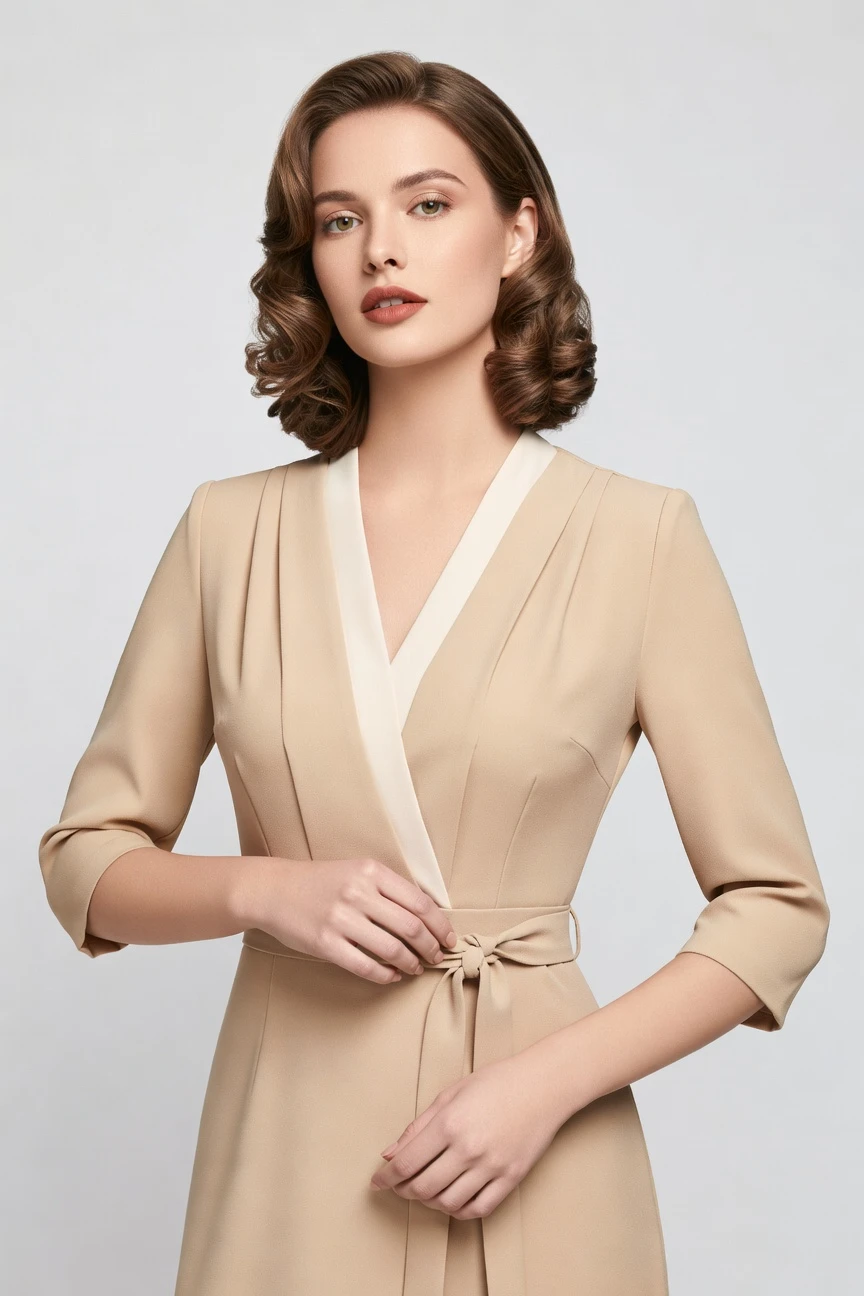
Direct the shoot. Zero prompts.
These settings shape a 1940s-inspired fashion frame with portrait-friendly crop, sharper garment attention, and higher output resolution. You click the look into place with lens, framing, aspect ratio, and resolution controls instead of typing instructions. ~$0.55 per image · ~30-40s
- 4 clicks · 0 keystrokes
- app.rawshot.ai / new_shoot
How it works
Build a 1940s Fashion Shoot by Click
Garment-led controls let you shape period-inspired imagery without losing product accuracy or workflow consistency.
- Step 01
Upload the Garment
Start from the product, not a blank text box. Your garment becomes the brief, so cut, colour, pattern, logo, and proportion stay central from the first click.
- Step 02
Set the Era Through Controls
Choose lens, framing, lighting, background, aspect ratio, and visual style to steer a 1940s-inspired result. Each decision lives in the interface as a preset, button, or slider.
- Step 03
Generate and Repeat Cleanly
Produce stills in roughly 30–40 seconds, then iterate with consistent settings across more looks. Use the browser for one-offs or the API for repeatable catalog-scale runs.
Spec sheet
Proof for Period-Inspired Fashion Production
These twelve proof points show how RAWSHOT keeps vintage styling usable for real apparel operations, not just mood-board images.
- 01
Synthetic Models by Design
Every model is built from 28 body attributes with 10+ options each. Accidental real-person likeness is statistically negligible by design, which supports transparent, scalable use.
- 02
Every Setting Is a Click
You direct the image through controls for camera, framing, pose, light, background, and style. The interface behaves like production software for fashion teams, not a chat box.
- 03
The Garment Stays Central
RAWSHOT is engineered around the product, so tailoring lines, colour relationships, surface pattern, logos, and drape remain the point of the image. Style treatment does not need to override garment truth.
- 04
Diverse Synthetic Cast
Build imagery across a wide range of body presentations without organizing physical casting days. That opens period-inspired shoots to brands that were priced out of traditional access.
- 05
Consistency Across SKUs
Keep the same model logic, framing direction, and visual treatment across a collection. That matters when a 1940s-inspired capsule needs repeatable imagery instead of one strong image and nine near misses.
- 06
Styles Beyond One Nostalgic Look
Use 150+ visual presets spanning campaign, catalog, studio, noir, vintage, and more. You can nod to 1940s fashion references without locking your whole catalog into one visual language.
- 07
Ready for PDPs and Editorial Crops
Generate in 2K or 4K and choose from every major aspect ratio. That makes one source image usable across product pages, lookbooks, paid social, and marketplace placements.
- 08
Labelled and Compliant Output
Every output is AI-labelled, watermarked, and designed for EU AI Act Article 50, California SB 942, and GDPR-aligned operation. Honesty is part of the product, not buried in legal copy.
- 09
Signed Audit Trail per Image
Each file carries provenance metadata and a traceable record of what it is. That gives brand, compliance, and marketplace teams cleaner review paths for publication.
- 10
GUI for One Look, API for Ten Thousand
Use the browser when a creative team is shaping a single story, then move the same engine into REST workflows for scale. The indie label and the enterprise catalog team use the same core product.
- 11
Clear Image Economics
Images cost about $0.55 each and usually generate in 30–40 seconds. Tokens never expire, and failed generations refund tokens instead of turning mistakes into sunk cost.
- 12
Commercial Rights Stay Clear
Every output includes full commercial rights, permanent and worldwide. That clarity matters when images move from campaign concepts into PDPs, ads, wholesale decks, and resale channels.
Outputs
1940s Mood, Modern Control
Shape period-inspired fashion scenes without sacrificing garment clarity. Build campaign, catalog, or lookbook outputs from the same click-driven system.


Browse 150+ visual styles →
Comparison
RAWSHOT vs category tools vs DIY prompting
Three lenses on every dimension — what you optimize for in RAWSHOT versus typical category tools and blank-box AI workflows.
01
Interface
RAWSHOT
Buttons, sliders, and presets built for apparel image directionCategory tools + DIY
Often mix lightweight controls with vague text-led creative steering. DIY prompting: Typed instructions in generic image tools, with manual retry loops and syntax guessing02
Garment fidelity
RAWSHOT
Product-first rendering that keeps cut, colour, pattern, and logos readableCategory tools + DIY
Can stylize aggressively and soften product-specific construction details. DIY prompting: Garment drift, invented trims, altered silhouettes, and missing logos are common03
Model consistency
RAWSHOT
Repeatable model logic across collections, variants, and ongoing catalog updatesCategory tools + DIY
Consistency varies between sessions and output batches. DIY prompting: Faces and body presentation shift unpredictably from image to image04
Provenance + labelling
RAWSHOT
C2PA-signed, visibly watermarked, cryptographically watermarked, and AI-labelledCategory tools + DIY
Labelling may be partial or disconnected from asset delivery. DIY prompting: Usually no provenance metadata and no standard labelling trail for teams05
Commercial rights
RAWSHOT
Full commercial rights to every output, permanent and worldwideCategory tools + DIY
Rights terms can differ by plan, use case, or contract layer. DIY prompting: Usage clarity is often unclear across models, platforms, and source conditions06
Iteration workflow
RAWSHOT
Change lens, crop, mood, or style through repeatable UI controlsCategory tools + DIY
Some iteration exists, but with fewer garment-specific production controls. DIY prompting: Each variation means rewriting instructions and hoping the product survives07
Pricing transparency
RAWSHOT
About $0.55 per image, tokens never expire, refunds on failuresCategory tools + DIY
May add seat gates, plan jumps, or sales-led access. DIY prompting: Tool pricing is separate from the time cost of repeated failed attempts08
Catalog scale
RAWSHOT
Browser GUI and REST API use the same engine and quality levelCategory tools + DIY
Scale features can be reserved for higher plans or separate workflows. DIY prompting: No clean SKU pipeline, weak auditability, and heavy manual supervision
Prompting does not scale
Stop writing essays. Direct the shoot.
Most AI photo tools start with a blank text box. Rawshot turns the shoot into repeatable controls, so creative teams can produce consistent fashion imagery without prompt syntax or one-off hacks.
Category norm
ManualCreate a premium editorial fashion photograph of a model wearing the exact navy oversized wool coat from SKU-1842, full-body crop, realistic hands, consistent facial identity, clean e-commerce lighting, subtle Paris street background, 85mm lens, no logo distortion, no fabric hallucination, same pose as last campaign, repeatable for all colorways...
A prompt can describe one image. It cannot become a shared production system for hundreds of products, models, angles and markets.
Rawshot
ClicksSaved shoot recipe
Apply to 1 SKU or 10,000 via GUI, CSV or REST API.
Rawshot makes creative direction visible: buttons, presets and sliders instead of hidden prompt craft. The result is easier to teach, faster to approve and built for repeat production.
Use cases
Where Vintage Direction Meets Real Commerce
Operator archetypes and how click-directed, garment-first output fits the way they actually work.
- 01
Indie Tailoring Labels
Launch a wartime-inspired capsule with polished on-model imagery before you can fund a physical studio day.
Confidence · high
- 02
DTC Occasionwear Brands
Shape old-Hollywood mood for dresses and separates while keeping the garment readable enough for direct product pages.
Confidence · high
- 03
Lookbook Teams
Build a 1940s fashion story across multiple silhouettes with one repeatable visual system instead of fragmented test shoots.
Confidence · high
- 04
Marketplace Sellers
Use period-inspired styling for hero imagery, then keep clean crops and consistent ratios for listing requirements.
Confidence · high
- 05
Vintage Resellers
Present archival or vintage-inspired garments in a coherent aesthetic that feels era-aware without hiding product condition and cut.
Confidence · high
- 06
Made-to-Order Designers
Photograph garments before production runs are complete, so preorders do not wait on shipping samples to a studio.
Confidence · high
- 07
Crowdfunded Fashion Projects
Show a strong historical reference point in campaign imagery without spending like an established brand with agency backing.
Confidence · high
- 08
Editorial Merch Teams
Create mood-rich launch assets for emails, landing pages, and social while staying aligned to the exact pieces being sold.
Confidence · high
- 09
Adaptive Fashion Lines
Direct inclusive styling with diverse synthetic models while preserving garment access features and construction details.
Confidence · high
- 10
Lingerie and Intimates Brands
Use controlled vintage glamour references for campaign visuals while retaining clarity on fit lines, fabric, and finishing.
Confidence · high
- 11
Factory-Direct Manufacturers
Test 1940s-inspired presentation for new collections, then expand the same settings across broader SKU programs through the API.
Confidence · high
- 12
Fashion Students and Makers
Produce portfolio-ready period styling work through a real application interface, not through trial-and-error chat experiments.
Confidence · high
— Principle
Honest is better than perfect.
Period-inspired fashion imagery still needs clear provenance, especially when it moves into ads, marketplaces, and customer-facing commerce. Every RAWSHOT output is AI-labelled, C2PA-signed, and protected with visible plus cryptographic watermarking. We host in the EU, support GDPR-aligned operation, and treat transparency as part of the brand value, not an afterthought.
Rights & provenance
Full commercial rights. Forever.
- C2PA-signed on every image — EU AI Act Article 50 compliant
- 28-attribute synthetic models — real-person likeness statistically impossible
- Full commercial rights to every generation — no recurring licensing fees
- Tokens never expire · One-click cancel · Transparent pricing
EU AI Act
C2PA
Commercial use
Pricing
~$0.55 per image.
~30–40 seconds per generation. Tokens never expire. Cancel in one click.
- 01The cancel button is on the pricing page.
- 02No per-seat gates. No 'contact sales' walls for core features.
- 03Failed generations refund their tokens.
- 04Full commercial rights to every output, permanent, worldwide.
FAQ
Practical answers on control, rights, pricing, scale, and compliant publishing.
Do I need to write prompts to use RAWSHOT?
Never—you direct every output with sliders, presets, and clicks on the garment, not typed prompts. That matters for fashion teams because image production usually sits with buyers, merchandisers, founders, and ecommerce operators, not people hired to translate clothing into chatbot syntax. In RAWSHOT, camera, angle, frame, pose, light, background, style, and product focus are interface controls, so the workflow feels like directing a shoot inside software rather than coaxing one out of a text box.
For catalog and campaign work, repeatability is the real advantage. The same control logic works in the browser GUI for one-off images and in REST API workflows for larger SKU runs, which keeps teams aligned across creative and operations. You also keep clear economics and guardrails in view: about $0.55 per image, roughly 30–40 seconds per generation, tokens that never expire, refunded tokens on failures, full commercial rights, and labelled output with provenance signals. The practical takeaway is simple: your team can learn one production system and use it without becoming expert writers first.
What does AI-assisted fashion photography change for SKU-scale catalogs?
It changes who can publish consistent on-model imagery and how quickly they can do it. Traditional studio production depends on calendars, physical samples, casting, shipping, and retouch cycles, which works for some brands but leaves many operators outside the room. RAWSHOT gives catalog teams a garment-led system where the product stays central and the visual decisions live in controls, so you can make repeatable image sets without rebuilding the process around each SKU.
At SKU scale, the win is operational clarity rather than novelty. You can keep the same model logic, aspect ratios, visual treatment, and product focus across a line, generate in 2K or 4K, and move from browser testing to REST API execution without swapping tools. Teams also get clear rights, signed provenance metadata, AI labelling, visible and cryptographic watermarking, and straightforward token behavior instead of hidden plan friction. In practice, that means catalog refreshes become a production workflow your ecommerce team can actually schedule, measure, and repeat.
Why skip reshooting every SKU when the season or styling direction changes?
Because most seasonal updates are about presentation, not a total reinvention of the garment. If your product remains the same but your campaign angle shifts toward vintage tailoring, noir mood, or a more editorial frame, reshooting every item in a physical studio can consume budget and time that smaller teams never had to begin with. RAWSHOT lets you adjust style, framing, mood, lighting, and crop around the existing garment-led workflow, so a collection can evolve visually without restarting production from zero.
This is especially useful for operators managing frequent drops, archive stories, or marketplace refreshes. You can generate updated stills in roughly 30–40 seconds per image, keep the same image economics across one look or thousands, and retain consistency across the collection instead of mixing old studio work with unrelated new assets. Because outputs come with commercial rights and provenance signalling, teams can move faster without losing governance. The practical move is to treat style shifts as controllable production settings, not as an automatic reason to book another studio day.
How do we turn flat garments into catalogue-ready imagery without prompting?
You start by uploading the garment and then directing the result through production controls rather than written instructions. In RAWSHOT, you choose lens, framing, camera angle, lighting, background, visual style, aspect ratio, resolution, and product focus through clicks, which keeps the process close to the way a fashion team already thinks about a shoot. That matters because ecommerce teams need outputs that are usable for PDPs, campaign slots, social crops, and wholesale decks, not images that only look good in isolation.
The garment remains the anchor throughout the workflow. RAWSHOT is engineered around apparel details such as cut, colour, pattern, logo placement, fabric behavior, and proportion, so the tool is not trying to improvise the product from a text description. You can then iterate cleanly, keep consistency across multiple looks, and choose 2K or 4K output in the aspect ratio you need. For operations, the best practice is to define a repeatable control stack for each collection so your team can generate, review, and publish without falling into ad hoc trial and error.
Why does garment-led control beat DIY prompting in ChatGPT, Midjourney, or generic image AI for fashion PDPs?
Because a fashion PDP lives or dies on product truth, not on broad visual plausibility. Generic image systems tend to reward expressive instructions, but apparel teams need the opposite: reliable representation of cut, logos, trims, colour relationships, and drape across many outputs. When the workflow depends on typed instructions, every change introduces new ambiguity, and the common failure modes show up fast: garment drift, invented details, inconsistent faces, and a lot of manual rerolling that burns time rather than building a stable catalog process.
RAWSHOT replaces that uncertainty with an application structure. You control the image through dedicated fashion settings, not a conversational guessing game, and you get consistent economics, full commercial rights, provenance metadata, AI labelling, and watermarking designed for real publishing environments. The browser GUI is useful when a creative lead wants direct oversight, while the REST API supports repeatable batch workflows later. For teams shipping apparel, the right move is to use a system built around garments and governance instead of asking a general-purpose image model to behave like catalog software.
Can I use labelled synthetic fashion images commercially for ads, PDPs, and marketplaces?
Yes. RAWSHOT includes full commercial rights to every output, permanent and worldwide, which means the files are usable across paid media, product detail pages, landing pages, marketplaces, and other standard commerce surfaces. That clarity matters because fashion teams often need the same asset to move across channels quickly, and uncertain rights slow down launches as much as weak imagery does. RAWSHOT also labels outputs clearly instead of pretending the question does not exist.
Transparency is part of the operating model. Every output is AI-labelled, carries provenance metadata through C2PA signing, and is protected with visible plus cryptographic watermarking, which gives legal, compliance, and marketplace teams something concrete to work with. Because the models are synthetic composites rather than depictions of identifiable real people, the system is designed to reduce likeness risk by construction. The practical takeaway is to publish with the label and provenance intact, and treat that honesty as brand infrastructure rather than as a compromise.
What should a brand team check before publishing 1940s-style product images?
Start with the garment itself. Review silhouette, seam logic, pattern placement, logo accuracy, closures, hem length, fabric behavior, and whether the image still makes the product easy to understand for a shopper. When you are working with period-inspired styling, there is an extra temptation to over-prioritize mood, so teams should also check that lighting, framing, and styling references do not bury key product information that belongs on a PDP or marketplace listing.
Then check trust signals and channel readiness. Confirm the selected crop and aspect ratio fit the destination surface, make sure the output remains AI-labelled, and preserve the provenance and watermarking layers that come with the file. RAWSHOT supports this workflow with 2K and 4K outputs, every major aspect ratio, C2PA signing, and a signed audit trail per image, which helps brand and compliance reviewers work from the same evidence. In practice, a publish checklist should cover product fidelity first, channel fit second, and transparency markers every time.
How much does the ai 1940s fashion photography generator cost per image?
For still images, the working price is about $0.55 per generation, and most images complete in roughly 30–40 seconds. That gives teams a clear baseline when they are comparing one-off creative tests, lookbook exploration, or larger catalog programs. RAWSHOT also keeps the pricing model straightforward: tokens never expire, failed generations refund their tokens, and there are no per-seat gates or core feature walls hidden behind a sales process.
What matters operationally is that the economics stay legible as you scale. The same engine, the same models, and the same output standards apply whether you are making one vintage-inspired editorial frame in the browser or preparing a larger batch through the API. Since each output also includes full commercial rights, you are not pricing only the generation itself but an asset you can actually deploy across commerce channels. The practical move is to budget per image set and review cycle, not just per experiment, because the platform is designed for production rather than novelty usage.
Can RAWSHOT plug into Shopify-scale or PLM-driven image pipelines?
Yes. RAWSHOT has a browser GUI for single-shoot creative work and a REST API for catalog-scale workflows, which means teams can move from manual direction to integrated production without changing the underlying system. That matters for brands running frequent collection updates, marketplace feeds, or broader ecommerce operations where images need to connect to product data rather than sit in isolated folders. The platform is also PLM-integration ready, so the workflow can align with existing merchandising and product management processes.
Operationally, the advantage is continuity. The same garment-led logic, model consistency, provenance standards, rights framework, and image economics carry across both interactive and automated use, so teams do not end up with one tool for creative tests and another for serious execution. A signed audit trail per image also helps when assets need review or traceability downstream. The best implementation path is to establish your visual presets and approval rules in the GUI first, then map those settings into API-driven batch runs once the collection logic is stable.
How many looks can one team push through the browser or API in a normal workday?
The exact number depends on review depth and how many variants you want per garment, but the system is built for both focused creative sessions and high-throughput production. Still images typically generate in around 30–40 seconds, so a small team can direct, review, and iterate across many looks in a single day without studio coordination, shipping delays, or retouch bottlenecks. Because every setting lives in reusable controls, the process stays organized as volume grows instead of becoming harder to manage with each new image.
The bigger distinction is not browser versus API quality, but role fit. A founder, buyer, or art lead can use the GUI to establish the visual direction, while ecommerce and operations teams can extend the same logic through the REST API for larger SKU groups. Since pricing, rights, provenance, and failure refunds remain consistent, teams can plan throughput with fewer surprises than in mixed-tool workflows. The practical takeaway is to use the browser to lock the visual system, then use the API when consistency and volume become the main job.
Keep exploring