
— Skin tone and ethnicity · Reuse across SKUs · Save once
AI Caucasian Female Generator — with click-driven control over every attribute.
When a Caucasian female presentation is the starting point for your brand, you should be able to set it directly and keep it consistent across every launch. Select from 28 body attributes with 10+ options each, save the model once, and reuse the same face and body across your full catalog. Every output is transparently labelled, built from a synthetic composite, and signed with provenance metadata.
- ~$0.99 per model generation
- ~50–60s
- 150+ styles
- 28 attributes × 10+ options each
- Save once, reuse across catalog
- EU-hosted
7-day free trial • 50 tokens (10 images) • Cancel anytime

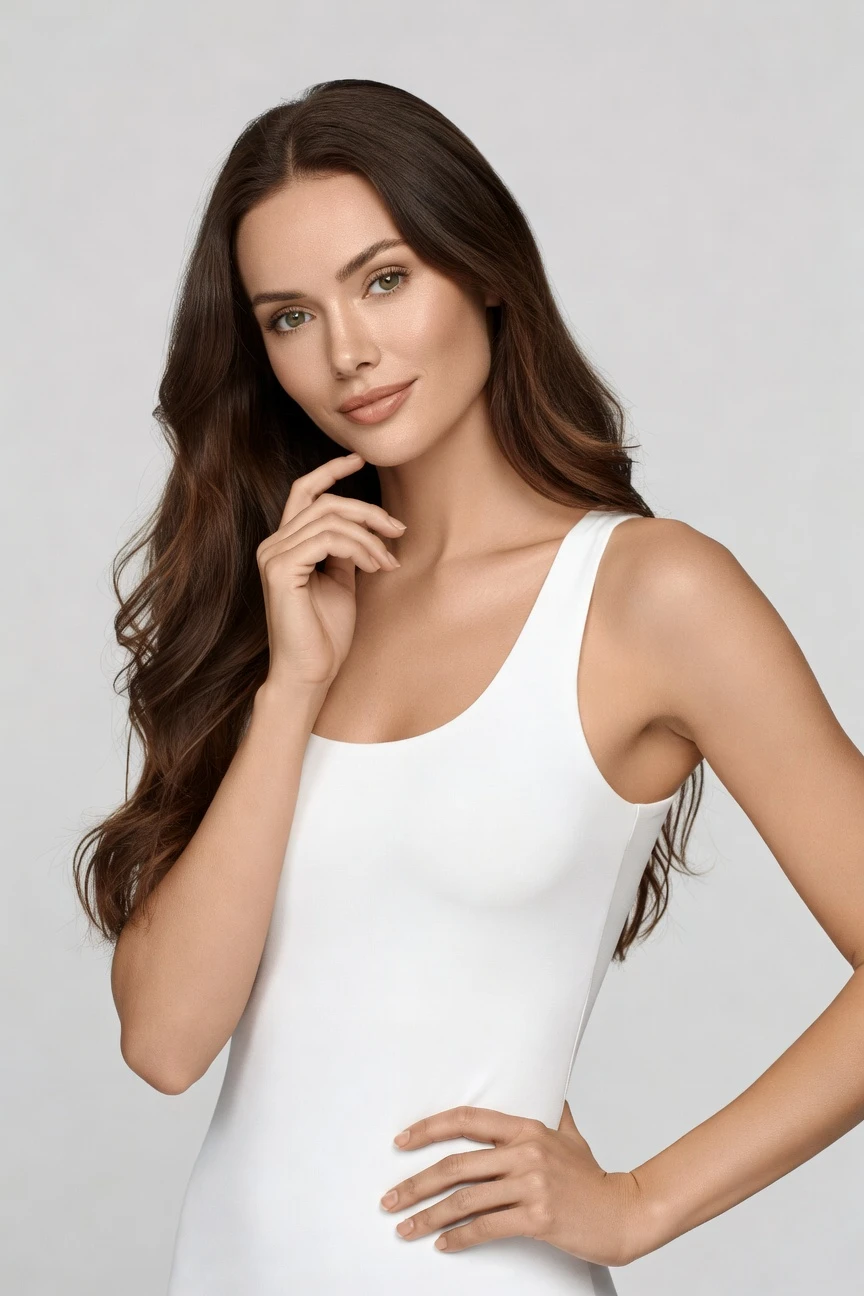
Saved model setup
Female · 26–35 · Dark brown · 175cm
Build a model. Zero prompts.
This setup starts from a Caucasian female presentation with European ethnicity, a 26–35 age range, average body type, and long wavy dark-brown hair. You click the entry attributes once, save the model to your library, and reuse that identity across every garment and style preset. 28 attributes · 10+ options each
- 5 clicks · 0 keystrokes
- app.rawshot.ai / build_model
How it works
Build Once, Reuse Across the Catalog
Set the identity with clicks, save it to your library, and keep the same model consistent from first sample images to full-scale product launches.
- Step 01
Set the Entry Attributes
Choose the visible identity traits that matter first, then refine age, body type, hair, height, and expression with clicks. The interface is built for direct selection, so you start with the model you need instead of translating it into syntax.
- Step 02
Save the Model to Your Library
Once the face and body are right, save that model as a reusable asset. The same identity stays available for future garments, seasonal drops, and channel-specific creative without rebuilding from scratch.
- Step 03
Reuse Across Every Shoot
Apply the saved model in the browser GUI for one-off looks or through the REST API for catalog-scale work. You keep one consistent person across PDPs, campaigns, and regional variations while the garment stays the brief.
Spec sheet
Proof for Attribute-Led Model Building
These twelve surfaces show how RAWSHOT turns a selected model identity into repeatable, labelled, garment-faithful output for commerce teams.
- 01
28 Attributes, Built for Control
Shape a synthetic model through 28 body attributes with 10+ options each. The system is designed to avoid accidental real-person likeness rather than chase ambiguity.
- 02
Every Setting Is a Click
You direct skin tone, age range, body type, hair, expression, framing, and styling through buttons, sliders, and presets. No empty text box stands between you and usable output.
- 03
The Garment Stays Central
RAWSHOT is engineered around the product, so cut, colour, pattern, logo, fabric, and drape stay faithful to the brief. The model supports the garment instead of warping it.
- 04
Diverse Synthetic Models, Clearly Labelled
Build from broad attribute combinations across gender presentation, body shape, skin tone, and more. Outputs are transparently AI-labelled and grounded in synthetic composites.
- 05
Consistency Across Every SKU
Save one model and reuse it across tops, dresses, denim, accessories, and outerwear. The face and body stay steady from one product page to the next.
- 06
150+ Styles for Brand Fit
Move from clean catalog to editorial, campaign, studio, street, noir, Y2K, or vintage with presets. The model remains consistent while the visual direction changes around it.
- 07
2K, 4K, and Every Ratio
Generate assets for PDP, marketplace, social, lookbook, and paid media without rebuilding the model. Resolution and aspect ratio adapt to channel needs, not the other way around.
- 08
Built for Labelled Output
Every asset is AI-labelled, watermarked, and aligned with EU AI Act Article 50, California SB 942, and GDPR-minded operation. Compliance is part of the product surface, not an afterthought.
- 09
Audit Trail Per Image
Each output carries signed provenance metadata and a traceable record. That gives brand, legal, and marketplace teams something concrete to verify before publish.
- 10
GUI for One Shoot, API for 10,000
Use the browser when you are styling a single launch, then move the same model logic into the REST API for overnight catalog pipelines. The product does not split indie and enterprise workflows.
- 11
Predictable Timing and Spend
Model generations run in about 50–60 seconds at roughly $0.99 each, with tokens that never expire. Failed generations refund tokens, so testing does not turn into waste.
- 12
Commercial Rights Stay Clear
Every output comes with full commercial rights, permanent and worldwide. You can publish across ecommerce, paid, retail, and marketplaces without rights fog around the asset.
Outputs
One Model, many contexts
Save a single identity, then direct it through catalog, campaign, close-up, and seasonal treatments without losing continuity. The model stays stable while the creative layer shifts around your garments.


Browse all 600+ models →
Comparison
RAWSHOT vs category tools vs DIY prompting
Three lenses on every dimension — what you optimize for in RAWSHOT versus typical category tools and blank-box AI workflows.
01
Interface
RAWSHOT
Real application with clicks, sliders, presets, and saved model controlsCategory tools + DIY
Often mix light UI controls with shallow text-led setup flows. DIY prompting: Typed instructions in a chat or image box, then repeated trial and error02
Garment fidelity
RAWSHOT
Engineered around the garment’s cut, colour, pattern, logo, and drapeCategory tools + DIY
Can style fashion output well but often soften product-specific details. DIY prompting: Garments drift, trims change, logos mutate, and proportions get invented03
Model consistency
RAWSHOT
Save one synthetic model and reuse it across every SKUCategory tools + DIY
May offer partial continuity, but identity drift appears across batches. DIY prompting: Same face rarely holds between outputs, even with repeated instructions04
Provenance and labelling
RAWSHOT
C2PA-signed, visibly watermarked, cryptographically watermarked, and AI-labelledCategory tools + DIY
Labelling and provenance support vary by vendor and workflow. DIY prompting: No standard provenance metadata, inconsistent labelling, and weak auditability05
Commercial rights
RAWSHOT
Full commercial rights, permanent and worldwide, stated at product levelCategory tools + DIY
Rights can depend on plan level, vendor terms, or extra review. DIY prompting: Usage clarity is often murky across models, tools, and source assets06
Pricing transparency
RAWSHOT
Per-model pricing with non-expiring tokens, refunds on failures, one-click cancelCategory tools + DIY
Credits, seats, or plan tiers can obscure true production cost. DIY prompting: Low entry cost hides time spent iterating, fixing drift, and rerunning failures07
Catalog scale
RAWSHOT
Same engine in browser GUI and REST API for single looks or 10,000 SKUsCategory tools + DIY
Core scale features may sit behind higher plans or gated sales motions. DIY prompting: Manual asset wrangling, inconsistent naming, and no dependable SKU pipeline08
Operational overhead
RAWSHOT
Direct selection keeps teams focused on product and publish-ready outputCategory tools + DIY
Teams still learn tool-specific workflows to get repeatable results. DIY prompting: Prompt-engineering overhead eats time before the first usable image appears
Prompting does not scale
Stop writing essays. Direct the shoot.
Most AI photo tools start with a blank text box. Rawshot turns the shoot into repeatable controls, so creative teams can produce consistent fashion imagery without prompt syntax or one-off hacks.
Category norm
ManualCreate a premium editorial fashion photograph of a model wearing the exact navy oversized wool coat from SKU-1842, full-body crop, realistic hands, consistent facial identity, clean e-commerce lighting, subtle Paris street background, 85mm lens, no logo distortion, no fabric hallucination, same pose as last campaign, repeatable for all colorways...
A prompt can describe one image. It cannot become a shared production system for hundreds of products, models, angles and markets.
Rawshot
ClicksSaved shoot recipe
Apply to 1 SKU or 10,000 via GUI, CSV or REST API.
Rawshot makes creative direction visible: buttons, presets and sliders instead of hidden prompt craft. The result is easier to teach, faster to approve and built for repeat production.
Use cases
Where Consistent Female Models Matter Most
Operator archetypes and how click-directed, garment-first output fits the way they actually work.
- 01
Indie Womenswear Labels
Launch a first collection with one saved female model identity across PDPs, lookbooks, and paid creative before a studio budget exists.
Confidence · high
- 02
DTC Dress Brands
Keep the same Caucasian female presentation across seasonal drops so customers compare silhouettes instead of comparing different faces.
Confidence · high
- 03
Marketplace Sellers
Standardize on-model images for dresses, knitwear, denim, and outerwear while keeping the same model across every listing.
Confidence · high
- 04
Crowdfunded Fashion Projects
Show investors and early customers a consistent female fit presentation before physical sampling and live shoot logistics are in place.
Confidence · high
- 05
Factory-Direct Manufacturers
Build reusable catalog identities for private-label clients who want clean female on-model imagery at SKU scale.
Confidence · high
- 06
Resale and Vintage Stores
Present mixed inventory on one stable model identity so the shop looks curated even when each garment comes from a different source.
Confidence · high
- 07
Adaptive Fashion Teams
Test inclusive styling directions with saved model identities while keeping garments, closures, and fit details clear and central.
Confidence · high
- 08
Lingerie and Intimates Brands
Maintain face and body continuity across product families where confidence, fit context, and repeatable framing matter.
Confidence · high
- 09
Jewelry and Accessories Merchants
Use a saved female model for earrings, sunglasses, watches, and handbags when you need the person to stay constant across add-on categories.
Confidence · high
- 10
Students and Graduate Collections
Build campaign-ready model assets for portfolios and assessment boards without arranging a cast, studio day, and travel.
Confidence · high
- 11
Regional Brand Variants
Create market-specific female catalog identities that stay consistent across language sites, ads, and retail partner pages.
Confidence · high
- 12
Editorial Test Shoots
Try multiple style directions around the same model identity to compare brand fit before committing to a full creative rollout.
Confidence · high
— Principle
Honest is better than perfect.
When a page centers on a specific female identity, transparency matters more, not less. RAWSHOT labels outputs, signs them with C2PA provenance metadata, and applies visible plus cryptographic watermarking so teams can publish with a clear record of what the asset is. Every model is a synthetic composite built across broad attribute combinations, with accidental real-person likeness statistically negligible by design.
Rights & provenance
Full commercial rights. Forever.
- C2PA-signed on every image — EU AI Act Article 50 compliant
- 28-attribute synthetic models — real-person likeness statistically impossible
- Full commercial rights to every generation — no recurring licensing fees
- Tokens never expire · One-click cancel · Transparent pricing
EU AI Act
C2PA
Commercial use
Pricing
~$0.99 per model generation.
~50–60 seconds per generation. Save the model once, reuse it across your entire catalog.
- 01Tokens never expire. Cancel in one click.
- 02Same face, same body, every SKU — no drift between shoots.
- 03No per-seat gates. No 'contact sales' walls for core features.
- 04Failed generations refund their tokens.
FAQ
Practical answers on control, rights, pricing, scale, and compliant publishing.
Do I need to write prompts to use RAWSHOT?
Never—you direct every output with sliders, presets, and clicks on the garment, not typed prompts. That matters because fashion teams do not need another tool that turns a buyer, marketer, or founder into a syntax specialist before a single usable image appears. In RAWSHOT, model attributes, styling direction, framing, lighting, background, and output format all live in a real application interface, so the work feels like directing a shoot rather than negotiating with a text box.
For catalog and campaign teams, reliability beats improvisation. RAWSHOT keeps timings, token pricing, refunds on failed generations, rights, provenance, and labelled output explicit, whether you work in the browser GUI or through the REST API. That makes it easier to onboard teams, rehearse launches, and keep production repeatable across SKUs without the garment drifting or the model identity changing between runs.
What does an AI caucasian female generator actually deliver for apparel catalogs?
It delivers a reusable female model identity that you can apply across many garments without recasting or reshooting. For apparel commerce, that means cleaner product-page continuity, faster comparison across styles, and fewer visual mismatches between adjacent SKUs. The useful outcome is not novelty; it is repeatability, where one saved model can carry knitwear, dresses, outerwear, and accessories while the garment remains the focus.
In RAWSHOT, that identity is built through 28 body attributes with 10+ options each, then saved to your library for future use. You can pair that saved model with 150+ visual styles, multiple framings, and channel-specific formats while keeping provenance, watermarking, and commercial-rights clarity intact. The practical takeaway is simple: define the person once, then spend your team’s time directing assortment, styling, and launch flow instead of rebuilding the same model every week.
Why skip reshooting every SKU when the face needs to stay consistent across seasons?
Because consistency is expensive to rebuild in physical production and fragile when each shoot day starts from scratch. Seasonal updates often need the same person, the same proportions, and the same visual logic carried across fresh colorways, fabrications, and cuts, yet traditional shoots depend on schedule coordination, sample readiness, studio time, and repeat casting. That makes routine catalog upkeep feel like a special project every time.
RAWSHOT changes that by letting you save a model once and apply that identity across future launches in the browser or API. You keep one stable face and body while changing garments, backgrounds, styles, and channel outputs as needed. For commerce teams, the operational lesson is to treat model identity as reusable infrastructure: lock it in early, then iterate on products and creative direction without resetting the whole production stack.
How do we turn flat garments into catalogue-ready imagery without prompting?
You start with the product and select the model, framing, lighting, style, and output settings through the interface. That matters for apparel teams because the garment is the brief: cut, color, pattern, logo placement, and drape have to survive the workflow intact if the final image is going to work on a PDP or in a line sheet. The process should feel like directing a controlled shoot, not guessing which typed instruction will respect the product.
RAWSHOT is designed exactly for that flow. You can build or choose a saved model, set clean catalog or more editorial styling, generate in 2K or 4K, and keep outputs labelled and signed with provenance metadata. For operators, the practical move is to standardize the model and framing first, then batch through garments so the whole assortment reads as one coherent catalog rather than a pile of disconnected experiments.
Why does garment-led control beat DIY prompting in ChatGPT, Midjourney, or generic image tools for fashion PDPs?
Because PDP work depends on repeatability, and generic image tools optimize for broad visual invention rather than disciplined product representation. In DIY workflows, teams spend time rewriting instructions, rerunning variations, and fixing failures such as changed logos, drifting hemlines, invented trims, or a different face every few outputs. Even when a single image looks good, the batch often falls apart once you ask for consistency across an entire collection.
RAWSHOT gives you a fashion-specific application with saved model logic, garment-led controls, style presets, explicit pricing, refunds on failed generations, and labelled outputs with provenance metadata. That means fewer hidden steps between concept and publish-ready assets, plus a cleaner path to browser-based one-offs or API-scale runs. For teams managing assortments, the practical rule is clear: use a product built around garments when the goal is a reliable catalog, not one lucky image.
Can we use RAWSHOT outputs commercially, and how are they labelled?
Yes. RAWSHOT grants full commercial rights to every output, permanent and worldwide, which matters when assets move across ecommerce, marketplaces, retail materials, paid media, and internal sales decks. Rights clarity is not a minor detail for fashion operators; if a tool is vague on usage, every downstream channel inherits risk and confusion. You should know before production begins whether the files can be published everywhere your brand sells.
RAWSHOT pairs that rights position with transparent labelling. Outputs are AI-labelled, C2PA-signed, and protected with visible plus cryptographic watermarking, and the platform is built with GDPR-minded operation and compliance expectations in view. For teams, the practical takeaway is to treat disclosure as a brand-strength move: publish assets that are useful, clearly attributable, and backed by a verifiable record rather than visually convenient but operationally unclear files.
What should our merchandisers and QA team check before publishing on-model assets?
They should check the same things that matter in any fashion image review, but with disciplined attention to model continuity and provenance. Start with garment fidelity: silhouette, seams, color, pattern, hardware, logos, and fabric behavior should match the source product. Then confirm the saved model identity is correct for the assortment, that framing and style fit the intended channel, and that the output is labelled for transparent use rather than treated like an unlabeled studio photograph.
RAWSHOT supports that workflow by keeping the model reusable, the controls explicit, and the output signed with provenance metadata and watermarking. Teams can review assets in a way that blends brand QA, product accuracy, and compliance hygiene before the images go live. The operational best practice is to build a simple publish checklist around garment truth, model consistency, channel fit, and attribution so reviews stay fast even when volumes grow.
How much does this model workflow cost, and what happens to tokens if a generation fails?
Model generation in RAWSHOT costs about $0.99 per run and usually completes in roughly 50–60 seconds. That pricing matters because teams often need to explore a few model variants before locking in a reusable identity, and hidden expirations or vague credit systems make planning harder than it should be. Here, tokens do not expire, so you can build at your own pace instead of racing a billing clock.
If a generation fails, the tokens are refunded. RAWSHOT also keeps cancellation simple with a one-click cancel control, and it avoids per-seat gates or core-feature sales walls that complicate small-team adoption. For operators, the practical budgeting approach is to treat model building as an upfront identity setup cost, then reuse the saved model across the whole catalog so later product production stays consistent and predictable.
Can we connect saved model workflows to Shopify-scale or ERP-driven catalog pipelines?
Yes. RAWSHOT supports a browser GUI for single-shoot work and a REST API for catalog-scale production, which is essential when teams need to move from experimentation into repeatable operations. A saved model is most valuable when it does not stay trapped in one designer’s session but can be applied systematically across assortments, updates, and downstream publishing flows. That is where fashion teams start treating imagery as infrastructure instead of a sequence of isolated tasks.
In practice, you can define the model once, then use that identity across SKU batches, channel variants, and scheduled asset creation. The same product logic serves indie brands running manually and larger teams integrating with broader commerce systems, without changing pricing philosophy or hiding scale behind a different edition. The operational takeaway is to establish your reusable model library early, then connect it to the systems that already govern assortment and launch timing.
How far can a small team scale one saved identity through the UI and API before it needs a different workflow?
Much farther than most teams expect, because the same RAWSHOT engine supports both hands-on creative work and high-volume production. A founder can build a model in the browser, test styling directions, and approve a look for launch, while an operations team can later apply that same identity across large SKU sets through the REST API. That continuity matters because scaling usually breaks when the creative proof-of-concept and the production workflow live in different tools with different rules.
RAWSHOT avoids that split. The saved model, pricing logic, rights framing, provenance signals, and labelled output stay consistent whether you generate one asset or orchestrate a much larger batch. For small teams, the practical lesson is to start with the GUI to define identity and brand fit, then expand into API-led throughput only when the assortment size demands it, without retraining the whole company on a new production system.