
— On-model imagery · 150+ styles · 4K-ready
Direct your next drop with the Shirt Dress AI On-model Photography Generator—click-driven control, garment-led fidelity.
Generate shirt dress on-model imagery that matches your cut, color, pattern, and logo without writing anything into a text box. You click camera, framing, pose, lighting, background, and visual style—then generate. No studio days, no sample shipments, and no prompting to get publish-ready results.
- ~$0.55 per image
- ~30–40s per generation
- 150+ visual styles
- 2K or 4K
- Every aspect ratio
- Full commercial rights
7-day free trial • 50 tokens (10 images) • Cancel anytime

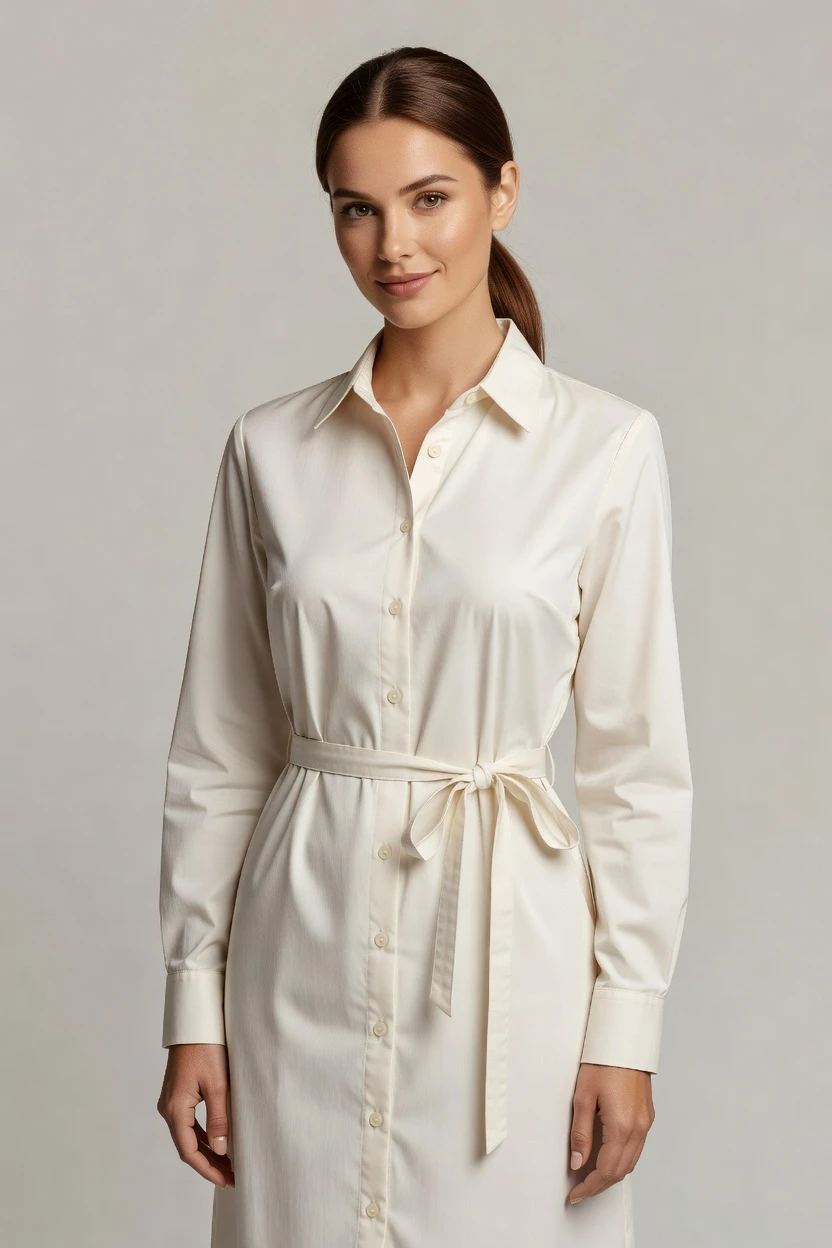
Direct the shoot. Zero prompts.
Choose a lens, framing, lighting, background, mood, and a campaign-ready visual style. Your shirt dress stays the brief—RAWSHOT generates the on-model scene from those clicks, with no typed instructions. 5 tokens · ~34s per image
- 6 clicks · 0 keystrokes
- app.rawshot.ai / new_shoot
How it works
Click to direct the on-model look
You steer camera, framing, lighting, style, and output settings with real controls—then generate shirt dress imagery with zero prompting.
- Step 01
Select the garment-led scene
Choose the camera lens, framing, pose, and angle, then pick the lighting and background that fit your shirt dress story. Every setting is a click, not a command.
- Step 02
Tune style, then generate
Apply a visual style preset and lock the output aspect ratio and resolution you need for campaign or catalog. When everything looks right, generate the on-model imagery.
- Step 03
Save, reuse, and publish
Keep the model you like and reuse it across SKUs to prevent face drift. Export imagery with C2PA provenance, visible + cryptographic watermarking, and full commercial rights for worldwide use.
Spec sheet
Proof that the garment stays the brief
Twelve checks that cover control, garment fidelity, model consistency, provenance, scale tooling, and publishing rights—built for fashion teams shipping fast.
- 01
No-likeness by design
RAWSHOT uses diverse synthetic models transparently labelled as composites of 28 body attributes with 10+ options each, so accidental real-person likeness is statistically negligible by design.
- 02
Click-driven UI, no prompts
Direct the shoot with button, slider, and preset controls for camera, framing, pose, lighting, background, mood, and visual style. No text box. No typed instructions.
- 03
Garment fidelity you can trust
RAWSHOT is engineered around the real product: cut, color, pattern, logo, fabric, and drape are represented faithfully so your shirt dress looks like your spec.
- 04
Synthetic models, clearly labelled
You pick the synthetic model that fits your brand, and RAWSHOT keeps the output consistent while staying honest about what the model is.
- 05
SKU consistency across variants
Reuse the same model face and body across every SKU so you avoid drift between shoots. Build a catalog without retakes or mismatched faces.
- 06
150+ visual styles
Switch between catalog, lifestyle, editorial, campaign, studio, street, Y2K, noir, vintage, and more. Keep lighting and framing aligned to your shirt dress creative direction.
- 07
2K/4K, every ratio
Generate at 2K and 4K and choose the aspect ratio your channels demand, from vertical social crops to horizontal hero placements.
- 08
Compliance and labelling
Outputs are C2PA-signed and watermarked, with AI-labelled provenance aligned to EU AI Act Article 50 and California SB 942.
- 09
Per-image audit trail
Each generated image includes a signed audit trail so production teams can keep records across campaigns, revisions, and catalog updates.
- 10
GUI + REST API for scale
Use the browser GUI for single shoots, or the REST API for catalog pipelines that generate consistent shirt dress imagery across thousands of SKUs.
- 11
Fast generation, transparent economics
Generate stills in roughly 30–40 seconds per image at predictable per-image pricing, with tokens that never expire and one-click cancel on the pricing page.
- 12
Full commercial rights, worldwide
Every output ships with full commercial rights, permanent, worldwide—so teams can publish, advertise, and iterate without unclear licensing stories.
Outputs
Preview outputs before you commit From controls to catalog-ready imagery
See how your shirt dress looks under different camera, lighting, and visual style presets—then lock the settings you want to repeat across SKUs.


Browse 150+ visual styles →
Comparison
RAWSHOT vs category tools vs DIY prompting
Three lenses on every dimension — what you optimize for in RAWSHOT versus typical category tools and blank-box AI workflows.
01
Interface
RAWSHOT
Click-driven controls for camera, framing, lighting, style, and output settings.Category tools + DIY
Shorter controls and less structured creative direction for apparel outputs. DIY prompting: Typed prompts with iterative guessing and prompt rewriting.02
Garment fidelity
RAWSHOT
Garment-led representation of cut, color, pattern, logo, fabric, and drape.Category tools + DIY
Looser product alignment; frequent garment drift across variants. DIY prompting: Model bends the garment to the prompt, often mutating details.03
Model consistency across SKUs
RAWSHOT
Reuse the same model face and body to prevent drift between shoots.Category tools + DIY
Inconsistent faces and styling changes across outputs. DIY prompting: Different seeds and interpretations lead to changing faces each run.04
Provenance + labelling
RAWSHOT
C2PA-signed outputs with visible + cryptographic watermarking and AI-labelled provenance.Category tools + DIY
Often lacks clear provenance, watermarking, and compliance signalling. DIY prompting: Unclear attribution and no per-image audit trail for commerce teams.05
Commercial rights
RAWSHOT
Full commercial rights to every output, permanent, worldwide.Category tools + DIY
Licensing terms can be unclear or gated by plan tiers. DIY prompting: Rights and usage clarity depend on the third-party model and workflow.06
Iteration speed per variant
RAWSHOT
Generate predictable stills in ~30–40 seconds per image with repeatable settings.Category tools + DIY
Slower rework cycles when controls don’t map to garments reliably. DIY prompting: Prompt-engineering overhead slows iteration across SKUs and revisions.07
Pricing transparency
RAWSHOT
Flat per-image pricing with tokens that never expire and refunds for failed generations.Category tools + DIY
Per-seat pricing and confusing volume tiers that punish growth. DIY prompting: Often includes hidden costs from repeated generations and failed attempts.08
Catalog API
RAWSHOT
REST API for catalog-scale pipelines with the same garment-led engine.Category tools + DIY
More limited export automation and weaker catalog integration patterns. DIY prompting: DIY scripting is required to manage consistency, provenance, and rights metadata.
Prompting does not scale
Stop writing essays. Direct the shoot.
Most AI photo tools start with a blank text box. Rawshot turns the shoot into repeatable controls, so creative teams can produce consistent fashion imagery without prompt syntax or one-off hacks.
Category norm
ManualCreate a premium editorial fashion photograph of a model wearing the exact navy oversized wool coat from SKU-1842, full-body crop, realistic hands, consistent facial identity, clean e-commerce lighting, subtle Paris street background, 85mm lens, no logo distortion, no fabric hallucination, same pose as last campaign, repeatable for all colorways...
A prompt can describe one image. It cannot become a shared production system for hundreds of products, models, angles and markets.
Rawshot
ClicksSaved shoot recipe
Apply to 1 SKU or 10,000 via GUI, CSV or REST API.
Rawshot makes creative direction visible: buttons, presets and sliders instead of hidden prompt craft. The result is easier to teach, faster to approve and built for repeat production.
Use cases
Shirt dress imagery for every production pace
Operator archetypes and how click-directed, garment-first output fits the way they actually work.
- 01
Indie designer pre-launch drops
Generate campaign-ready shirt dress imagery in-browser without booking a studio and then export for web and social.
Confidence · high
- 02
DTC brand seasonal refresh
Update hundreds of shirt dress SKUs while keeping the same model face, lighting direction, and style across the entire collection.
Confidence · high
- 03
On-demand label for crowdfunding
Create stretch-goal lookbooks and product pages from the actual garment spec, using repeatable presets instead of retraining workflows.
Confidence · high
- 04
Kidswear team with fast turnaround
Produce consistent on-model shirt dress catalog shots across many variants without re-shooting for each colorway.
Confidence · high
- 05
Adaptive fashion line production
Build accessible, consistent on-model imagery by directing framing, lighting, and mood while keeping garment details faithful.
Confidence · high
- 06
Lingerie DTC merchandising
Generate apparel-focused shirt dress visuals with studio or lifestyle looks and keep output labelled for compliant publishing.
Confidence · high
- 07
Resale and vintage marketplace seller
Turn garment photos into publishable on-model scenes while keeping licensing and provenance handling clear for buyers.
Confidence · high
- 08
Factory-direct manufacturer catalogs
Scale shirt dress imagery across your SKU list with REST API batch generation and repeatable camera settings.
Confidence · high
- 09
Student fashion lab projects
Practice editorial lighting and styling directions quickly, learning production workflows without prompt syntax overhead.
Confidence · high
- 10
Accessory cross-sell bundles
Compose shirt dress scenes with up to four products in one composition while preserving garment-led fidelity across outputs.
Confidence · high
- 11
Marketplace seller on multiple sizes
Maintain face consistency across size variants and revisions so every shirt dress listing looks like it belongs to the same shoot.
Confidence · high
- 12
Campaign team for multi-channel launches
Generate the same shirt dress under different aspect ratios and visual styles so one shoot feeds web, ads, and social delivery.
Confidence · high
— Principle
Honest is better than perfect.
Every output is C2PA-signed and watermarked (visible plus cryptographic), with AI-labelled provenance for clearer commerce governance. For shirt dress product pipelines, that means your team can publish with a documented record—aligned to EU AI Act Article 50 and California SB 942—without hiding what the image is.
Rights & provenance
Full commercial rights. Forever.
- C2PA-signed on every image — EU AI Act Article 50 compliant
- 28-attribute synthetic models — real-person likeness statistically impossible
- Full commercial rights to every generation — no recurring licensing fees
- Tokens never expire · One-click cancel · Transparent pricing
EU AI Act
C2PA
Commercial use
Pricing
~$0.55 per image.
~30–40 seconds per generation. Tokens never expire. Cancel in one click.
- 01The cancel button is on the pricing page.
- 02No per-seat gates. No 'contact sales' walls for core features.
- 03Failed generations refund their tokens.
- 04Full commercial rights to every output, permanent, worldwide.
FAQ
Practical answers on control, rights, pricing, scale, and compliant publishing.
Do I need to write prompts to use RAWSHOT?
Never—you direct every output with sliders, presets, and clicks on the garment, not typed prompts. That UI control is consistent across GUI and REST API payloads, which is why ecommerce teams onboard buyers without rewriting creative briefs as chat threads.
For catalog teams, reliability matters more than model cleverness; RAWSHOT keeps tokens, timings, refund rules, commercial rights framing, provenance signalling, watermarking cues, REST surface, and SKU-scale batch patterns explicit so operations can rehearse PDP launches without hallucinated garment inventions.
What does click-driven garment control change for a shirt dress catalog?
You get garment-faithful iteration without fighting a free-form text interface. Instead of re-asking the model to “match” your design, you steer camera, framing, lighting, background, and visual style while the shirt dress stays the brief.
That matters for catalog work because teams need repeatability: consistent composition, repeatable lighting direction, and outputs that align with product specs across colorways and sizes.
Why skip reshooting every SKU for season updates?
Because a reshoot pipeline is tied to studio time, shipping, and scheduling, while revisions are constant in ecommerce. RAWSHOT lets your team refresh shirt dress imagery by reusing the same model and settings to keep the catalog cohesive.
You generate new shots in the browser GUI or via REST API, keep provenance and audit trail with every image, and publish with full commercial rights—so updates don’t turn into production delays.
How do we turn a flat shirt dress spec into on-model product imagery without prompting?
You start by selecting the on-model scene using the application controls—lens, framing, pose, camera angle, lighting system, background, and a visual style preset. Those controls replace the job of writing instructions, so the workflow stays predictable for non-experts.
From there, you generate and save the output, then reuse the same model and direction across variants to avoid drift between uploads.
Why does garment-led control beat prompt roulette for PDP photos?
Prompt roulette produces unpredictable garment behavior: details shift, logos change, and faces vary run to run. Click-driven garment control keeps your shirt dress spec represented faithfully while you adjust only what you intend—framing, lighting, mood, and style.
That predictability is what helps commerce teams maintain brand consistency across listings and marketing assets.
Will RAWSHOT outputs be labelled and usable for advertising?
Yes. Every generated image carries provenance via C2PA signing and includes visible plus cryptographic watermarking cues, with AI-labelled output metadata for transparent governance.
For usage, RAWSHOT provides full commercial rights to every output, permanent, worldwide—so the licensing story stays clear for marketing approvals and storefront publishing.
What should we check before uploading shirt dress images to our store?
Do a quick QA pass on garment fidelity (cut, color, pattern, logo, and drape), framing consistency (close-up vs flat-lay vs full body), and the chosen visual style preset. Then confirm watermarking and labelled provenance are present on the final export.
Because RAWSHOT keeps per-image audit trail, it’s easier for teams to trace which settings produced each image during campaign or catalog iterations.
How do tokens and pricing work for stills versus video generation?
For stills, RAWSHOT charges per image with predictable generation time and tokens that never expire. If a generation fails, tokens are refunded, and you can cancel in one click from the pricing page.
Video uses more tokens per second than stills, so clips cost more as duration increases—still, the workflow remains the same: generate from controls, then export with rights and provenance.
Can we integrate RAWSHOT into our existing ecommerce pipeline via API?
Yes. Use the REST API for catalog-scale generation, while keeping the same garment-led control philosophy that you use in the browser GUI. That means camera direction, framing, lighting choices, and visual style presets map cleanly into batch workflows.
You also get signed provenance and an audit trail per image, which helps operations manage approvals across large product catalogs.
How do teams collaborate across UI and API when scaling production?
One team can direct single shoots in the browser for creative approvals, then hand the saved settings and direction into the catalog pipeline via REST API for batch generation. Other roles can manage publishing schedules while the imagery remains consistent.
This separation keeps production moving without sacrificing reliability: the model stays consistent, outputs remain labelled with C2PA provenance, and commercial rights remain clear for every asset.
Keep exploring